



Adobe Camera Raw 19.0 Is Here: Motion and Streak Glow, Virtual Copies, and Batch Generative Remove ✨
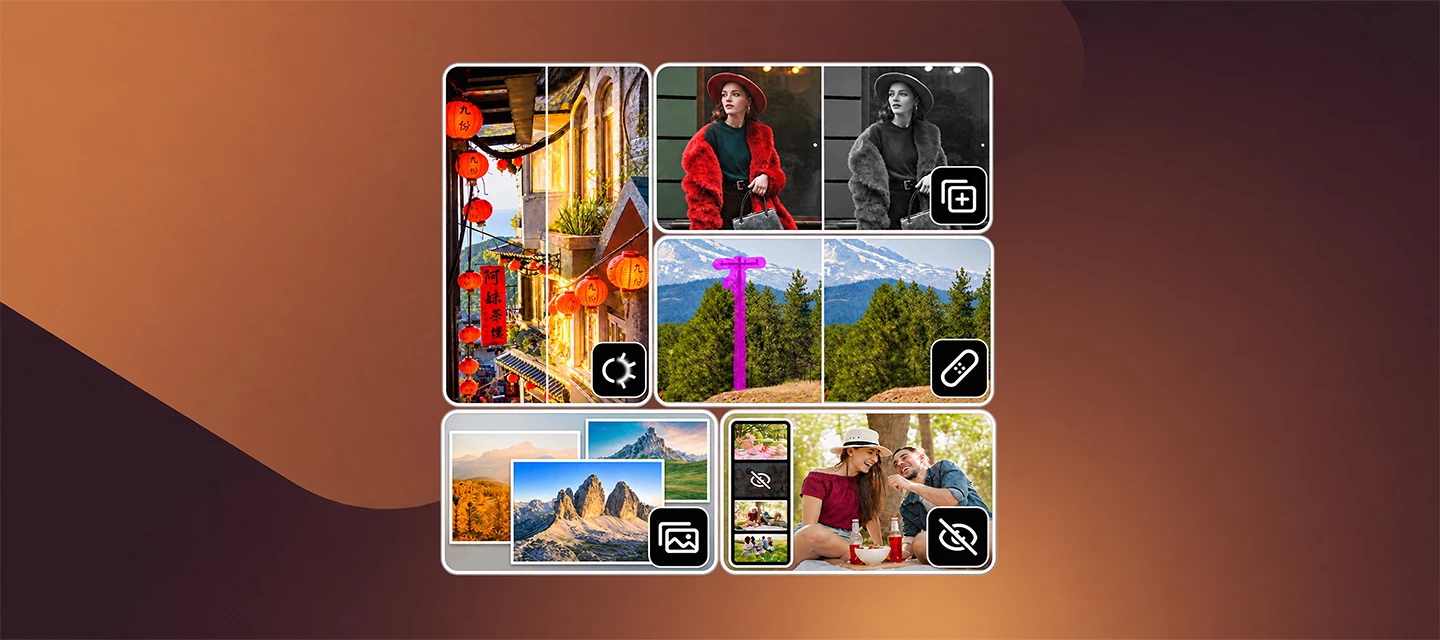
Adobe Camera Raw 19.0 is here! Edit more creatively and flexibly with new Motion and Streak Glow styles, virtual copies, and the ability to mark distractions across photos and remove them in a batch. It's also easier to manage larger sets of images with stacks and Hide Photos, and there's support for newly added cameras and lenses.
The Highlights
-
New Motion and Streak Glow styles: Create directional light streaks, with Motion extending highlights in one direction and Streak extending them in opposite directions. Adjust the angle and edges of your streaks using the new Direction and Softness controls.
-
Virtual copies: Try multiple edits and creative variations of the same photo without duplicating the original file. Each variation can be edited independently, saved as a separate output file, and retained between sessions.
-
Batch cleanups with Mark to Remove: Mark unwanted areas across multiple images, then apply Generative Remove to all the selected photos in one go. The new Mark to Remove feature saves your selections even after you close the app, letting you copy them to photos with matching framing and process them together when you are ready.
-
Auto-Stack by Capture Metadata: Group related photos into stacks, automatically or manually, under a single cover thumbnail to reduce workspace clutter. You can rearrange files within a stack, assign stack types like HDR or burst, with auto-stacking currently supported on recent Canon, Nikon, and DNG-supported camera models.
-
Hide photos: Temporarily hide images, or show only your selected photos in the filmstrip and Grid view, to keep your editing focused. Everything you hide stays tucked away during your current session and automatically reappears the next time you open the app.
-
Color Grading with LUTs: Stack up to three LUTs across your whole photo, or use one per mask. Dial in your look with an Amount control for each.
-
Expanded Denoise support: Clean up noise in more formats, including JPEG, HEIF/HEIC, TIFF, PNG, AVIF, JPEG XL, WebP, PSD/PSB, and output-referred DNG. It also works directly within the Photoshop Camera Raw Filter, using the same Detail panel checkbox and Amount slider.
-
Expanded cameras and lenses support: More tethered cameras, newly supported camera models, and more lenses.
How to Update
- Open the Creative Cloud desktop app and head over to the Apps tab.
- Install the latest updates for Photoshop and Bridge to get the new Camera Raw plug-in.
-
Make sure you are running Camera Raw version 19.0.
Where to find the version number:-
In Bridge: Go to Edit > Camera Raw Preferences (Windows) or Adobe Bridge > Camera Raw Preferences (macOS). The version number sits right at the top of the preferences window.
-
In Photoshop: Go to Edit > Preferences > Camera Raw (Windows) or Photoshop > Settings > Camera Raw (macOS). The version number sits right at the top of the preferences window.
-
👉 Prefer a manual setup? You can always grab the standalone installer directly from the Camera Raw plug-in installer page.
Over to you 👂
Have you tried the new Motion and Streak Glow styles yet? We'd love to see how you're using them to transform light in your photos. Share your experiments with virtual copies, tell us how batch removal fits into your cleanup workflow, or let us know how stacks and hidden photos help you stay organized while you edit.
 AdChoices