Srishti Bali
Community Manager
Community Manager
June 13, 2023

Ai 27.6.1 | Ai Generative Recolor, Retype, improved Image Trace, save PDF with Hyperlinks & more!

  • June 13, 2023
  • 7 replies
  • 6167 views

Illustrator v27.6.1: A powerful new release with a host of new features!


Video tutorial by @Monika Gause 
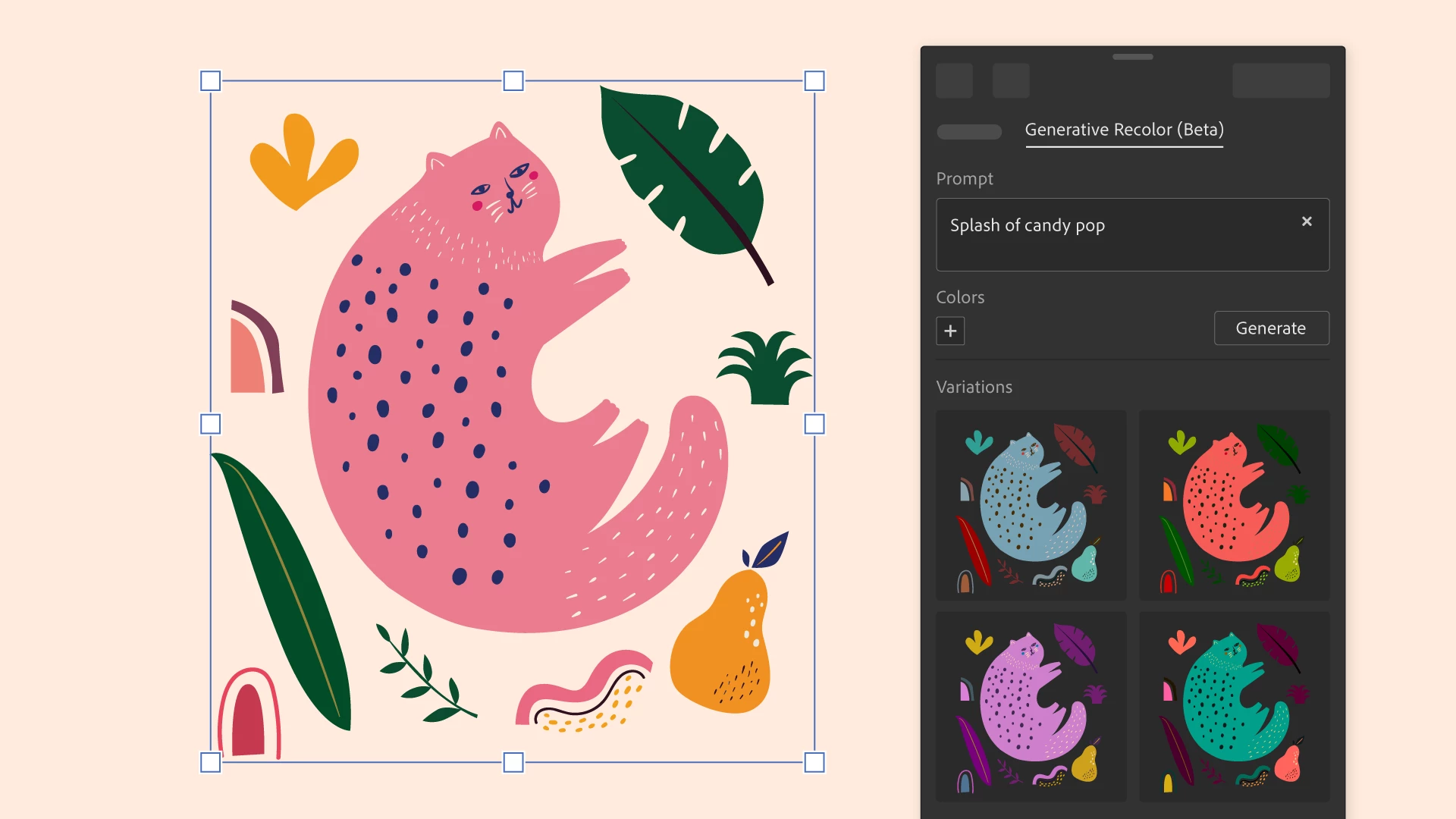


Recolor artwork easily with Generative Ai:- 
Generative Recolor (Beta) is a new feature that allows you to transform the colors in your vector artwork into compelling themes and palettes with little time and effort. Simply enter a simple text prompt of the desired color theme or palette and get multiple variations as output. You can try out the variations and choose the most suitable one for your artwork.


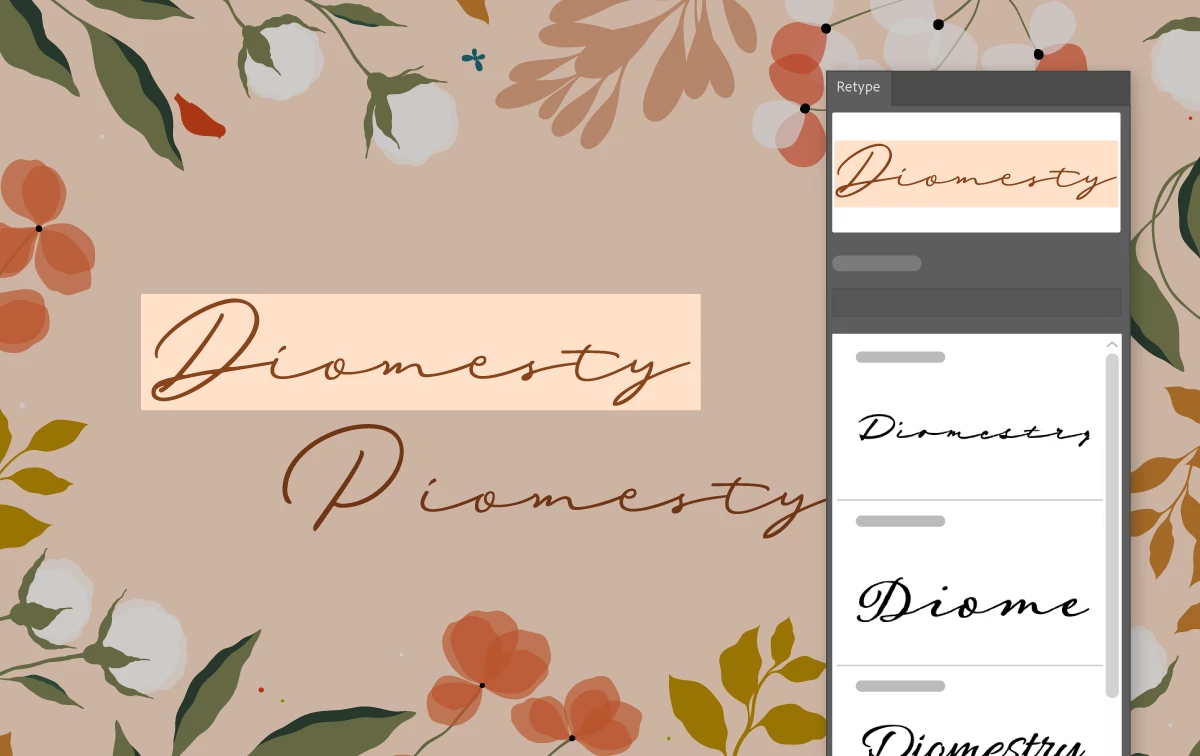
Identify fonts using Retype (Beta):-

Retype (Beta) makes it easy to identify fonts in images and outlined text. Simply take a photo and let it do the work. The font can be applied to your text instantly, allowing you to see how it looks in your design.
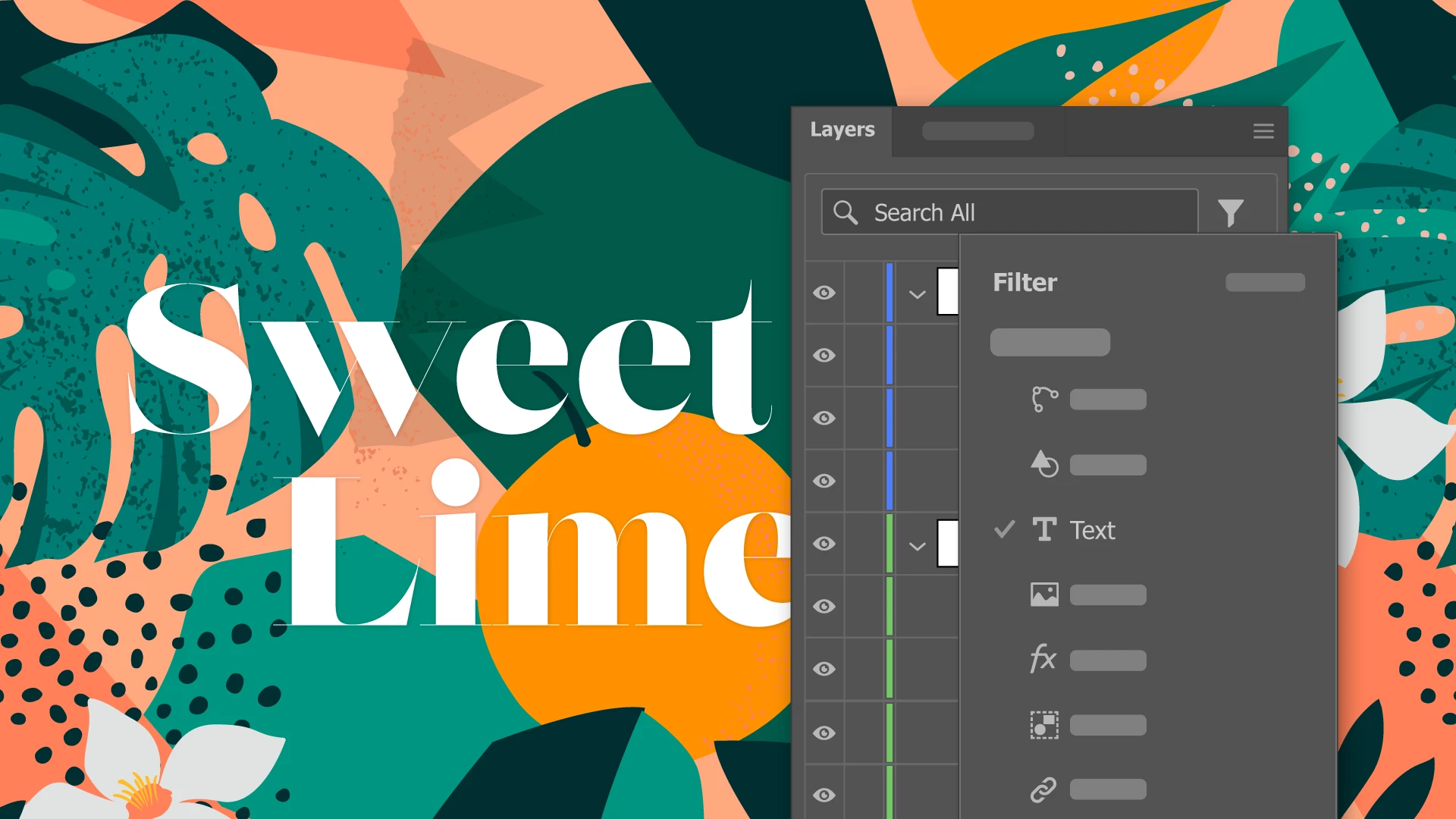


Uncover Layers and Objects in a Snap: Harness the Power of Search and Filter: -
The Layers panel has been improved in Illustrator v27.6, making it easier to find layers and objects. You can now type in a layer or object name or use the layer and object filters to quickly locate specific layers and objects.



Preserve Hyperlinks :Maintain Interactive Experience in Exported PDF Files:-

Illustrator now retains the text and image hyperlinks when you export your artwork as PDF files.



Simplified Color Selection for JPEG Export: -
Choose the color model for JPEG export without changing the document's color profile. You can set the color model as RGB, CMYK, or Grayscale in Export for screens. 
The color model is saved until the app is closed and reopened.
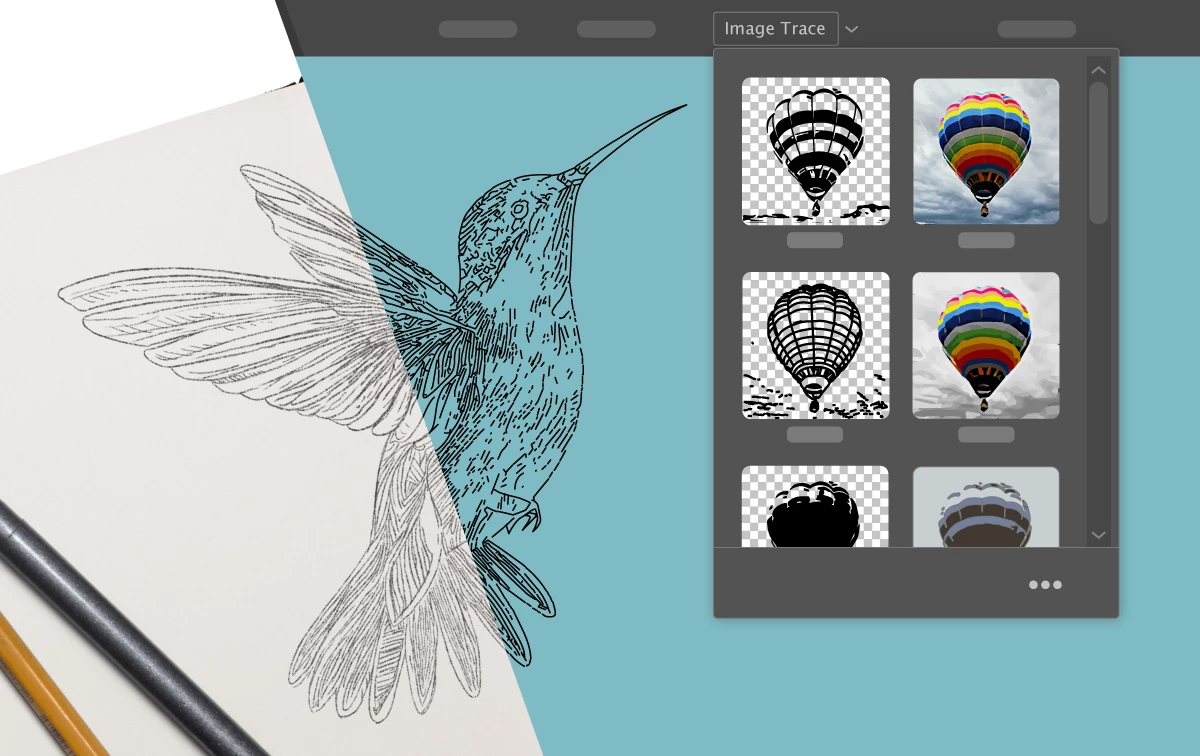


Improvements to Image Trace:-

Illustrator v27.6 includes a number of improvements to the image trace experience. The Image Trace panel has been redesigned, and now it can auto-detect the art type of the image and apply the corresponding tracing preset for you, or you can choose a preset yourself. You can also remove a color of your choice from the tracing result of logos, sketches, and line art. And you can simplify the tracing result by reducing the number of anchor points.



Enhance Your Web Content: Export Stunning Artwork as WebP Images: -
Illustrator now supports the export of artwork as WebP images. This file format is great for websites and mobile apps as it produces high-quality images with a smaller file size than JPEG and PNG.



Streamline Your PDF Workflow: Illustrator Set Last Used PDF Preset as Default:-

Illustrator now remembers the last preset used for saving PDF files and keeps it as the default preset.
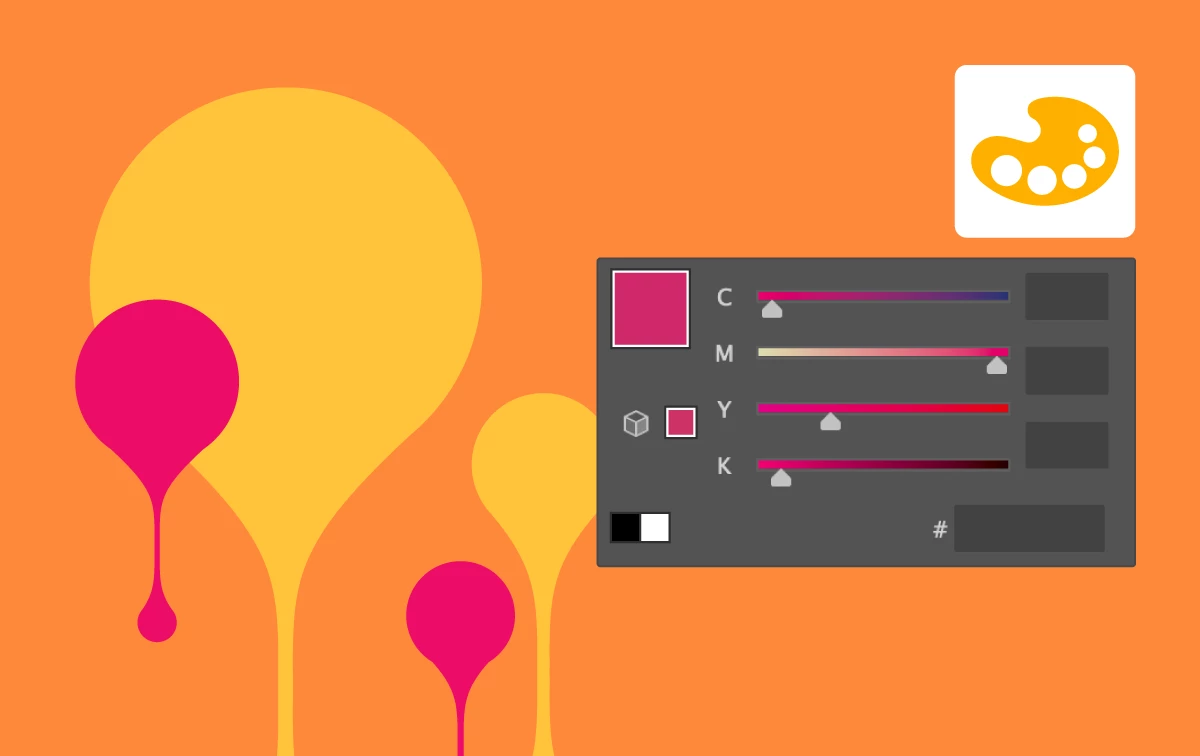


Ensure Color Consistency: Identify HEX Codes for HSB and CMYK Colors with Ease: -
You can now identify the HEX code of HSB and CMYK colors in the Color and Swatches panels, helping you to maintain color consistency and accuracy throughout your artwork.


See What's New for more information on the latest features. To help us have focused discussions, create separate posts for feedback on features related to this update. 

Thanks,
Srishti

    This topic has been closed for replies.

    7 replies

    Anshul_Saini
    Community Manager
    Community Manager
    September 13, 2023

    Hello everyone,


    We're excited to announce that Generative Recolor in Illustrator has officially transitioned from beta to General Availability (GA). This means it's now a fully supported and stable feature for all users.


    With the release of Illustrator version 27.9, we've introduced several exciting updates. To make the most of these enhancements and harness the full potential of Generative Recolor, we highly recommend updating to v27.9.


    New Updates:


    Don't miss out on the latest and significant improvements in Illustrator – upgrade today to unlock a world of creative possibilities!


    Best,

    Anshul

    Participant
    July 20, 2023

    Dear Srishti,


    Thank you for sharing the exciting new features in the latest Illustrator update, version 27.6.1! The enhancements sound truly impressive and promise to make our design workflow even more efficient and creative.


    The Generative Recolor (Beta) feature particularly caught my attention. Being able to transform vector artwork colors into compelling themes and palettes with just a simple text prompt is remarkable. It will surely save a lot of time and effort in experimenting with various color schemes for our designs.


    The Retype (Beta) feature also sounds promising, as it allows us to easily identify fonts in images and apply them instantly to our text. This will be incredibly useful when working on projects with different font styles and needing to match them precisely.


    The improved Layers panel with search and filter options is a much-needed improvement. Finding specific layers and objects quickly will definitely streamline our workflow, especially for complex projects with numerous elements.

    Preserving hyperlinks in exported PDF files is a fantastic addition. It ensures that interactive experiences within our artwork are maintained, making our PDF files even more engaging for viewers.


    I'm also delighted to hear about the enhancements to Image Trace. The redesigned Image Trace panel, auto-detection of art types, and the ability to remove specific colors and reduce anchor points will undoubtedly improve the quality and flexibility of our traced images.


    Exporting artwork as WebP images is a valuable addition, as it allows us to optimize web content with smaller file sizes without compromising on image quality.


    Additionally, the ability to set the last used PDF preset as the default will save us time and effort, streamlining our PDF workflow.


    Lastly, being able to identify HEX codes for HSB and CMYK colors in the Color and Swatches panels ensures color consistency and accuracy throughout our artwork.


    Overall, these new features are impressive, and I can't wait to try them out in our design projects. It's evident that Adobe Illustrator continues to evolve, making it an essential tool for creative professionals like us.


    Thank you for sharing the update, and I'll make sure to create separate posts to provide feedback on specific features. Let's continue creating stunning designs with these fantastic enhancements!


    Best regards!

    Anubhav M
    Community Manager
    Community Manager
    July 4, 2023

    Hello everyone,


    We understand that the experience with Image Trace on Illustrator is not what you were expecting. To help get feedback for our product team, would you mind sharing more details, like the screenshots of the original file and the one after using Image Trace and details about the expected result, so that we can share this info with the team?


    Looking forward to hearing from you.


    Thanks,

    Anubhav

    Participant
    June 20, 2023

    i had been using AI beta a few days ago but suddenly yesterday the Generative Recolor disappeared:(

    i thought its my update problem so i restart but its still gone?

    is there a bug in this function?


    Jess Telmanik
    Community Expert
    Community Expert
    June 22, 2023

    The Generative Recolor feature is no longer in the Illustrator Beta and is now available in the current release of Illustrator build 27.6.1!

    marys39760611
    Participant
    June 19, 2023

    So, when saving to a .pdf, I usually save 2 versions of the same file, one at full Illustrator settings, and one at "Smallest Size". I do that in that order, every time. Since this update, the default file preset is no longer the Illustrator Preset for .pdf s whenever I save. So now I have to make sure I change the preset every time, instead of just when I want to save it to Smallest Size. Is there a way to make the default preset only be one type of file again like before? This "small change" really messes with my workflow, and should be an option to toggle on and off. Not a default.

    Monika Gause
    Community Expert
    Community Expert
    June 19, 2023

    @marys39760611  schrieb:

    So, when saving to a .pdf, I usually save 2 versions of the same file, one at full Illustrator settings, and one at "Smallest Size". I do that in that order, every time. Since this update, the default file preset is no longer the Illustrator Preset for .pdf s whenever I save. So now I have to make sure I change the preset every time, instead of just when I want to save it to Smallest Size. Is there a way to make the default preset only be one type of file again like before? This "small change" really messes with my workflow, and should be an option to toggle on and off. Not a default.


    Please post this as a feature request:

    https://illustrator.uservoice.com


    The engineers do not read this forum.

    Participant
    June 16, 2023

    The new Image Trace is sadly so much worse than the previous one. It does not do as well of a job in the "Sketch" preset. The default image trace is very annoying as well. Please fix this!

    Participant
    June 16, 2023

    Been having the same problem. The updated Image Trace is just not cutting it. I have had to rollback my illustrator to the previous version. 


    I don't have the time to mess around trying to figure out how to get it to be as accurate as the previous version. That costs labor and we just dont have time for that. 

    Participant
    June 16, 2023

    THIS ^^ Could not agree more. Have been thinking about going back to the previous version myself.

    flaminkgosh
    Participant
    June 13, 2023

    features such as search layers should also be on the Action panel menu, because there are so many Actions compared to layers that really need a search feature.