
Illustrator 2026 v30.0 | Font Browser, Color, Snapping & Artboards Enhancements, Turntable and more

Hello Illustrator community! We’re thrilled to announce the release of Adobe Illustrator 2026 v30.0 (MAX). This update introduces a refreshed font browser, advanced color and snapping tools, improved artboard management, and exciting new features like Turntable (Beta), Projects for collaboration, and centralized generative AI tools.
What’s new in Illustrator 2026 (v30.0)
This release focuses on boosting creativity and efficiency with smarter tools, faster performance, and seamless integration with Adobe Firefly and Adobe Express.
Enhanced Font Browser
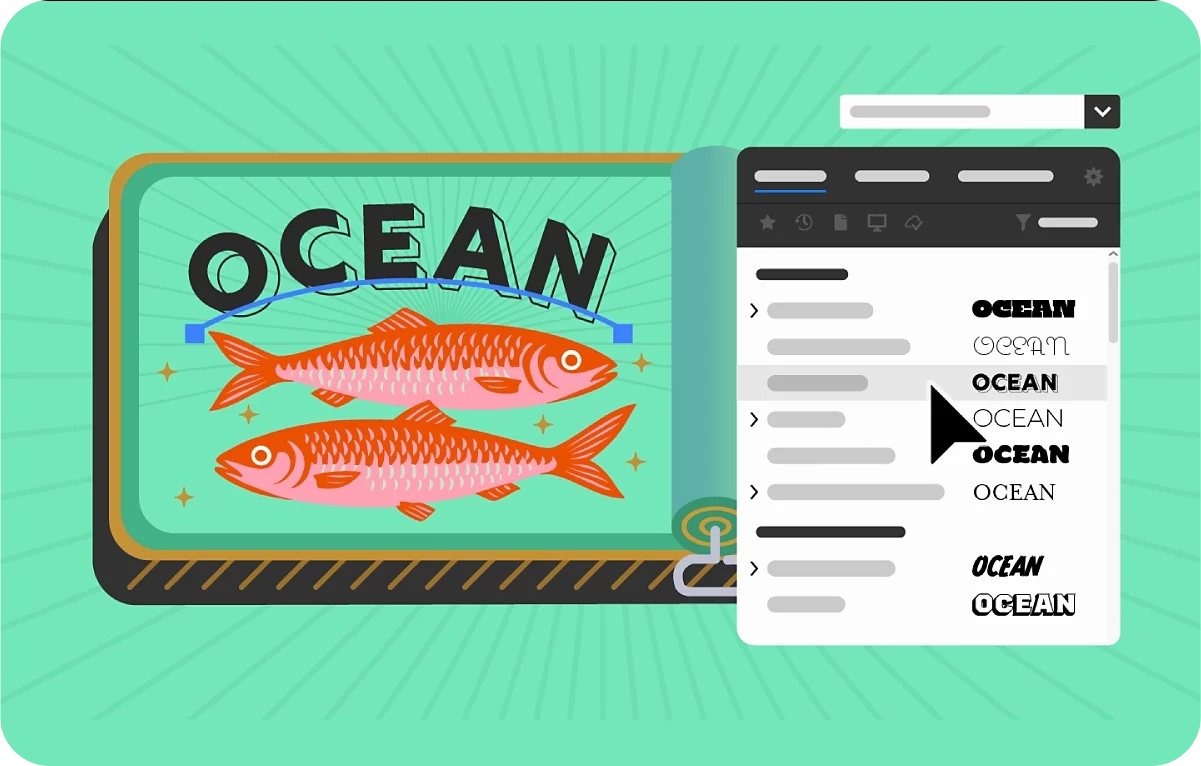
Explore fonts effortlessly with streamlined sections, new filters, and direct access to Adobe Fonts. Organize and manage fonts using Creative Cloud Libraries—all within the font browser.
Learn more about the enhanced Font Browser.
Color enhancements
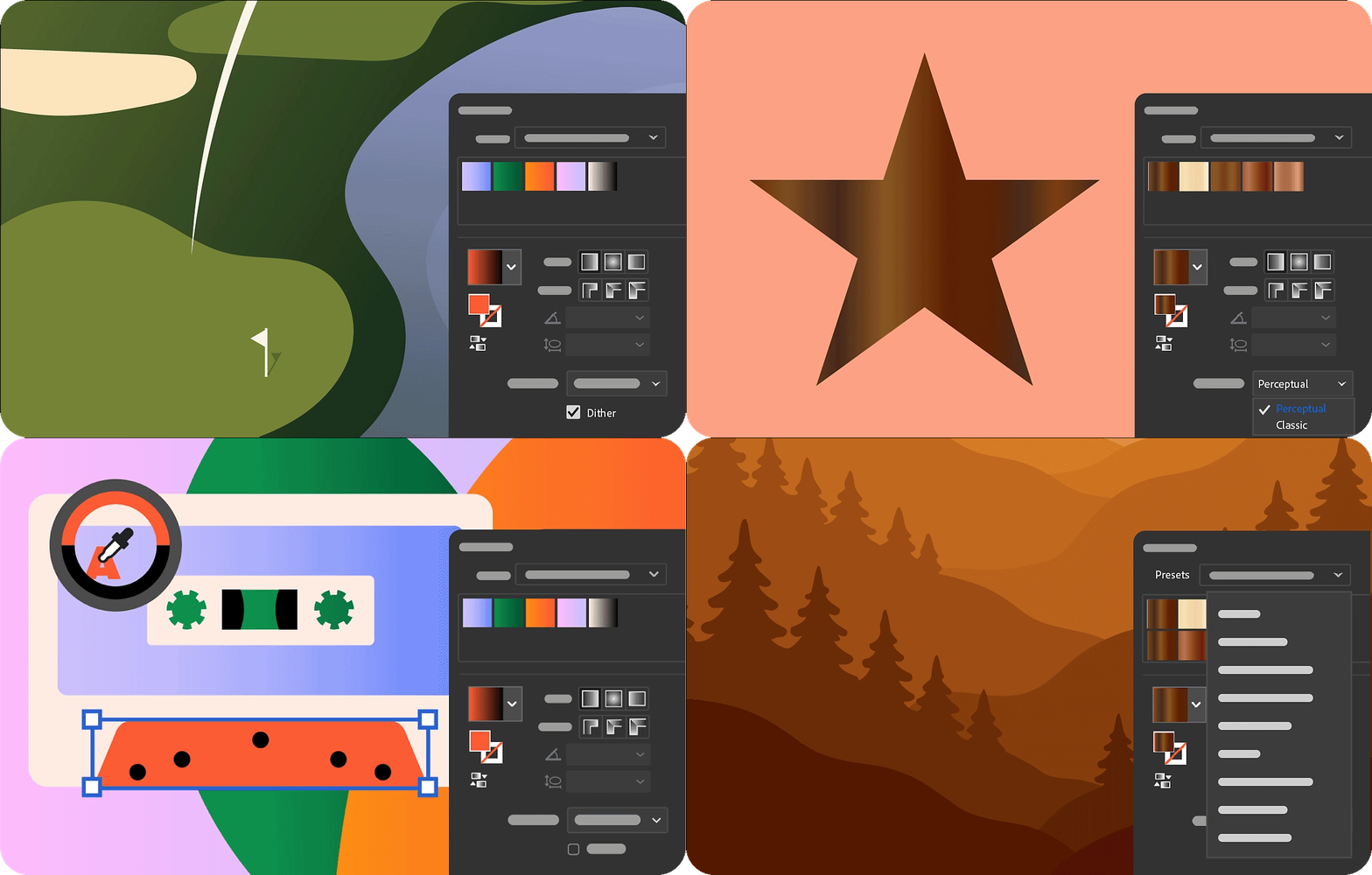
Achieve smoother gradients with dithering, control perceptual blending for natural transitions, and enjoy a faster, more intuitive Color Picker. Plus, apply creative gradient presets with ease.
Learn more about Color enhancements.
Snapping enhancements
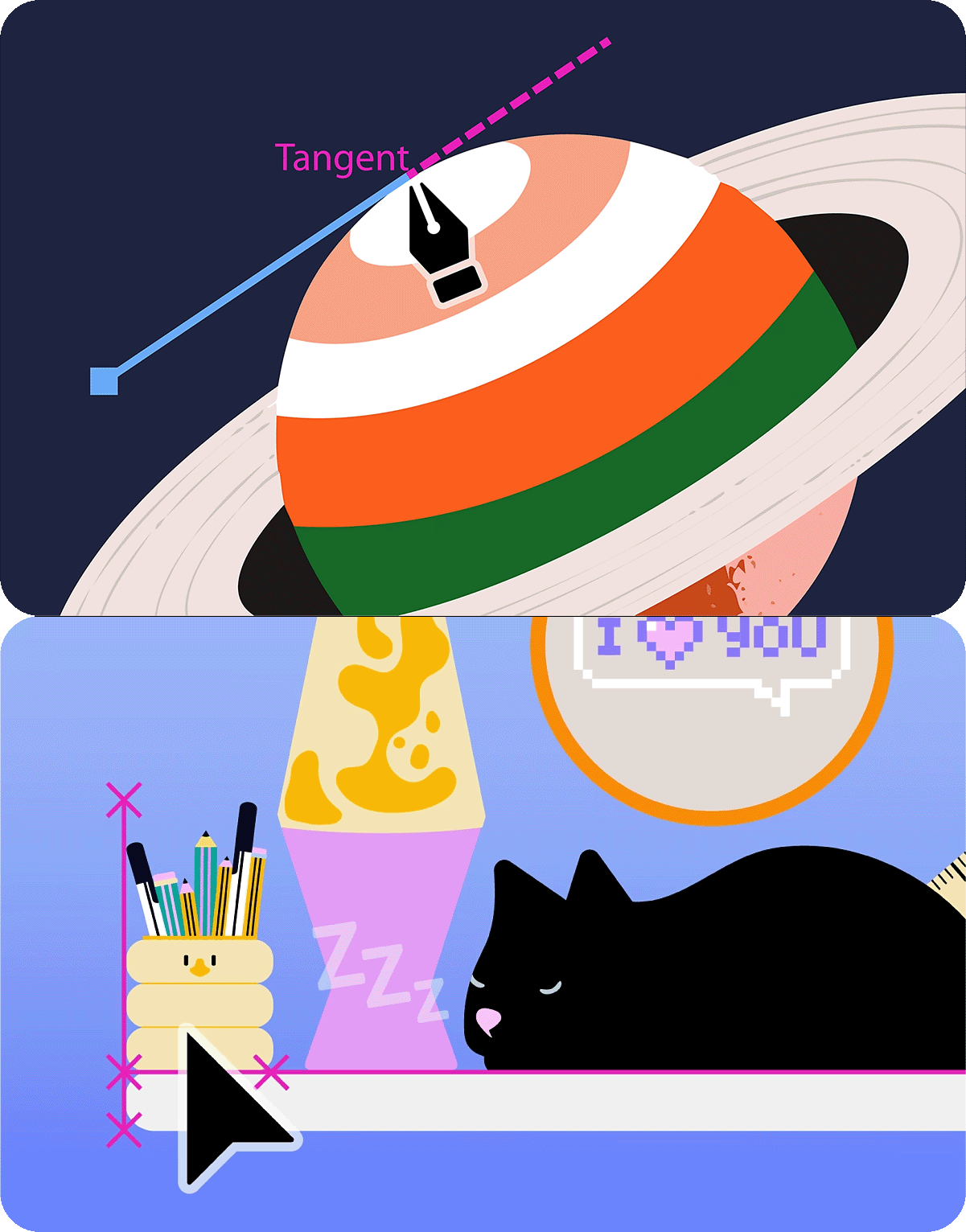
Snap line endpoints to tangents and use perpendicular snapping for precise alignments—making complex designs easier and faster.
Learn more about Snapping enhancements.
Artboard Enhancements

Lock artboards to prevent accidental edits, personalize your workspace with colored artboards, export only what you need, and manage artboards without leaving the canvas.
Learn more about Artboard enhancements.
More features and fixes

- Performance improvements: Faster saving of large files, reliable recovery after crashes, and smoother editing with no lag. Learn more
- Turntable (Beta): Rotate and view artwork from any angle for dynamic design perspectives. Learn more
- Projects: Organize, share, and collaborate across apps like Photoshop and Adobe Express. Learn more
- Firefly integration: Place and refine Firefly-generated images directly in Illustrator. Learn more
- Adobe Express templates: Browse and edit templates from the Illustrator homescreen. Learn more
- Text to Vector Graphic: Explore Firefly Vector 4 and Vector 3 models for creative control. Learn more
- Centralized generative AI tools: Access all AI features via the Generative AI button or Object > Generative menu.
- System updates: Illustrator 2026 is not supported on macOS Monterey (v12) and Windows 11 v22H2/v21H2.
- Bug fixes: Includes numerous stability and performance improvements. Learn more
Get Started
Explore the latest updates and enhancements in Illustrator. Update to Illustrator 30 using this link, or open the Creative Cloud desktop app and click Update next to Illustrator. For step-by-step guidance, check out the detailed update instructions.
Share Your Feedback
We encourage you to try the new features in Illustrator 2026 v30.0 and share your feedback with the community. If you have questions or suggestions, please reply to this post or create a new post for any issues.
If you found this announcement helpful, click 👍 Like.
Use ⭐ Subscribe to stay informed about future updates.
You may also share this post with others who might benefit from these enhancements.
 AdChoices