




Illustrator 30.4 | Generative Expand, Remove Background, Editable AI Text, and Enhanced Japanese Typography

Hey all!
Illustrator 30.4 introduces powerful new AI-driven workflows and typography enhancements to help you create faster and with greater precision. This release includes Generative Expand for images, one-click background removal, editable generated text in vector graphics, enhanced style reference support in Text to Vector Graphic, and improved Japanese text formatting controls. For more details, check out the What’s New page.
Generative Expand for Images

Use Generative Expand to intelligently extend images beyond their original boundaries while naturally blending new generated content with the existing image. Easily adapt visuals to different aspect ratios and layouts without cropping or distortion.
Learn how to expand images.
Remove Background from Images

Quickly isolate subjects with the new Remove Background feature. Create transparent-background images for layouts, packaging, social graphics, branding, and more with a single click.
Learn how to remove image backgrounds.
Edit Generated Text Directly in Artwork

You can now directly edit text inside vector graphics generated using Text to Vector Graphic without converting text to outlines or regenerating assets. This makes iteration faster and keeps generated artwork fully editable.
Learn how to generate vector graphics with editable text.
Style Reference Support Using Browser Images

Use images from your browser or device as Style References when generating scenes, subjects, or icons with Text to Vector Graphic. Create outputs that better match your intended artistic direction and visual style.
Learn how to use style references when generating vectors.
Enhanced Japanese Typography with Mojikumi and Kinsoku Presets
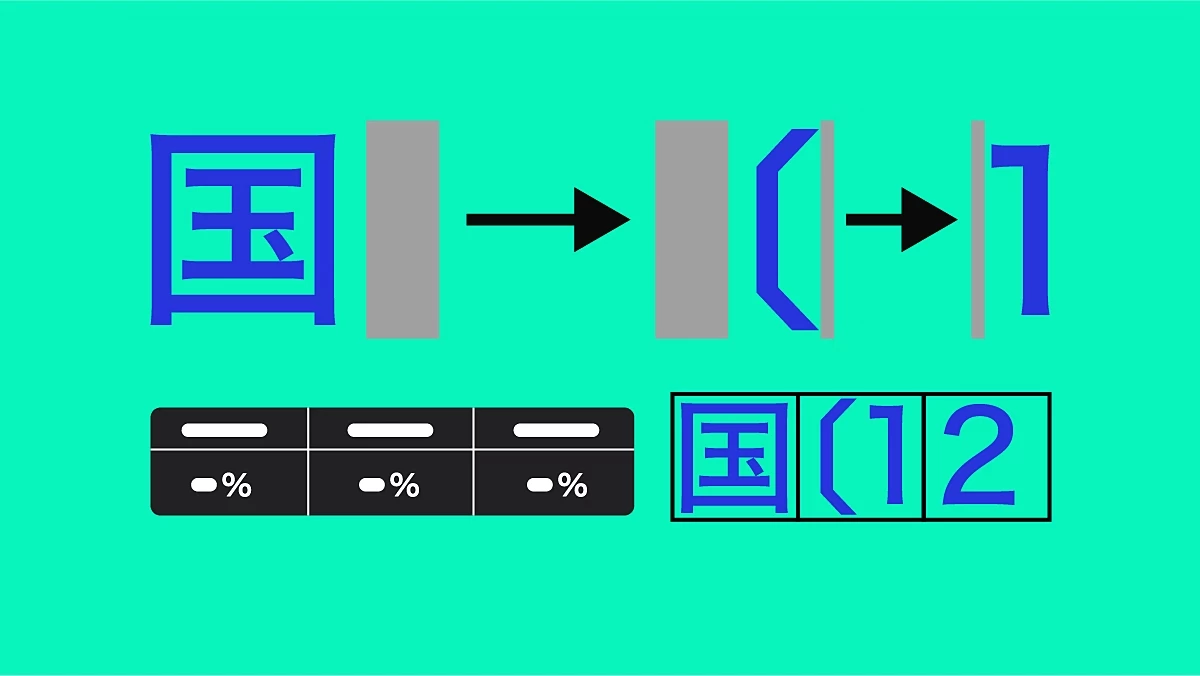
Illustrator 30.4 introduces improved Mojikumi and Kinsoku presets for Japanese text formatting. New presets like BetaGumi and TsumeGumi provide finer control over spacing, punctuation, and line breaks for more refined and readable typography.
Learn how to format Japanese text.
Fixed Issues
Illustrator 30.4 also includes several stability improvements and bug fixes across text handling, SVG export, Smart Guides, cloud documents, keyboard shortcuts, graphic styles, and overall application performance. Learn more.
Get Started
Explore the latest updates and enhancements in Illustrator. Update to Illustrator 30.4 using this link or open the Creative Cloud desktop app and click Update next to Illustrator.
For step-by-step guidance, check out the detailed update instructions.
Share Your Feedback
We encourage you to try the new features in Illustrator 30.4 and share your feedback with the community. If you have questions or suggestions, please reply to this post or create a new post for any issues.
If you found this announcement helpful, click 👍 Like.
Use ⭐ Subscribe to stay informed about future updates.
You may also share this post with others who might benefit from these enhancements.
 AdChoices