




Illustrator 30.7 | New Blend panel, Ease In/Out blends, Generate artwork with Firefly, bug fixes, and more
Hey all!
Illustrator 30.7 gives one of the app's oldest features a serious upgrade and brings Firefly closer to where you start your work. There's a dedicated Blend panel with live on-canvas previews, new Ease In / Ease Out controls for how blend steps are distributed, and independent color acceleration for smoother transitions. On top of that, you can now generate artwork with Firefly straight from the New Document dialog and explore Firefly - vectors, image editing, and Boards - right from the home screen. This release also ships a large batch of customer-reported fixes. For more details, check out the release notes.
Blend panel - every blend control in one place
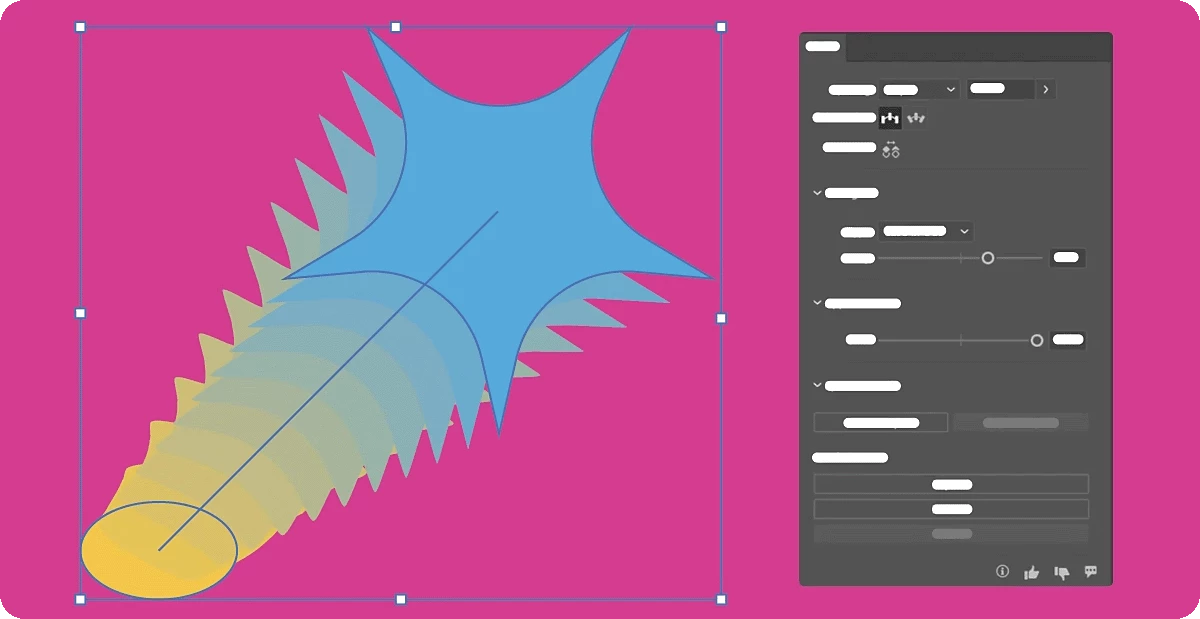
Blends now have a dedicated panel that brings the whole workflow together: Make, Expand, Release, Reverse Spine, and Replace Spine, plus blend settings you can adjust with changes previewing live on the canvas.
No more digging through menus to fine-tune a blend - build it, tweak it, and see the result as you go. Learn more here.
Ease In and Ease Out - control how blend steps are distributed
Two new presets let you cluster blend steps toward the start, middle, or end of a blend instead of spacing them evenly, and a strength slider dials in exactly how pronounced the easing is. It's a fast way to add a sense of acceleration or motion to a blend.
Independent color acceleration - more natural transitions
You can now control color acceleration separately from object spacing, so the way colors transition through a blend no longer has to follow the way objects are distributed. The result is smoother, more natural-looking color blends.
Explore Firefly from the home screen
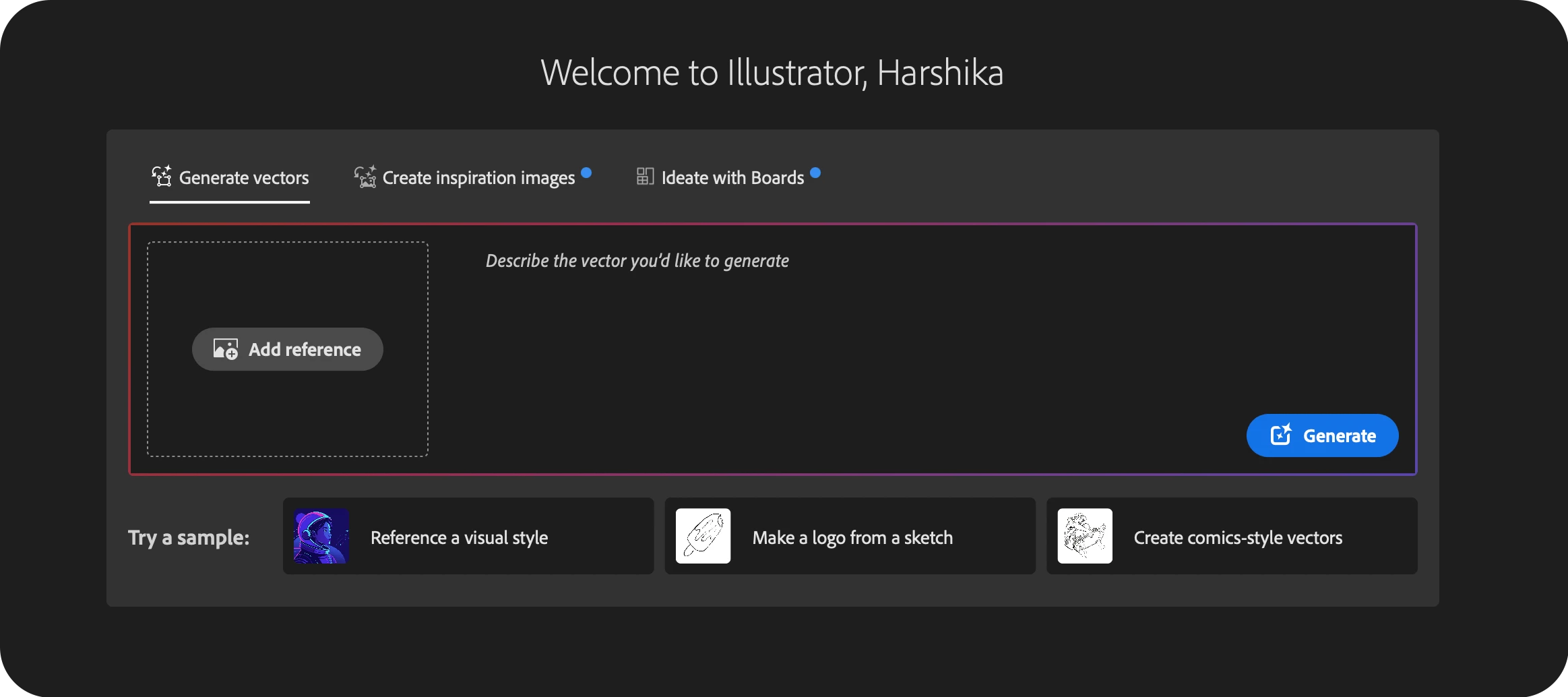
Firefly is now built into the home screen with dedicated tabs: Generate vectors, Prompt to edit, and Ideate with Boards. Generate vector artwork, create or edit images, and brainstorm ideas with Firefly Boards without leaving Illustrator. (Unavailable in mainland China.) Learn more here.
Generate with Firefly from the New Document dialog
Start from a prompt instead of a blank artboard. The new Generate with Firefly option lives right in the New Document dialog and is reachable from both the home screen and the Illustrator workspace, so you can spin up artwork the moment you create a file. (Unavailable in mainland China.)
Fixed Issues
Illustrator 30.7 resolves a wide range of issues reported by the community.
Performance and customer-reported fixes
- Illustrator has a severe input delay when editing text or objects, even in small files.
- Placed TIFF images appear with inverted colors.
- In Illustrator 30.1, the Libraries panel becomes unresponsive after Illustrator has been open for a while, and interacting with it can cause clicks to be misregistered or distort the panel's contents until you restart the application.
- Illustrator takes longer than expected to launch, especially on systems with many installed fonts or third-party plug-ins.
- Turning on Proof Colors with a Color Blindness proof setup and then zooming can disable GPU preview, which stays off until you restart Illustrator.
- The Libraries panel can stop responding and stretch or distort so that items are no longer selectable, and stays that way until you restart Illustrator.
- Illustrator gets progressively slower the longer it stays open.
- Expanding or outlining an Inside/Outside-aligned stroke produces barely-open paths and doubled anchor points, causing problems with corners and effects.
- Objects with a perceptual gradient and Dither turned off are fully rasterized on PDF export instead of being exported as a clipped raster, which produces blurry or jagged edges.
- The Harmony Rules selector in the Color Guide panel doesn't update based on the selected color.
UI, dialogs, and panels
- A GPU warning appears each time you open or create a file on some Windows systems.
- On Windows with per-monitor UI scaling, the Effects menu’s drop-down renders at a different size from the other menus.
- In the Color panel, holding Shift (or Ctrl) to move the RGB sliders together has no effect when the color is white.
Crash and freeze fixes
- Switching the keyboard layout with a Win32 API message (WM_INPUTLANGCHANGEREQUEST) crashes or hangs Illustrator.
- Illustrator crashes and quits immediately after running the Print command.
Other notable fixes
- In a CMYK document, the default text color of a Swatches Info object is a rich RGB black instead of K100.
- In GPU preview mode, high-resolution bi-level (1-bit) embedded images display incorrectly.
- The Transform panel ignores Constrain Proportions when editing an artwork's width or height.
- Text colors defined in Character or Paragraph styles imported from another document are lost after the file is saved and reopened.
- Real-time drawing and editing render incorrectly for objects that have both a live effect and an opacity mask, and the mask no longer tracks the object as it moves.
- Running an Action from a script (doScript) selects both the original and the duplicated object, instead of just the expected one.
For the full list with linked bug reports, see the release notes.
Get Started
 Explore the latest updates and enhancements in Illustrator. For step-by-step guidance, check out the detailed update instructions.
Share Your Feedback
We encourage you to try the new features in Illustrator 30.7 and share your feedback with the community. If you have questions or suggestions, please reply to this post or create a new post for any issues.
If you found this announcement helpful, click 👍 Like. Use ⭐ Subscribe to stay informed about future updates. You may also share this post with others who might benefit from these enhancements.
 AdChoices