




Illustrator MAX 2025 v29.0 | Align Object to Path, Image trace, Text to Vector Graphic and more!

Hello everyone!
We're excited to announce that Adobe Illustrator's 2025 (version 29.0) is now available for download via Creative Cloud Desktop. This release introduces the new Object on Path feature, Reflow Viewer for asian scripts and Mockup is now GA. Additionally, we've made enhancements to Image Trace, Text to Vector Graphic (beta), Text to Pattern (beta), Generative Shape Fill (beta), Text to pattern (beta), and the most awaited requests from our Illustrator UserVoice Page.
Ready for something new? Project Neo (beta) has arrived, offering you the tools to explore and create breathtaking 3D vector designs.

Create vector art in 3D with Project Neo (Beta)
|
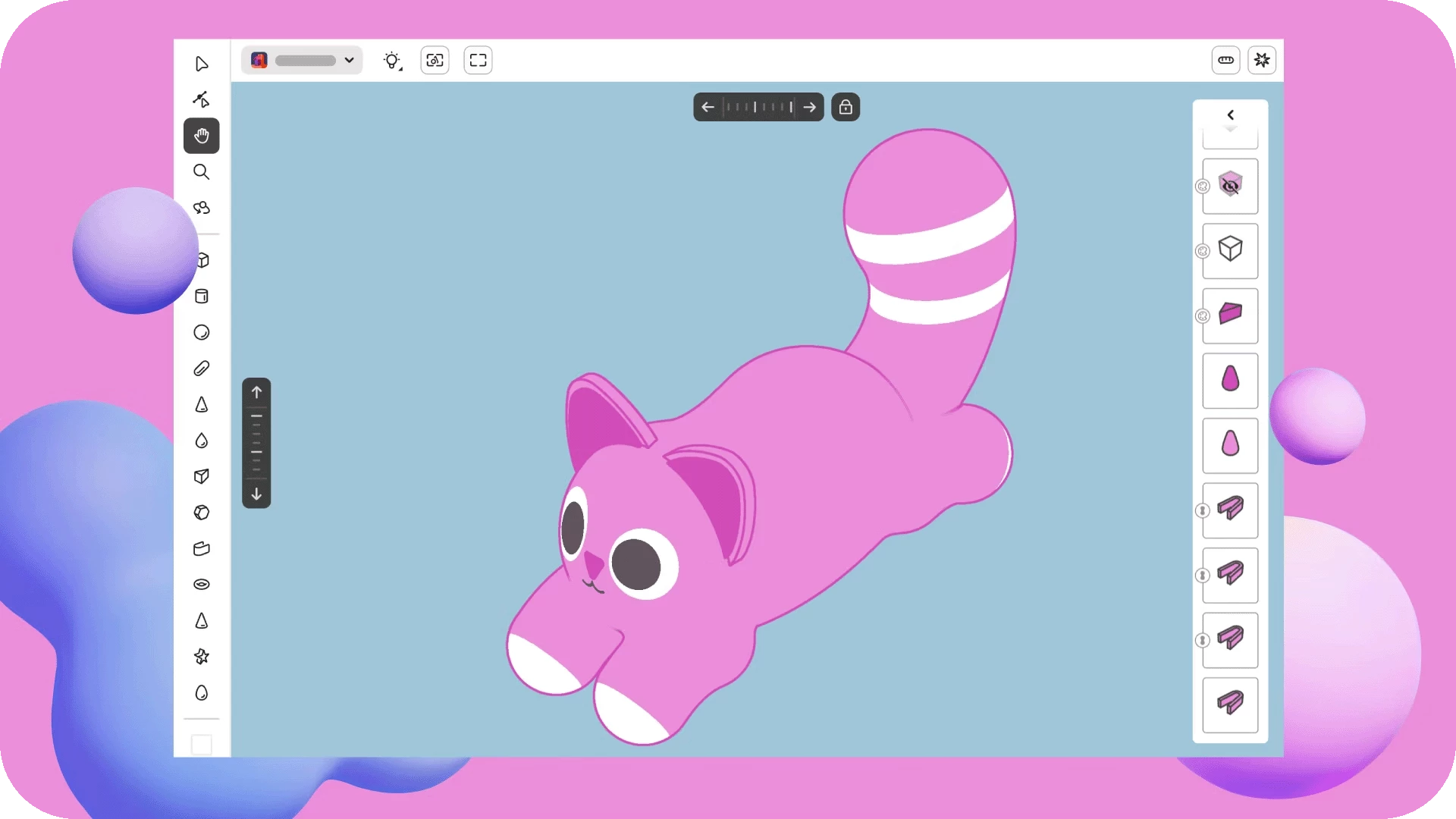
We have another big announcement to make: Project Neo (beta) — a web-based platform for creating volumetric designs, graphics, and illustrations. Build 3D artwork in Project Neo and seamlessly bring it into Illustrator to craft stunning dimensional designs. Try out Project Neo (beta) today and take your creative vision to new heights. |
 |
 |
Try Project Neo (beta) Project Neo (beta) is available as a free beta! Log in with your Adobe ID to get started. |
Align, arrange, and move objects on a path
|
Align Objects on Path with a single click. Seamlessly attach, align, move, and rotate objects. Plus, explore advanced options like attaching, detaching, and moving objects along the path. Check out this page for more details! |
 |
Trace images with more accuracy and control
|
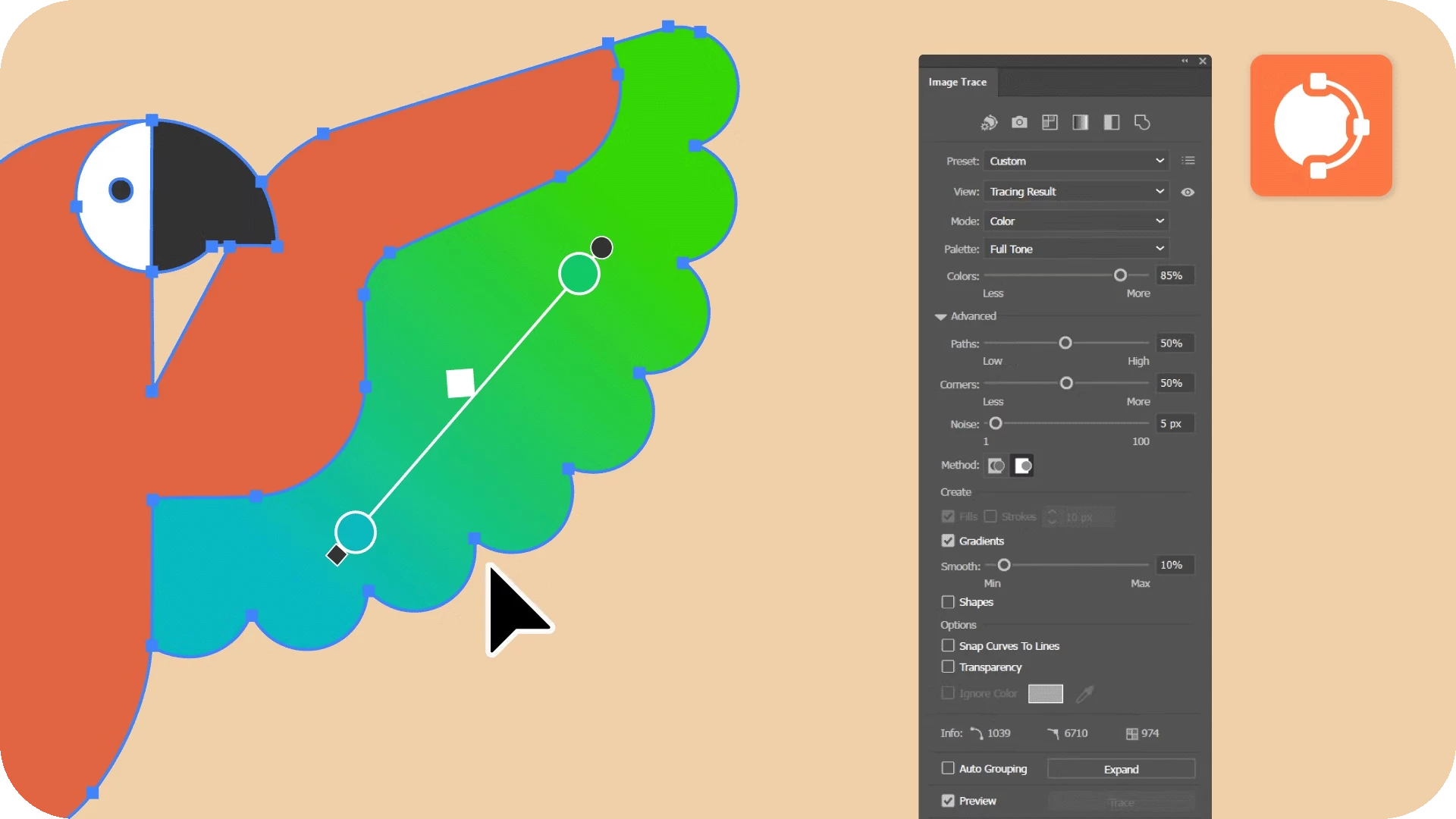
The enhanced Image Trace feature in Illustrator offers greater accuracy and control. It now traces images with improved curves, maintains transparency in Color mode, and detects gradients for smoother results. Fewer anchor points and Auto Grouping make edits easier, while the new Shapes option traces circles, squares, and rectangles as live shapes for simplified editing. Check out this page for more details! |
 |
Experience improved mockup quality for planar surfaces
|
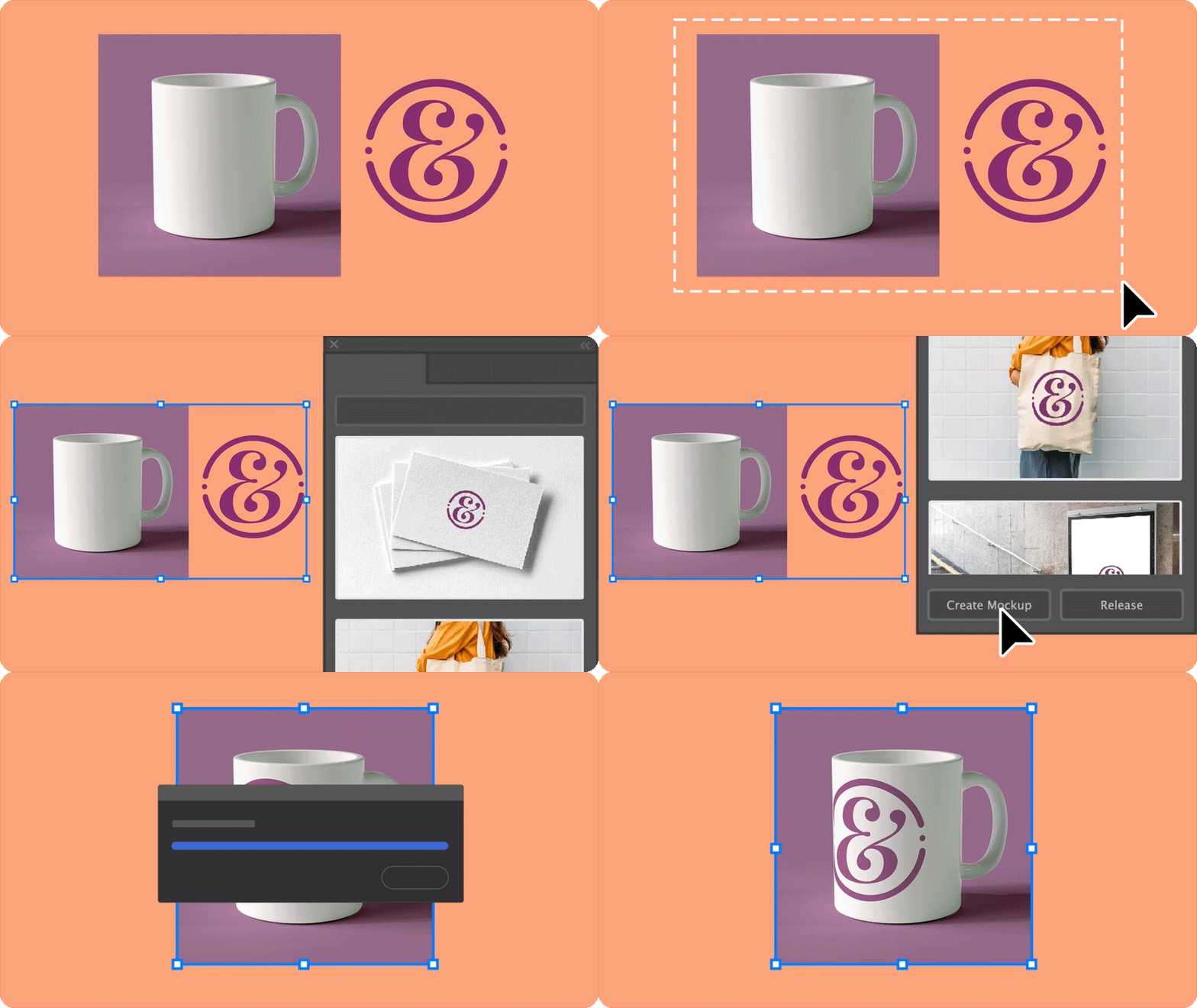
Mockup is now GA. Experience enhanced Mockup quality with precise vector art placement on planar surfaces, ensuring your designs fit accurately and look stunning. Also, you can now bring in your own assets, save templates for future use, and enjoy better detection of curves and edges, making your mockups more refined and effortless to create. |
 |
Add shape fills with more control
|
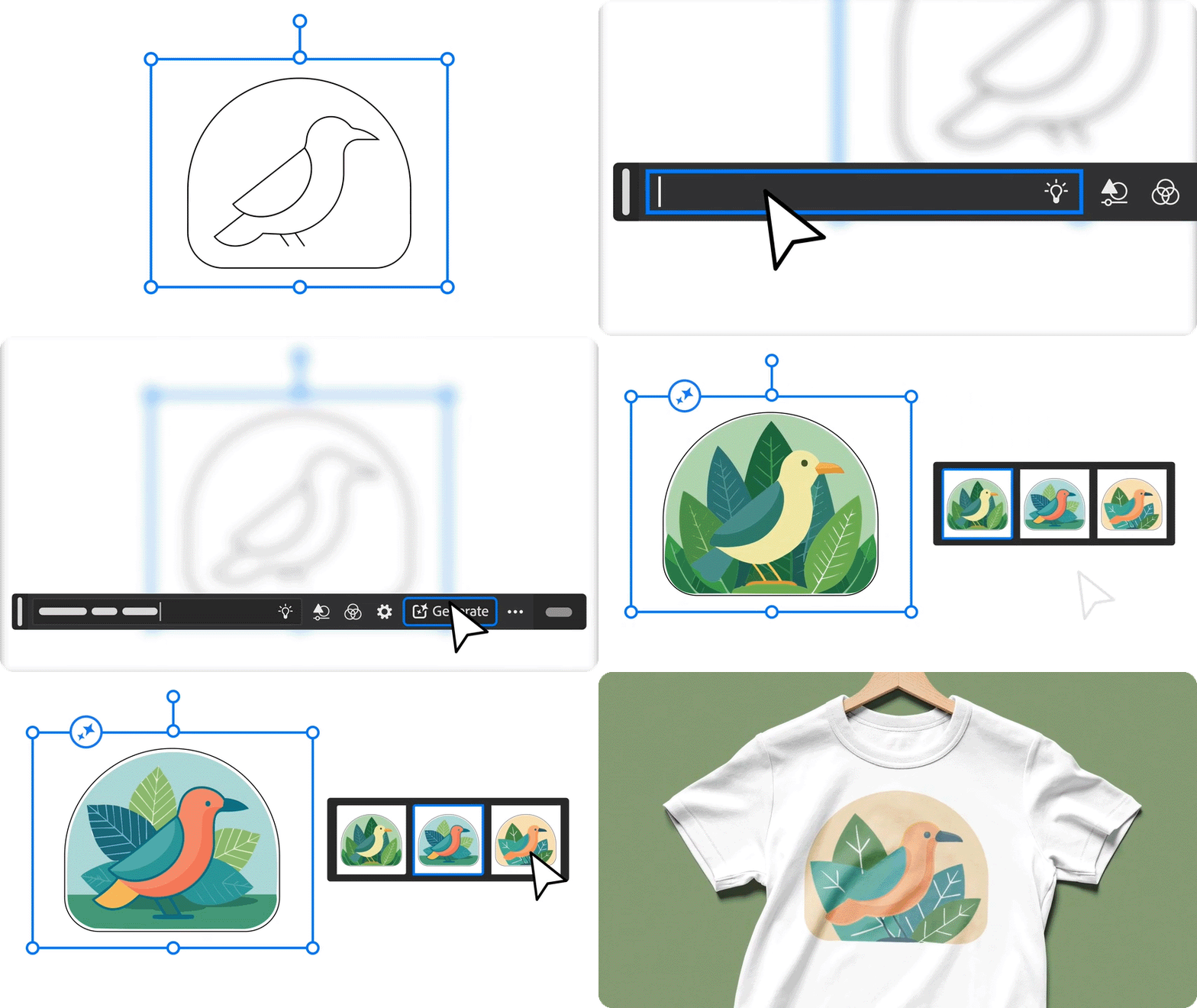
With Illustrator's latest update, Generative Shape Fill gives you ability to toggle prompt suggestions on or off for greater control. Options to reset Style Reference, Effects, and Color & Tone can be done individually or all at once. The "Auto Style Reference" feature is turned off by default to avoid unintentional influence and enhance output quality. You may turn it on if required. |
 |
Adjust density strength for pattern creation
|
In Illustrator version 29.0, the Text to Pattern feature introduces new updates: set density levels for patterns, access Text to Pattern feature directly from the Swatches panel, and an option to reset color and tone settings for enhanced customization. |
 |
Create vector graphics with more control
|
With enhanced Text to Vector Graphic feature in Illustrator 29.0, you can now toggle prompt suggestions for design control, create subjects and icons without a background layer for clean bounding boxes, and independently reset Style Reference, Effects, and Color & Tone settings. |
 |
Access and explore tools and tasks directly on the canvas
|
The Contextual Task Bar in latest Illustrator version 29.0, offers quick access to frequently used actions, including editing options like Simplify and Smooth, easy rearrangement of attached objects, option to create mockup and a lot more. Check out this page for more details! |
 |
Manage East Asian text layouts
|
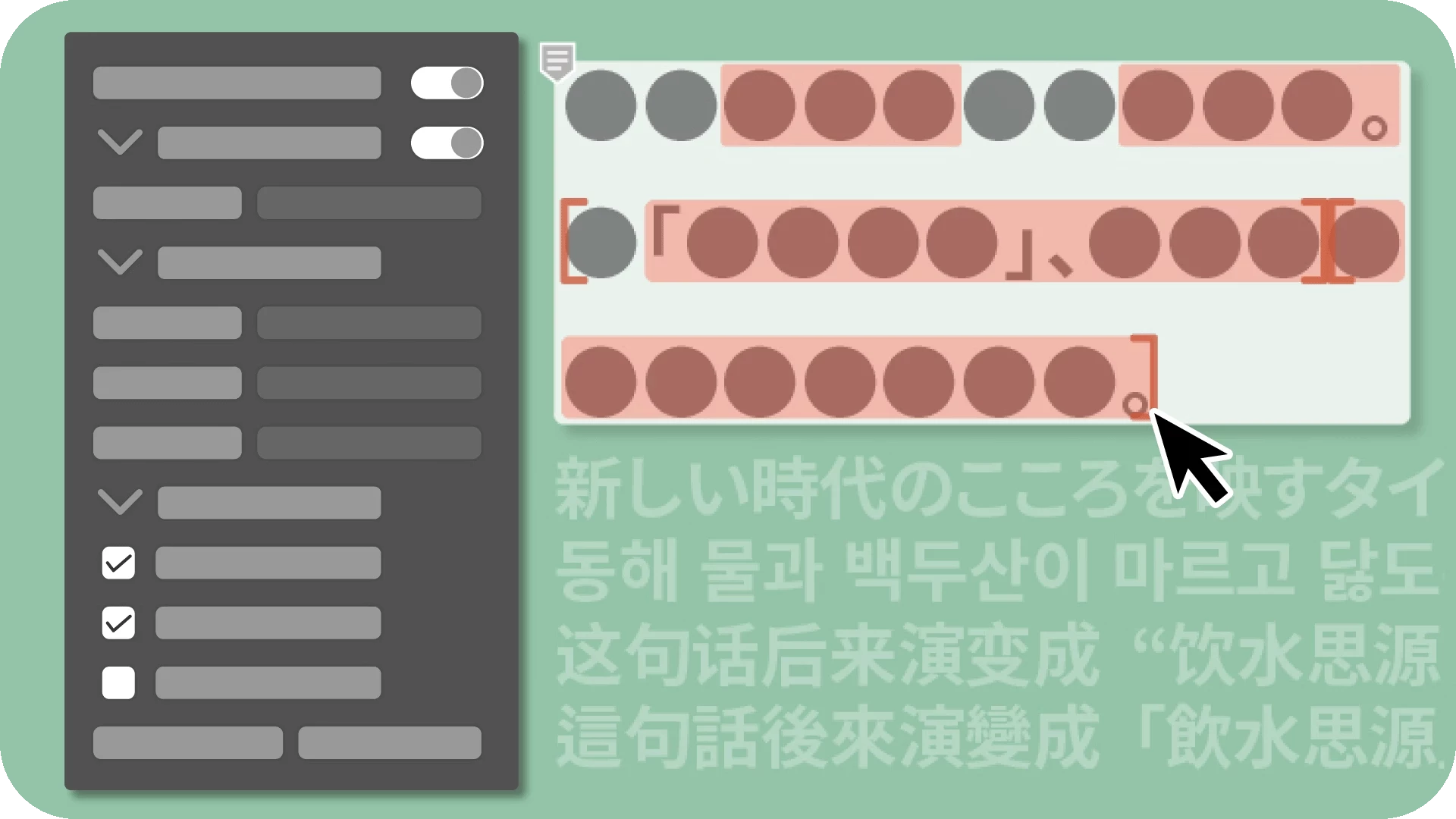
The new Reflow Viewer panel in Illustrator simplifies managing East Asian text layouts by allowing you to view, analyze, and update text layouts easily. It alerts you to potential changes when opening documents created in older versions, giving you the option to update the layout or retain the original. Check out this page for more details! |
 |
Discover enhancements based on your feedback
We are dedicated to continuously improving to meet your evolving needs. Based on your feedback, here are the enhancements included in the October release of Illustrator.
Scale artwork with artboard
|
You can now easily Scale Artwork with Artboards in Illustrator 29.0 to maintain layout integrity and proportions when designing for multiple surfaces, such as hoardings, magazines, and posters. Check out this page for more details! |
 |
Create stunning gradients from the Swatches panel
|
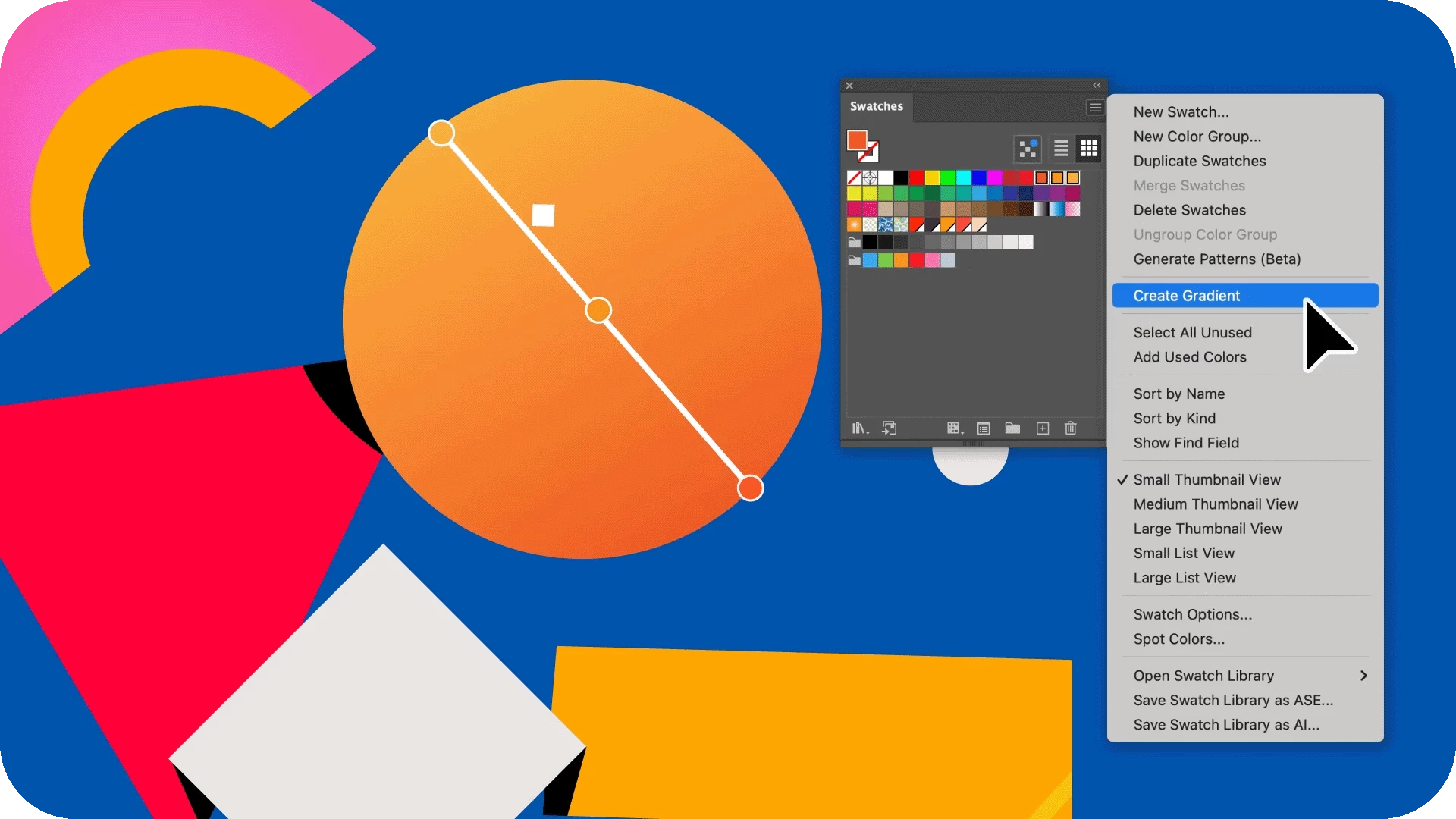
Create stunning Gradients directly from the Swatches panel using individual colors or color groups. These gradients can enhance vector objects by adding volume or creating light and shadow effects in your artwork. Check out this page for more details! |
 |
Cut objects evenly using the Knife tool with smart guides
|
You can now use the Knife tool in conjunction with smart guides to evenly cut objects, allowing you to snap to any object for precise, proportional cuts. Check out this page for more details! |
 |
Fixed Issues
Illustrator v29.0 also includes several bugs fixes. Take a look here.
We’d love to hear from you!
Try out the new Illustrator 2025, version 29.0 and let us know your thoughts. Feel free to reach out if you have any questions or need more tips!
Have questions? Click 'Reply' below to ask.
Click 'Follow' below to bookmark this post for easy reference.
 AdChoices