Anubhav M
Community Manager
Community Manager
August 4, 2023

Illustrator v27.8 | Improvements to Share for Review and Accessibility on macOS

  • August 4, 2023
  • 6 replies
  • 2566 views


Illustrator v27.8: Improvements to Share for Review and Accessibility on macOS


Hello everyone, 


We're excited to announce that Adobe Illustrator's latest update (version 27.8) is now available for download via Creative Cloud Desktop. This release offers a range of new features, including the ability to Gather Feedback on specific Artboards, as well as improvements to Accessibility on macOSand more.

You may also visit the links to access comprehensive lists of all the features and bug fixes available.


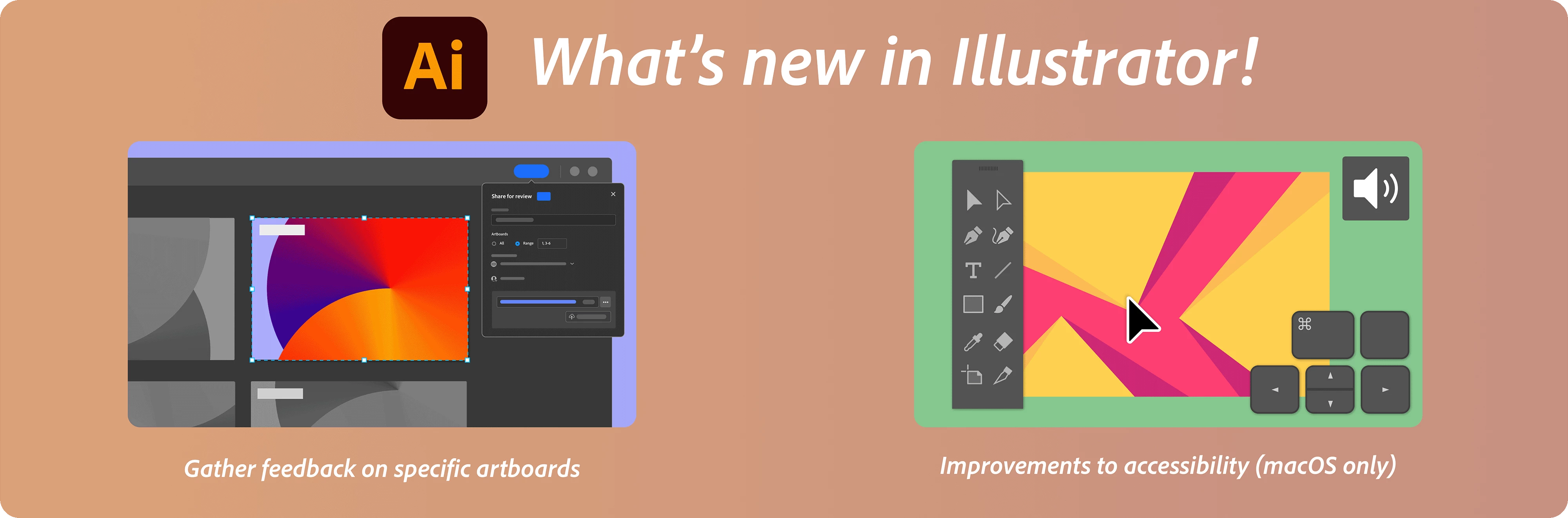
Gather feedback on specific artboards
You have more control over how you solicit feedback on your artwork. You can now share an artboard or a range of artboards for review. Curate your artboards before you send them to the stakeholders to receive feedback. If you reorder or delete artboards later, you can easily update the review link.



Improvements to accessibility (macOS only):

The VoiceOver utility on macOS reads the names of the tools in the toolbar when you press the corresponding keyboard shortcuts, making the tools more accessible. VoiceOver also reads the names of artboards in Presentation Mode, making navigation easier.



Fixed issues:

Illustrator v27.8 also includes a number of improvements for the following:

► Export for Screens takes much longer to complete using ExtendScript than through the user interface

► There is a lag with toggling the visibility of layers on or off.


See 
What's New for more information on the latest features. To help us have focused discussions, create separate posts for feedback on features related to this update.
 

Thanks,
Anubhav

    This topic has been closed for replies.

    6 replies

    Anubhav M
    Community Manager
    Anubhav MCommunity ManagerAuthor
    Community Manager
    January 5, 2024

    Hello @mr34610648d8pf,

    Sorry to hear about your experience. Would you mind trying to run Illustrator under a different administrator account (Windows / macOS) and checking if it helps?

    If the problem persists, kindly share more details, like the exact version of the OS/Illustrator and a screen recording of the problem (https://adobe.ly/48mz8Bo), so we can investigate this further?


    Looking forward to hearing from you.


    Thanks,

    Anubhav

    Stackola
    Inspiring
    August 31, 2023

    I tried for a while to use the "properties" panel (which is not really useful for anything because of the lack of customization options)

    And I see something like this - probably a bug

    Participant
    August 10, 2023

    The checkbox "Apply to all" when opening a document with multiple identical missing links disappeared in this update. It was a time saver for our type of work, it would be nice to get it back. We now have to link each file individually which can be really long.

    Anubhav M
    Community Manager
    Anubhav MCommunity ManagerAuthor
    Community Manager
    August 14, 2023

    Hello @jeanphilippedube,


    We understand how frustrating it can be to not be able to use the option to link multiple files at once in Illustrator. Would you mind checking if the files are located on a network/removable drive or a cloud-synced folder (Dropbox/Google drive etc.), and if yes, moving them to a location like the desktop to check if it helps? Also, try resetting Illustrator's preferences by following the steps shared in this article (https://helpx.adobe.com/illustrator/kb/troubleshoot-preference-issues.html) and sharing your observations.
    Disclaimer: Please note that resetting preferences will remove all custom settings, and Illustrator will launch with the defaults. You may save a backup of these settings from the location mentioned in the article.

    Looking forward to hearing from you.


    Thanks,
    Anubhav

    Participant
    September 6, 2023

    I have the same issue as the above poster, I had to downgrade to an older version because this setting is vital to my work. The old "apply to all" check option which applied to both "replace link" and "ignore link" has now been replaced by a singular replace link, a singular ignore link and a "ignore all link", cutting out the option of "replace all".

    Participant
    August 8, 2023

    Since updating to this version of Illustrator the magic mouse zoom function on mac is completely broken.

    This is the second update this year to cause issues with it, have you an idea of when a fix might be coming?

    Thank you.

    Anubhav M
    Community Manager
    Anubhav MCommunity ManagerAuthor
    Community Manager
    August 14, 2023

    Hello @richardb15415442,


    We understand that encountering technical issues can be frustrating. We are here to help and would like to suggest trying to reset Illustrator's preferences as described in this article (https://helpx.adobe.com/illustrator/kb/troubleshoot-preference-issues.html). If you don't mind, could you please follow the steps and share your observations with us? We appreciate your time and effort in helping us resolve this issue.


    Looking forward to hearing from you.


    Thanks,

    Anubhav

    Legend
    August 7, 2023

    Export for Screens takes much longer to complete using ExtendScript than through the user interface is the issue I reported. Is there a particular reason for not giving it any status at all, such as completed or in review?

    Participant
    August 5, 2023

    The color of the outline and the shape keeps changing on its own, Stroke size looks smaller than it actually is. The update is very glitchy. Please resolve ASAP.

    Monika Gause
    Community Expert
    Community Expert
    August 5, 2023

    Your stroke is set to the outside. How is stroke scaling set up? Is this just wrong in the Live preview? Or also the result?