



Illustrator v28.3 | Elevate Creativity: Effortless Dimensioning, Enhanced Retype Workflow, and more!

Hello everyone,
We're excited to announce that Adobe Illustrator's latest update (version 28.3) is now available for download via Creative Cloud Desktop. In this update, you can seamlessly measure and plot dimensions, experience an improved retype workflow, benefit from text-to-vector graphic enhancements, conveniently pin the contextual taskbar, enjoy upgrades influenced by user feedback such as live customizable stars, experience overall performance improvements, and find bug fixes.
You may also visit the links to access comprehensive lists of all the features and bug fixes available.

 |
Measure and plot dimensions effortlesslyEffortlessly measure and show dimensions in your design using the Dimension tool. This tool simplifies measurement, whether it's distances, angles, or radii. When resizing an object, all linked dimensions adapt automatically. You may also personalize the dimension's appearance, units, and scale. Delve deeper into the capabilities of the Dimension tool. |
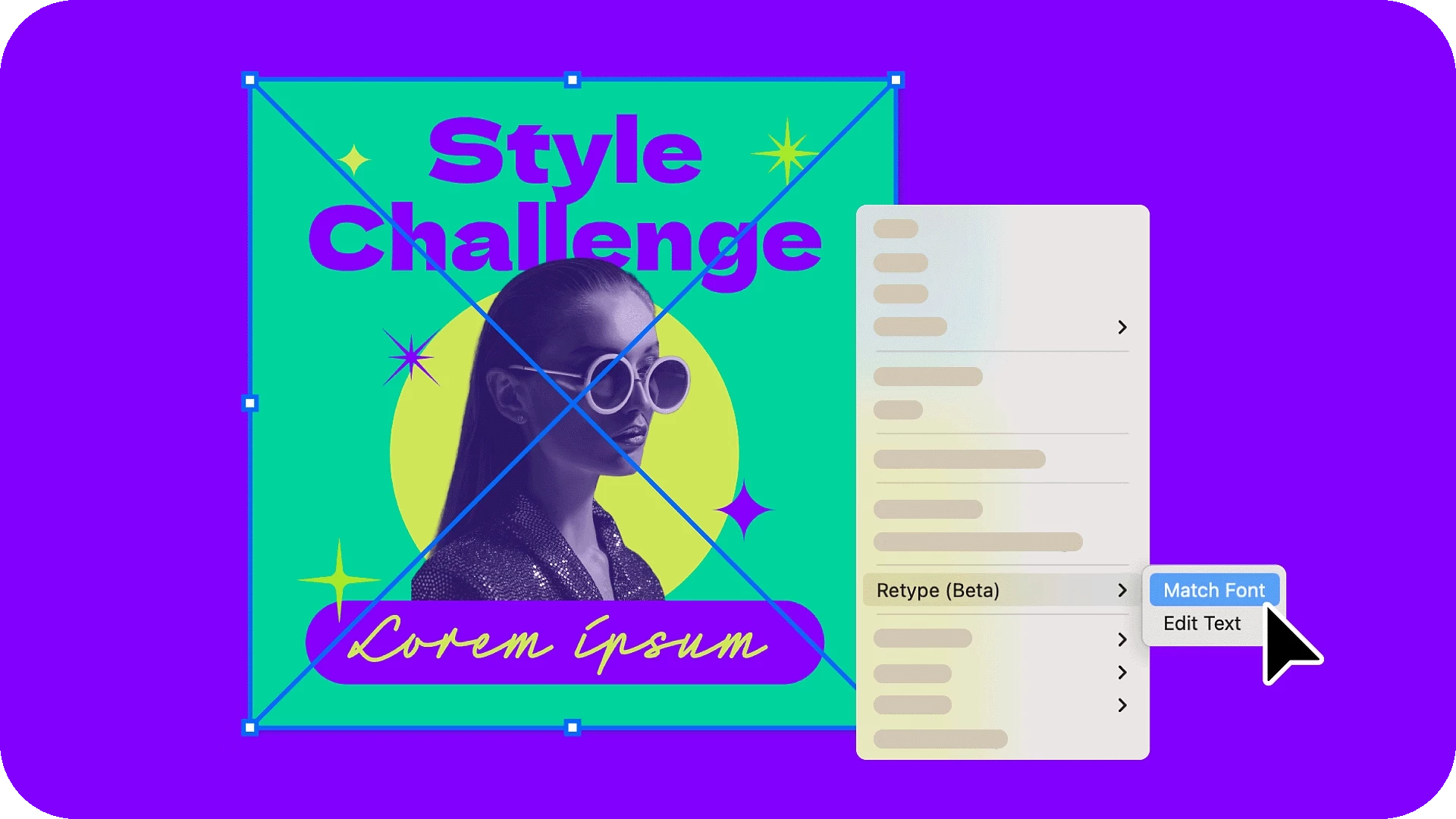
Experience an enhanced Retype workflowRetype now features distinct Match Font and Edit Text features. Match Font effortlessly recognizes text in images and outlined text, offering matching fonts. If the text isn't recognized, you can move the marquee to encompass the text and find its matching fonts. With Edit Text, you can modify text in images and outlined text using a matching font. Explore more about the Retype tool's enhanced capabilities. |
 |
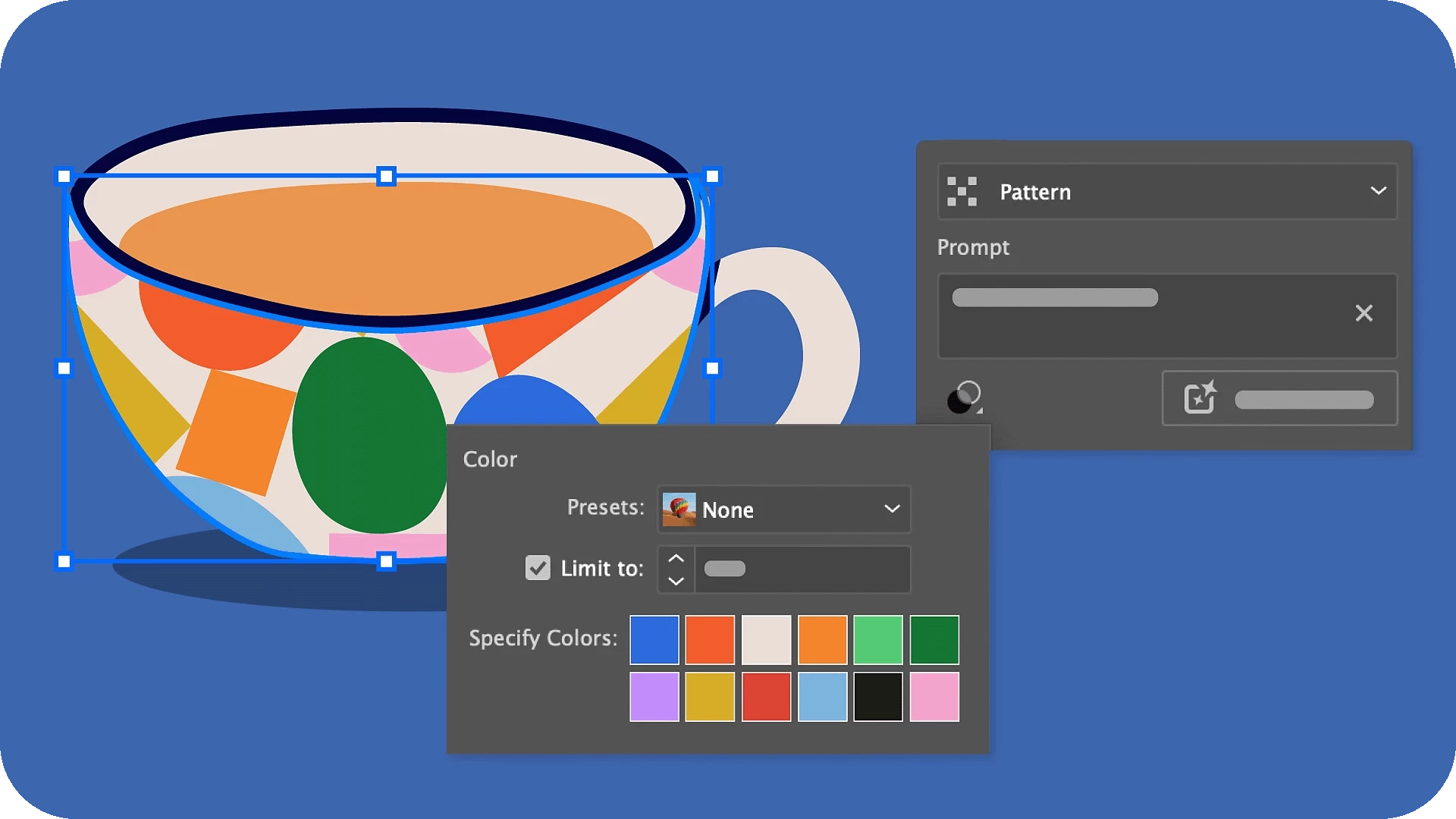 |
Explore enhancements to Text to Vector GraphicRefine the output you generate using Text to Vector Graphic > Pattern by specifying up to 12 colors. Explore additional details about Text to Vector Graphic. |
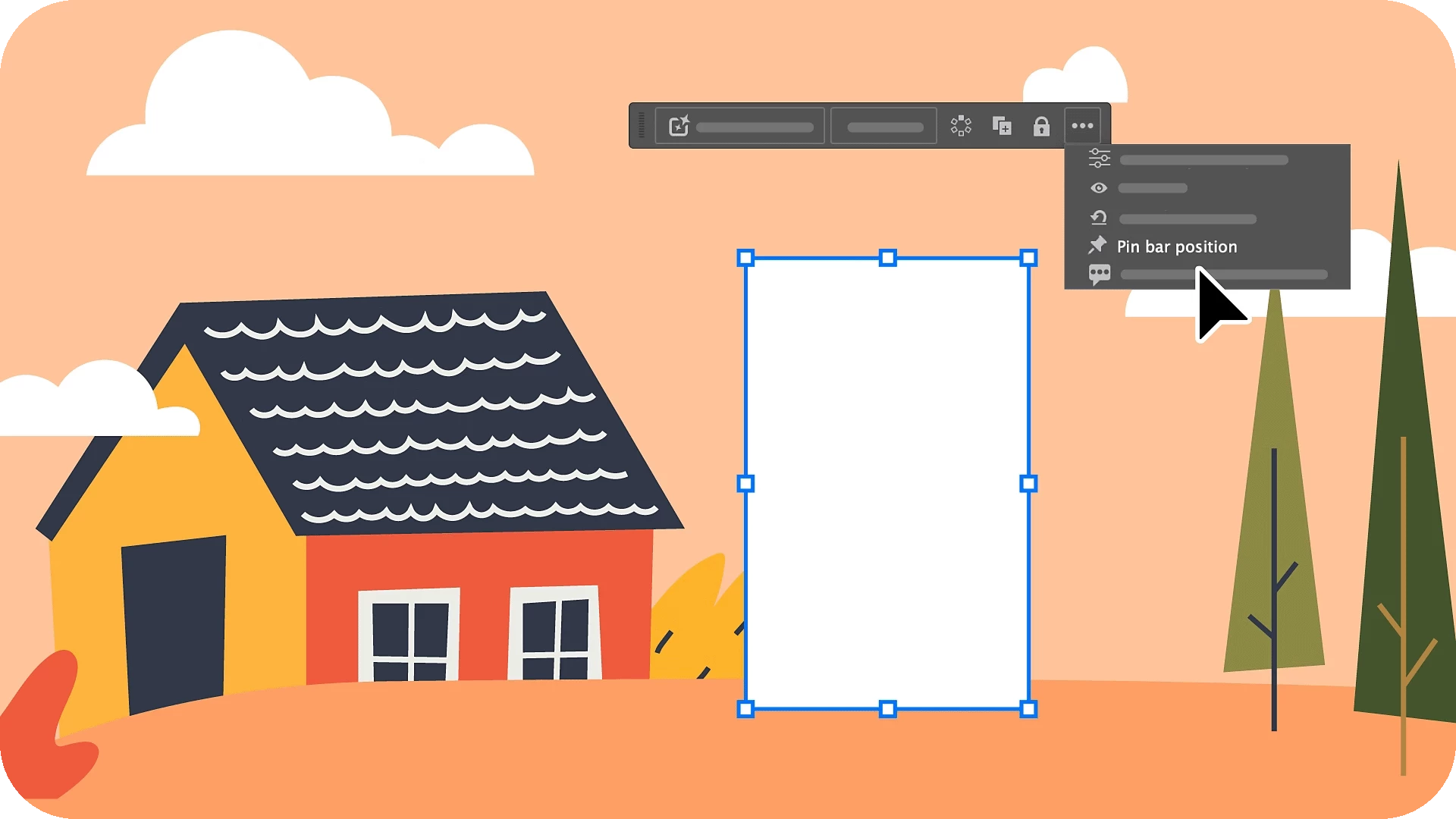
Pin the Contextual Task Bar for a persistent contextYou can now pin the Contextual Task Bar to your preferred position, ensuring it's consistently placed regardless of your object selection or document changes. This feature enables swift access to relevant tools and actions, streamlining your creative workflows. Delve into further details about the Contextual Task Bar. |
 |
Explore enhancements inspired by your feedback
We are dedicated to ongoing improvements to cater to your evolving needs, and we've incorporated enhancements to Illustrator in response to your feedback for the Illustrator 28.3 release. Some of them include:
 |
Enhance designs with live customizable starsStars drawn with the Star tool are now live shapes, allowing you to customize their properties to suit your specific design needs. Easily adjust the number of points (sides), inner and outer radii, and inner and outer corner radii using intuitive on-shape widgets or the Properties or Transform panel. Explore further details on modifying stars. |
Gain more control over object selection when using a marqueeUse marquee selection in enclosed mode to choose objects fully contained within the marquee window. Simply press E while dragging the marquee to switch to this enclosed mode. Explore additional details on the enclosed mode. |
 |
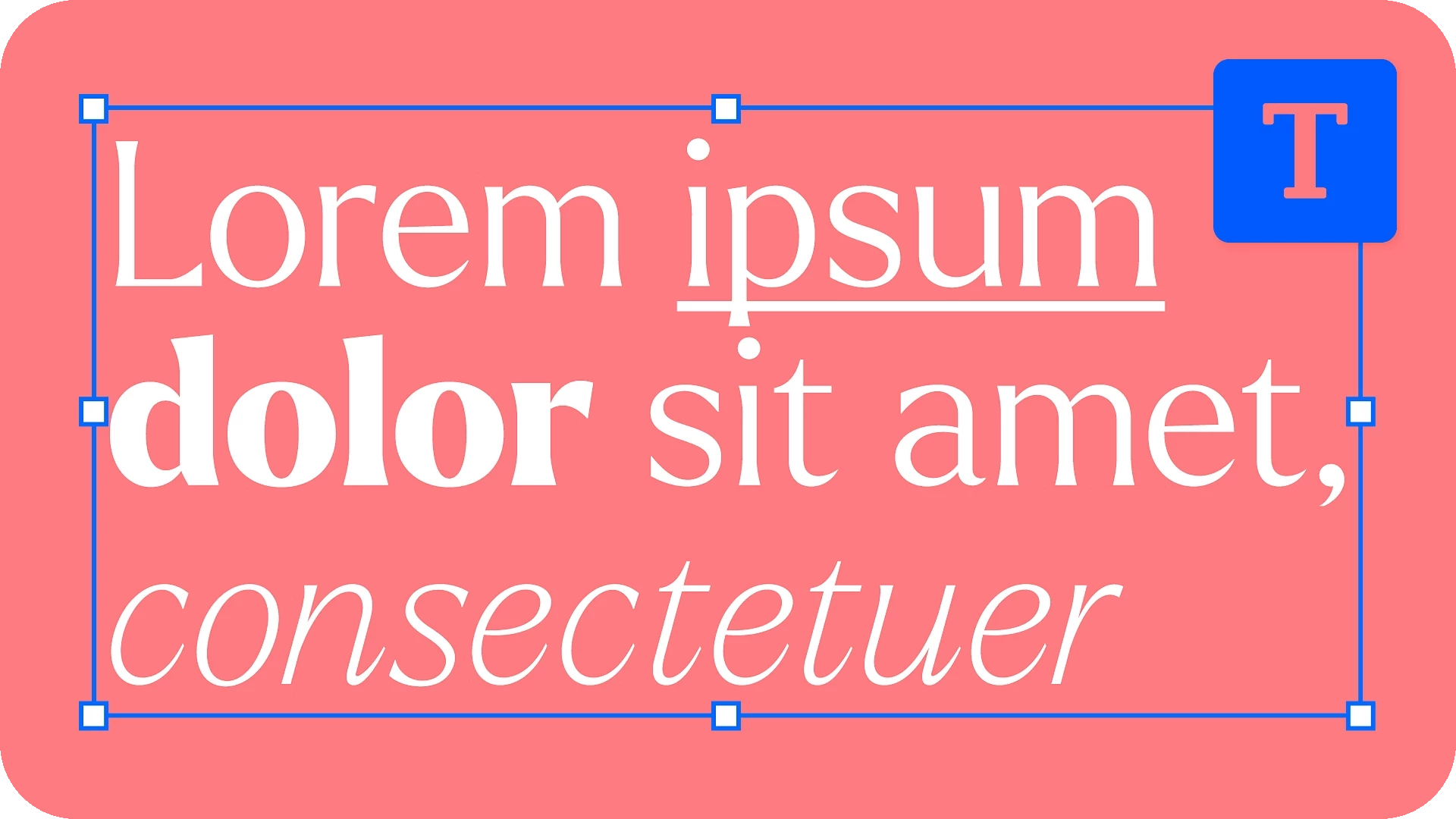 |
Format fonts with ease using keyboard shortcutsInstantly enhance the font style by applying bold, italic, or underline formatting through convenient keyboard shortcuts. Explore additional details on formatting fonts. |
Add text without default hyphenationText hyphenation is not activated by default when you create a new document in Illustrator. |
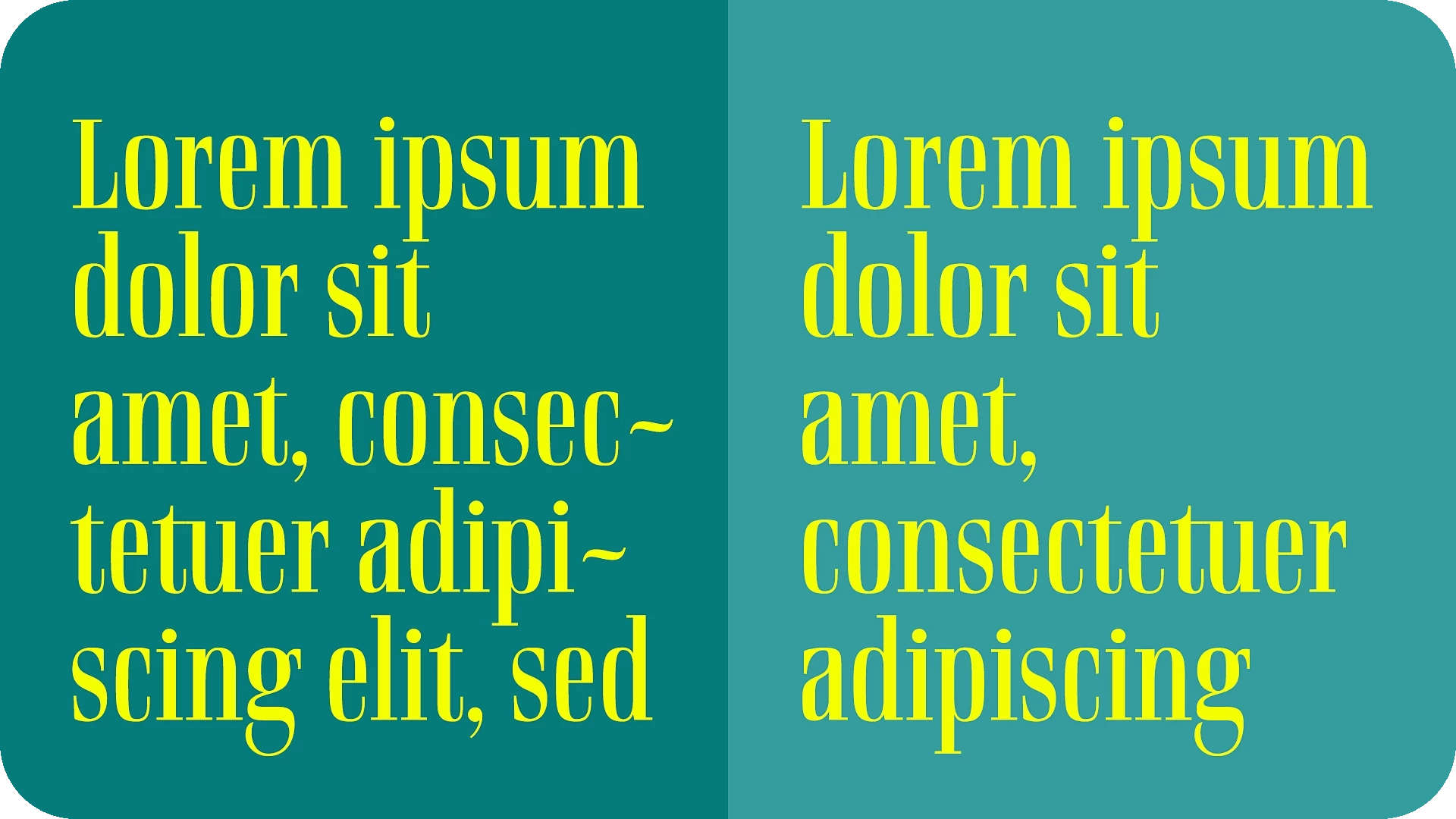 |
Fixed IssuesOur team has tried to fix some issues with Illustrator 28.3, including:
|

|
We would love to hear your feedback on the improvements in the Illustrator UserVoice.
See What's New for more information on the latest features. To help us have focused discussions, create separate posts for feedback on features related to this update.
Thanks,
Anubhav

 AdChoices