Anshul_Saini
Community Manager
Community Manager
May 3, 2024

Illustrator v28.5 | Enhanced File Management and Seamless Linking!

  • May 3, 2024
  • 22 replies
  • 8179 views

Hello everyone, 


We're thrilled to announce the April 2024 release of Illustrator version 28.5. Dive into new features and enhancements inspired by your feedback that are designed to streamline the workflow and improve efficiency.



See a comprehensive list of the latest feature updates, along with other enhancements and bug fixes.

Automatically Relink
Missing Files

When you relink a missing file to your Illustrator document, Illustrator now streamlines your workflow by automatically searching for and relinking other missing linked files in the same folder. Learn more about this feature and how to utilize it effectively.

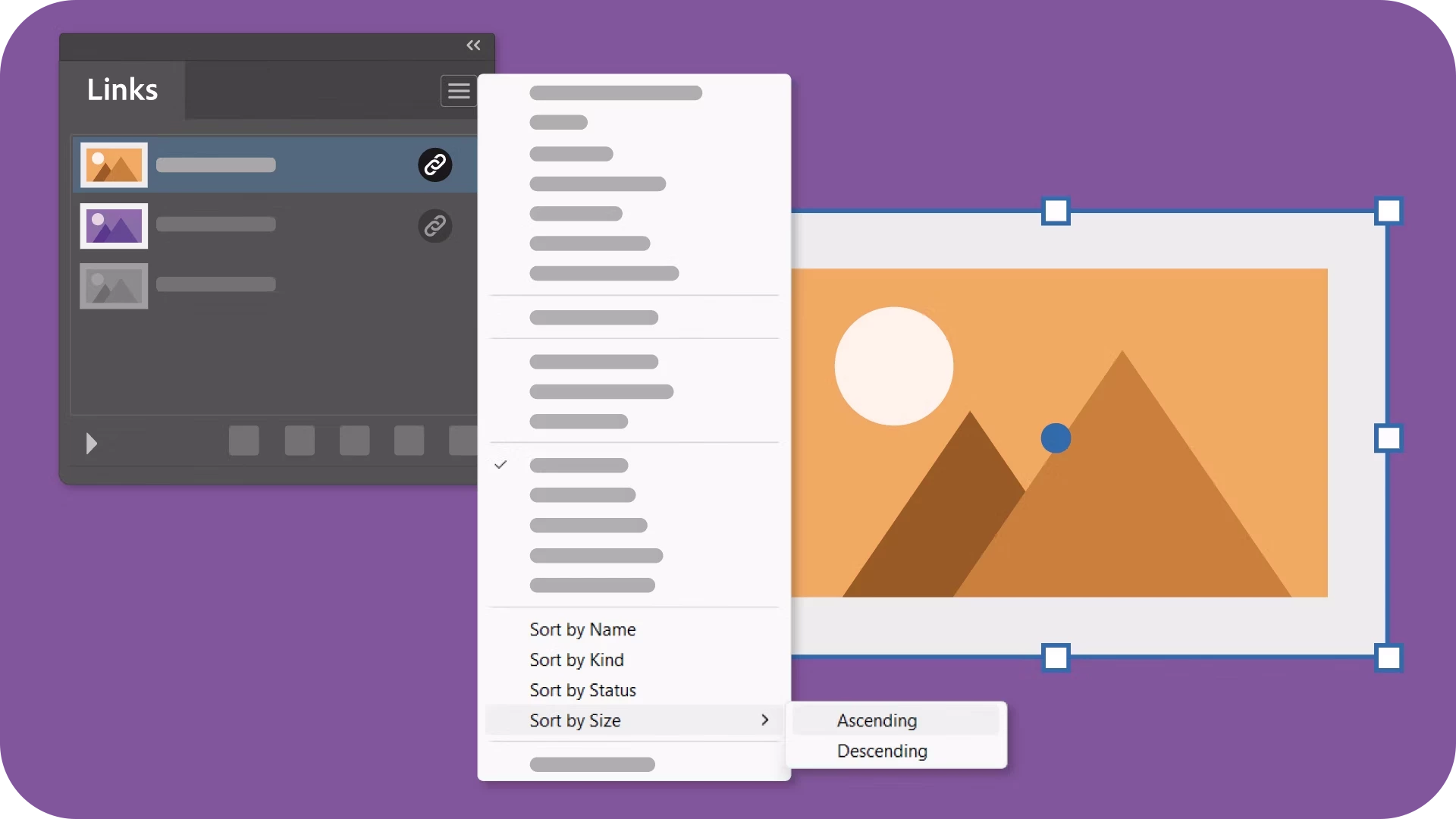
Sort links by Size

With the ability to sort linked & embedded files by size in ascending or descending order, organizing your assets has never been easier. Learn more about this feature and elevate your link management.


Seamless Transfer of Illustrator Files with Links Across Platforms

Illustrator now ensures an uninterrupted workflow by preserving the relative locations of linked files when moving documents between folders or systems. Experience hassle-free migration, keeping everything intact without any broken links. Learn more about this feature and simplify your file management process effortlessly.

Fixed Issues

Our team has addressed several issues in Illustrator v28.5:

  • Scale Strokes & Effects in the Transform panel is grayed out when nothing is selected. (UserVoice)

  • Mouse pointer disappears in Illustrator while working on the Windows 11 Insider Preview build. (UserVoice)


  • Artwork appears pixelated while zooming or panning an image (UserVoice)


  • Filled area text boxes can't be exported as SVG files (UserVoice)


  • Unable to drag and drop JPEG and PNG files from Photoshop (v25.5.1) to Illustrator (v28.3) (UserVoice)


  • Partially Fixed - Artboard edges disappear while panning or scrolling a document (UserVoice)
    (Grids & guides are still under investigation)

We would love to hear your feedback on the improvements in the Illustrator UserVoice.


See What's New for more information on the latest features. To help us have focused discussions, create separate posts for feedback on features related to this update.


Thanks,
Anshul Saini

If you've found value in this post, a friendly upvote would be fantastic. Your thoughts are even more precious – share them with us in the discussion!
    This topic has been closed for replies.

    22 replies

    AlanGilbertson
    Community Expert
    Community Expert
    May 3, 2024

    Nice to see the automatic relink and relative path features finally make it into Illustrator. Many of us use a desktop system in the office but sync our project files with a laptop for use on the road, and this has been an annoyance for years.

    Michael Ambroise
    Community Expert
    Community Expert
    May 3, 2024

    Indeed!

    _______Senior graphic designer | United Nations Population Fund
    Michael Ambroise
    Community Expert
    Community Expert
    May 3, 2024

    Automatically relink missing files is a nice feature. Many thanks 😊 

    _______Senior graphic designer | United Nations Population Fund