
HARSHIKA_VERMA
Community Manager
Community Manager
April 24, 2025

Illustrator v29.5 | Performance Enhancements, Vector Graphics, Unique Patterns, and Crisp Creations

  • April 24, 2025
  • 19 replies
  • 6362 views

Hey everyone!

Illustrator v29.5 is here with exciting performance upgrades, Generative Shape Fill, Creative Patterns inspired by your feedback. Please check what's new to learn more about this release. 

Update now to experience these improvements and elevate your creativity! 

 

Update the App

Try out the latest Features and Enhancements in Illustrator.


Enjoy a smoother experience!

Enjoy quicker and more responsive menus and Links panel, along with faster effects rendering.

Ideate and fill shapes with vector graphics


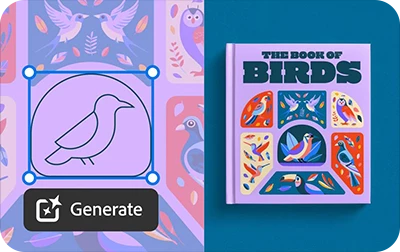
Apply Generative Shape Fill to bring detail and color to shapes and outlines, and edit them to fit your vision.

Create Patterns in Unique Arrangements

Generate patterns using Text to Pattern and add them to your swatch library.

Create more detailed scenes, subjects, and shapes

Create vector graphics in your unique style using Text to Vector Graphic, and modify them as needed.

Fixed Issues

Illustrator v29.5 also includes several bug fixes. Take a look here.

We’d love to hear from you!

Try out Illustrator v29.5 and let us know your thoughts. Feel free to reach out if you have any questions or need more tips!

If this was helpful, please click the Upvote icon in the top left corner of this post. Your feedback helps us improve the experience. Thank you!


Have questions? Click 'Reply' below to ask.

Click 'Follow' below to bookmark this post for easy reference.

    19 replies

    Participant
    November 10, 2025

    Oh, all the new features are great! How about a new feature that applies the colour wet, so I have to wait for it to dry? I just feel too efficient with this programme right now. Prompting patterns? What a waste of time! I hope my company switches to Figma soon.

    Participating Frequently
    September 17, 2025

    Beta Illustrator is damaged - see message when I try to open Beta or open a file I created using Beta

    Participating Frequently
    September 17, 2025


    No longer can open or access Beta Illustrator 2026 - says it is damaged.   Creative cloud link no longer works, gives the same error message here:


    Inspiring
    September 7, 2025

    I'm Running a Mac studio with latest sequoia and have plenty of ram. Since updating to latest version of illustrator,  (29.7) I've had continual ball spinning, freezing, crashing, glitching, the file refuses to close because it won't save, you name it. I've had to re-install, uninstall several times until I finally gave up and reinstalled the previous version. Now everything works again just fine. Serious issues with this latest release like I've never experienced before. Please fix this!


    Abhishek Rao
    Community Manager
    Community Manager
    September 11, 2025

    Hi @furzle,


    I'm sorry to hear about the crashes and performance issues you've been experiencing since updating Illustrator. Since you've already reinstalled the application, I recommend following the steps in this guide to troubleshoot crashes: Fix Crash on Launch Issues. You may also find these tips helpful for optimizing performance: Optimize Illustrator Performance.

    Additionally, testing Illustrator in Safe Mode can help determine if any third-party software is interfering:

    Windows: Start in Safe Mode

    macOS: Start in Safe Mode

    Additionally, please try updating to the latest Illustrator version 29.8.1, and provide update if you still see the issue.


    Let me know how it goes after trying these steps.

    Abhishek

    Participant
    August 16, 2025

    Oh awesome! I'm so glad y'all found another new way of making it more hostile for designers by adding these awful AI features that take away from our careers and render our entire field of work essentially useless. Thank you, Adobe. I hope your shareholders scratch your chin this quarter.

    Participating Frequently
    August 11, 2025

    Buggy! When I select two text boxes, center them, then group them, the arrow keys on my keyboard will not work!  I cannot move grouped text boxes left or right using my Apple keyboard.   Only when I ungroup them, I can move them left or right via they keyboard arrows.  Can you please fix this bug? Driving me bonkers and slowing down my work flow. 

    Community Manager
    August 14, 2025

    Hello @Harmonious_guide5540,

    Sorry to hear that. Could you confirm if you're using Illustrator 29.7.1? If yes, try installing the latest Windows Defender security intelligence update - 1.435.148.0 and let us know if it helps?

    MSWinDefendUpdate.pngexpand image


    Looking forward to hearing from you.

    Anubhav

    Participant
    August 11, 2025

    Illustrator is constantly crashing for myself and my entire team. We are all on Windows machines and having this issue - it is severely impacting our work as we are mostly on Illustrator for our tools. Please help!

    ERConsulting
    Participant
    August 7, 2025

    I was really excited to see the enhancement for smarter gradient, but what I was hoping for was a smart gradient with image trace. The banding of color when trying to vectorize an image trace is PAINFUL, to put it lightly. Can we add this use case to the smoother "Enhanced Gradient". Fingers crossed. 

    Ton Frederiks
    Community Expert
    Community Expert
    August 7, 2025

    In the latest versions you can trace gradients. Turn on in the Image Trace panel Preset: Advanced Presets and click Advanced to show the Gradient Options .

    RobOctopus
    Inspiring
    June 25, 2025

    Hard to find mention of this anywhere, but at some point did Illustrator add an auto-relinking feature when opening files and then break it?


    Working on files with linked graphics hosted in a mounted cloud storage. on my computer (29.5.1) the files are linked via /Users/myName/cloudStorage/Blah. I can save that and my coworker can open the file and on their illustrator (29.1) and it will auto swap myName for their's and relink the files accordingly. the same does not happen when they save a file and send it to me. all the links remain broken.

    Participating Frequently
    June 25, 2025

    Why are we seeing this, it's distracting and annoying, can you just switch off ai somewhere?

    Participating Frequently
    August 8, 2025

    Participating Frequently
    August 8, 2025

    New setting in updated illustrator in case it bugs anyone else under general, switch off Show Print Bleed generative.

    Participant
    June 17, 2025

    I have been trying to create an image in illustrator for a kids coloring book.  Example of My prompt says boy throwing  snowball, outline drawing for kids coloring book, no shadow.  I choose black and white but each time the image comes up with color so I go to image trace and it does double outlines no mater what I set the preferences causing me just as much work editing it as when I draw it myself.