



Meet the New Font Browser in Illustrator 2026

Hey everyone!
Browsing for fonts in Illustrator is more powerful; all your fonts at your fingertips with the ability to seamlessly browse your local and Adobe fonts, search by keyword and theme, apply filters based on font language and other characteristics, and organize your fonts into libraries that sync across your Adobe apps. To access it, go to Window > Type > Character, then open the font family dropdown in the Character panel. You can also find it in the Properties panel, Control panel, or the Contextual Task Bar when you select text on your canvas. Check out this help article for more details.
Quick filters
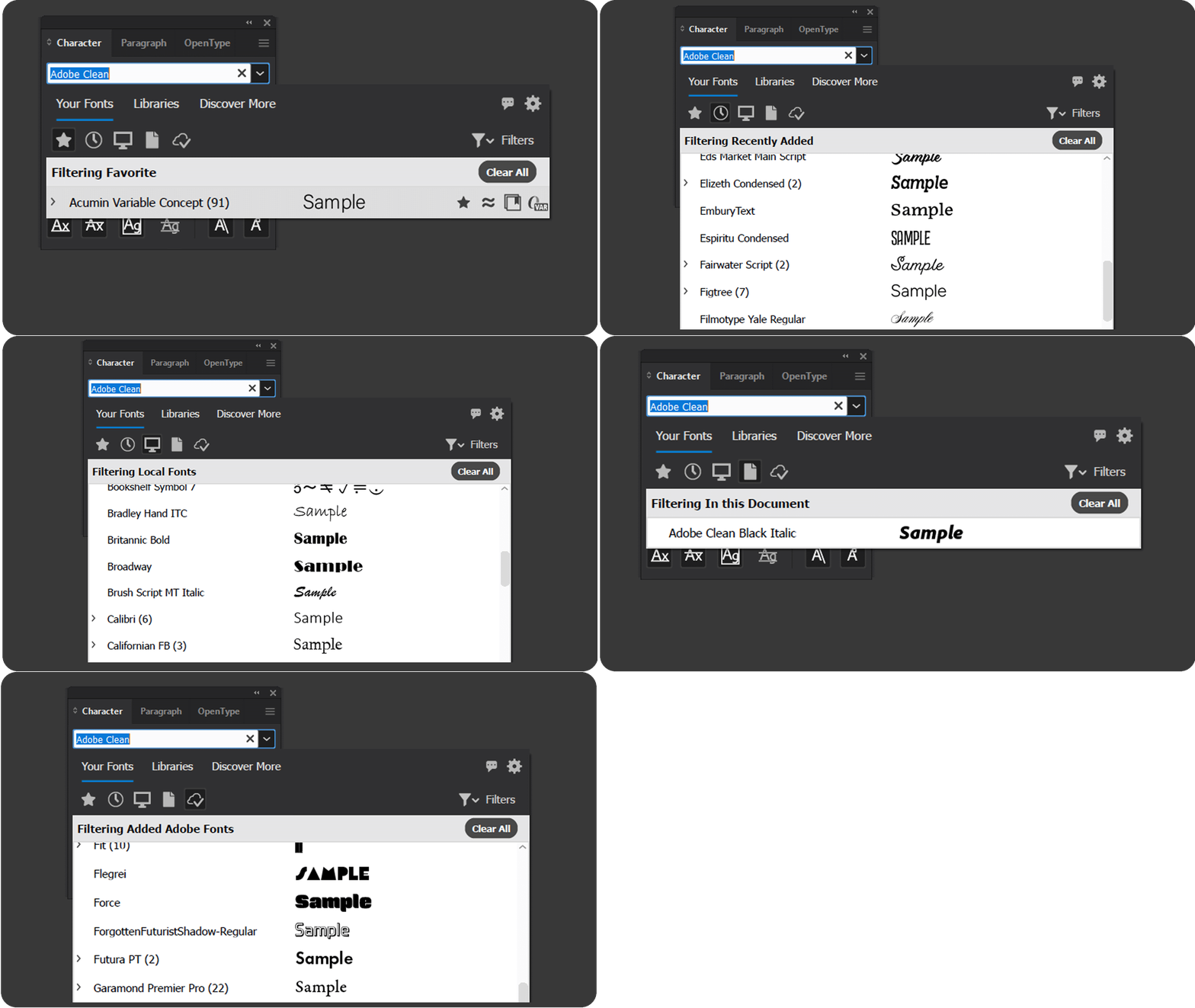
Quick filters allow you to filter fonts by source:
- Show Favorite Fonts
- Show recently added
- Show Local Fonts
- In This Document
- Show Added Fonts
Filters
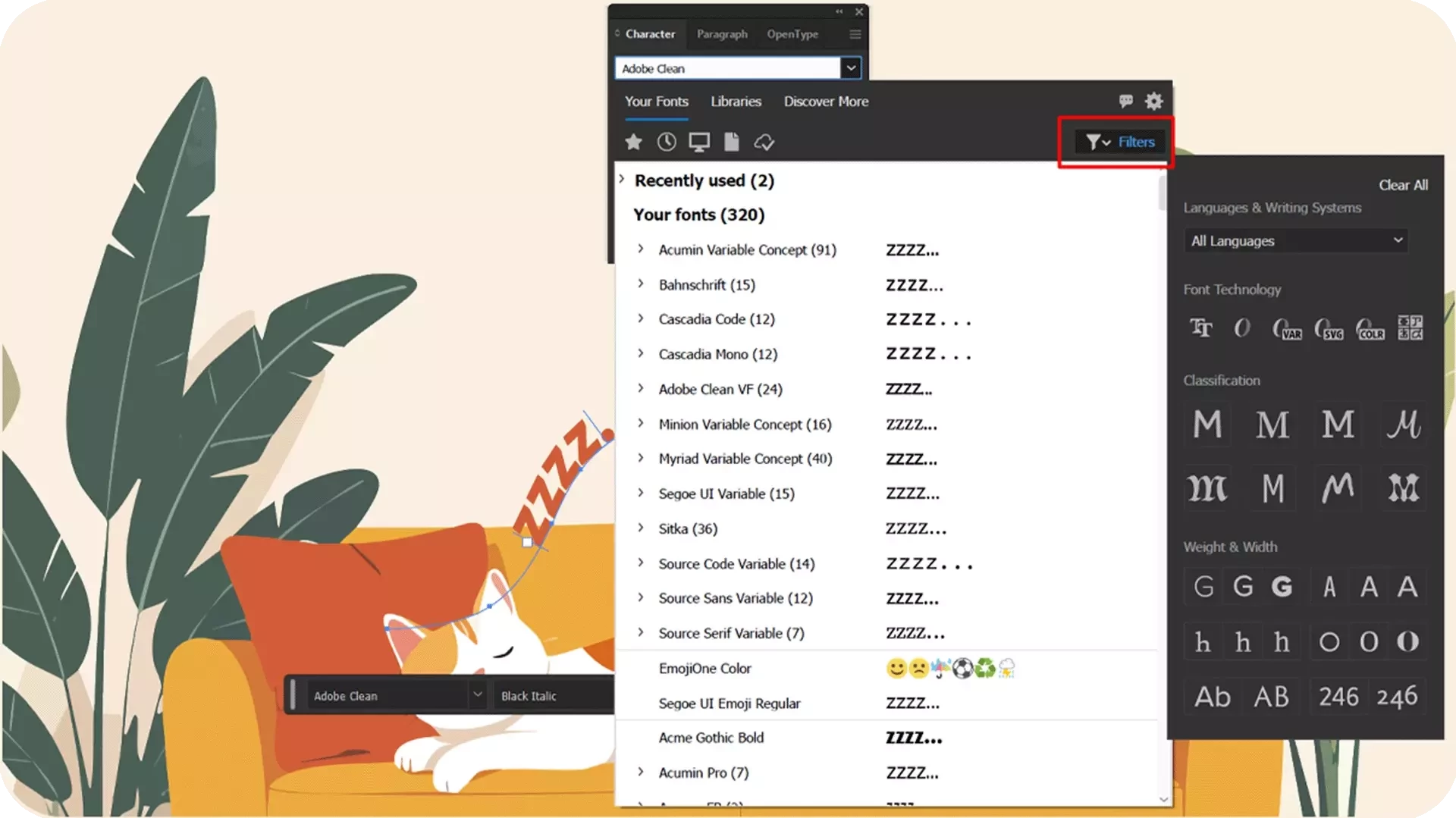
Filters allow you to filter fonts by categories:
- Languages & Writing Systems
- Font Technology
- Classification
- Weight & Width
The Your Fonts tab
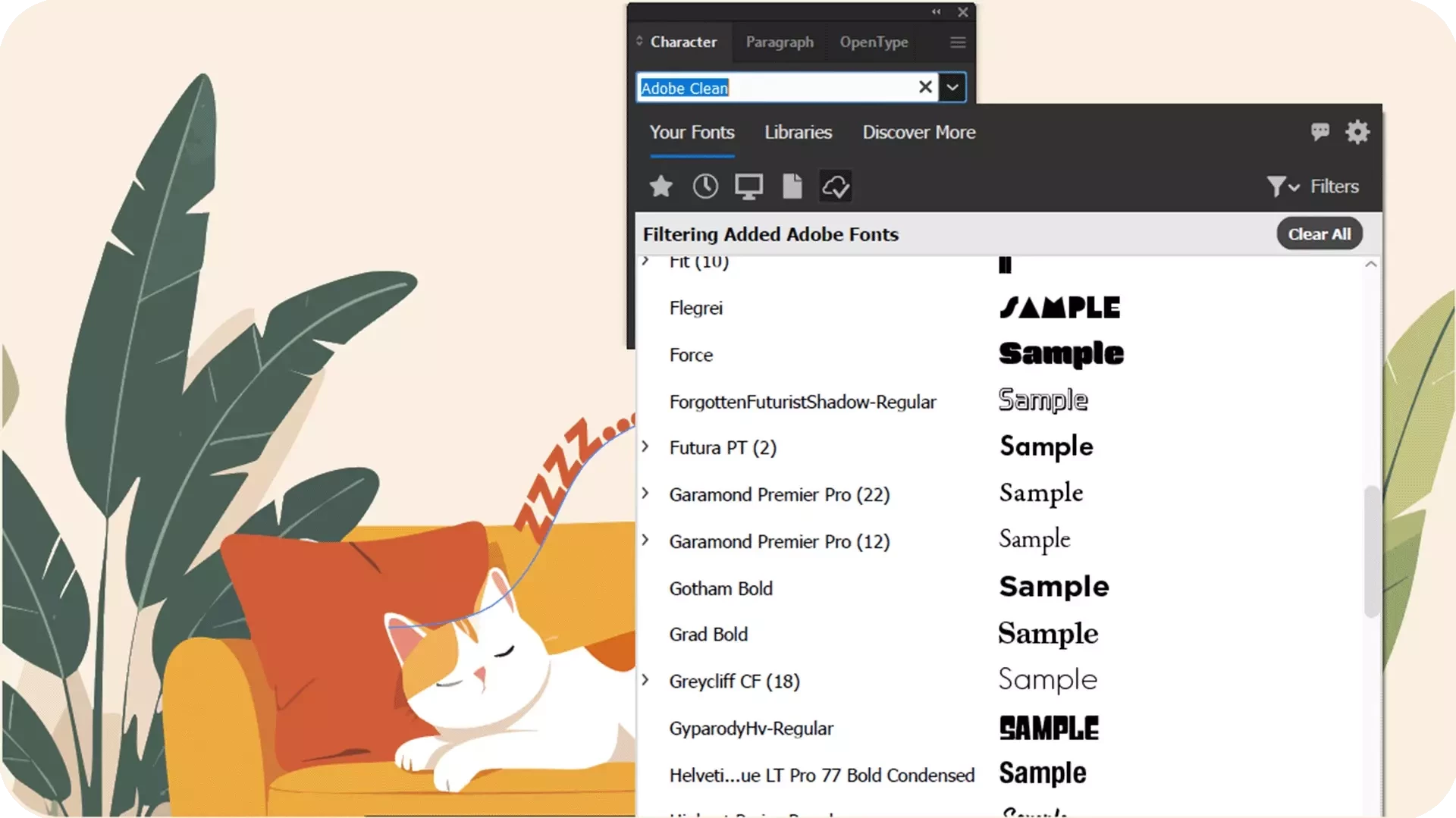
The Your Fonts tab is what you see when you open the font browser. It displays all the fonts installed on your computer, as well as those added from Adobe Fonts, organised into sections.
The Libraries tab
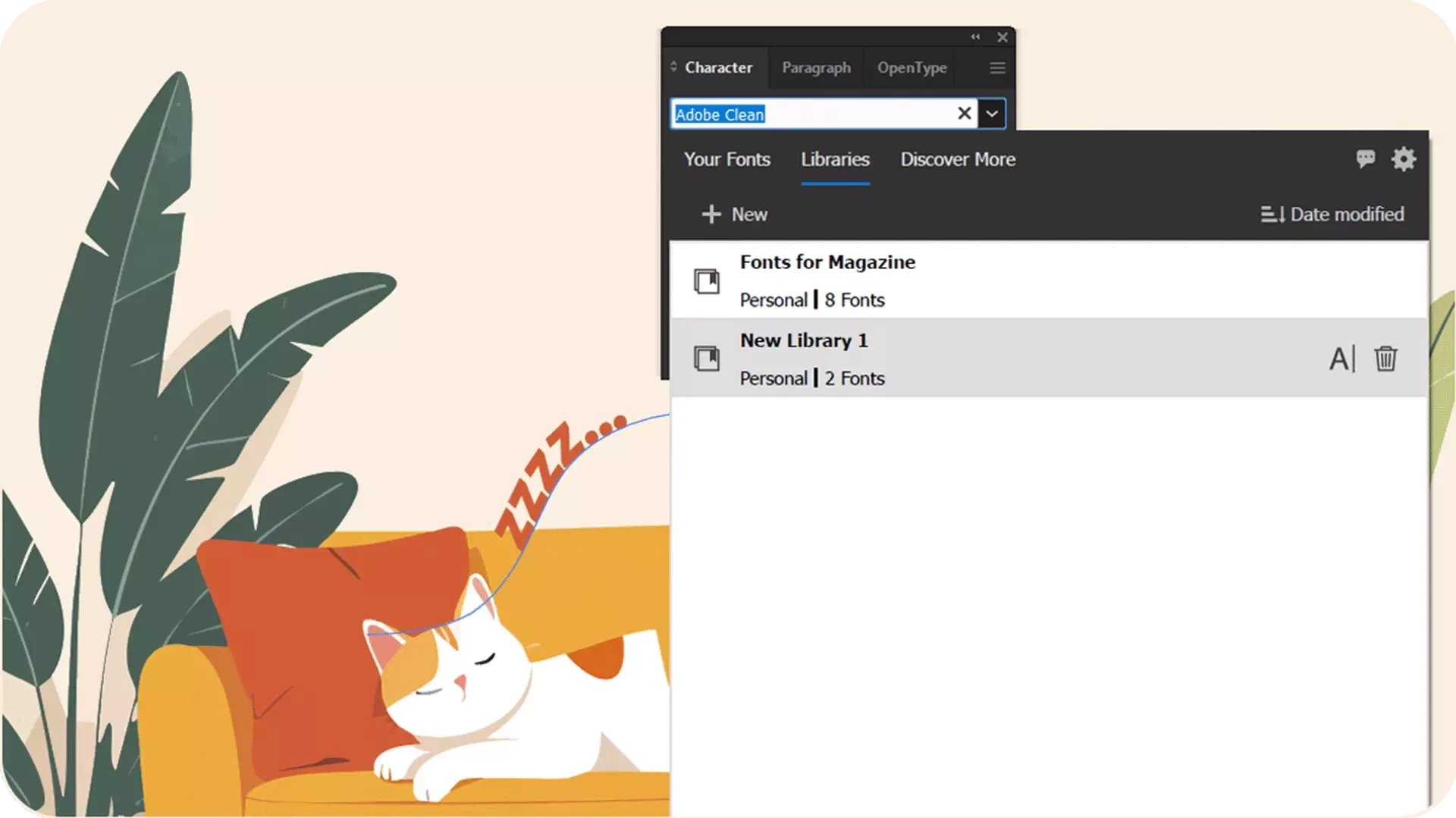
The Libraries tab in the font browser lets you organize fonts using Creative Cloud Libraries. You can use existing Libraries or create new Libraries within the Libraries tab.
The Discover More tab
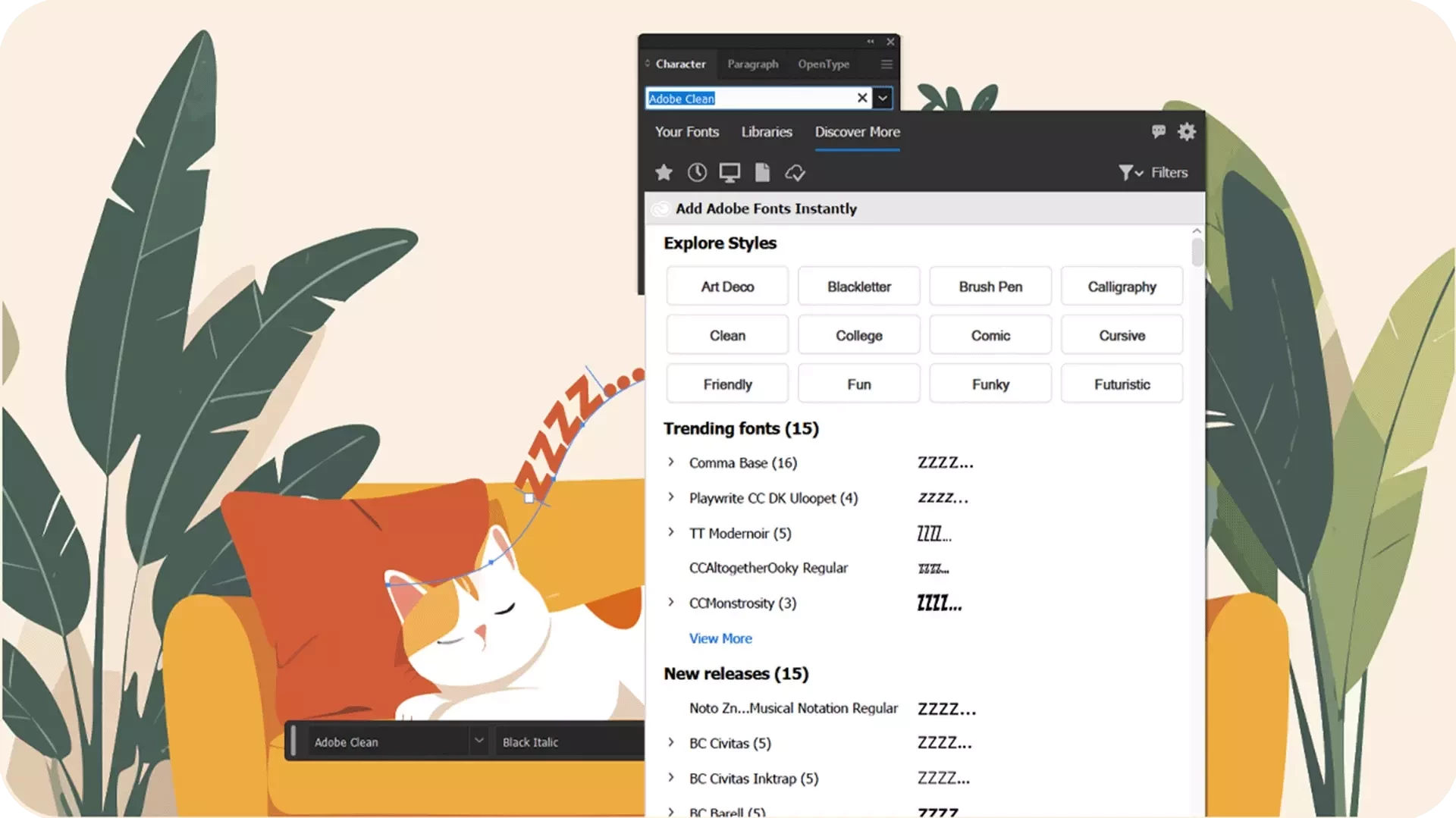
The Discover More tab lists all the fonts from Adobe Fonts, arranged in sections.
Explore fonts faster with intuitive selection, global settings, and smart previews - all in one place.
Set the font family field
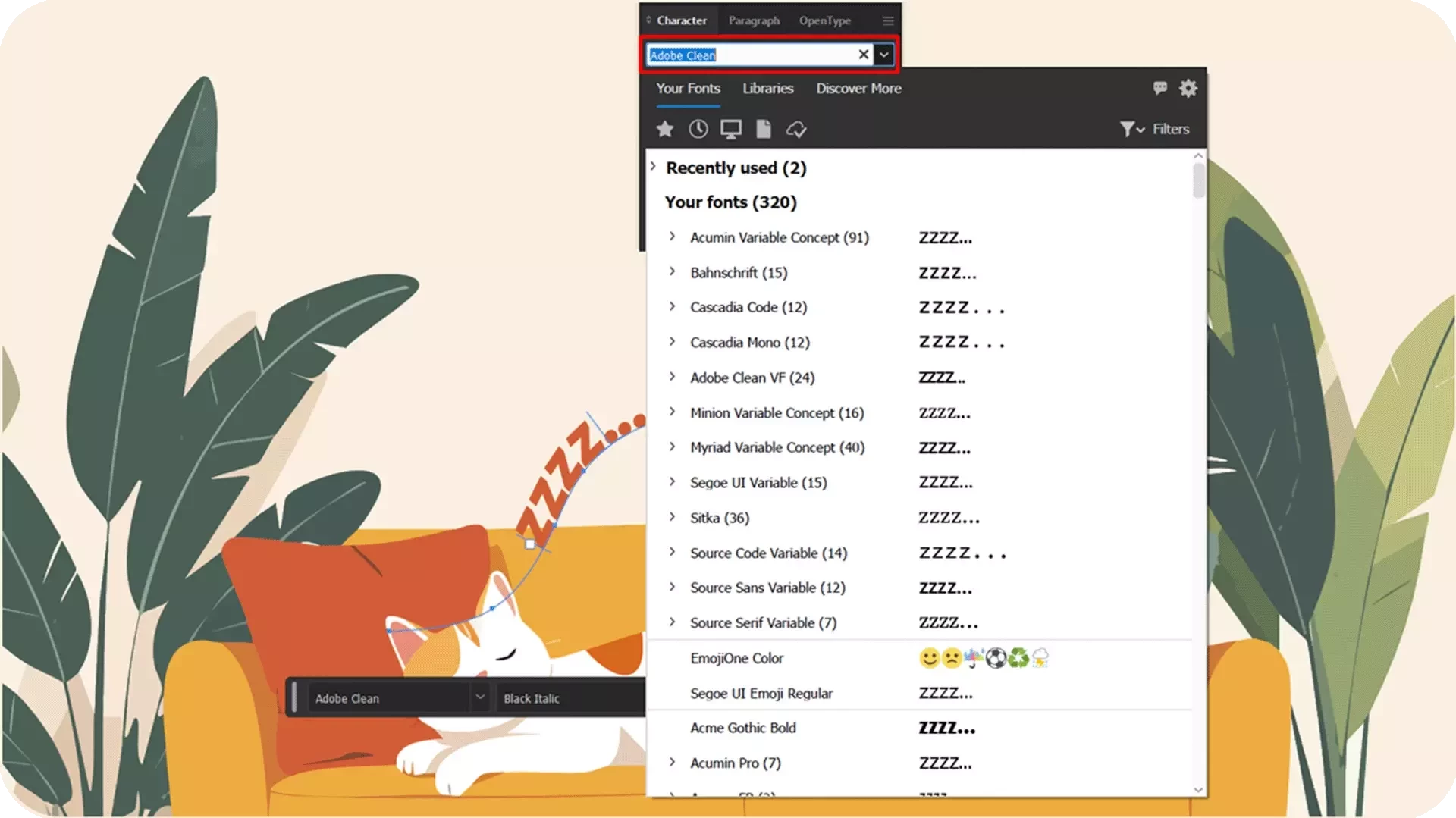
Use the font family field to select your font you want to use from all installed options.
Global Font Settings
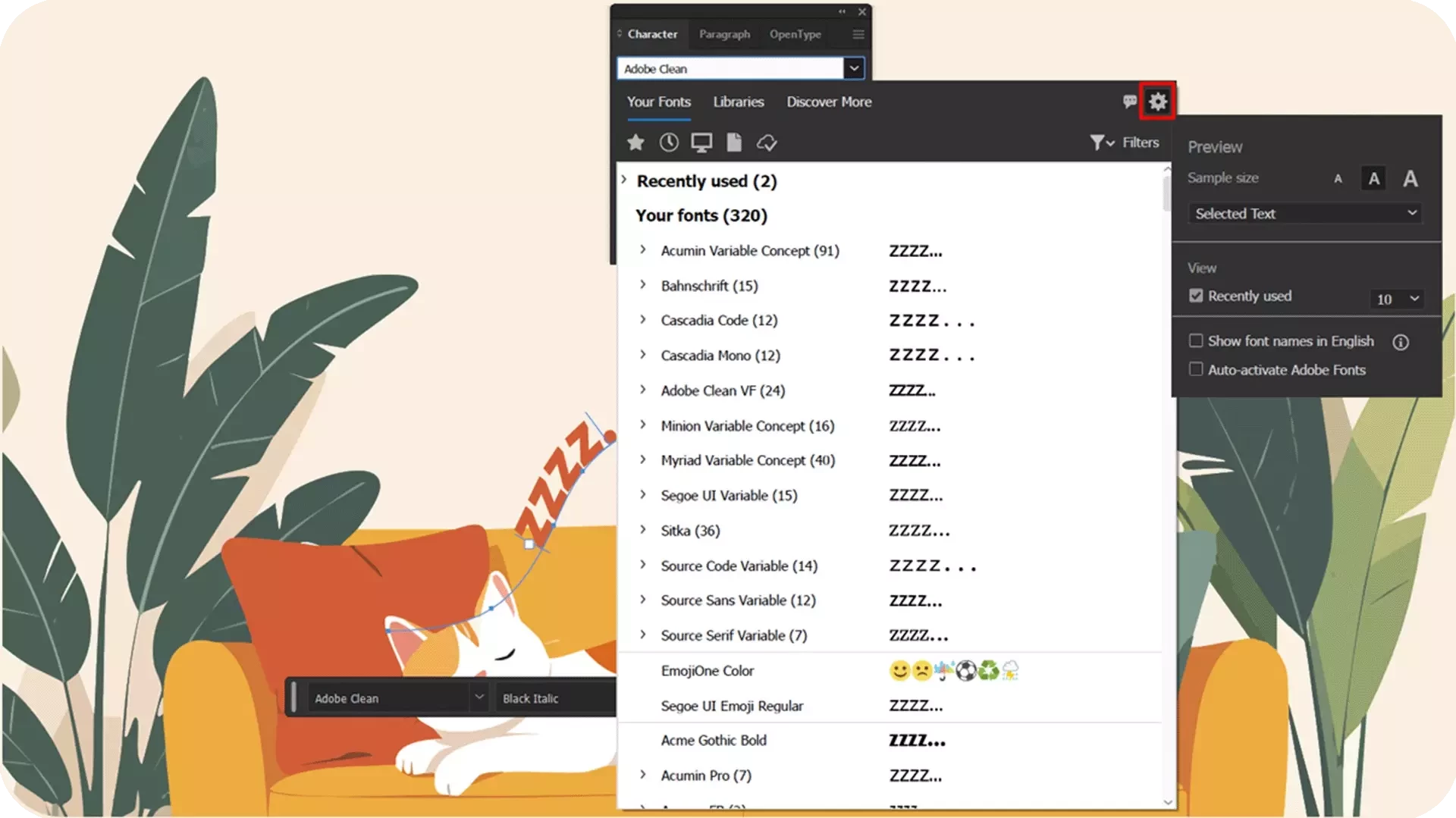
Global Font Settings provides key font settings, including those for font preview and recently used fonts.
Font-specific options
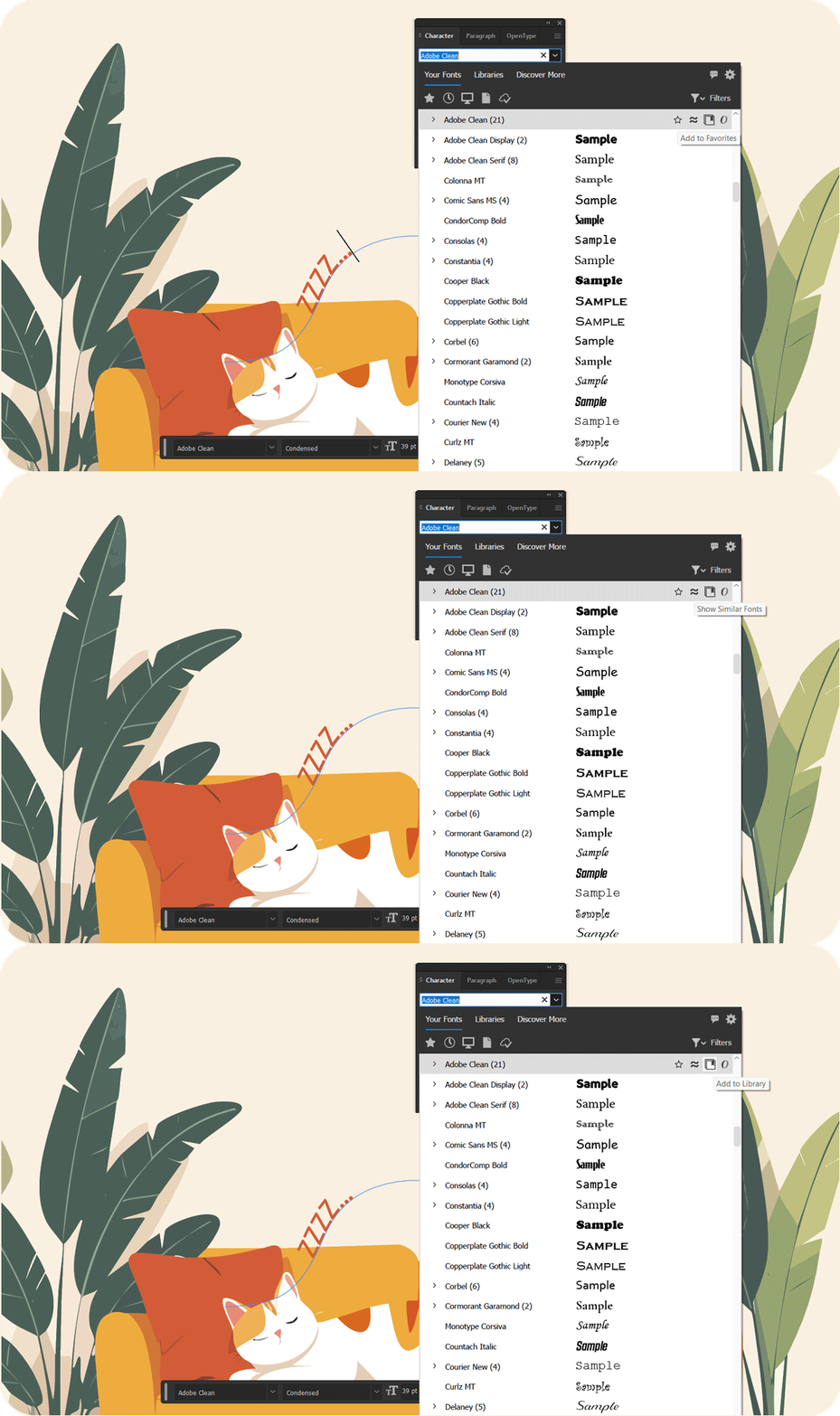
When you hover over a font in the Your Fonts or Discover More tab, you get font-specific options and details:
- Add to Favorites or Remove from Favorites
- Show Similar Fonts
- Add to Library
- Added or font file type (Your Fonts tab only)
- Add, Adding, or Remove (Discover More tab only)
We'd love to hear from you!
Try out the new Font Browser in Illustrator and let us know how they’re improving your workflows. If you have questions or feedback, feel free to reply here and join the conversation.
If you found this post helpful, click 👍Like to let us know. Use ⭐Subscribe to stay updated on future replies. You can also share this post with others who might find it useful.


 AdChoices