




Sketch to Vector now in Illustrator Beta 30.4.0.159
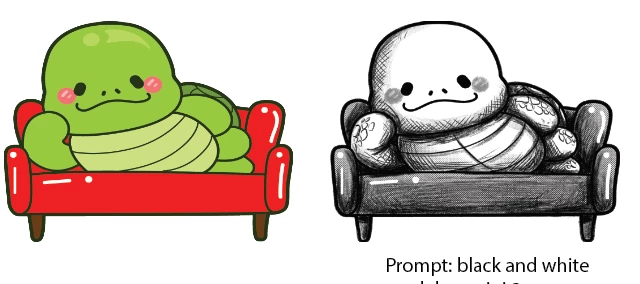
Introducing Sketch to Vector, now available in Adobe Illustrator (Beta). It is a faster, more flexible way to convert sketches or images into usable vector or raster artwork directly in Illustrator. Refine a sketch, turn it into an illustration or reimagine any image using just a prompt. Use the creativity slider to control how closely the output matches the original image.
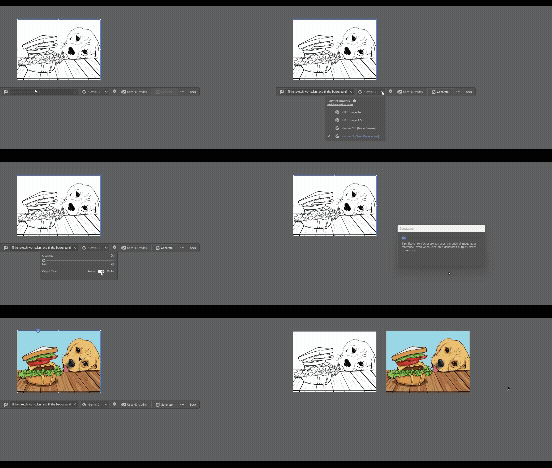
Low creativity and raster output of Gemini 3 model
Unleash your creativity using any raster image. Start with a sketch, scan, photo, or similar input, and generate artwork based on your intent. We encourage you to test this feature across a range of scenarios and workflows. Some identified use cases are listed below, but the possibilities are endless.
- Sketch refinement: Turn rough sketches into more refined outputs
- Sketch to illustration: Convert rough sketches into filled artwork
- Photo to vector: Transform photos into stylized vector illustrations with more personalized results and the ability to explore different styles
- Sketch to photo: Generate photo-like outputs from simple sketches
How to use:
- Select a sketch or image as input.
- Open Sketch to Vector from the supported entry points in Illustrator (Properties Panel, Right click menu, Contextual HUD, Object Menu --> Generative menu and Generative menu in the Toolbar).
- Describe actions or refinements using the prompt and adjusting the settings. Available model options include GPT, GPT 1.5, Gemini 2.5 and Gemini 3.
- Click on Generate.
Important points to note:
- You must start with a raster image to use Sketch to Vector.
- Sketch to Vector will use the original image as a reference even when used on a generated object (raster or vector).
- Outputs are generated on top of the selected image, so your original image remains unaltered.
Try it now in Beta and share feedback to help shape what's next.
 AdChoices