







Design the future of fashion, win Firefly Pro 👗✨
Announcements
Recently active
Fixed an issue where Illustrator could unexpectedly close while downloading a font from the Discover More tab.
Hello Latest Beta Build 31.0.45 is now available in CCD. Following changes landed in this build.AI Assistant credit usage: AI Assistant now uses AI credits from your paid plan for AI powered creative actions, like generating and editing content. After the Assistant responds, you can check how many credits that prompt used, so you can keep track of your usage as you work.How to use: Hover the credits icon below the Assistant’s response to see what that prompt used. Credit use varies by prompt.UV Bug Fixes:[Vote Count : 1] : Blend Orientation Bug [Vote Count : 3] : Persistent Wacom driver warning in Illustrator on macOS TahoeKnown Issues:An issue where Illustrator could unexpectedly close while downloading a font from the Discover More tab. The Windows ARM build for version 31.0.45 isn't available yet. We're working to make it available soon. This is resolved, Win ARM build is now available in CCD.
Hello,Latest Beta Build 31.0.29 is now available in CCD. We have below fixes in this build:Turntable Turntable new update is available, you can use the old version also (Turntable classic).Smoother, near-continuous rotation: Rotation now moves in much smaller steps. Instead of jumping between fixed angles, you can set your subject at almost any angle, which makes it easier to frame the exact view you want. More consistent results: Your subject should keep its identity, proportions, materials and lighting more reliably from one angle to the next. Expect fewer artifacts and less drift as you rotate. Model improvements :The updated model produces sharper detail and handles fine features and shapes better. Outputs should also be closer to the original input.Getting started:1. Select the object2. Invoke Turntable3. Choose the model you want to useThe new version only has 0 degree elevation , we will be adding top and bottom elevation soon.Fixed UV issues :[Vote Count : 2] : Illustrator 30.8
Hello,Latest Beta Build 30.9.66 is now available in CCD. We have below fixes in this build:Quick Skill Guide (Batch 2 and Batch 3 EN content)Build your Illustrator skills right inside the app with the Quick Skill Guide - a guided Skill Builder that walks you through essential tools and features, hands-on. Pick a skill and Illustrator opens a ready-made sample file where you can follow each step, paired with a short video to help you get the hang of it. A progress ring tracks how far you've come as you complete each tutorial. How to Use:Click the new bulb icon to open the Quick Skill Guide. Select a skill you'd like to learn. Choose a step-by-step tutorial, with an accompanying video, and follow along on the sample file that opens. Watch the progress ring update as you complete each tutorial in the skill.Blend On-Canvas Controls:We’ve added on-canvas Blend controls, making it easier to adjust blends directly where you’re working. Try it out and let us know how the controls feel in your
Hello,Latest Beta Build 30.9.52 is now available in CCD. We have below fixes in this build:Quick Skill Guide in Illustrator:Build your Illustrator skills right inside the app with the Quick Skill Guide - a guided Skill Builder that walks you through essential tools and features, hands-on. Pick a skill, and Illustrator opens a ready-made sample file where you can follow each step, paired with a short video to help you get the hang of it. A progress ring tracks how far you've come as you complete each tutorial.How to Use:Click the new bulb icon to open the Quick Skill Guide. Select a skill you'd like to learn. Choose a step-by-step tutorial, with an accompanying video, and follow along on the sample file that opens. Watch the progress ring update as you complete each tutorial in the skill.Dynamic Text:Dynamic Text is now live in the Illustrator beta. Text auto-resizes and reflows to fit its container as you scale or reshape it. Best part for us: it also works on Type on a Path, so any cu
Hello, Latest Beta Build 30.9.32 is now available in CCD. We have below fixes in this build:AI Assistant — Beta Release NotesFollowing our last beta drop , here's the next batch of AI Assistant improvements — now live in the latest Illustrator Beta. This release is focused on making Skills fully manageable from the UI, smoother file attachments, and squashing a set of high-priority stability bugs you flagged.A quick reminder — what the Assistant is: your product partner that takes on the repetitive, time-consuming work, so you can spend more time designing and creating.What's newManage Skills directly from the UISkills are no longer just create-and-run — you can now create, edit, and delete them without retyping anything.Create & edit Skills from a dedicated Skill editor. Kick off the edit flow straight from the / menu(button or keypress). Delete a Skill from the UI, including from within an active session. Cleaner, more consistent Skill file naming.How to use: Type / in the Assist
Hello,Adobe is bringing a small group of designers and builders in early on a new tool, and some of you in this community may fit the profile they're looking to partner with. What is it about?It's a new web-based, AI-assisted tool for bringing products from idea to deployment. They're assembling a cohort kicking off August 20th and running through the fall.What you'd get out of it:Hands-on access well before public launch A direct line to the team building it. Your feedback genuinely shapes what ships A private cohort channel with others in the programWe’re looking for participants:We're looking for brand designers, screen designers, PMs, frontend engineers, and founders/builders who've used an AI tool that builds working apps or interfaces from a prompt (like Lovable, Claude Code, Bolt, Figma Make, or Replit) in the last 30 days, and who have a real, active project they're working on.If you're interested, start with a quick 1-minute survey: Screener SurveyLimited spots. NDA required.
Hello,Latest Beta Build 30.9.14 is now available in CCD. We have below fixes in this build:Spine for Blends: Blend spine, every time. No more guessing games — open paths, nested shapes, all of it now gets a spine you can edit.Fixed UV issues :[Vote Count : 10] : Select Next Object commands in context menu are broken [Vote Count : 1] : Glitchy Application [Vote Count : 9] : Recolor not working with Color Books
Hello,Latest Beta Build 30.8.89 is now available in CCD. We have below fixes in this build: Custom Models in Text-to-Vector:Create brand-authentic vector artwork using Firefly Custom Models trained on your own assets. Bring your custom models directly into Illustrator's Text-to-Vector workflow to generate imagery that stays true to your unique visual identity, scales effortlessly across creative projects, and eliminates the need to switch between Firefly and Illustrator. How to Use:Train and publish your Custom Model in the Firefly web app. In Illustrator, open Text to Vector and select the Model Picker. Under Custom Models, choose any published model you have access to and generate vector artwork. Need a new Custom Model? Select Train Custom Model from the Model Picker to launch the Firefly web app and create one.UXP based CC Libraries for Win ARM:UXP based CC Libraries is now enabled for Windows ARM in this Beta release—please try it out and let us know if you encounter any issues or
Hello, Latest Beta Build 30.8.72 is now available in CCD. We have the below fixes in this build: "AI Assistant" Improvements:Since our last release in June, we've worked hard to improve the Assistant, most of it driven by your direct feedback. There's a big batch of improvements shipping now in the latest Illustrator Beta (v30.8).What is Assistant?: Think of AI Assistant as a product partner that takes care of the repetitive, time-consuming tasks, so you can spend more time doing what matters the most: designing, creating.What's new?:1. Skills: Save a reusable prompt so you get consistent output faster — no retyping a workflow you run often.How to use: Turn your last prompt into a Skill by typing "create a skill from the last prompt," or make a new one by typing "create a skill" along with its description in the text field.2. File attachment: Attach your own files (MD, XLSX, CSV, and more) to pull out reusable assets — colours, graphic/character/paragraph styles, symbols, brushes — giv
Hello :) Latest Beta Build 30.8.54 is now available in CCD. We have below fixes in this build: Auto Relink missing images from the same Folder:When you relink a missing linked file, Illustrator can now automatically find and relink the document's other missing links whose file names match files in the same folder, so you no longer have to relink each one by hand.Choose 'Auto find missing links from this folder' in the relink dialog's Replace dropdown when relinking a missing image. Illustrator scans the document and silently relinks every other missing link whose file name matches a file in the same folder, including all instances of the same image.How to use: In the Links panel, relink a missing image, select the replacement file, then pick 'Auto find missing links from this folder' from the Replace dropdown. Fixed UV Bugs:[Vote Count : 10] : Objects with Perceptual Gradients applied (and no Dither) gets rasterized fully on PDF export, instead of becoming clipped rasters[Vote Count :
Hello Latest Beta Build 30.8.28 is now available in CCD. We have below fixes in this build:Semantic Search:We're introducing Semantic Search, a new way to find your assets using natural language. What's new? Semantic Search helps you find the right assets faster. Search across Your Files, Projects, and Generation History using natural language, even if you don't remember the exact filename. Where to try it ? Semantic Search is available in: Home Screen: Home → Your Files → Search. Open from Cloud Storage: File → Open → Open from Cloud Storage → Search. Place from Cloud Storage: File → Place → Place from Cloud Storage → Search.Vectorize using AI assistant:The AI assistant can trace raster images to vector art using Image Trace — ask it to vectorize a selected or placed imageFirefly-powered generation in AI assistant:Ask AI assistant to generate a photorealistic high quality images just use natural-language prompts to generate it.Fixed UV, community and known bugs:[Vote Count : 4] : Se
Hello :) The latest Beta Build 30.8.7 is now available in CCD. We have the below fixes in this build:Prevent Illustrator from selecting an object by clicking on its shadowClicking on the soft area of a drop shadow (or other raster effect region) no longer selects the object casting it. You can now click straight through the effect region to select whatever is behind it. Objects sitting behind or beneath an effect region are now easy to select with a single click Link: https://illustrator.uservoice.com/forums/333657-illustrator-desktop-feature-requests/suggestions/31912687-prevent-illustrator-from-selecting-an-object-by-clOther UV Bug Fixes: [Vote Count : 2] : Frozen Libraries Panel in Illustrator 30.1 [Vote Count : 36] : Character colors set for character/paragraph styles loaded from another document are lost when the file is saved and reopened.別のドキュメントから読み込んだ文字スタイル・段落スタイルに設定された文字カラーは,ファイルを保存して再度開いたときに失われる。 [Vote Count : 2] : GPU warning every time I open a file
Hello Latest Beta Build 30.7.83 is now available in CCD. We have the below fixes in this build:Blends-related fixes:Make button were showing disabled in some cases Number field for Steps dropdown were showing overlay while scrolling Easing option has been disabled for spine-less blends Steps slider overshoots easily and up/down keys stop responding until panel tab-cycledKnown Issue - More than 2 objects at a time can't make blend.Workaround - You can click on the previous object 1 more time and click on 3rd object or next to create blend.Concept to Vector Changes :Generate more variations in one go: Select multiple sample prompts and generate all variations with a single click. New AI model available: Choose the new GPT-2 model for Concept to Vector generations. Improved background handling: Concept to Vector now generates background-free results when your prompt requests them. Previously, prompts requesting no background produced outputs with a white background instead. Additional inv
Hello,The latest Beta Build 30.7.63 is now available in CCD. We have the below fixes in this build:User Voice: [Vote Count : 22] : EPV: Color Mixer in Control and Properties panels gets broken after using Tab Concept to Vector: Fixed an issue where Live Text in Concept to Vector defaulted to Myriad Pro. The feature now correctly applies the detected font. Blends Panel: Expand & Release option in new blends panel Improved steps slider to increase slowly initially for better control Enable Live Preview for blends in CPU Mode Please review and let us know your thoughts.
Hello, The latest Beta Build 30.6.75 is now available in CCD. We have below fixes in this build: Global Typography/Unified Text Engine ChangesIn this beta, we bring a significant improvement to how Illustrator composes text. This should be a big friction removal for workflows that involve non-Latin text. While Illustrator was already composing text in non-Latin scripts, there were some frictional experiences and limitations. To make it easy for anyone to compose text in any language/script, we’ve largely worked on three aspects:Illustrator has two text composers – one works in Latin and East Asian scripts and the other which works for all scripts. Former is the default for most users, globally. In past, if your input comprised of Hindi or Urdu or Arabic Text, you may have noticed broken text shaping (joining of characters) as the application attempted shaping in the default composer. That’s changing. In this beta, when you input any text, either through physical keyboard, or soft keybo
We’re developing a new capability designed to save time on repetitive, non-creative tasks like renaming layers, duplicating artboards, and prepping files for export, based on workflows you’ve shared with us. We’re looking for a small group of community members to join our private beta to test early features, share feedback, and help refine the experience alongside our product team. If you’re interested, please fill out this screener survey to apply. We’ll be selecting participants soon. By signing up, you’ll get early access and a chance to directly influence how this evolves. MollyAdobe Illustrator Product Marketing
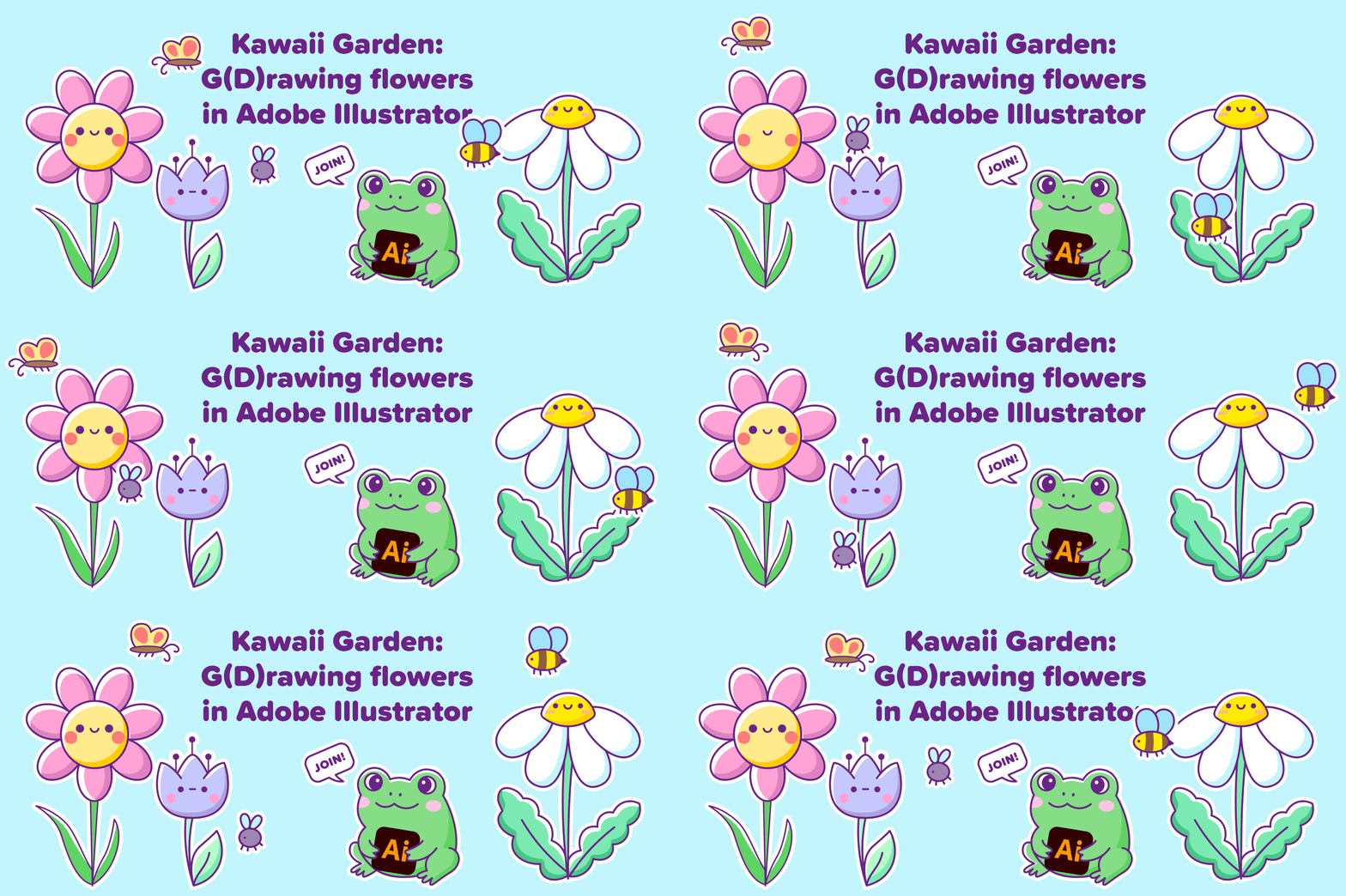
EVENT ALERT: You're Invited!Collectively Creative with Capoor: Exploring creative journeys, one story at a time — we're back with our next designer showcase session!Collectively Creative is a designer showcase series that celebrates the talent within our own community. Each time, one designer takes us behind the scenes of a project they’re proud of - unpacking the ideas, tools, decisions, and workflows that brought it to life.This month, we're thrilled to feature “Nataliia Manych”, Adobe Insider and Adobe Illustrator’s prerelease member, as she dives into a delightful session of creating an artwork live themed "Kawaii Garden: g(d)rowing flowers in Adobe Illustrator"The event is planned for Thursday, 18th June at 8-9 am PST (8:30-9:30 pm IST). You can use the registration link to register - Register here!Whether you're a designer, a curious creative, or someone who appreciates the craft behind good design—this is for you. Let’s get inspired. Let’s learn from each other. Let’s be Collec
AI Assistant in Adobe Illustrator (Beta)Illustrator (Beta) v30.7 now has an AI Assistant to support you with your production workflows. It analyzes your Illustrator document, helps make decisions, recommends actions and executes multi-step workflows using natural prompt language.What is AI Assistant?AI Assistant is a production-focused assistant that understands your document in terms of layers, artboards, colors, text, artwork and its context and then tries to determine the actions required to execute multi-step production workflows with ease.It’s designed to support you with repetitive, structural and production level workflows such as organizing documents, updating content across objects and artboards, preparing for export, running production checks and even suggesting workflows needed for your goal.Think of the AI Assistant as a production partner that takes care of repetitive, time-consuming tasks, so you can spend more time doing what matters most: designing, creating, and making
Hello, The latest Native WinARM Beta Build is now available in CCD.Illustrator on Windows ARM: Now Available in BetaWe are excited to announce that Adobe Illustrator is now available as a native Windows ARM build in beta. This is a first-of-its-kind release for Illustrator on this platform.Known LimitationsThird-party plugins: Not currently supported. CC Libraries panel: Not supported in this build. The panel will not appear in the panel list. AutoCAD (DWG) files: Real DWG format is not supported. Version History panel (cloud documents): Panel does not refresh after saving. Workaround: close and reopen the document. Encrypted PDFs: Not supported. The "Use Precise Cursor" setting is not imported correctly when importing preferencesFor Plugin PartnersWe will share SDK availability details soon.
Hello,Latest Beta Build 30.7.11 is now available in CCD. We have below fixes in this build: Relink Multiple Links — More ControlThe Relink file picker now includes a Replace dropdown so you can choose exactly how many links get updated when several selected links share the same source file:Each Link Separately— Open one picker per link; pick a different replacement for each. Useful when same-source links need to diverge. Selected Instances (N)— Replace only the links you picked in the Links panel. All Instances (N)— Replace every instance of that source file in the document in one step.How to try it: In the Links panel, select two or more links, click Relink (or use the menu), and pick a scope from the Replace dropdown before clicking Place. Your last choice is remembered for the rest of the session, so a workflow that prefers one scope doesn't have to re-pick it every time. UV Bugs:[Vote Count : 1] : View menu - Spanish word for "flattening" is misspelledGetPostScriptFontName not work
Hello everyone We’re excited to kick off a new initiative for our Beta community — a focused 2-week Bug Bash to help us improve the stability and quality of the Beta build. What’s the goal?Spend time testing the latest Beta build and report any bugs you encounter. You can report issues, check existing bugs, and upvote them—all in one place: Bug Bash dashboard TimelineThis Bug Bash will run for 2 weeks, i.e. until 15th May 2026. You may report bugs you’ve observed in Beta from March 15th, 2026, onwards. Anything prior to that will not be considered. RewardsTo recognize your effort:The top 5 contributors (based on volume and quality of valid bug reports) will be rewarded. Each selected contributor will receive a $50 Amazon voucher. Please note: Public sector users are not eligible for incentives. Quality and clarity of reports will be taken into account.Your feedback directly shapes the stability and quality of the product, and this is a great opportunity to make an impact.Let’s make
Join Us for a Group Discussion on GenText We’re excited to invite you to an open discussion on GenText, now available in Illustrator Beta 30.6.27. GenText brings a suite of text workflows directly into Illustrator, helping you create and refine copy without leaving your canvas.What can GenText do?Rewrite: Generate headlines, taglines, or body copy from a prompt Fit Text: Adjust copy to fit your frame automatically Proofread: Fix grammar, spelling, and punctuation in one click Translate: Translate text into another language (with automatic Adobe Fonts support for missing fonts)How to try it outInstall and Open Illustrator Beta 30.6.27 Select a text frame on your canvas Open the Rewrite/GenText panel Try out the different capabilities on your own contentGroup Discussion DetailsDate: 28 May 2026Time: 8-9 am PST, 11 am -12 pm EST, 10-11 am CST, 4-5 pm GMT, 8:30-9:30 pm ISTRegistration Link: https://events.teams.microsoft.com/event/696c604d-559b-4fa3-a824-d432ede99eda@fa7b1b5a-7b34-4387-94
Hello :)Latest Beta Build 30.6.27 is now available in CCD. We have below fixes in this build:Live Blends Panel:We've redesigned the Blends panel with new controls that give you more creative control over how blends interpolate between objects.Now all Blend properties can be controlled from one place - the Blend panel. Easing: You can now control how blend steps are distributed along the path. Choose from four easing modes - Ease In, Ease Out, Ease In/Out, and Ease Out/In - and fine-tune the intensity with the Ramp slider. Available when spacing is set to Constant Steps. Color Shift: A new Shift slider lets you independently control how colors accelerate through the blend sequence, separate from the spatial distribution of steps. Available when spacing is set to Constant Steps or Constant Distance. Reorganized Panel: All controls are now organized into collapsible sections - Easing, Appearance, and Spine Controls - so the panel stays clean and focused. The panel is also scrollable, so
Remix with Firefly Community Gallery
Thousands of free creations to fall in love with and remix in Firefly.
Already have an account? Login
Enter your E-mail address. We'll send you an e-mail with instructions to reset your password.