



📸 From MAX 2025: New Features in Lightroom Classic 15.0

Lightroom Classic 15.0: Assisted Culling, Dust removal, and more from MAX!
Calling all Lightroom Classic users — Adobe MAX is here, and it's your time to shine! This is more than a conference — it’s a creative recharge for photographers who want to make the most of every pixel. Join MAX online for free and check out all the Lightroom sessions! Want to know everything about this release? Read our release notes.
 |
Try Lightroom Classic Download the latest version and dive into the new Adobe Lightroom Classic features. |
Big updates just dropped! Open your Creative Cloud app and hit 'Update' next to Lightroom Classic to dive in. More detailed instructions for updating.
Here's what's new in Lightroom Classic
|
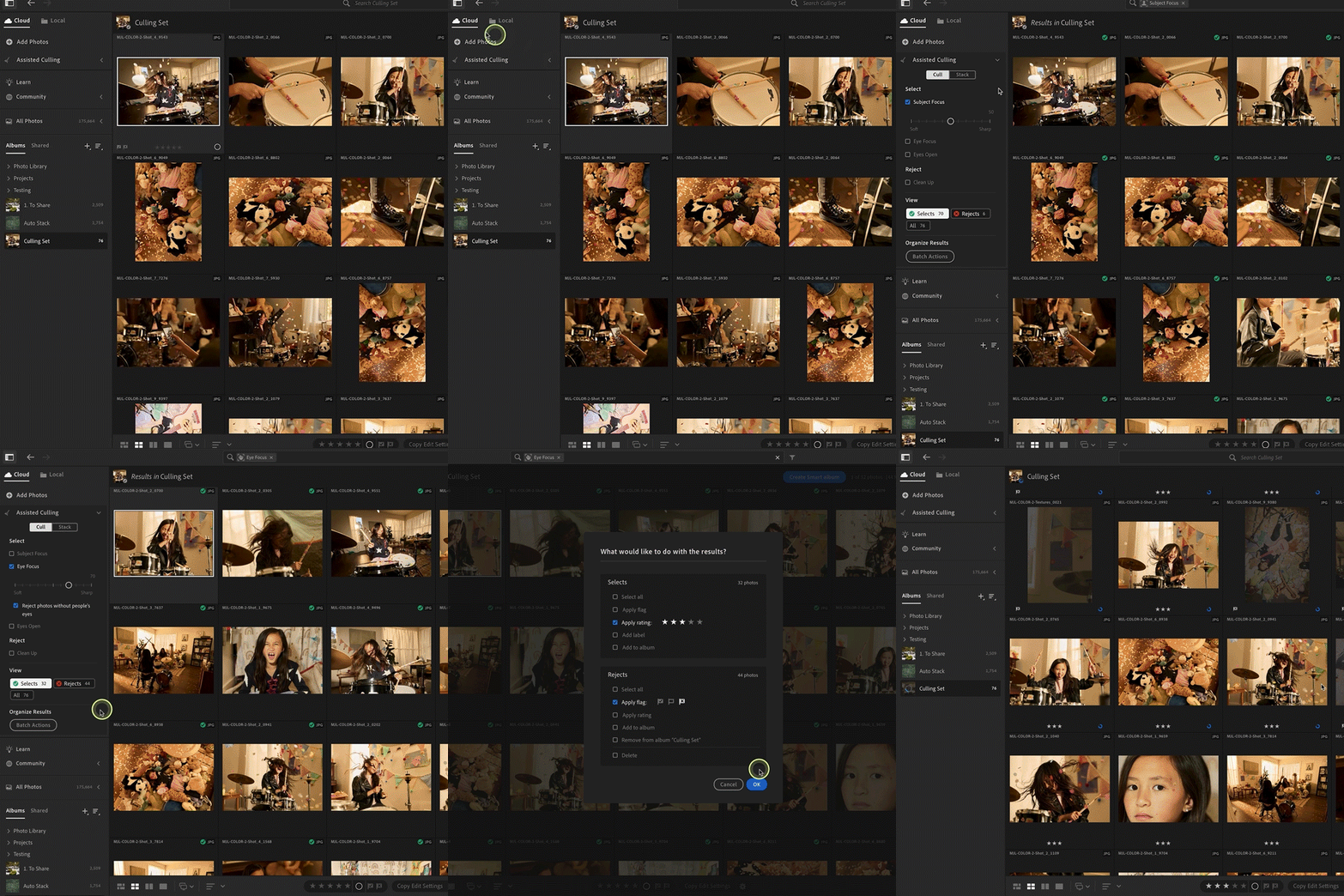
Organize with Assisted Culling Assisted culling helps you efficiently organize large photo collections by identifying top images, automatically rejecting low-quality ones, and allowing manual adjustments to selections.
Want to learn more about this tool? Check out this article.
|
 |
|
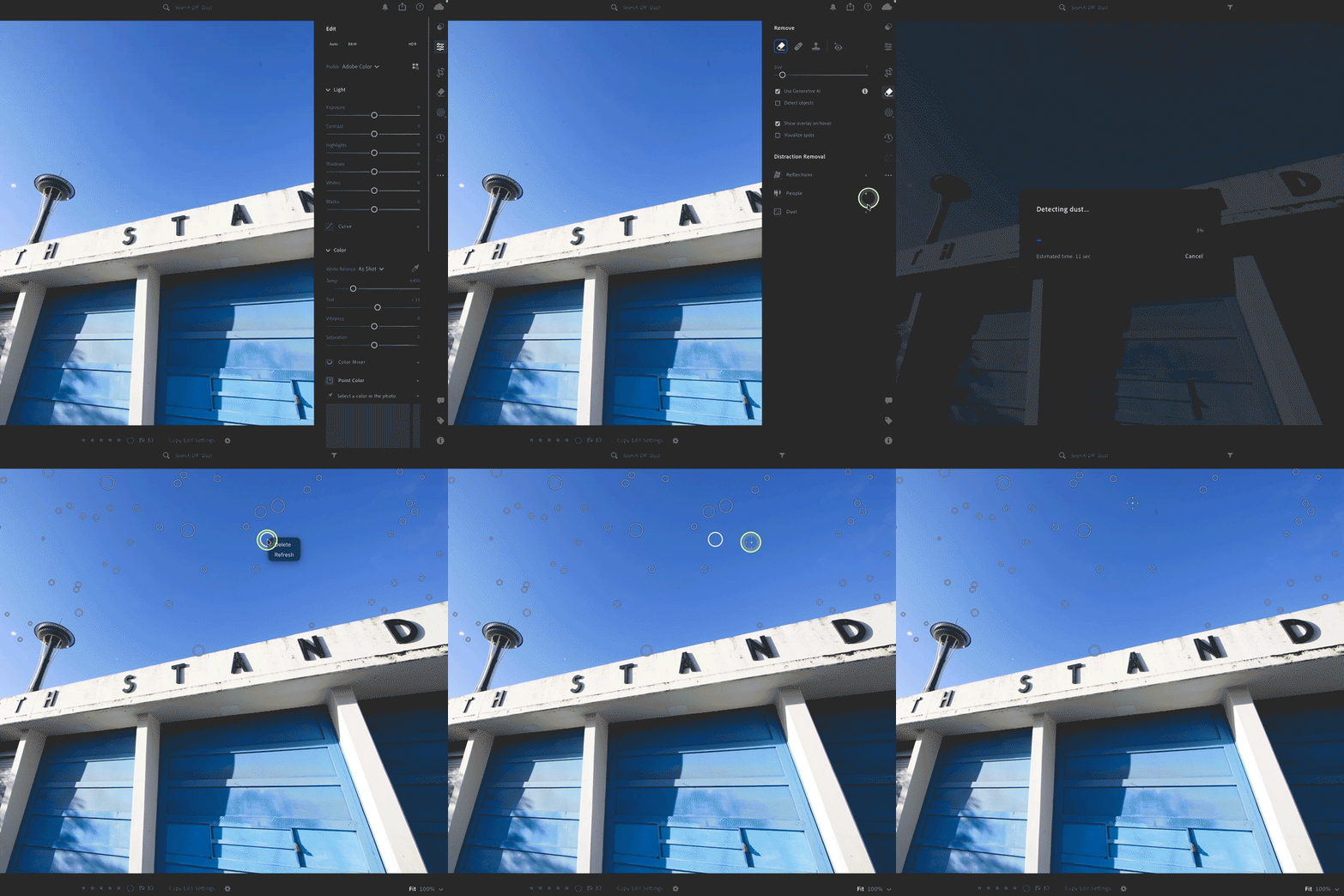
Dust Removal The AI-powered Dust Removal feature in the Distraction Removal panel automatically detects and removes dust spots in a photo, created by dust on your camera's sensor or lens.
Want to learn more about this tool? Check out this article.
|
 |
|
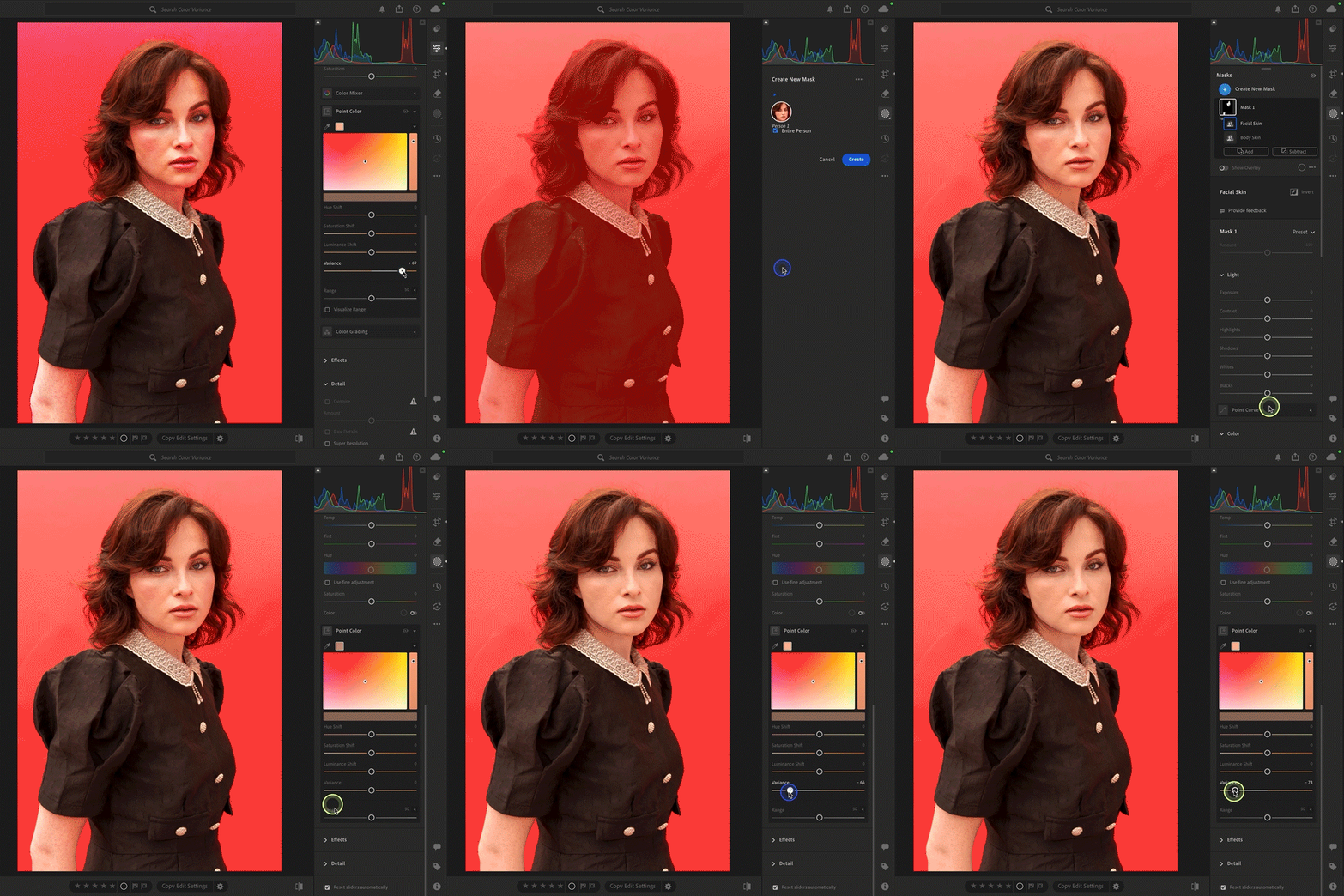
Color Variance Now, access the variance slider in the Point Slider tool. Adjust the tone and color of an image with the Variance slider to achieve a consistent look.
Want to get the most out of color variance in Lightroom? Learn more here!
|
 |
Camera and Lens Support + Enhancements
Lightroom Classic 15.0 also includes newly supported cameras and lenses, plus some exciting improvements:
-
Other new features include Remove Shadows using Generative Remove, auto stacking, and more.
- Landscape mask now includes snow and access to a new set of Landscape presets!
- Lecia Support for Teathered Capture
- Performance improvements in the Develop module.
- Read more about this release in our release notes.
Check out the full list of supported cameras and lens profiles.

Open your Creative Cloud desktop app and click "Update" next to Lightroom Classic.
More detailed instructions for updating.
We’d love to hear from you!
Lightroom Classic just leveled up! Update now to explore powerful new tools. Show off your before/afters or drop your thoughts in the comments!

We’d love to see what you’ve created and hear about your experience or feedback! Click 'Reply' below.
Click 'Follow' below to bookmark this post for easy reference.
For other questions, feel free to start a new post in the community.
 AdChoices