



📸 From MAX London: New Features in Lightroom Classic 14.3

Lightroom Classic 14.3: Select Landscape, Catalog Management, and more from MAX London!
We’re excited to announce the release of Lightroom Classic 14.3, available now as part of the April 2025 MAX London update. This release includes new features designed to streamline your workflow and expand your creative control—plus support for the latest cameras and lenses, along with important bug fixes.
 |
Try Lightroom Classic Download the latest version and dive into the new Adobe Lightroom Classic features. |
To update Lightroom Classic to 14.3, click "Update" in the Creative Cloud desktop app next to Lightroom. More detailed instructions for updating.
Here’s what’s new in Lightroom Classic 14.3:
|
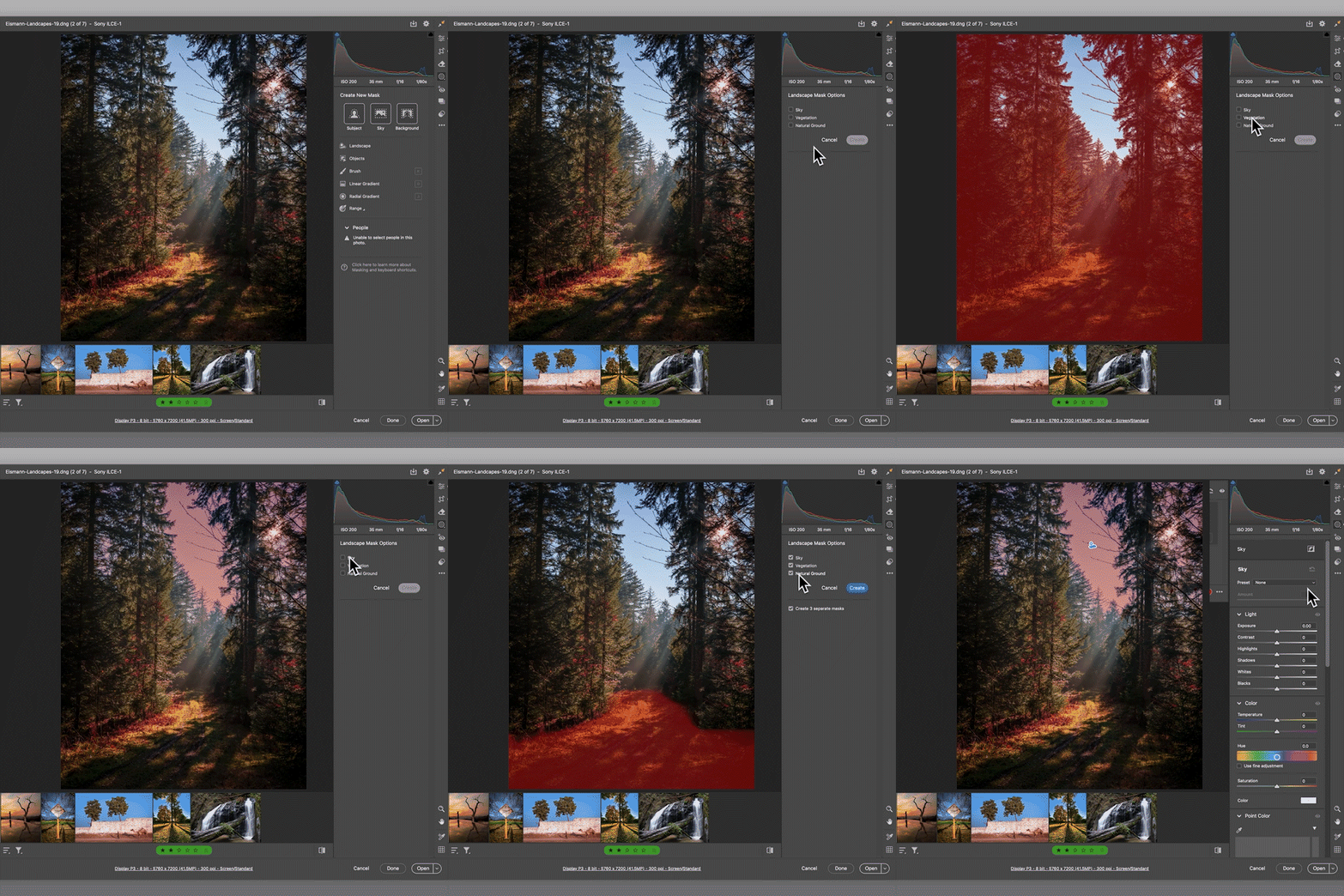
NEW! Landscape Masking: Say hello to the Select > Landscape mask — your new go-to for editing landscape photos. Lightroom automatically detects elements like sky, vegetation, and ground, creating separate masks for each. Fine-tune each part of your image with precision. Read more about it here. |
 |
|
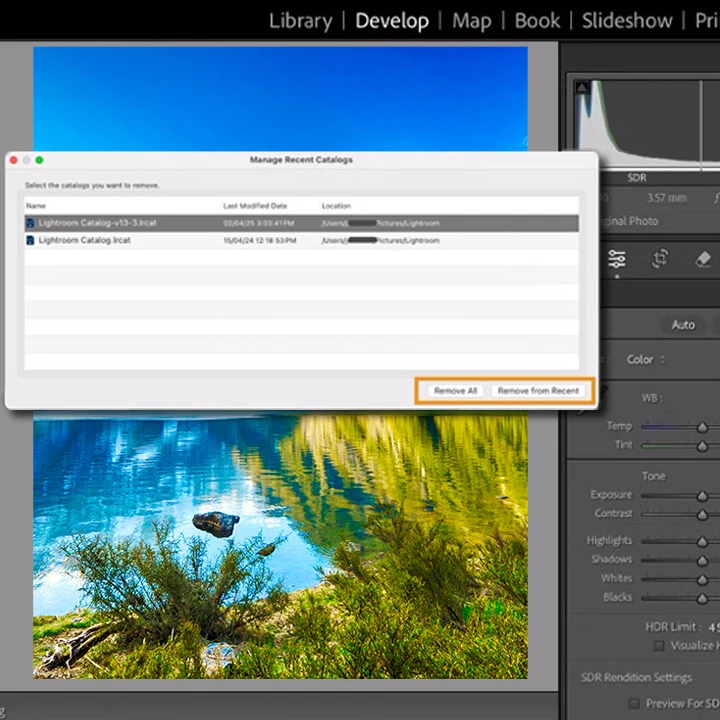
Manage Catalogs with Ease: You can now manage your recent catalogs directly from the File > Manage Catalog menu. This feature allows you to remove catalogs you no longer use from the recent list—keeping your workspace clean and focused. Learn more about this update here. |
 |

To update Lightroom Classic to version 14.3, open the Creative Cloud desktop app, find Lightroom Classic in the list of installed apps, and click Update. More detailed instructions for updating.
We’d love to hear from you!
Try out the new Lightroom Classic 14.3, and let us know your thoughts. Feel free to reach out if you have any questions or need more tips!

We’d love to see what you’ve created and hear about your experience or feedback! Click 'Reply' below.
Click 'Follow' below to bookmark this post for easy reference.
For other questions, feel free to start a new post in the community.
 AdChoices