



New ways to edit: New Features in Lightroom Classic 14.4
Lightroom Classic 14.4: Select Landscape, Catalog Management, and more from MAX London!
We’re excited to announce the release of Lightroom Classic 14.4, available now as part of the June 2025 update. This release includes new features designed to speed up your workflow and expand your creative control, plus support for the latest cameras and lenses and important bug fixes.
 |
Try Lightroom Classic Download the latest version and dive into the new Adobe Lightroom Classic features. |
To update Lightroom Classic to 14.4, click "Update" in the Creative Cloud desktop app next to Lightroom. More detailed instructions for updating.
Here’s what’s new in Lightroom Classic 14.4:
|
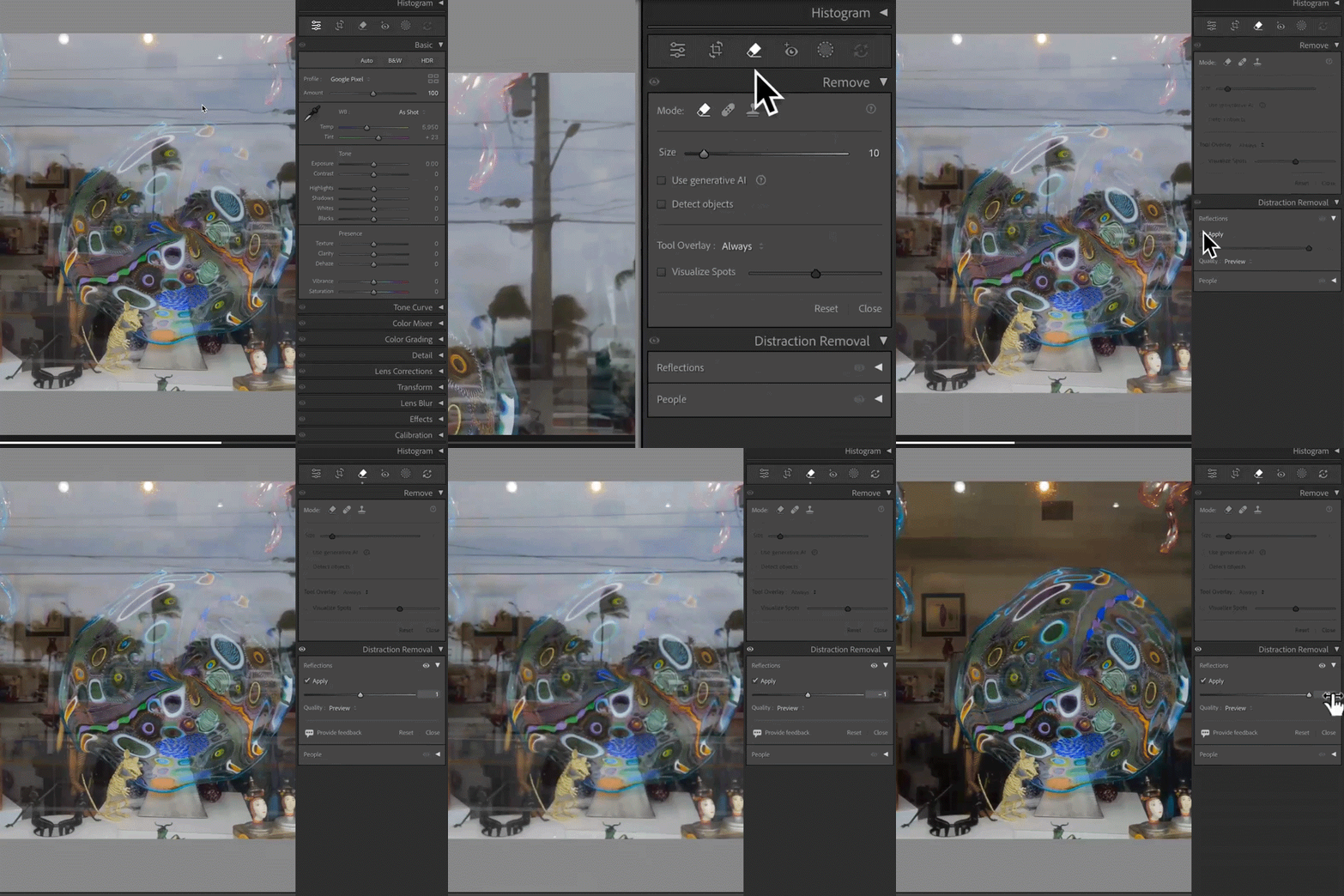
Reflection Removal on Desktop Shooting through a window or glass door? Use Reflections Removal to eliminate glare and surface reflections from your image, leaving behind a clean, crisp final photo. You can even adjust the Quality setting to control your final resolution—great for balancing speed and precision.
Learn how you can remove reflections on your photos by using the new Reflections Removal Tool here.
|
 |
|
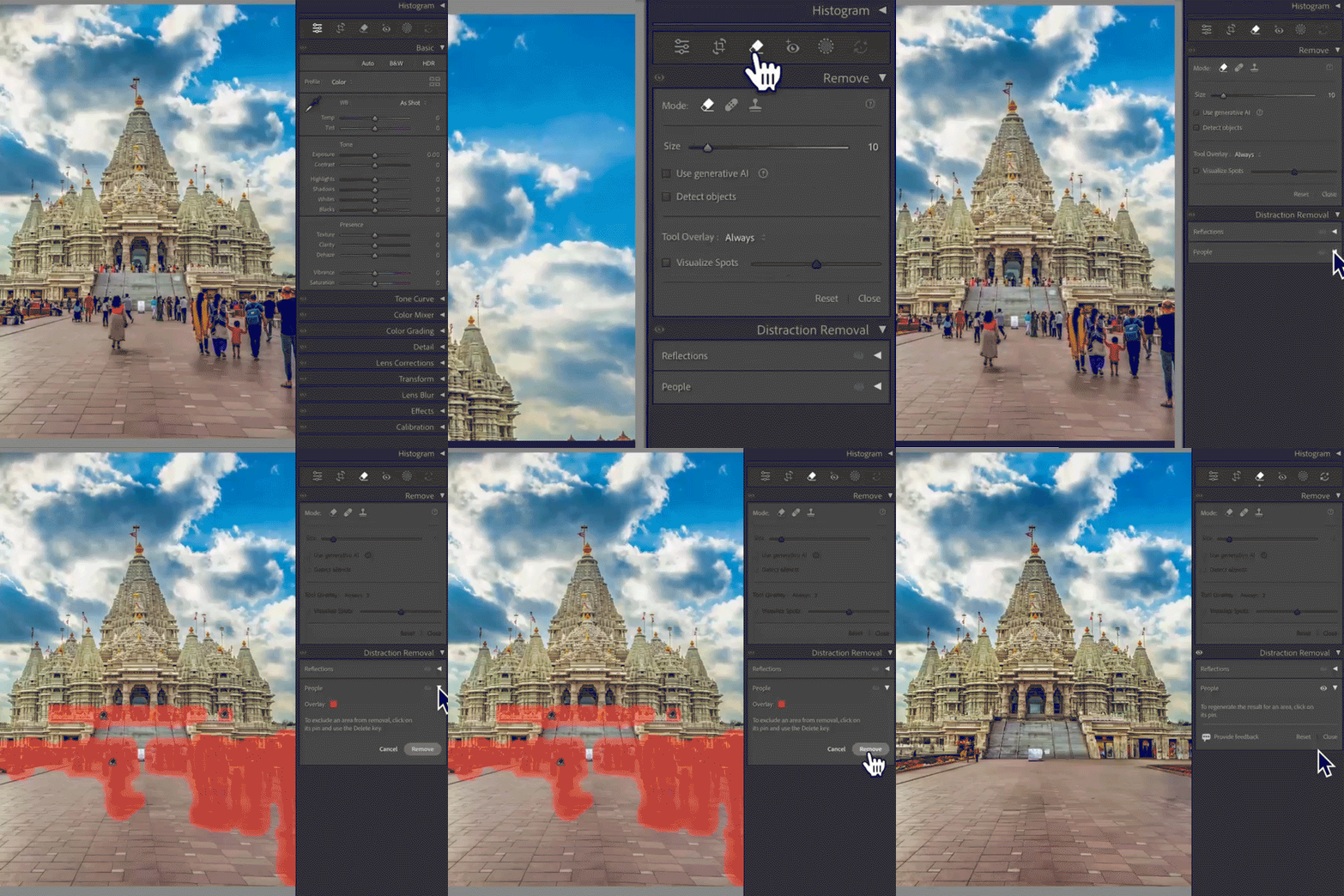
People Removal Crowded backgrounds? The new People Removal feature automatically detects and removes extra or unwanted people from your shot. Whether you're on the desktop or mobile app, it's easy to clean up your photo so your main subject shines.
Learn how to remove distracting people in a photo with the AI-powered Distracting People Removal tool here. |
 |
|
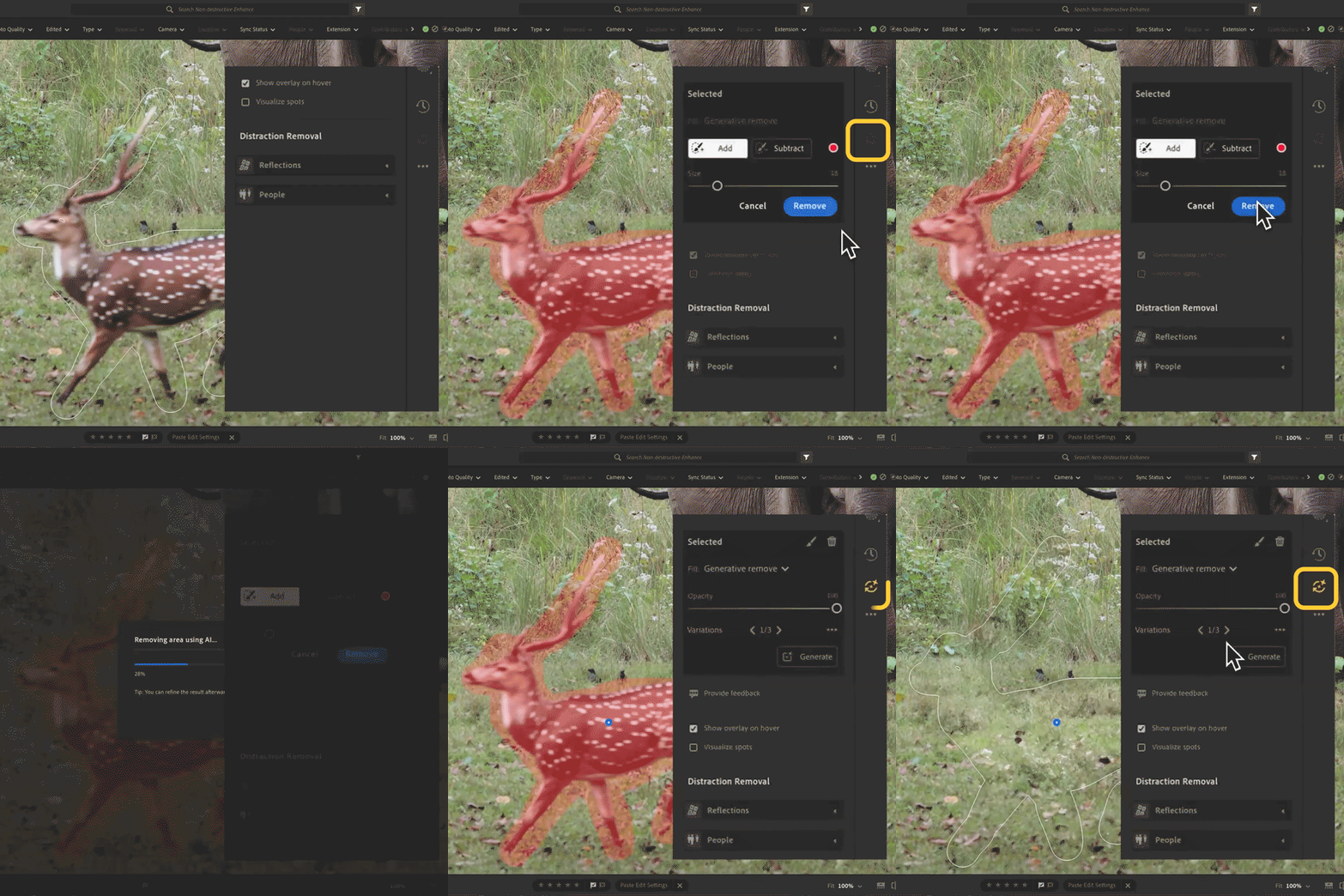
View and Update AI Edit Settings Stay in control of your edits. Now, when you apply AI-powered tools like Denoise, Remove, or Lens Blur, an AI Edit Status icon will show up. If anything changes that might affect your results, the icon turns yellow so you'll know it's time to reapply or tweak your settings. It's an easy way to keep your edits looking their best with no guesswork needed.
Learn more about the AI Status Icon here. |
 |
|
Tether Capture with Fujifilm Cameras Lightroom Classic now has native support for tethered capture using Fujifilm cameras.
Check out whether your camera is supported and how to set up your camera here. |
 |
|
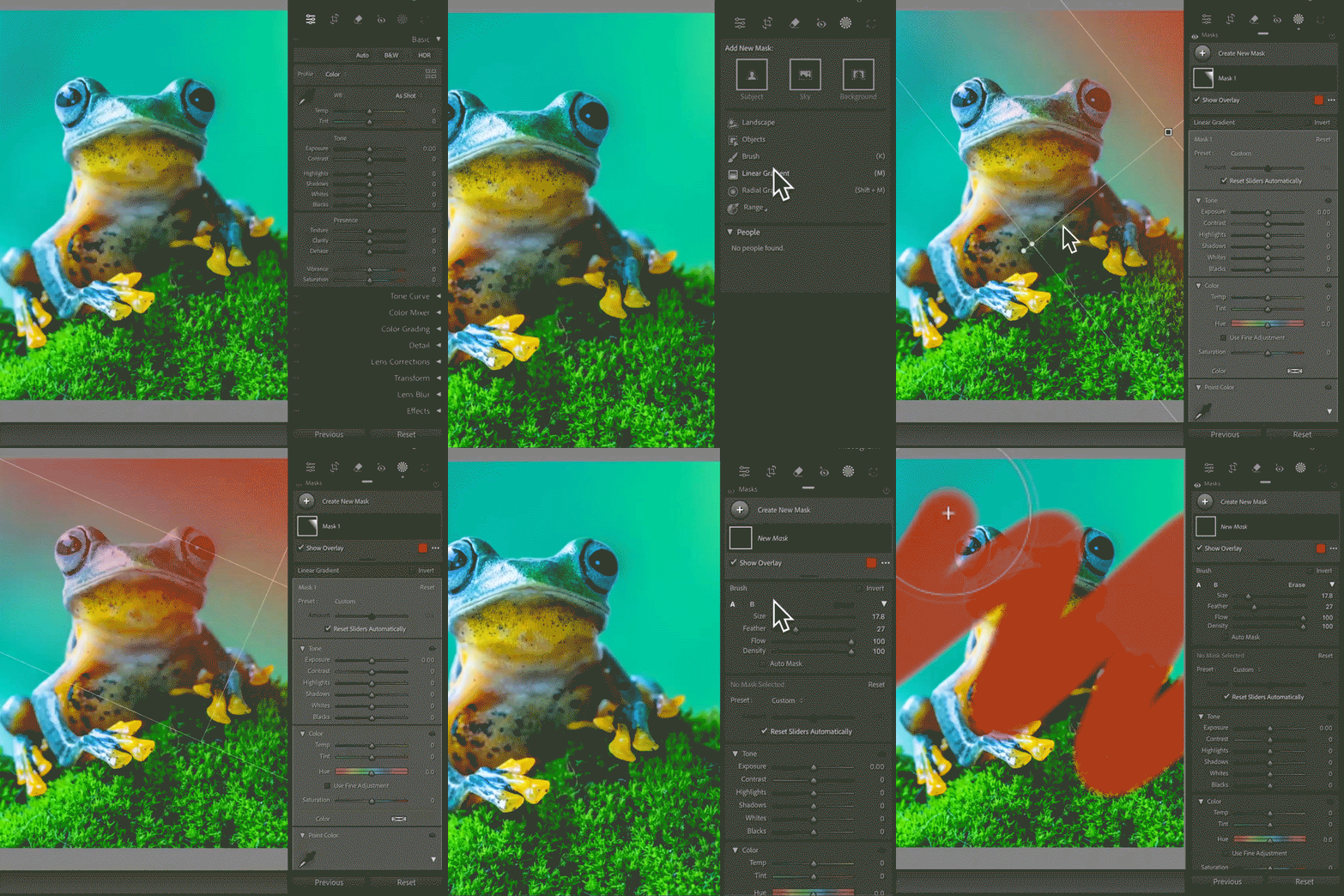
Performance Improvements Enjoy faster, smoother, and more accurate performance across tools and adjustments, making interactive editing feel quicker and more responsive. Key improvements include improvements in Crop Rotation, Brush, and linear gradient in the Masking panel.
To know more about the performance improvements, click here. |
 |

Lightroom Classic 14.4 also includes fixes to some user-reported issues. You can check out more about the fixed issues here.
To update Lightroom Classic to version 14.4, open the Creative Cloud desktop app, find Lightroom Classic in the list of installed apps, and click Update. More detailed instructions for updating.
We’d love to hear from you!
Try out the new Lightroom Classic 14.4, and let us know your thoughts. Feel free to reach out if you have any questions or need more tips!

We’d love to see what you’ve created and hear about your experience or feedback! Click 'Reply' below.
Click 'Follow' below to bookmark this post for easy reference.
For other questions, feel free to start a new post in the community.
 AdChoices