




A More Modern Photoshop UI is now in Beta
Today, we’re introducing the first phase of a refreshed Photoshop interface in Beta, with updates to the Toolbar, Tool Options, and select panels.
It’s the beginning of a broader effort to make Photoshop more modern, accessible, consistent, and easier to use while keeping the workflows you know and rely on familiar.
A cleaner, clearer workspace
You’ll notice refinements throughout the interface designed to reduce visual noise and make Photoshop easier to navigate. The Toolbar and Tool Options have been updated to make tools and their controls easier to find and understand. Refined spacing makes the Toolbar easier to scan, improved icons and clearer labels help communicate what controls do, and stronger contrast makes the selected tool easier to identify.
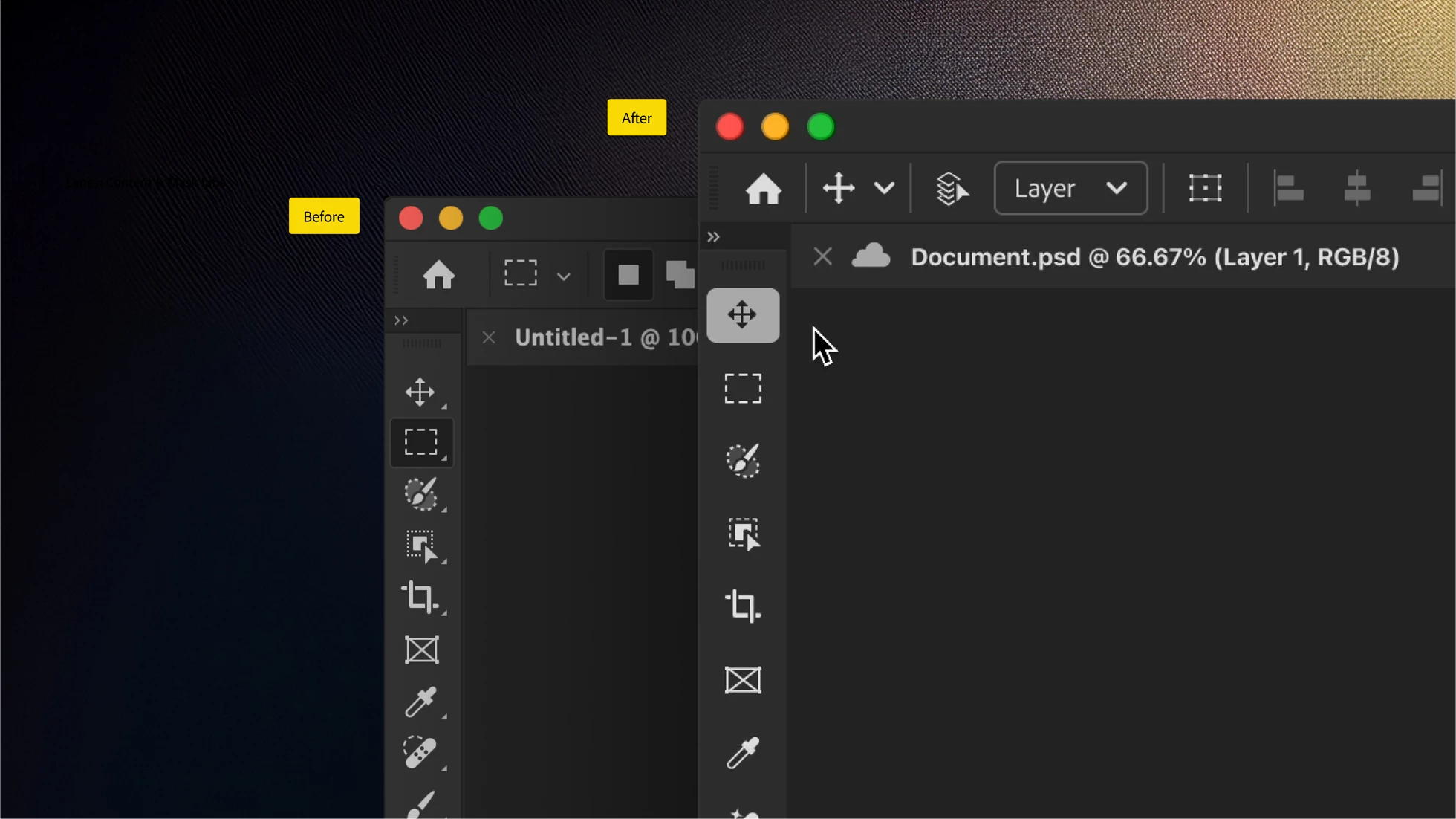
We’re also making tool groups more discoverable. Instead of relying on long-press and the small triangle that traditionally indicated additional tools, you can now hover over a grouped tool to reveal the other tools available within it. It’s a cleaner approach that brings more of Photoshop’s capabilities closer to the surface without the visual clutter.
Panels
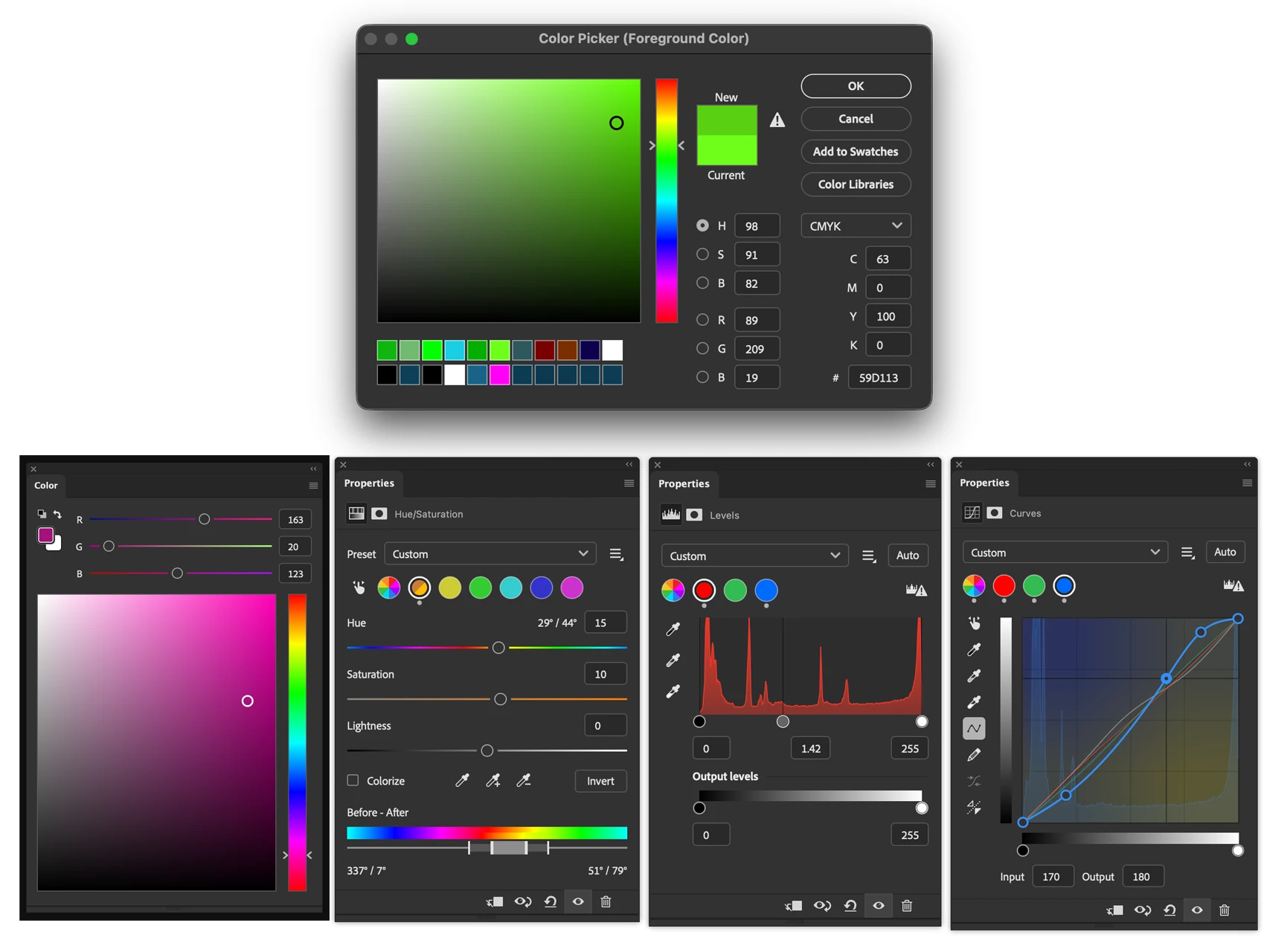
- We have updated 24 Panels and pickers. Most notably color panel/picker.
- The Color Picker dialog brings in Recently Used color swatches shared with the Swatches panel.
- Across the updated UI, improved contrast and component states also help make Photoshop more accessible and easier to read.
- Revamped Adjustments such as Curves, Levels, and Hue/Saturation bring smoother UI, clearer color cues and improved contrasts. Gradient control has been reworked to bring opacity and color stops interfaces closer together around a shared preview
Built on Spectrum
Behind these visual changes is a significant modernization of Photoshop’s underlying UI architecture. The refreshed experience is built using Spectrum, Adobe’s design system, bringing Photoshop onto shared foundations and patterns used across Adobe products. That means greater consistency within Photoshop and across applications like Lightroom, Bridge, and Premiere. This enables a more unified foundation for building and integrating new experiences.
This work goes much deeper than new component styling. We’re moving away from older frameworks and separating Photoshop’s interface from its underlying functionality. That removes long-standing constraints and creates a foundation that will help us develop and integrate new features more efficiently, improve accessibility, and make the workspace more adaptable over time.
Refining Photoshop without disrupting it
Photoshop has evolved over decades, and its interface is deeply embedded in the workflows of millions of people. Modernizing it isn't about starting over.
Our guiding principle has been refine without disruption: preserve what makes Photoshop familiar and powerful while carefully improving the parts of the experience that can be clearer, more consistent, and more usable.
This is the first significant refinement of Photoshop’s UI in more than a decade, and it’s only the beginning. Over time, you’ll see more of the application move onto this modern foundation, bringing greater consistency and new possibilities for how the interface can adapt to different people and workflows.
Try it in Beta- Available in Photoshop (Beta) 27.12.0, build 20261005.m.3700 - TODAY, October 6!
These changes are available now in Photoshop Beta, and we’d love to hear what you think.
Modernizing an application as deep and established as Photoshop is a journey, and your feedback will help shape where we go next. Try the refreshed experience and let us know what’s working and what we can make better.
Thanks!
The Photoshop Team
 AdChoices