



General Distractions Removal in Photoshop Desktop (Beta)
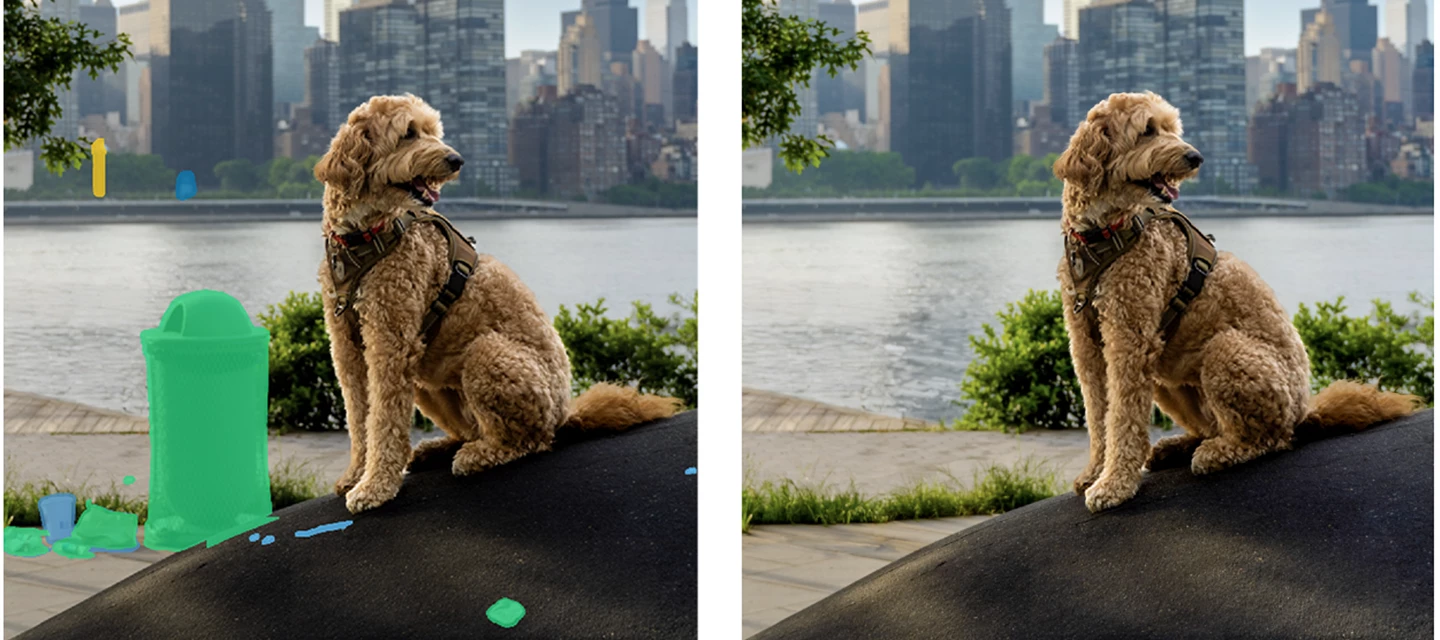
Quickly clean-up unwanted objects that pull attention away from your main subject.
General Distraction Removal (beta) in the Remove Tool automatically finds and removes common distractions—like poles, vehicles, and visual clutter—with just a few clicks.
How to try it in Photoshop (beta) for desktop:
1. Select the Remove Tool from the toolbar.
2. In the Options bar, click Find Distractions.
3. Click Find next to General Distractions.
- A color‑coded list of detected distractions appears, and each distraction is highlighted on the canvas with a matching overlay.
- You can change the color of the distraction overlay by clicking on the color swatch in the panel.
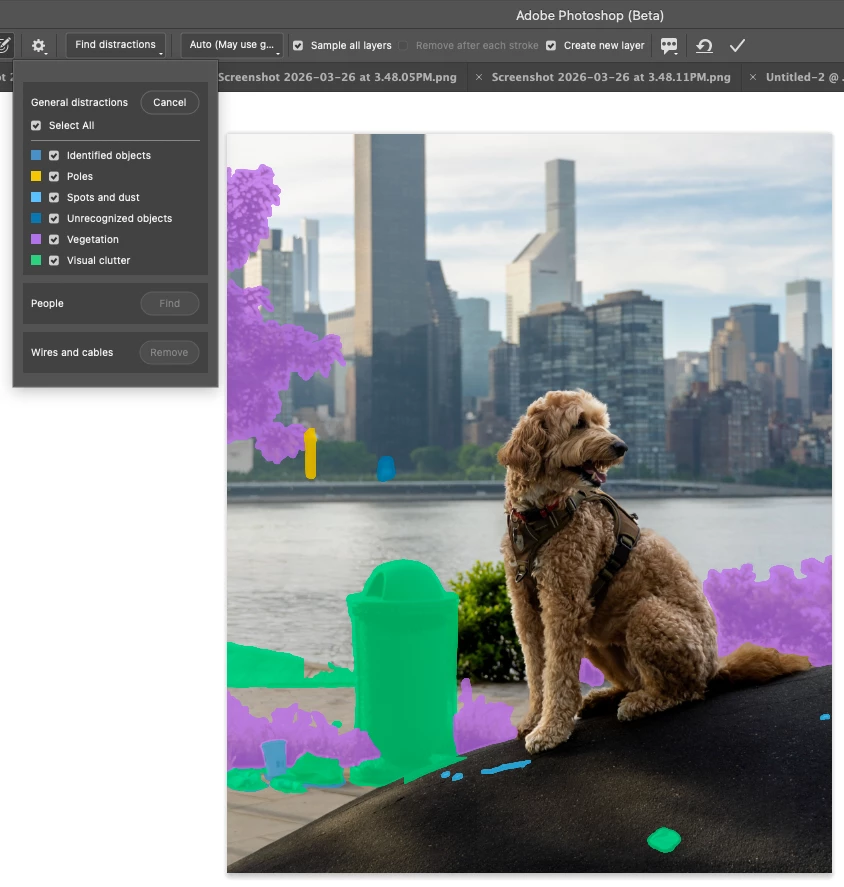
Select the Remove Tool, then choose Find General Distractions from the Options Bar to see color‑coded results and editable overlays
4. Use the checkboxes to turn targeting on or off for each distraction category.
- You can also refine the results by brushing directly on the canvas using the + / − controls in the Remove Tool options bar.

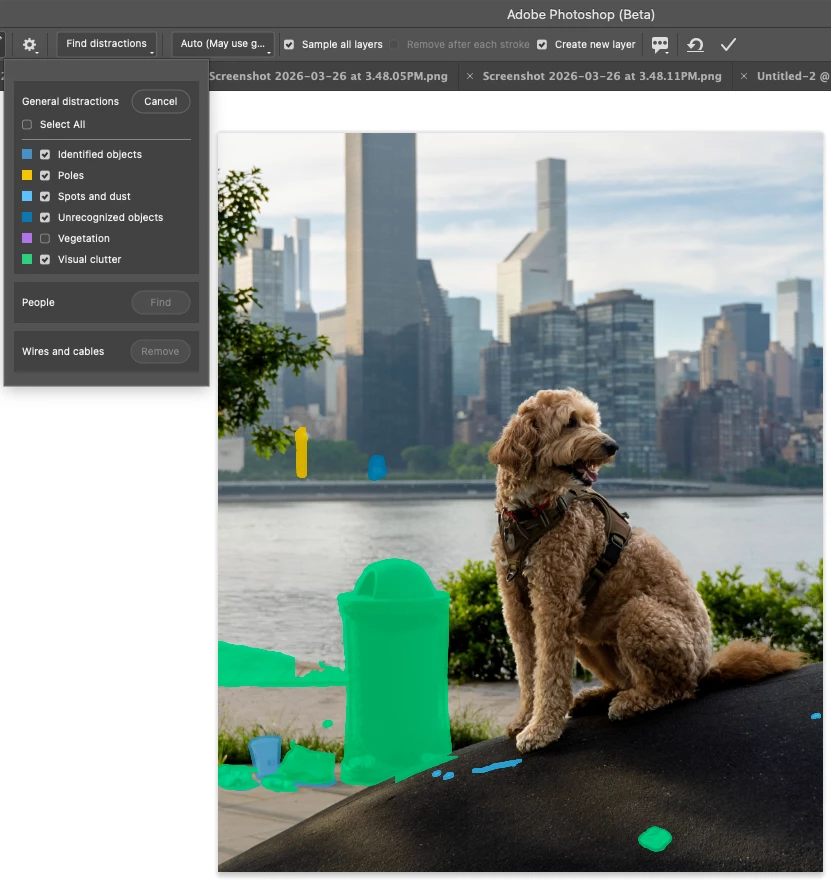
With Vegetation unchecked, plants and trees are no longer targeted for removal. Use the – brush to also exclude the sidewalk behind the trash can.
5. Click the Apply checkbox in the Options bar (or press Enter/Return on your keyboard)
The targeted distractions are removed, allowing your main subject to be the center of attention.
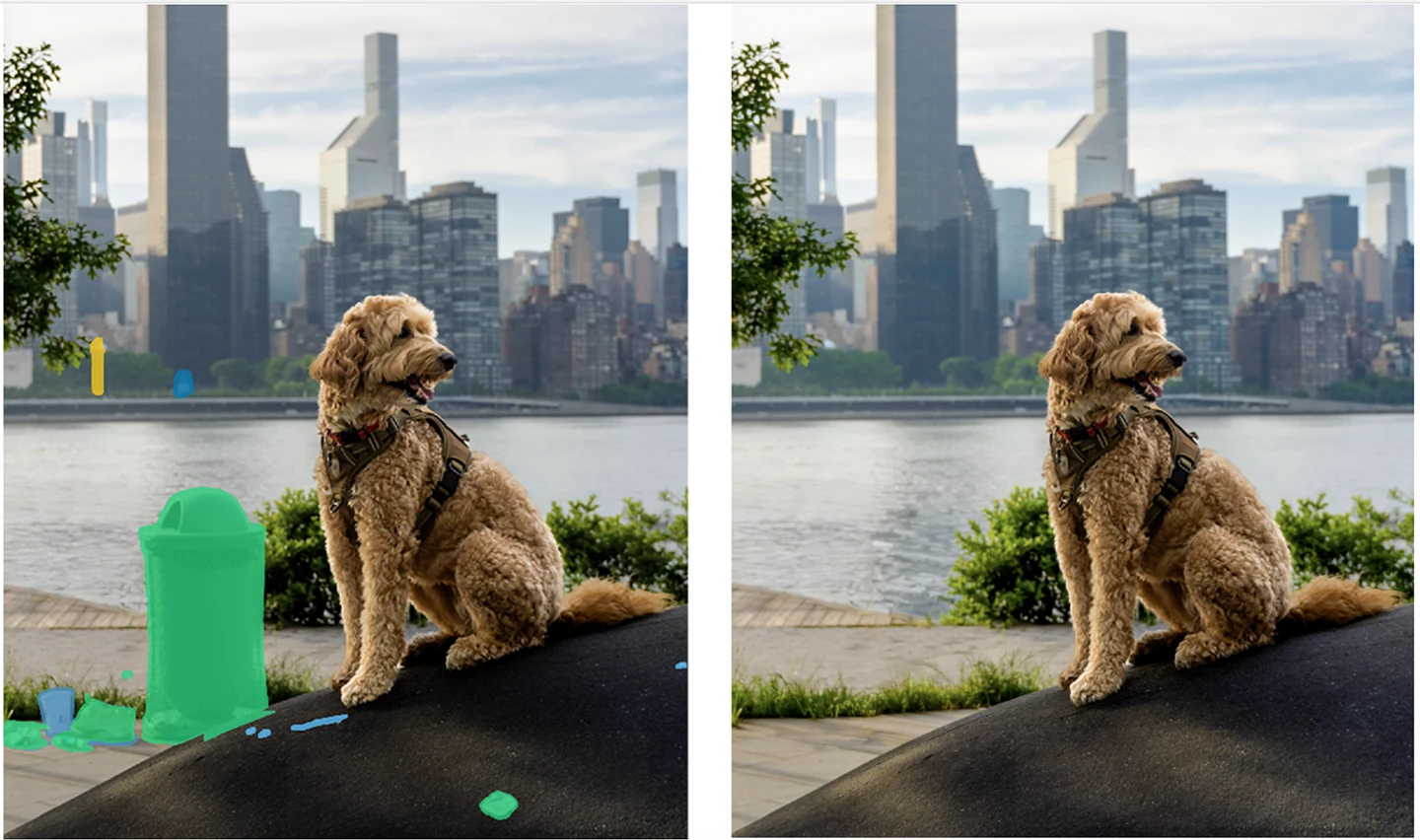
Rate individual results using the Feedback button in the Remove Tool options bar, use the feedback section in the Beta Panel to share your overall experience, or comment in this forum thread.
We want to hear from you!
Thank you for trying this Photoshop beta feature.
 AdChoices