




Quick Compare is now in Photoshop Beta
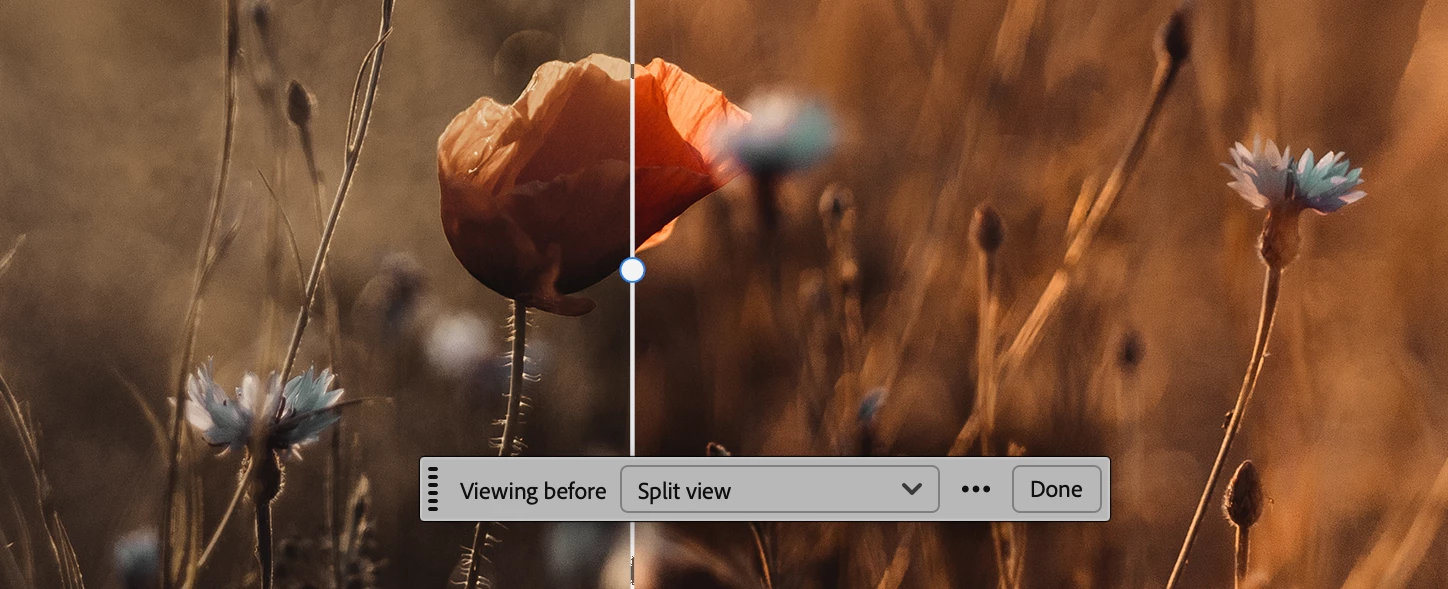
Quick Compare gives you a built-in view for toggling between your current edited state and the original — where "original" is how the file looked when you opened it this session.
Enter the modal view and zoom, pan, and move freely to inspect exactly the details you care about. Use Single View to flip between states, or Split View to drag a slider and reveal the before/after in place.
It's already resonating with how people work:
- "A simple way to demonstrate the before/after view — great for visualizing the changes from a technique I just taught."
- "I do a lot of rebuild work as a finisher for entertainment, and I have to make sure items don't jump too much. This would be SUPER helpful."
- "Perfect for deciding whether I've gone too far when iterating through adjustments and manipulations."
Give it a test drive and tell us what you think — your feedback shapes where this goes next.
 AdChoices