




Remove Related Elements (beta) AKA Trace Erase (MAX Sneak 2025)
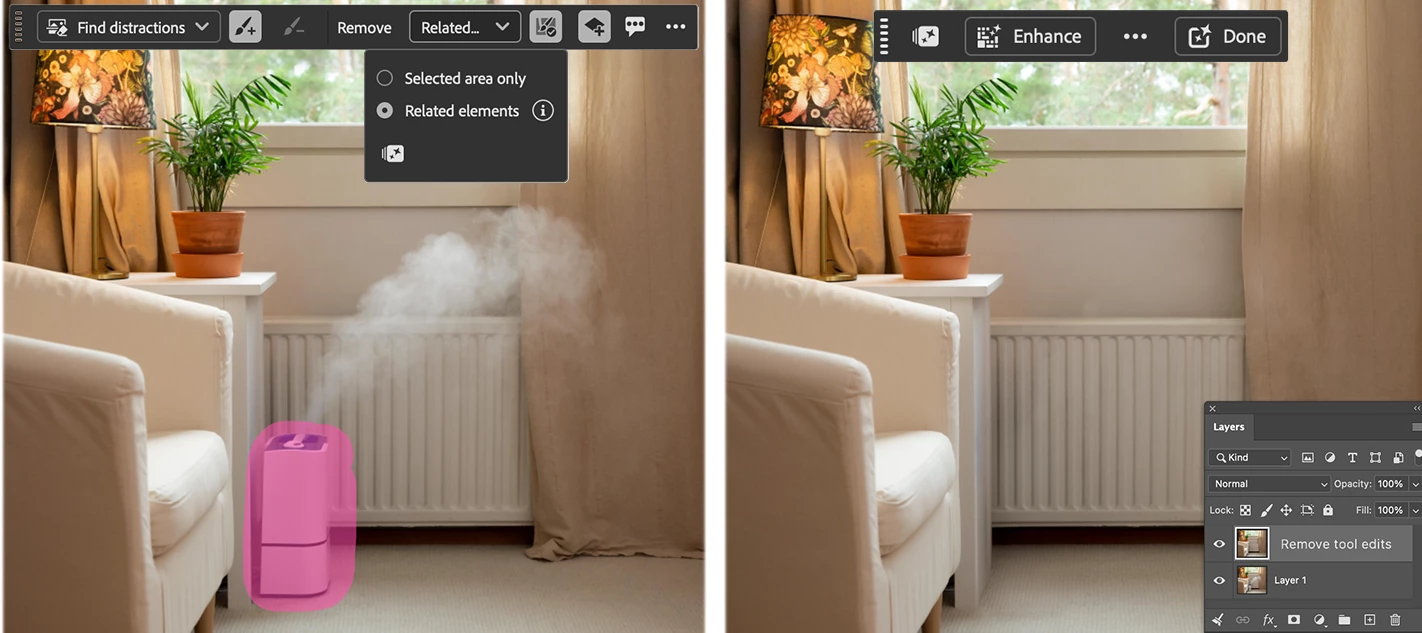
Remove Related Elements (AKA Project Trace Erase) extends the Remove Tool beyond the selected object to clean up the evidence it was ever there—removing shadows, reflections, footprints, splashes, fluid ripples/wakes, lens flare, smoke, steam, and more —for a cleaner, more natural result. This feature is in the public beta as of the October 1, 2026 beta release.
Simply brush over the object you want to remove using the Remove Tool. When Remove Related Elements is enabled, Photoshop will automatically find and remove the traces of that object through-out the image. This helps create a more complete and realistic result without requiring separate steps or additional cleanup.
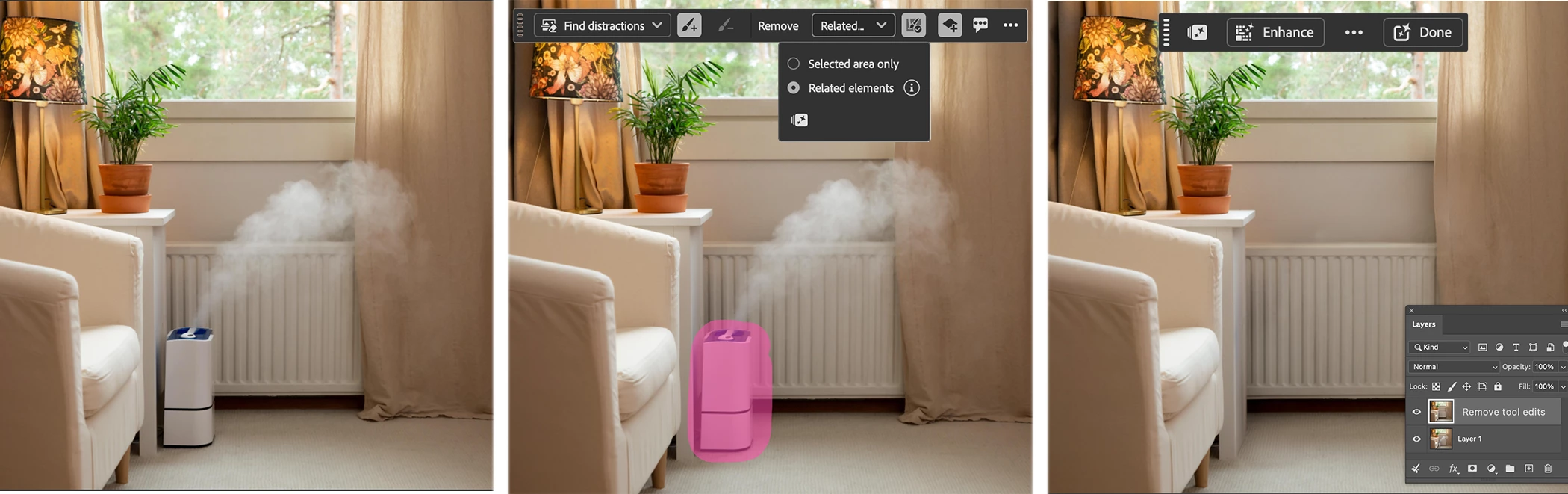
How to:
- Select the Remove Tool from the Tool Bar
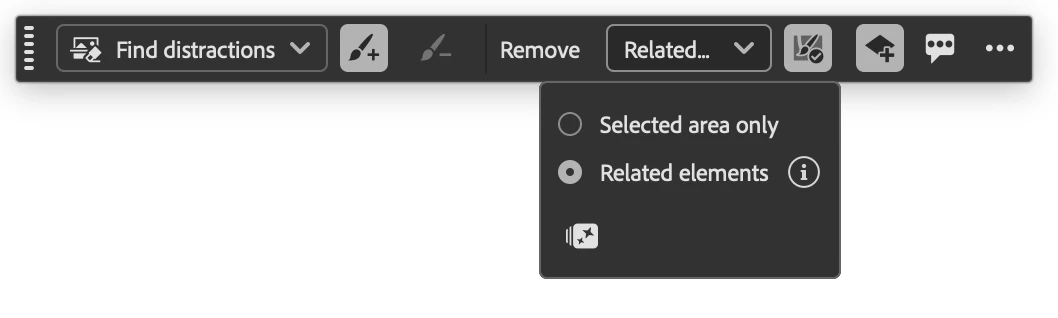
- In the Contextual Task Bar, click on the "Selected Area" drop-down then choose the "Related elements" button.
- Brush over the object or person you want to remove. (Do NOT brush over just the smoke, shadow, flare etc.)
- The Remove operation occurs on mouse-up (unless the "Remove after each stroke" option is off; click Remove in the task bar or enter/return on your keyboard).
The results are on a fully regenerated pixel layer
- Enhance. Optional next step: Click the Enhance button in the Contextual Task Bar to use a customized upscaler to sharpen the results.
The sharpening results will be included in (baked-in) the Remove Tool edit layer. (There will not be an additional separate sharpening layer)
Optional: Enhance for sharper details.
If you choose not to use Enhance, click Done or simply continue with your next step and the Contextual Task Bar will update.
Generative Credits:
Remove Related Elements uses generative credits.
Enhance uses generative credits.
We value your feedback and would like to hear your thoughts on your results or the workflow.
Use the Beta Feedback panel or reply to this thread to tell us more.
You can also give per-result feedback from the Remove Tool options bar.

Look for the "Feedback" speech bubble icon button.
Thank you and enjoy!
 AdChoices