




Remove Tool - Contextual Task Bar (Beta)
The Remove Tool just got even easier to use. It now includes a dedicated Contextual Task Bar (CTB) that brings the most important controls right to your cursor—so you can stay focused on your image, not the options bar.

What’s new
Key controls at your fingertips
Quickly access the most-used Remove Tool options without moving your cursor across the screen.
-
Distraction removal drop-down
Choose Distraction Removal with the drop-down list.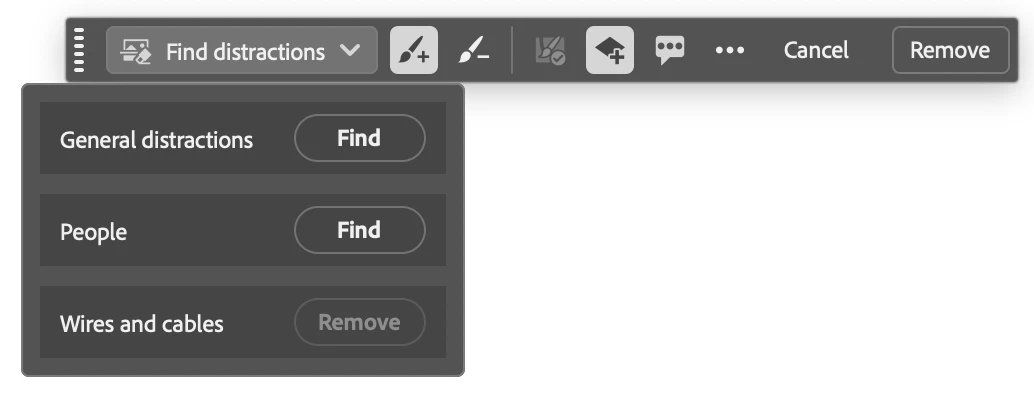
-
Add & Subtract brushes
Easily refine your selection by adding to or subtracting from the target area. -
Auto-apply after each stroke
Toggle whether Remove runs automatically after every brush stroke. -
Create on new layer
Choose to make edits non-destructive with a simple on/off toggle. -
Quick feedback button
Share feedback on results in just a click—this helps us improve the tool for you. -
Dynamic action buttons
Remove and Cancel appear when you need them.
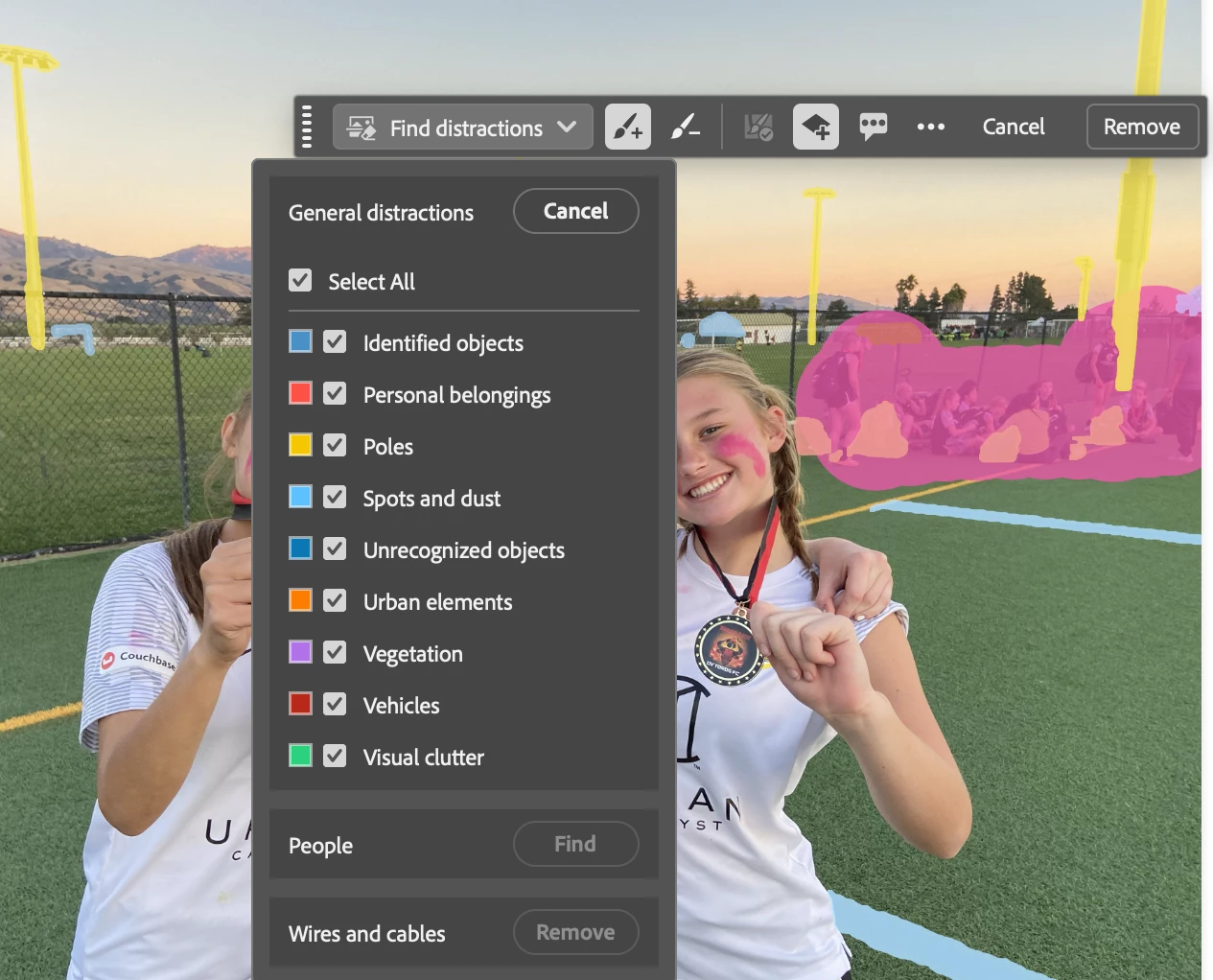
We’d love your feedback
Give it a try and tell us what you think:
- What’s working well?
- What feels unnecessary?
- What’s missing?
Your feedback helps shape what comes next—thanks for being part of the journey!
 AdChoices