




Stock Panel Upgrade in Beta now!
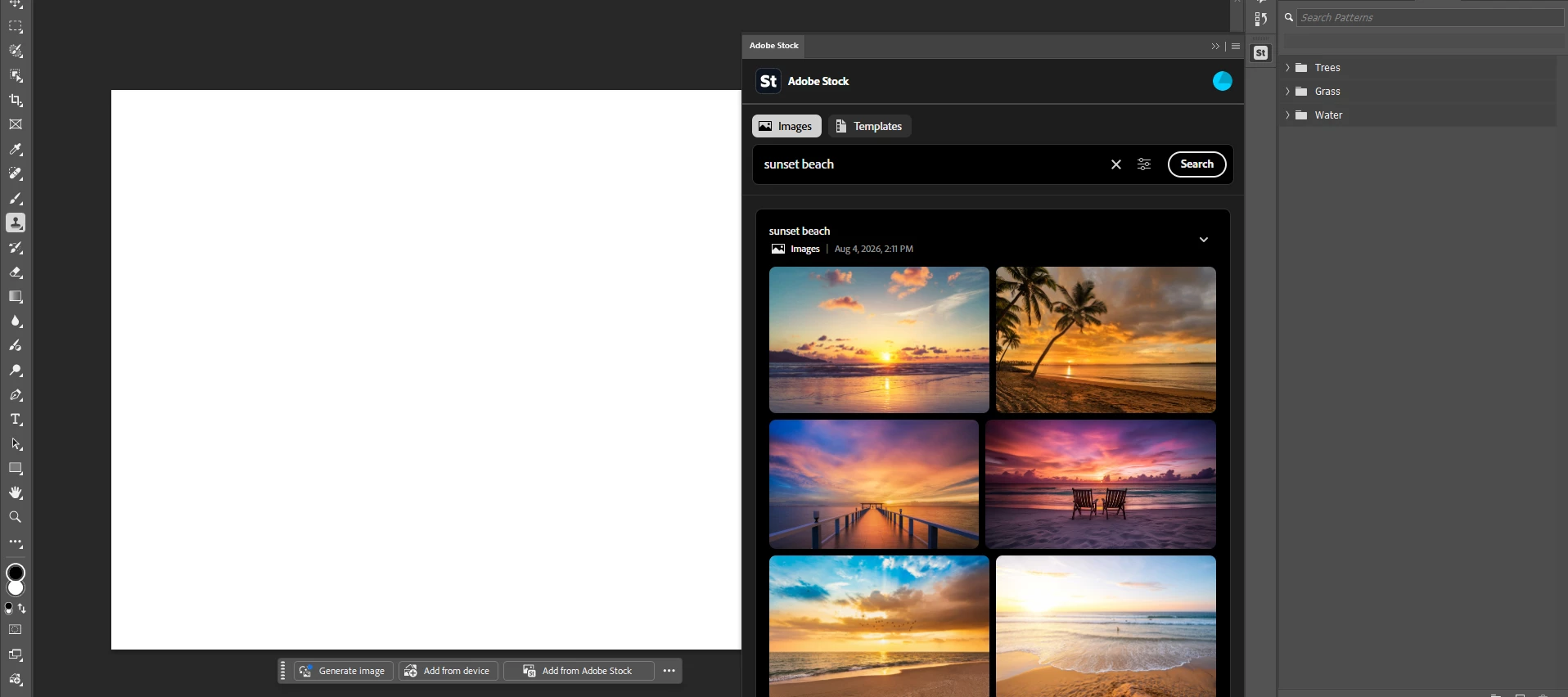
Browsing, importing and licensing Adobe stock in Photoshop is getting an overhaul. No more searching for stock content in Photoshop, only to have to tab-hop out to the Stock website to complete the process. This brings Photoshop up-to-grade with the experience you would get in Premiere today.
What's actually new here
- Upgraded browsing experience now returns free and paid content (not just free), expanding the choices you see when browsing.
- Drag-and-drop straight from the panel onto the canvas
- Preview-to-license— license a full-res asset directly from something you previously previewed, no digging required (from the properties panel or the layer panel context menu)
- Credit balance visible in-panel for subscribers
Where to test it (known WIP)
- Try every entry point you can find — File menu, Window menu, context bar, Add Image button, frame tool, Photoshop Home. Some may still route to the old experience or not be live yet — that's expected right now, just flag which ones aren't updated.
What if I don't have a Stock account to test with?
You can still exercise entry point and search workflows with no subscription
Try it out today and let us know what you think!
 AdChoices