
Create Anywhere with Photoshop v26.9 and iPhone
New in Photoshop Desktop and iPhone: Smarter Tools, Faster Workflows, Limitless Creativity
Photoshop v26.9 is here! With powerful new features and enhancements designed to speed up your work and unlock your creative potential. From AI-powered precision to effortless sharing and now editing on the go with Photoshop on iPhone, this update has something for every creator.
 |
Update Photoshop Desktop Download the latest version and dive into the new Adobe Photoshop features. |
To update Photoshop 26.9, click "Update" in the Creative Cloud desktop app next to Photoshop. More detailed instructions for updating.
Here's what's new in Photoshop v26.9:
|
Smarter Content Removal Make distractions disappear like magic! The Removal tool in the Contextual Task Bar now uses an upgraded generative AI model for cleaner, more natural results. Select what you want gone, and Photoshop does the rest, creating a new pixel layer with seamless background fill.
Learn more about the Content Removal tool here.
|
 |
|
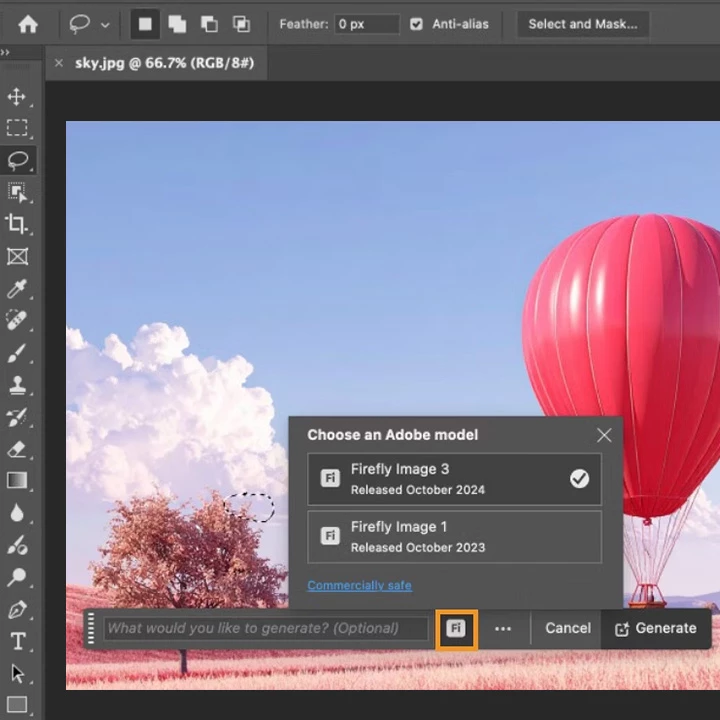
Firefly Model Selection When you use Generative Fill and Generative Expand, you can switch between multiple Firefly model versions to better match your creative goals. Whether you're aiming for more realism or adding an artistic flair, there's a Firefly model that will work for you.
Learn more about selecting Firefly models here.
|
 |
|
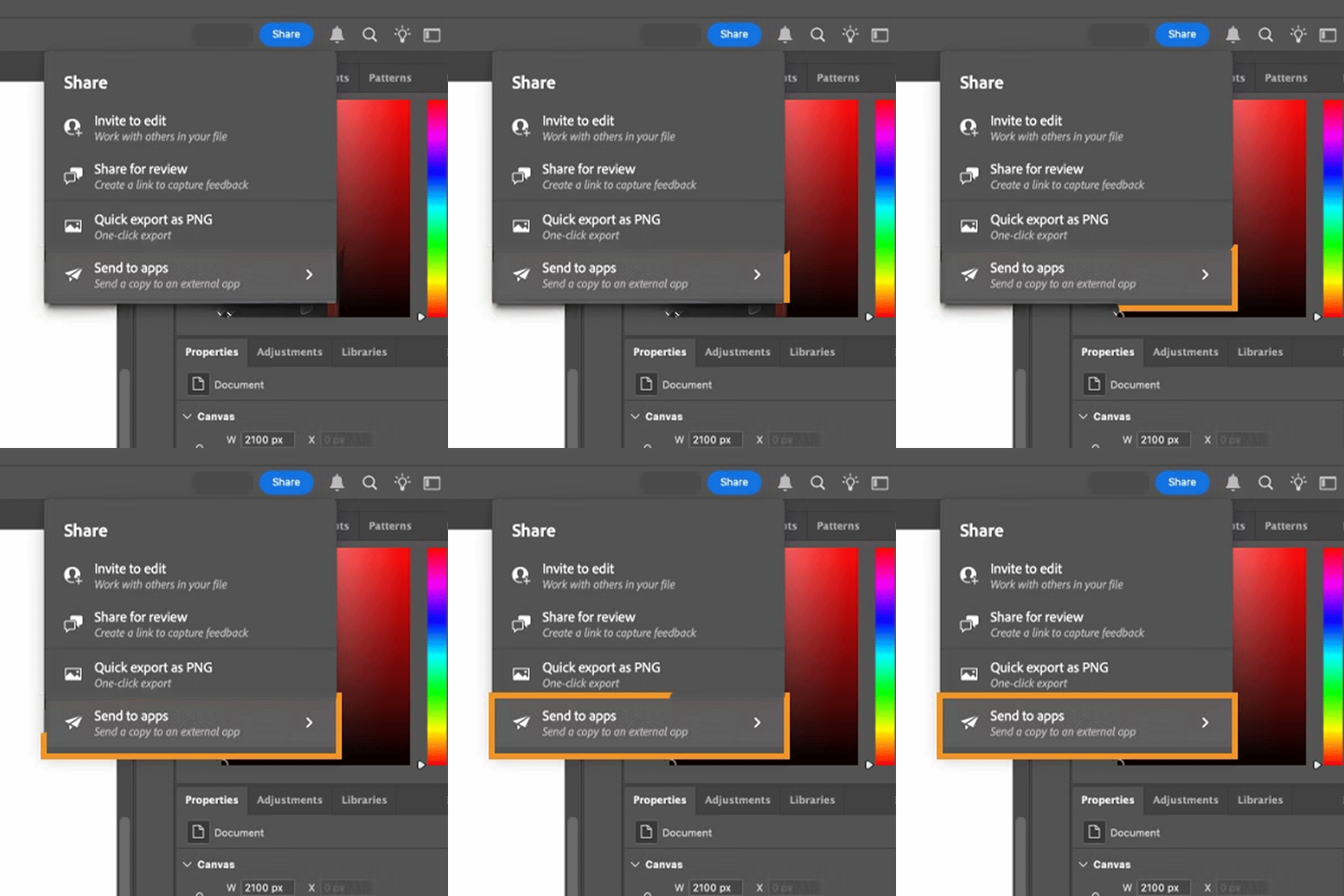
Effortless Sharing Export and collaborate faster than ever! The new Share button lets you send your work directly to tools like email and Slack, with customizable file format and resolution settings to fit your workflow. |
 |
|
Try Photoshop on iPhone Download the latest version and dive into the new Adobe Photoshop iPhone features. |
What's new in Photoshop iPhone:
|
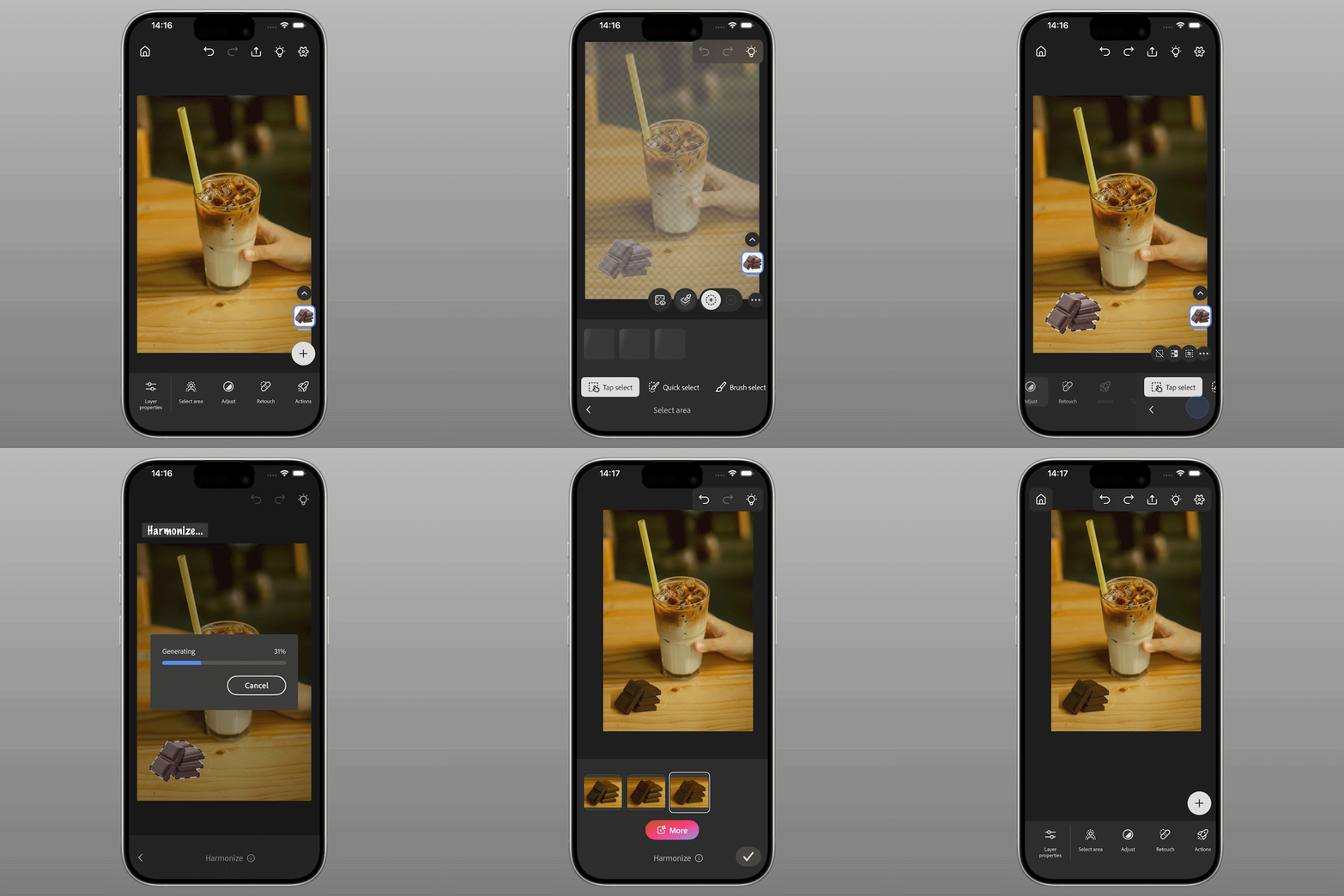
Blend with Harmonize Photoshop is now even more powerful on the go! Try the new feature Harmonize, which allows you to blend people and objects seamlessly into any background.
Early Access on mobile (iOS). Learn about how to use Photoshop on iPhone here.
|
 |
Performance Improvements and Bug Fixes:
Enjoy a smoother, more reliable Photoshop experience. This release includes performance boosts and bug fixes to keep your creativity uninterrupted. Check out our updates here.
To check if Photoshop on iPhone is compatible with your phone, click here.

Are you ready to get started? Update Photoshop and Photoshop iPhone to the latest version and explore the new tools for faster, smarter editing. Let us know what you think below or share your before/after results in the comments.
On Desktop: Open your Creative Cloud desktop app and click "Update" next to Photoshop Desktop.
On iPhone: Head to the App Store and download the latest version of Photoshop.
More detailed instructions for updating.
We’d love to hear from you!
Try out the new Photoshop v26.9, and let us know your thoughts. Feel free to reach out if you have any questions or need more tips!

We’d love to see what you’ve created and hear about your experience or feedback! Click 'Reply' below.
Click 'Follow' below to bookmark this post for easy reference.
For other questions, feel free to start a new post in the community.
 AdChoices