



Elevate Your Edits with Layer Styles in Photoshop Mobile
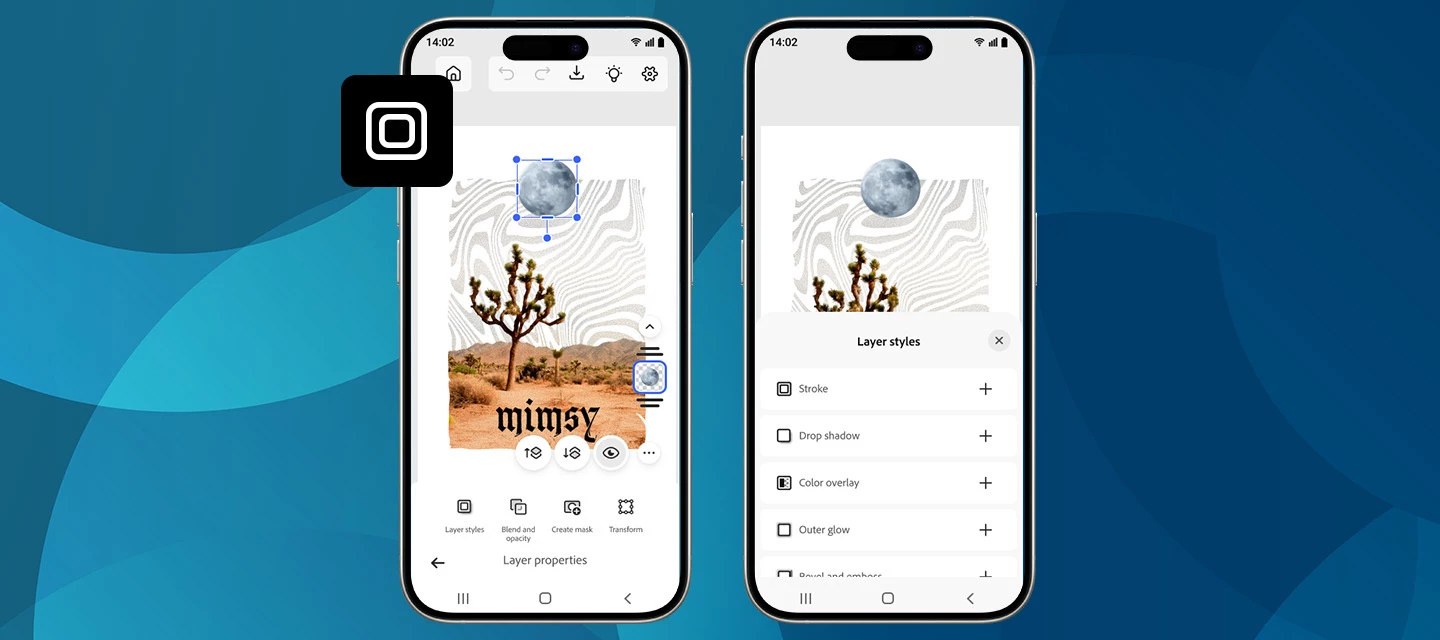
We’re excited to roll out a new creative boost in the April release of Photoshop on mobile! You can now apply Layer styles directly on your phone, making it easier than ever to add polish, depth, and personality to your designs, right from your pocket.
What’s New
With the latest update on Photoshop for iPhone and Android, you can apply a range of Layer styles to elevate your edits. From subtle shadows to bold outlines and glowing accents, layer styles help your objects stand out without extra steps.
Getting started
Create a new project or open a photo, switch to the Tools workspace, and go to Layer properties > Layer styles. From there, choose the look you want and fine-tune it with intuitive controls.
New styles are now available, including Stroke, Drop Shadow, and a lot more. Want to explore what these and other styles can do? Each one comes with adjustable settings like Size, Color, and Opacity, giving you full creative control. Simply tap the checkmark to apply and continue creating. Read more here.
How to Update
Get the latest version of Photoshop on your iPhone or Android by updating or downloading it from the Apple App Store or Google Play Store.
Show Us What You Create 💬
We’d love to see how you’re using layer styles in your mobile workflows! Share your creations, tips, or feedback with the community and let us know which style you’re reaching for first.
Happy creating! 🎨📱
 AdChoices