






























『アドビコミュニティフォーラム』に質問/トピックを投稿する方法
Announcements
新着順
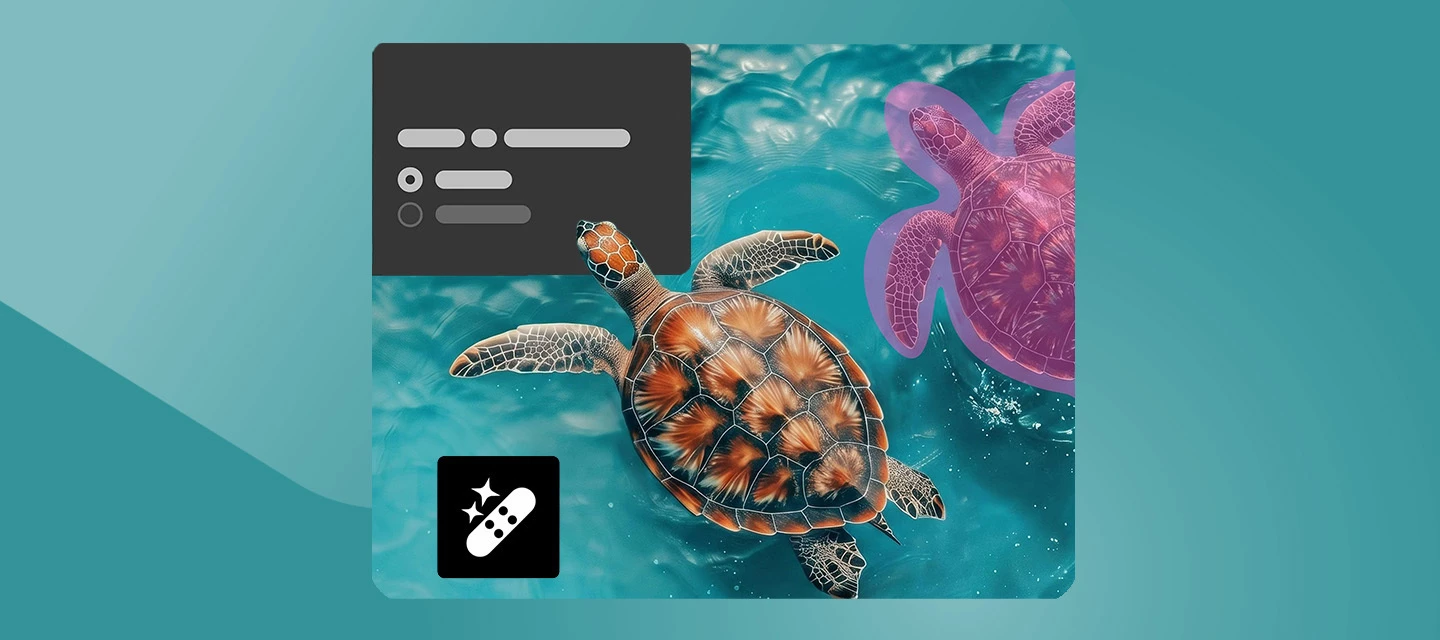
Photoshop 27.7 brings smarter performance, deeper AI flexibility, and smoother everyday workflows, so you can stay focused on creating, not managing complexity. This release sharpens how Photoshop responds to your hardware, gives you more control over AI‑powered tools, and streamlines common tasks to keep documents cleaner and faster. The result is a more responsive, flexible experience that supports both quick edits and deep creative work. What’s newYou can now use an on‑device AI model for the Remove tool, giving you the choice to process object removals locally without relying on the cloud. Sharing and ideation also get a boost with direct integration between Photoshop and Firefly Boards, making it easier to move from creation to moodboarding and comparison in one flow. On top of that, managing your account is simpler with a Unified Account Menu right inside the Edit workspace, alongside several workflow and performance improvements across the app. Enhancements you’ll noticeThe Sav
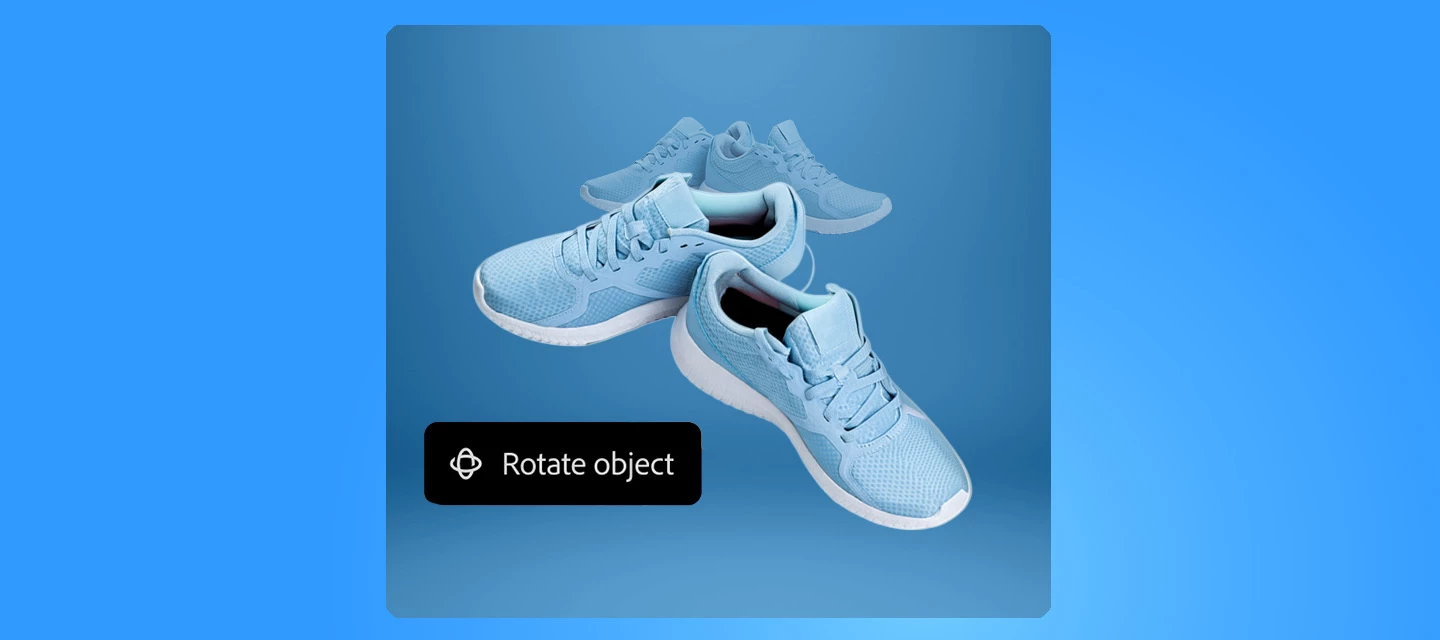
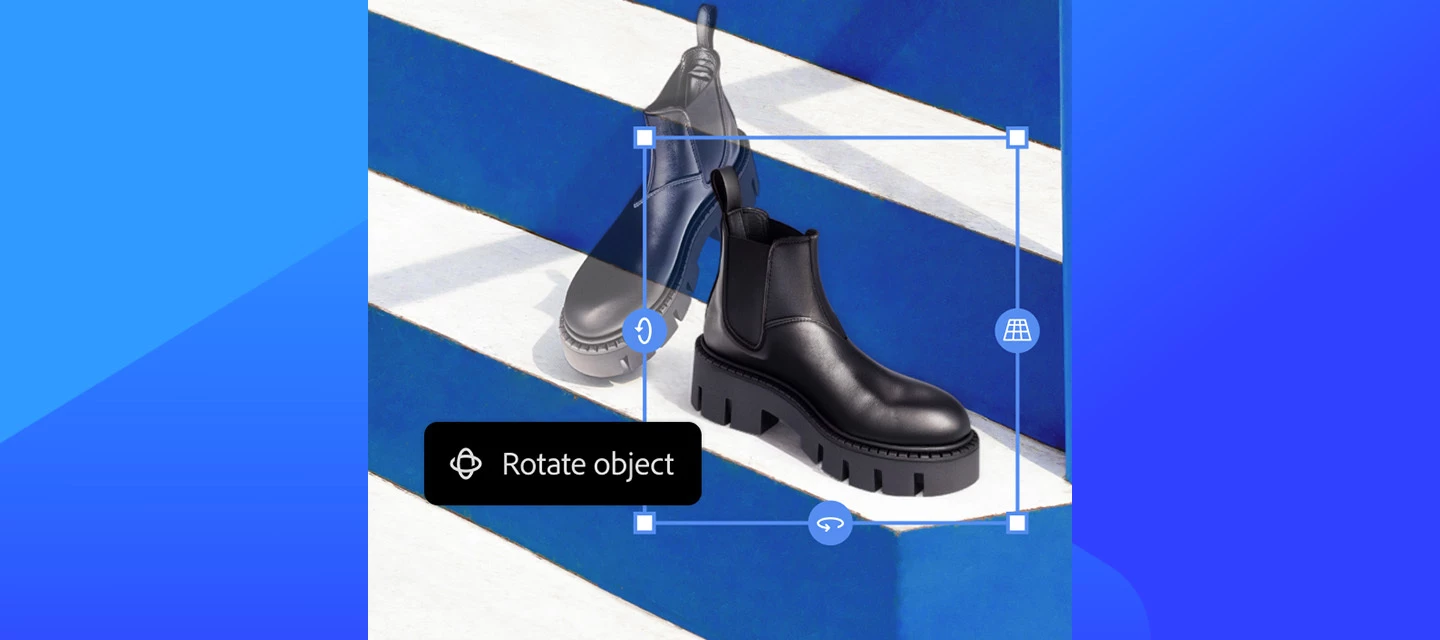
Have you tried Rotate Object in Photoshop 27.6 yet? If not, give it a try. It can turn flat pixel layers into rotatable 3D objects, right on your canvas. Getting Started Instead of imagining how an object might look from another perspective, you can now actually rotate it. Select a pixel layer or Smart Object, choose Rotate Object, and drag directly on the canvas to explore different angles, tilts, and orientations. Photoshop gives you a live, low‑resolution preview while you rotate, then renders the final result in full resolution when you’re done.This makes it easier to fine‑tune perspective without rebuilding your composition or duplicating layers, and because the rotation stays editable, you can always come back and adjust later. Here is a quick tutorial demonstrating the feature. Where this really shinesProduct mockups: Test multiple viewing angles without re‑creating assets Concept art & illustrations: Quickly explore depth and form Social & marketing visuals: Add subtle
We’re rolling out newer, more capable generative models in Photoshop to help you create with greater realism, speed, and control. As part of this evolution, Firefly Image 3 is being retired from Generative Fill and Generative Expand workflows, starting with the Photoshop 27.6 release. Going forward, we recommend using Firefly Fill & Expand, an actively supported model designed to deliver improved results for these workflows. What’s changingThis update is happening in two phases to give you time to transition. Phase 1: Starting April 28, 2026, Firefly Image 3 is removed from the model picker in Photoshop 27.6, though it will remain temporarily available and functional in versions 26.0–27.5 until August.Phase 2: In August 2026, Firefly Image 3 will be fully removed from service across all versions and plans. What to use insteadFor Generative Fill and Generative Expand tasks, Firefly Fill & Expand is the recommended alternative. It’s optimized for these workflows and continues to
Moodboarding shouldn’t mean exporting a dozen files, renaming versions, and losing the thread of your ideas. In Photoshop v27.5 and above, you can now send your work directly to Firefly Boards, so exploration, comparison, and concept-building stay connected to the file you’re actually designing. What’s new in this flowWith the new integration, you can move from “editing” to “ideating” without breaking momentum:Share any Photoshop document to Firefly Boards straight from the Share panel or the Export menu — add it to an existing board or start a new one. Firefly Boards now shows up in the Variations panel, making it a natural destination when you’re comparing AI-generated directions. When you generate image variations using Ideate in Firefly Boards, you can open them in a preconfigured board layout built for exploration and iteration. New guided workflows help you create moodboards and visual concepts, plus jump quickly into branding/marketing assets and social content exploration. Why
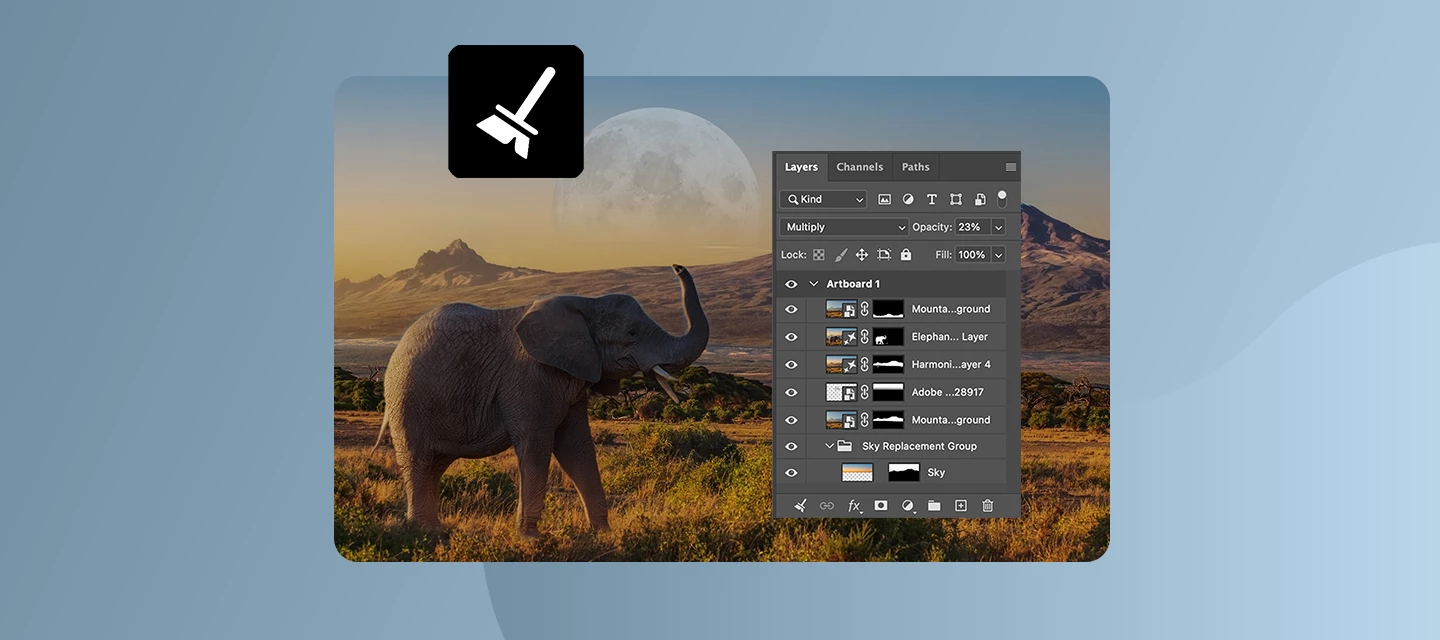
The April 2026 release brings a strong mix of creative freedom, smarter AI workflows, and performance improvements, all designed to help you spend less time managing layers and settings, and more time creating. From more powerful generative AI controls to cleaner documents and better performance on modern hardware, this update focuses on clarity, speed, and control. What’s newPhotoshop v27.6 focuses on making editing more intuitive and efficient. You can now rotate objects directly on the canvas with real-time previews, giving flat elements a 3D feel. File organization is improved with automatic Layers panel cleanup and smarter layer naming, while tools like Find Distractions and enhanced reflection removal make image cleanup faster and more precise. Generative features have also expanded, with access to more AI models like Gemini 3.1 and Adobe Firefly Image Model 5. You can use multiple reference images for better consistency and even generate images from text prompts without leaving
As a Creative Cloud member, you have access to a host of membership benefits to keep you ahead of the curve and support your creative work. This month, we've added a powerful new partner perk and a curated collection of free design templates to help you do more with your membership. Here's what's new:New Partner Perk: 50% Off Hootsuite + 30-Day Free TrialWhether you're a freelancer, marketer, or creative professional, getting your work in front of the right audience matters just as much as making it look great. That's why we're excited to announce an exclusive Hootsuite offer for Creative Cloud members: 30 days free plus 50% off your first year of Hootsuite Standard.With Hootsuite, you can plan your content calendar, publish across multiple social networks from a single dashboard, engage with your audience, and measure what's working, all in one place. And because Hootsuite integrates with Adobe Express, you can design your visuals and schedule them without ever breaking your creative
Let’s make a line drawing using Adobe Photoshop! Turning a photo into a painted or illustrated look is a technique many Photoshop users come back to, especially when experimenting with stylized effects. If you don’t want to use Adobe Illustrator, here’s a technique that can help turn your photos into line drawings.One approach that continues to be popular is combining the Oil Paint filter with Poster Edges to create a bold, graphic, almost hand-rendered result. How to Create this Effect in Photoshop: Step 1: Prepare your image Start with a high-contrast photo. Duplicate your background layer so you always have the original to fall back on. Step 2: Remove the background Use Select Subject or Remove Background to mask your image, then clean up any rough edges on the mask. Once it looks good, convert that masked layer into a Smart Object. Step 3: Apply the Oil Paint filter Go to Filter > Stylize > Oil Paint. Adjust the Stylization and Cleanliness sliders to smooth
Real‑time co‑editing for modern design teams!You can now edit the same Photoshop file - at the same time - with your design partners using Creative collaboration (beta), now available on Photoshop on the web and rolling out in Photoshop (Beta) on desktop.Creative collaboration makes it easy to invite teammates directly into your document and start designing together in real time. You’ll be able to see who’s joined, which layers they’re working on, and how edits evolve live in the History panel. No more version juggling or back‑and‑forth exports.How it works:Getting started is simple. Open a document in Photoshop (Beta) or Photoshop on the web, turn on Creative collaboration, invite collaborators by name or email, and jump in. Live co‑editing is available by invite only, and collaborative documents are saved to Creative Cloud so everyone stays in sync.Open a file in Photoshop (Beta) or Photoshop on the web Turn on Creative collaboration (beta) Invite teammates by name or email Start co‑
We’re excited to roll out a new creative boost in the April release of Photoshop on mobile! You can now apply Layer styles directly on your phone, making it easier than ever to add polish, depth, and personality to your designs, right from your pocket. What’s NewWith the latest update on Photoshop for iPhone and Android, you can apply a range of Layer styles to elevate your edits. From subtle shadows to bold outlines and glowing accents, layer styles help your objects stand out without extra steps. Getting startedCreate a new project or open a photo, switch to the Tools workspace, and go to Layer properties > Layer styles. From there, choose the look you want and fine-tune it with intuitive controls.New styles are now available, including Stroke, Drop Shadow, and a lot more. Want to explore what these and other styles can do? Each one comes with adjustable settings like Size, Color, and Opacity, giving you full creative control. Simply tap the checkmark to apply and continue creatin
A new workflow in Photoshop desktop makes it easier to explore, organize, and refine creative directions, without breaking your flow! What’s new With version 27.5, you can now open your cloud documents directly in Firefly Boards from Photoshop. This lets you quickly explore ideas, create and compare variations, and organize concepts visually before taking your preferred version back into Photoshop for detailed editing. The result is a smoother creative loop from ideation to refinement using the same cloud document throughout. You can start from an existing Photoshop cloud document, place it on a Firefly Board, experiment with variations, make adjustments, and keep everything neatly organized in one place. When you’re ready, simply open any variation back in Photoshop and continue editing with all the precision tools you already rely on. Learn more about Firefly Boards in Photoshop How to use it On the Photoshop desktop home screen, go to Your files. From the three‑dot menu next to a
We’ve rolled out a small but important update with Photoshop 27.3.1. This release addresses a key issue impacting working with Generative AI features. What’s FixedResolved an issue where upgraded installations continued using Firefly Image 3 as the default generative model after updating from earlier versions. The update now correctly switches the default to the latest Firefly Fill & Expand model, ensuring you get the newest and most accurate generative capabilities by default.How to updateUpdate to Photoshop v27.3.1 to experience these improvements and elevate your creativity! Update Photoshop
We're excited to announce the launch of Photoshop on iPhone version 2.0, packed with amazing new features we're sure you'll love exploring.What’s new Editing just got a lot more intuitive and creative with Photoshop on iPhone. With Harmonize, you can drop people or objects into your images and have lighting and color automatically blend for a clean, natural result that feels like it was always there. Portrait editing is just as seamless, with Photoshop automatically recognizing facial features so you can easily refine expressions, adjust details, or enhance your photos with precision. And when you want a quick refresh, one-click effects let you instantly apply effects to style, color, and texture of your images for a new look in seconds—all right from your phone. Read more about the October release here. Update Photoshop on iPhone to the latest version through the Apple App Store and explore the new tools for faster, more intelligent editing. To check if Photoshop on iPhone is compat
Big update for creators, Photoshop just got even more powerful inside ChatGPT.We’ve just rolled out new updates to Photoshop for ChatGPT, and this one is a game-changer! This feature is available to all ChatGPT users, including free users! What’s NewUntil now, you could make quick adjustments to color settings, making your pictures vibrant. You can now create complete generative edits with simple text prompts, adding, removing, or replacing elements, generating entirely new backgrounds, editing specific objects or people, and adjusting lighting or color, all with a small prompt! No more complex tools! No steep learning curve! You simply type your idea and watch it come to life. What makes this even more powerful is what happens next. Once you’re happy with your edit, you can take your image into Photoshop on web or mobile to keep refining and building on it. Let’s dive in!Getting started is straightforward. Open Photoshop for ChatGPT , connect your account, upload an image, and start
Photoshop 27.4 is now available, bringing improved generative results and fixes that came directly from your reports What’s New Generate Similar now uses the enhanced Firefly Fill & Expand model. Generate Similar lets you create new variations from an existing image. With this update, you should see higher-quality and more consistent results when using Generative Fill and Generative Expand. Learn more about Generate Similar in this article. If you use Generate Similar regularly, we’d love to hear how it’s working for you. Get started in PhotoshopBug Fixes — Thanks to You The following issues were identified and upvoted by members of this community. Thank you for flagging them and helping us prioritize: Gradient tool in Multiply mode on a layer mask not working as expected Floating tab documents jumping to the front after saving Select People not creating selections in CMYK documents Your reports and upvotes directly influence what gets addressed. Please keep them coming.
Start exploring new creative possibilities. Photoshop 27.3 brings powerful enhancements designed to give you more control, smoother workflows, and smarter AI-powered results. What’s NewWe’re excited to introduce several powerful updates designed to enhance your image editing workflow. With the new Clarity and Dehaze adjustment layers, you can easily boost mid-tone contrast and reduce haze while keeping your original image untouched. The latest Firefly models in Generative Fill and Generative Expand now deliver more accurate, higher-quality AI-generated results to help bring your ideas to life. Plus, the updated Remove tool makes it faster than ever to clean up your images by quickly removing unwanted objects or people. Read more about these and other new feature in this release here. Bug Fixes — Thanks to You The following issues were identified and upvoted by members of this community. Thank you for flagging them and helping us prioritize: When accessed via UXP, the new Clarity and
We’ve just released Photoshop v27.2, bringing performance enhancements and fixes for customer-reported issues. Support for the Flux.2 Pro Model in Photoshop DesktopGet results that are closer to your intended style with the new Flux.2 Pro partner model, now available in Generative Fill. This model helps deliver more refined and stylistically accurate generations to support your creative workflow. Learn more about Flux 2.0 Pro in Generative Fill. Bug Fixes — Thanks to You The following issues were identified and upvoted by members of this community. Thank you for flagging them and helping us prioritize: Stroke applied to text fills the entire bounding box. Loading Presets appends numbers to the folder oddly. Select Subject features are not working through Actions. Photoshop freezes when we try to manually enter numbers in the color picker in Replace Color. [Mac] With Find Layers, the Name field becomes out of focus when entering text after displaying "No layers match the filter". Colo
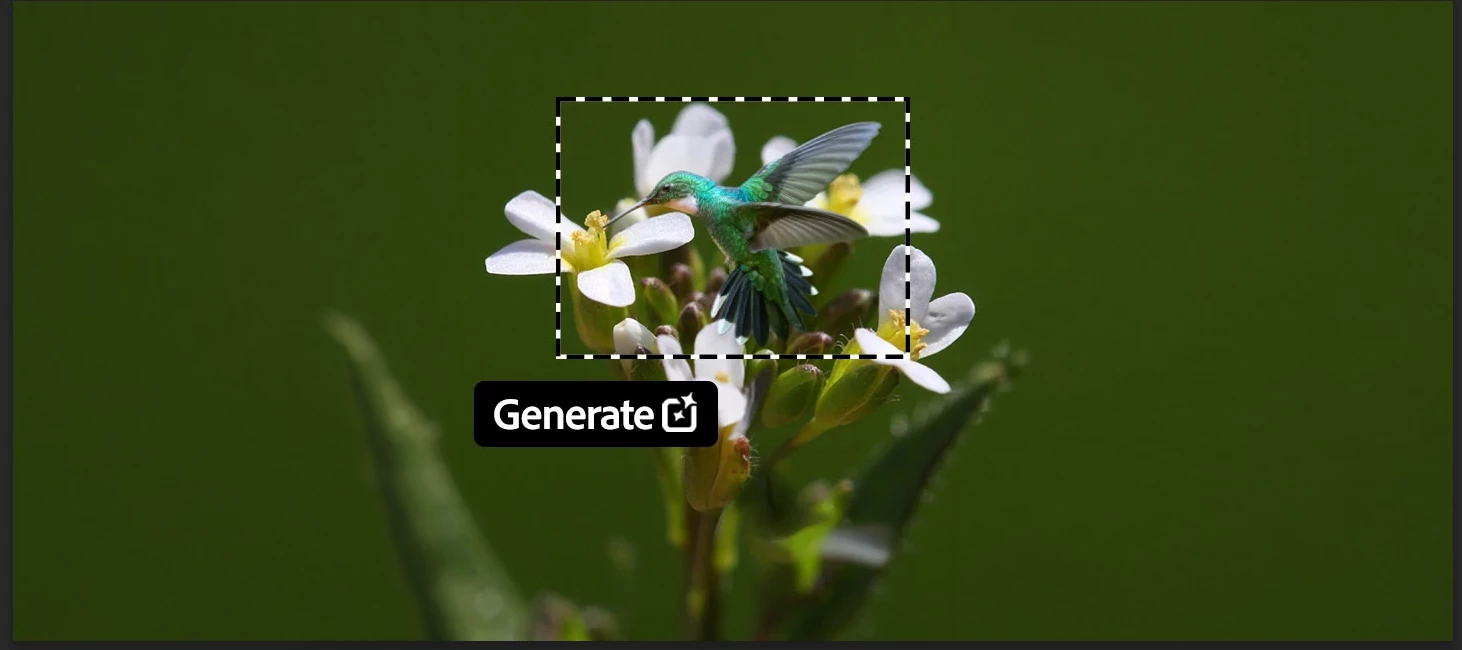
Big news for Photoshop creators! We’re excited to bring new AI models into Photoshop’s Generative Fill workflow, unlocking advanced creative tools like style transfer, text editing, object modification, and complex transformations—all non-destructively. How to use: Open a file → select an area (Select All or Selection Brush) Click Generative Fill → tap the Model Picker Choose your AI model → enter a prompt → generate! Click here for more details. 💡 Pro Tip: Hover over any model in the picker to see additional details before selecting it. Generation Credits Summary: Adobe Firefly models (Firefly Image 5, Firefly Fill & Expand, Firefly Image 1) use 1 credit per generation. Partner AI models are premium and consume more credits: Gemini 3 (Nano Banana Pro) = 40 credits Gemini 2.5 (Nano Banana) = 10 credits FLUX.2 Pro = 20 credits FLUX.1 Kontext [Pro] = 10 credits Premium model usage and credits details are available in the Generative Credits FAQ.Learn more ab
Harmonize is now available across Photoshop on desktop and web, and mobile. What’s new Say goodbye to mismatched colors and endless blending! The latest feature Harmonize is now live in Photoshop 27.0! With just one click, you can create realistic composites—this smart tool automatically adjusts color, lighting, and shadows so your designs look seamless.Get StartedStart by opening your background image, then place your object image on a new layer above it. If needed, remove the object’s background using the Contextual Task Bar. Select the object layer in the Layers panel, then resize and reposition it to fit your scene. Finally, click Harmonize in the Contextual Task Bar and choose the variation that best blends the object with the background. For more details, click here. Click here to update Photoshop to version 27.0 using the Creative Cloud desktop app. Join the conversation How has Harmonize changed the way you work? Share your experience, ask questions, and see how others are usi
We're happy to announce the release of Photoshop v27.1 What's new in this update? The latest release of Photoshop(v27.1) includes several performance enhancements and fixes for customer-reported issues. Scratch disk management is improved: Scratch disk handling is now more efficient, with updated free-space recommendations and optimized settings that help ensure smoother performance. Click here for more details. Notable Fixes in this release: Generate Image and Import Image options are visible in the marquee style dropdown in the tool Options bar. Select People hangs when added to an Action. For details on issues resolved in earlier versions, check out the Fixed issues page. Update now to experience these improvements and e
Hey Photoshop lovers, this one’s for you! From Harmonize for perfect color vibes to Nano Banana (yes, that’s real!) and Flux Kontext Pro integration, this update is packed with magic. Plus, Generative Upscale, Adobe Express templates, direct cloud export, and even Firefly animation options - it’s all here!Want to see the action? Join MAX online for free here and and dive into all the Photoshop sessions here. To update Photoshop 27.0, click "Update" in the Creative Cloud desktop app next to Photoshop. More detailed instructions for updating. Here's what's new in Photoshop 27.0: Blend with Harmonize:Seamlessly blend objects and people into any background in Photoshop on the desktop, Mobile and Web. Create realistic composites with a natural look using Harmonize, which automatically adjusts color, lighting, and shadows to achieve a seamless appearance.Learn how to seamlessly blend your photos with Harmonize here. Partner Models with Gen-Fill:Access to Google's Gemini 2.5 Flash Image (Na
The team is excited to announce that Bullets and Numbers in Ps Desktop has been released in Photoshop 25.11. What is this and how would I use it?Imagine you're working on a design project and want to add some text, maybe it is a list of essential points or a step-by-step guide. You want these lists to function but also be visually appealing. That's where Photoshops Bullets and Numbering feature comes into play. Why is it important?The Type tool is one of the most used tools in Photoshop, and Bullets and Numbering has been one of the most requested features in the Adobe Community. Photoshop customers want a quick easy way to format a paragraph where each paragraph return becomes a bullet or numbered list item.Earlier Photoshop customers were creating bulleted points using glyphs and had to add them manually paragraph by paragraph. We hope with this addition the process will be an easier and more fluid workflow. Select Horizontal Type Tool or Ver
We're happy to announce the release of Photoshop 26.2 What's new in this update? View more or less option for filtering fonts: Select the << icon to expand or collapse the list of Classes and Tags to filter fonts by in the Font browser. For more info, click here. Bug fixes. For details, see Fixed issues. Open Photoshop To update Photoshop to 26.2, click "Update" in the Creative Cloud desktop app next to Photoshop. More detailed instructions for updating
We're happy to announce the release of Photoshop 26.1 What's new in this update? Gradients Contextual Task Bar: Adjust and customize your gradients with the gradients Contextual Task Bar that appears on selecting the Gradient tool. For more info, click here. Bug fixes. For details, see Fixed issues. Open Photoshop To update Photoshop to 26.1, click "Update" in the Creative Cloud desktop app next to Photoshop. More detailed instructions for updating
We're excited to announce the MAX release of Photoshop 26.0 and Photoshop on the Web, packed with powerful new features to enhance your creative workflow! -------------------------------------------------------------------------------------------------------------------------------------------------- Photoshop 26.0 What's new? Quickly delete unwanted elements with Distraction Removal tool Get improved results with Generative Fill & Expand Generate variations similar to the ones you like OpenColorIO and 32-bit Tool Support for HDR workflow Generate background with description text prompts Fixed issue Open Photoshop -------------------------------------------------------------------------------------------------------------------------------------------------- Photoshop on the Web What's new? Quickly remove unwanted elements with Distraction Removal tool Generate similar variations with Generative AI Improved Object selection
We're happy to announce the release of Photoshop 25.12 What's new in this update? View notifications for sharing and commenting workflows - Share for Review, Invite to Edit, Commenting, and Manage Access - from within the app Bug fixes. For details, see Fixed issues. Open Photoshop To update Photoshop to 25.12, click "Update" in the Creative Cloud desktop app next to Photoshop. More detailed instructions for updating
すでにアカウントをお持ちですか?ログイン
Enter your E-mail address. We'll send you an e-mail with instructions to reset your password.
申し訳ございません。このファイルは、ダウンロードしても安全かどうか、内容を確認中です。数分後にもう一度お試しください。
申し訳ございませんが、当社のウイルススキャナは、このファイルをダウンロードすることは安全ではないと検出しました。