



Acrobat is now in WhatsApp: View, markup, and edit PDFs without ever leaving your chat
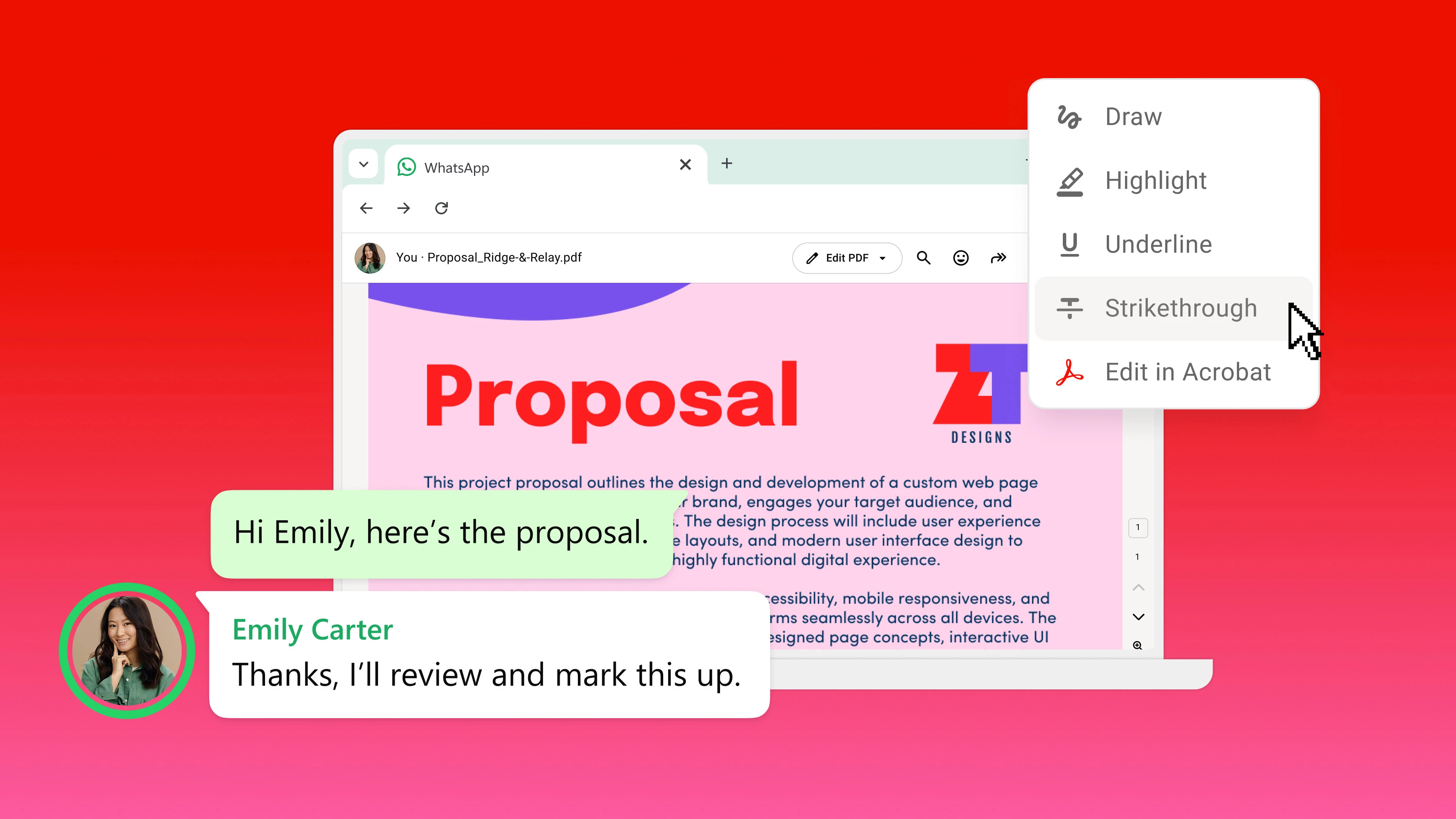
The power of Acrobat, right in WhatsApp Web and WhatsApp Desktop.
Big news for anyone who lives in their chats: Adobe and WhatsApp have teamed up to bring Acrobat-powered PDF experiences directly into WhatsApp Web and Windows. That means you can now open, review, and act on documents shared in a chat, without downloading a single file or switching apps.
🔍 Open/View: Go from PDF review to feedback in seconds
-
PDFs now open instantly, right inside your WhatsApp conversation.
-
Full-screen viewing works even for password-protected files and stays secure.
-
Highlight, underline, strike through, and draw directly on the doc, no download needed.
-
Share 1:1 or in groups right in the thread.
✏️ Edit/Share: Edit and share PDFs without missing a beat
Need to make bigger changes? Just launch Acrobat's full toolkit right from the chat and keep your workflow moving without any extra steps.
- Jump into Acrobat from WhatsApp Web or WhatsApp Desktop to edit, organize, add password protection, and more.
- When you're done, send the updated file straight back into the same WhatsApp chat so everyone's working off the latest version.
🔒 Secure: Built-in PDF security for every shared file
-
Documents render exactly as intended, preserving your layout and formatting.
-
Files shared in chat stay end-to-end encrypted, just like any other WhatsApp message.
-
Password-protected PDFs remain locked down to only the intended recipients.
Now available globally
This rollout is live today on WhatsApp Web and Windows, everywhere WhatsApp is available.
💬 We want to hear from you! Have you tried opening or editing a PDF in WhatsApp yet? What workflows do you think this will speed up: invoices, contracts, school forms, travel itineraries? Drop your first impressions, questions, or feature requests in the comments below.
📖 Read the full announcement on the Adobe Blog: Acrobat brings powerful PDF workflows to WhatsApp


 AdChoices