



How to Summarize PDFs and Get Key Insights Fast with PDF Spaces
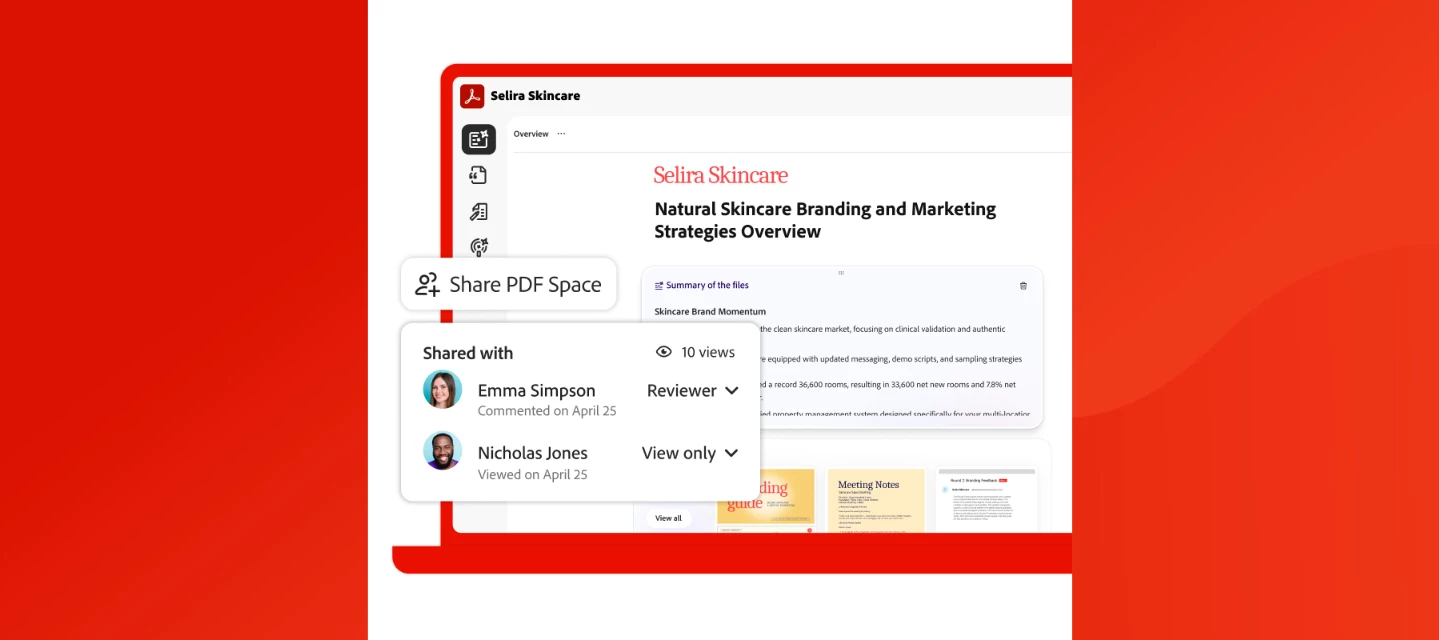
Use AI to understand documents and get insights from multiple PDFs in minutes
When it comes to summarizing and understanding documents, many professionals struggle with the same thing, finding the time to read and understand it all. Reports, PDFs, slide decks, contracts, and research files pile up faster than you can get to them, making it a challenge to extract the information that matters.
If you’ve ever wished you could analyze multiple PDFs at once, you’re not alone. How do you gain usable insights from your documents without spending hours scrolling, skimming, and second-guessing what you missed? The best AI workspace tool for documents can help you understand files, not just collect them.
Adobe Acrobat Studio offers AI-powered PDF Spaces that unify your files, links, and notes in one place. Then, it enables you to use AI to understand documents, ask questions, and extract answers from your documents, all at once.
Whether you’re looking for the best tool to chat with multiple documents, trying to figure out how to summarize multiple files with AI, or need an AI tool that reads documents for you, PDF Spaces in Acrobat is your go-to solution.
Get Answers from Your Documents with an AI-Powered Workspace
Adobe Acrobat transforms documents from static files into an intelligent workspace that generates insights. With PDF Spaces, you can bring PDFs, links, and notes together in one place, avoid jumping between files, and start getting answers quickly.
PDF Spaces is built for professionals who need to get insights from multiple PDF files and move quickly from information to action. You can analyze multiple documents in the same workspace, compare information, and uncover key takeaways without losing context.
In the last year alone, Adobe powered over 400 billion PDF opens and creations. And with PDF Spaces, it’s now one of the most trusted platforms for summarizing documents. Every AI-generated insight is backed by precise, clickable citations, so you never have to wonder if your information is credible.
What could be better than an AI tool that reads documents for you and surfaces what matters so you can take action quickly and with confidence?
The Best Ways to Get Faster Insights from Your Documents
Getting value from documents shouldn’t require hours of reading and cross-referencing. With PDF Spaces, you can skip the busywork and move straight to understanding, using AI to surface, explain, and validate insights across all of the docs you’re working with.
Here are some of the ways PDF Spaces delivers insights from your documents faster:
- AI Assistant with precise citation: Ask questions in plain language and get clear, structured answers pulled directly from your documents. Every response includes exact, clickable citations, so you can verify sources instantly and trust what you’re seeing without second-guessing or re-reading entire files.
- Personalized AI Assistants: Tailor how Acrobat delivers insights by assigning a role such as “Analyst” for critical thinking, “Instructor” for step-by-step explanations, or your own unique custom assistant. This helps you get responses in the format, tone, and depth you need.
- Generate Podcast: Turn dense documents into podcast-style audio overviews that you can tune into anywhere. Choose between concise summaries for quick updates or more conversational deep dives to fully understand complex topics.
- Multi-file querying: Bring multiple PDFs, links, and notes into a single PDF Space, and ask questions across all of them at once. Instead of comparing documents manually, AI connects the dots for you, making it one of the best tools to chat with multiple documents and uncover insights faster.
- Follow-up prompting: Ask follow-up questions that refine, expand, or challenge the initial response. You can dig deeper into specific sections and request recommendations, while staying grounded in cited source material.
- Notes: Capture and organize key takeaways directly within your Space as you go. This makes it easy to save insights, track important points, and revisit key points later, without losing context or having to use separate tools.
With PDF Spaces, you can pull up to 100 documents together, making it easier to summarize important information from various sources and extract insights quickly.
Next, let’s look at how PDF Spaces simplifies real-world document workflows.
Top Use Cases for AI-Powered Document Analysis in PDF Spaces
PDF Spaces adapts to different workflows to help busy professionals, students, and everyday learners analyze and understand documents faster. Let’s take a look at some real-world use cases:
- Business Professionals: Bring together research reports, performance data, strategy documents, and more into one PDF Space, then use the AI Assistant to surface key insights with citations. Instead of reading everything end-to-end, you can quickly identify trends, extract key takeaways, and even get recommended next steps grounded in your source material.
- Event Planners: Compile vendor proposals and venue options in one place, then set your AI Assistant role to “Analyst” to compare options side-by-side. Acrobat instantly surfaces pros and cons, pricing differences, key considerations and more along with citations from each document, so you can make informed decisions.
- Students: Upload course materials, research and notes into a single PDF Space, then use your “Instructor” AI Assistant to summarize key themes and explain complex concepts. It can even generate practice questions. You can also create podcast-style audio overviews to review material on-the-go and study efficiently without re-reading everything.
- Everyday Learning and Research: Whether you're exploring a new topic or trying to make sense of multiple sources, you can bring everything into one PDF Space and let AI connect the dots. No more piecing together information manually, now you can focus on understanding your favorite topics without the tedious manual analysis.
No matter the use case, the goal is the same: spend less time pouring over your documents and more time understanding them.
Get Insights Faster, without the Extra Work
With so much information at our fingertips, the way we gather and understand information from various sources is changing. Instead of jumping between documents and piecing together context manually, you can use PDF Spaces in Acrobat to analyze multiple PDF files in a single workspace and get trusted, source-backed insights in minutes.
With integrations across Microsoft and Dropbox, Acrobat fits into the way you already work. It’s not just one of the best tools for document comprehension; it’s a smarter way to work with information altogether.
If you’ve been looking for one of the best AI platforms for summarizing documents, try Acrobat Studio and PDF Spaces today.
What feature are you most excited about? Create a PDF Space in Acrobat and tell us what you think. 👇


 AdChoices