

One of the Best AI Platforms for Summarizing Documents
How to use AI for reviewing documents to save time and increase productivity
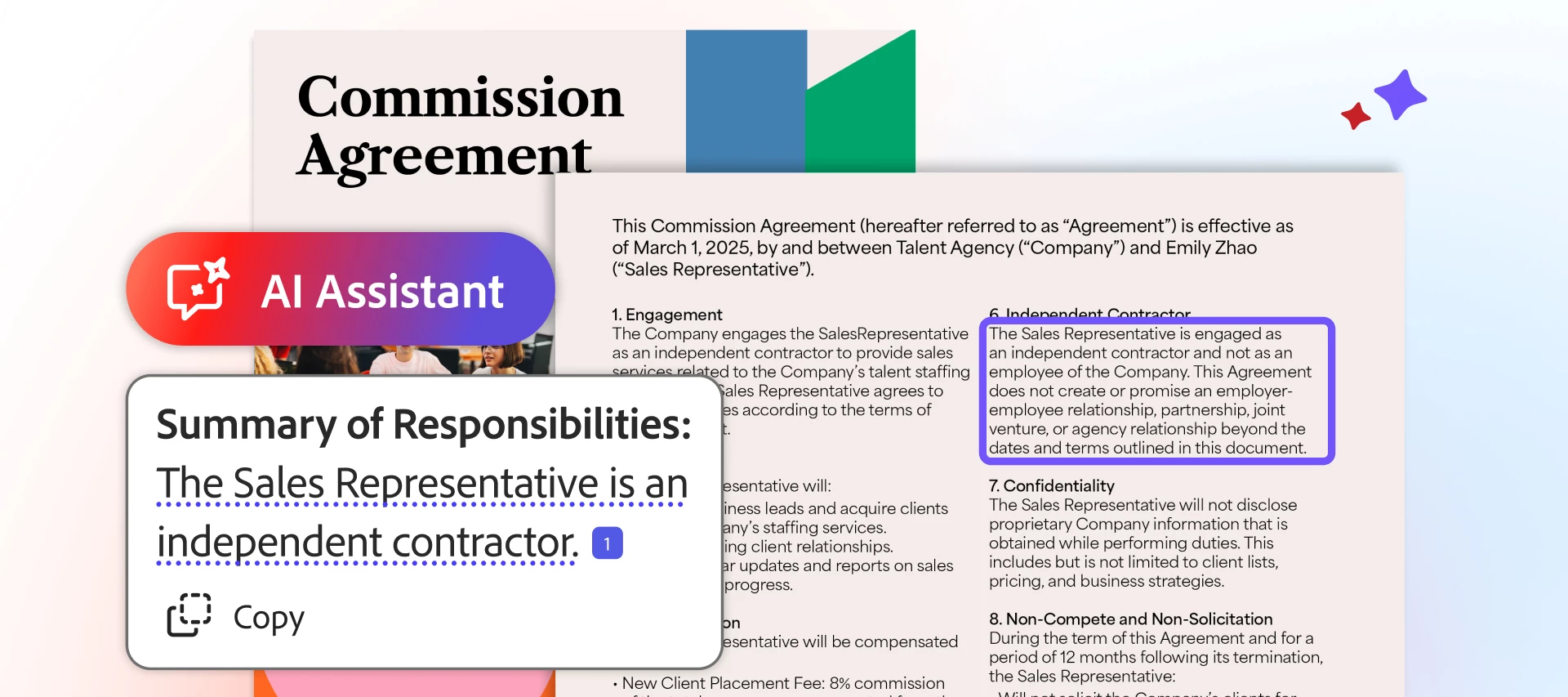
Whether at work, school, or home, documents power our daily lives: contracts, articles, reports, learning materials, financial statements, and more. Most of us spend a great deal of time reading, synthesizing, and understanding them. Or, oftentimes, in our busy lives, we find ourselves wishing we could benefit from more information and greater insights deep inside their many pages.
What if you had one of the best AI chat tools that summarizes documents, and could analyze & compare them with built-in citation support? Imagine how much more we could learn and accomplish if we freed up all the time spent combing through long files, spending more energy on taking impactful action and doing the things we're really passionate about?
We all need faster, more effective ways to review content and collaborate with others, without reading every document line by line. Increasingly more of us are searching for one of the best AI platforms for summarizing documents in today's fast-paced world of constant information.
Using AI for document assistance can help you focus on decision and action instead of analysis.
Adobe invented the PDF, and Acrobat is trusted by millions of users across 745,000 organizations worldwide. More than 400 billion PDFs were opened or created with Acrobat in the past year alone.
Adobe Acrobat Studio introduces an evolution of that experience, combining the PDF tools you already love with one of the best AI workspaces, personalized AI Assistants, and standout content creation tools, all in one place. The result is one of the best AI workspaces for teams and individuals alike, designed for easy document assistance, reviewing, and summarizing.
Here, we outline five main reasons Acrobat Studio is one of the best AI platforms for summarizing documents, as well as how-to ideas for businesses, students, and day-to-day.
5 Ways to Use Some of the Best AI Summarizer Tools
Acrobat Studio makes document summarization faster, easier, and more effective, whether you’re working on your own or collaborating with teams.
Here’s how to use one of the best AI document reviewers:
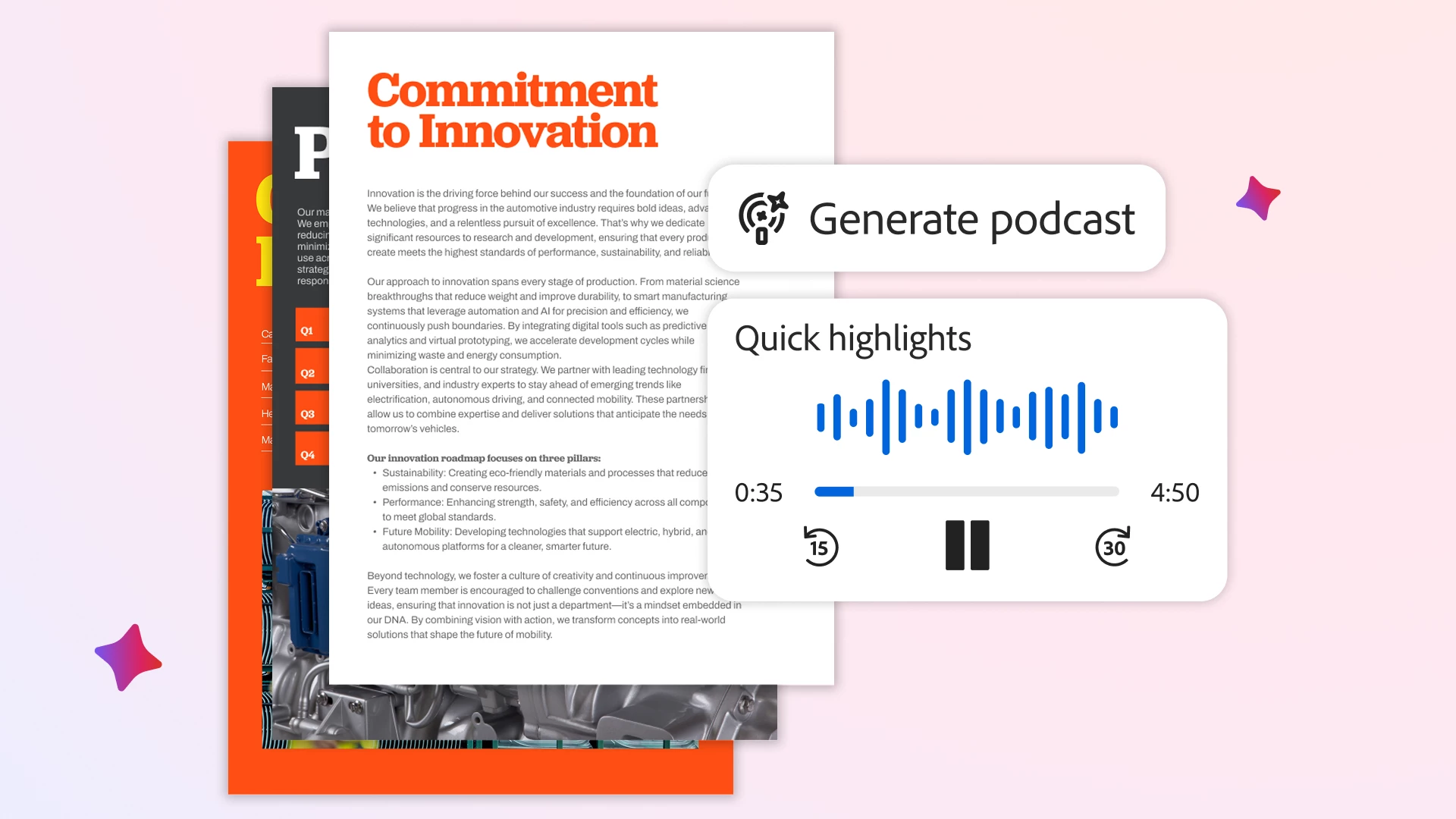
1) Generate podcast: A New Way to Summarize and Consume Content
Podcasts are a great way to consume information in your documents instead of reading them, especially if you’re often on-the-go, or like to learn by listening.
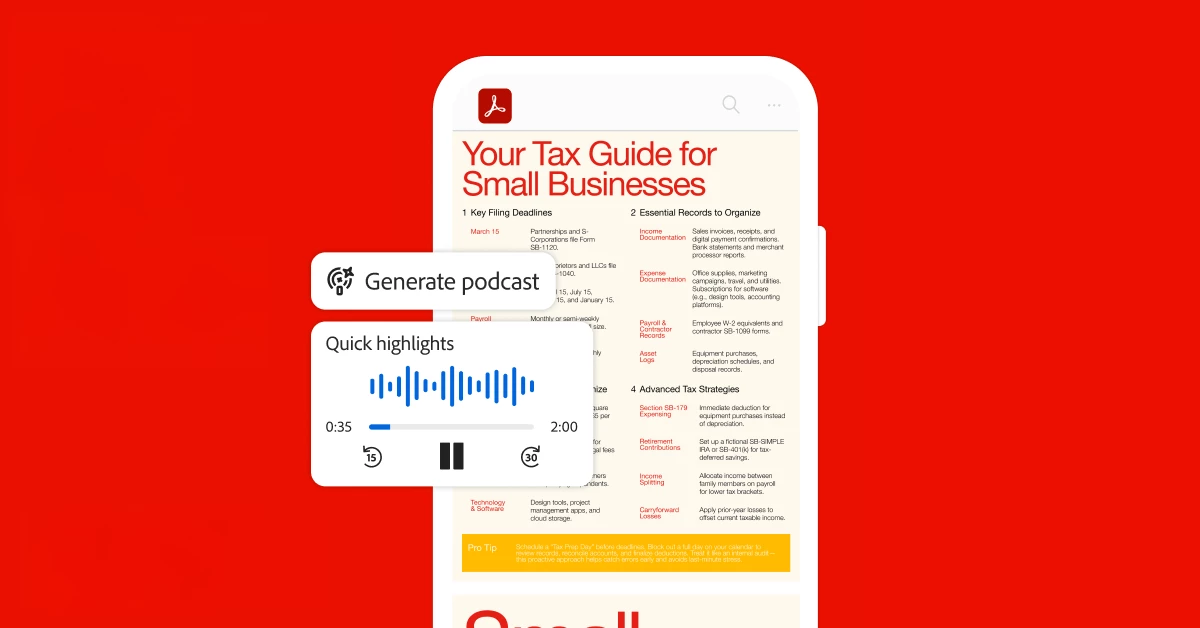
The new Generate podcast feature in Acrobat Studio creates podcast-style audio overviews for you, enabling faster & more flexible content consumption. Choose between quick summaries or more conversational deep-dives to tune into key information, learn faster, and retain more.
Here are some great reasons to create a podcast for summaries:
- Catch up faster: Convert long reports, strategy documents, or complex topics into short, audio summaries
- Remember more: Consume information in a natural, conversational audio format that helps ideas stick and connections form quickly
- Work your way: An inclusive and flexible way to engage with content, supporting different working styles and quicker preparation for meetings, presentations, or classes
Generate podcast is yet another feature that makes Acrobat Studio one of the best AI powered productivity tools for those who want to learn differently, or better fit it into their day. Now, you can digest information in a new, entertaining way, even while multi-tasking or commuting.
Get the Acrobat Reader mobile app to listen to your documents on-the-go.
2) PDF Spaces: Summarize Across Multiple Sources, Not Just One
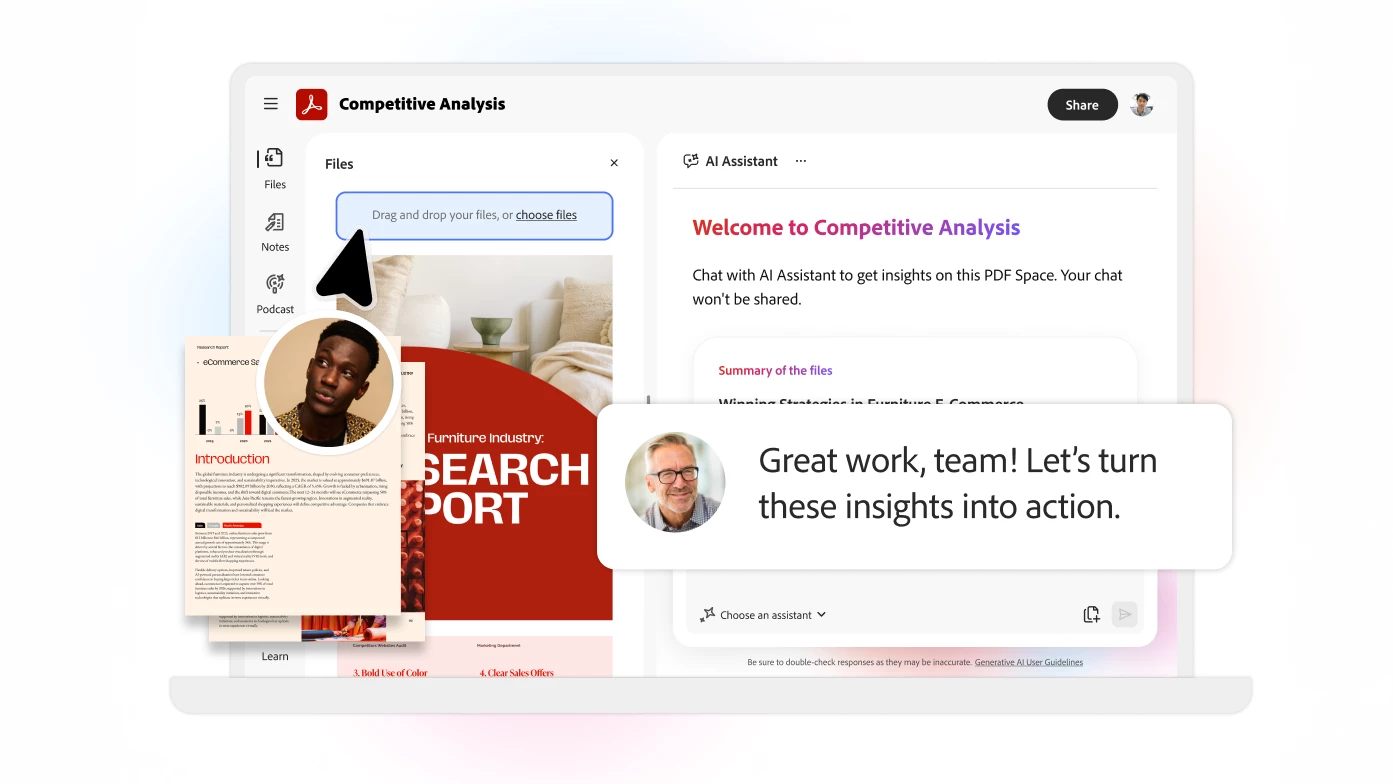
When you need to summarize more than one source at a time, PDF Spaces enables you to synthesize collections of various file types (and even web links) into one of the best all-in-one AI workspaces, with an AI Assistant that provides document overviews with built-in citation support. Plus, when collaborating, you can even share the PDF Space with others. This is especially valuable when you or your teammates need to pull information from many different places.
Here are some ways you can use one of the best AI workspaces for reviewing documents:
- Chat with multiple sources at once: Identify broader themes and key takeaways across different sources (like reports, presentations, research, and websites) then add learnings and your personal commentary to notes you can revisit at any time
- Use AI for document assistance: Get answers, recommendations, and ideas using an AI Assistant that generates citations so you can validate responses and learn more
- Quickly get up to speed or prep on-the-go, using hands-free voice prompts on mobile
With these smart tools that pull the main points, Acrobat Studio offers one of the best AI workspaces for reviewing documents, especially for complex projects and dense subjects.
Collaborative Review in One of the Best Shared Document Workspaces
Document review often involves multiple stakeholders. Acrobat Studio simplifies knowledge sharing and collaboration by allowing entire PDF Spaces containing sources, summaries, notes, and AI Assistants to be shared with coworkers, customers, or classmates.
Here’s how teams can use Acrobat Studio as an AI workspace for reviewing documents:
- Collaborate on key learning summaries, drafts, and group notes, all in the same place
- Ensure everyone works from the same set of sources, with clear guidance on goals
- Speed up the process of gathering sources, collecting feedback, and making decisions
Explore curated PDF Spaces for some examples of the wide range of content you can share with others, professionally or personally!
Offering an all-in-one workspace and AI Assistants for file collaboration, Acrobat Studio is one of the best AI workspaces for teams, individuals, and even sharing with friends & family.
4) Personalized AI Assistants: Summaries That Match Your Goals
Summaries come in all shapes and sizes, from high-level overviews to deep-dive analyses, key takeaways, and more. Personalized AI Assistants in Acrobat Studio can take on defined roles (such as instructor, analyst, or researcher) to tackle the task at hand and provide the right type of summary for your project.
Here’s how you can use personalized AI Assistants to chat with your documents:
- Ask an “instructor” AI Assistant: Explain dense or technical content in simple terms
- Use an “analyst” AI Assistant: Summarize trends and suggest next steps
- Create custom AI Assistants: Tailor to your specific projects, collaborators, and goals
When you share PDF Spaces, you can also share your personalized AI Assistants along with them. This gives your collaborators the ability to work from the same guidance, AI chat tools, and sources you choose, allowing you to focus the group’s collective attention.
This adaptability is a key reason Acrobat Studio could be considered one of the best AI document assistants and platforms for chatting with documents for a wide range of needs.
5) Increase productivity with AI workflows on-the-go & across devices
Acrobat Studio supports productivity across desktop (Mac and Windows), web, and mobile.
It also integrates seamlessly with cloud storage and third-party tools such as Microsoft 365 and Dropbox.
This flexibility helps you stay productive where your work takes you – including on-the-go – making Acrobat Studio one of the best AI workspaces for modern document workflows.
How To Use AI for Document Assistance
Acrobat Studio supports a wide range of needs, increasing productivity with AI workflows across different goals, preferences, and ways of working.
- Business Professionals:
Acrobat Studio offers practical, time-saving AI powered productivity tools for working with complex and fast-moving information. Teams can summarize market research, user interviews, and performance data into clear, actionable insights without manually reviewing every lengthy document. It also helps professionals prepare more efficiently for meetings, presentations, and executive reviews by quickly surfacing key points and recommendations, even if all you have is a few minutes on your way there!
By enabling quick summaries, focused knowledge sharing, and seamless alignment, Acrobat Studio allows you to spend more energy on strategy, decision-making, and action, saving time in group reviews and coordination.
- Students:
If you’re a student, you can use Acrobat Studio to simplify learning and deepen your understanding, whether studying for exams or trying to better grasp complex concepts. Bring lecture slides, readings, notes, and other class sources into a single PDF Space to create an organized, all -in- one AI workspace that makes learning, studying, and working on assignments and projects much more manageable.
AI Assistants make it easier for you to quiz yourself on key concepts, break down complex topics, or summarize overarching themes across documents, especially if you select the personalized “instructor” AI Assistant. With one of the best AI document chat tools for students, you can take on your classes with stronger comprehension, better retention, and greater confidence.
- Everyday Users:
Acrobat Studio makes it easier to fit learning into even the smallest corners of your day, and stay informed and in control amid busy schedules. It can quickly summarize long articles, guides, or personal documents, so you can focus on what matters most to you.
Curated PDF Spaces can help you explore what this might look like for you and your interests, and try out these AI chat tools and workspaces for file sharing. Discover new ideas and get inspired by collections from trusted partners like TED and Forrester, then download documents for easy reference or share content and ideas with others.
Across professional, academic, and everyday needs, Acrobat Studio helps users synthesize information faster, learn more effectively, and collaborate more seamlessly in one of the best AI summarizer tools and document reviewers.
One of the Best AI Platforms for Summarizing Documents
Acrobat Studio goes beyond basic summarization to deliver an integrated solution and all-in-one AI workspace. Combining powerful PDF tools with personalized AI Assistants that generate citations, audio overviews and podcast-style summaries, and file collaboration, it offers one of the best AI workspaces for teams and individuals alike.
Want to see how to use AI for document assistance and discover how to increase productivity with AI?


 AdChoices