




Turn a Plain PDF Into a Polished Doc in Acrobat — Try Stylize
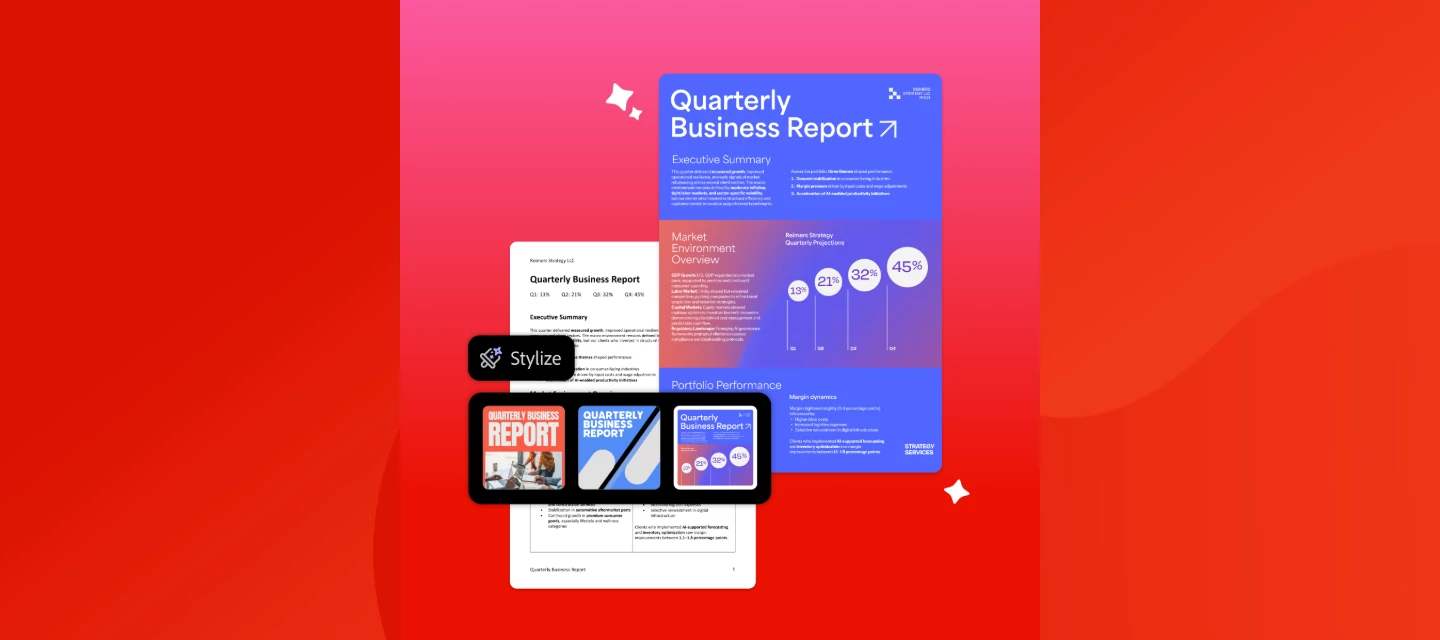
We've all got that one resume, proposal, or report that reads great but looks like it was formatted in 2009. Stylize in Adobe Acrobat fixes that. Upload a PDF, pick an Adobe Express template, and Acrobat redesigns it for you. Same words, whole new look.
What is Stylize in Adobe Acrobat?
Stylize is an AI-powered feature in Adobe Acrobat that redesigns the look of an existing PDF, including its layout, formatting, and visual style, using Adobe Express design templates. Your original words and images stay the same. Only the design changes.
What can I use Stylize for?
-
Resumes & cover letters: Stand out without touching a design tool.
-
Client proposals: Make them look as sharp as the work inside.
-
Invoices & static documents: Turn plain paperwork into something polished.
-
Business reports: Create professionally designed reports ready to share with clients or stakeholders.
How do I stylize a PDF in Adobe Acrobat?
-
Open your PDF in Acrobat on the web (up to 100MB).
-
Select Edit, then Stylize under DESIGN WITH ADOBE EXPRESS.
-
Choose from suggested designs or browse thousands of Adobe Express templates.
-
Select Apply template to give your PDF a completely new look while keeping the original content.
-
Tweak the text, layout, or formatting until it's right.
-
Save and share your redesigned PDF.
Which PDFs work with Stylize?
Stylize supports English-language PDFs with selectable text and fewer than 15 pages. Scanned PDFs, password-protected PDFs, signed documents, and PDFs with fillable form fields aren't supported.
Quick FAQ
-
Will Stylize change my actual content? No. Your original text and images stay the same. Only the design changes.
-
Can I edit after it's generated? Yes. Text, layout, and formatting are editable.
-
Can I use AI to redesign an existing PDF without rewriting it? Yes. Adobe Acrobat Stylize uses Adobe Express design templates to refresh your PDF's appearance while preserving its original content.
-
Does Stylize cost extra? It's included with eligible Acrobat Studio, Acrobat Express, and AI Assistant Plus plans, subject to applicable usage limits.
Your turn 👇
What's the one document sitting on your desktop that really needs a glow-up? A resume, a proposal, an old report? Run it through Stylize and drop a before/after in the comments. We want to see the transformation.
Learn more: Stylize PDFs with Adobe Express templates.
 AdChoices