


Participant
January 2, 2025

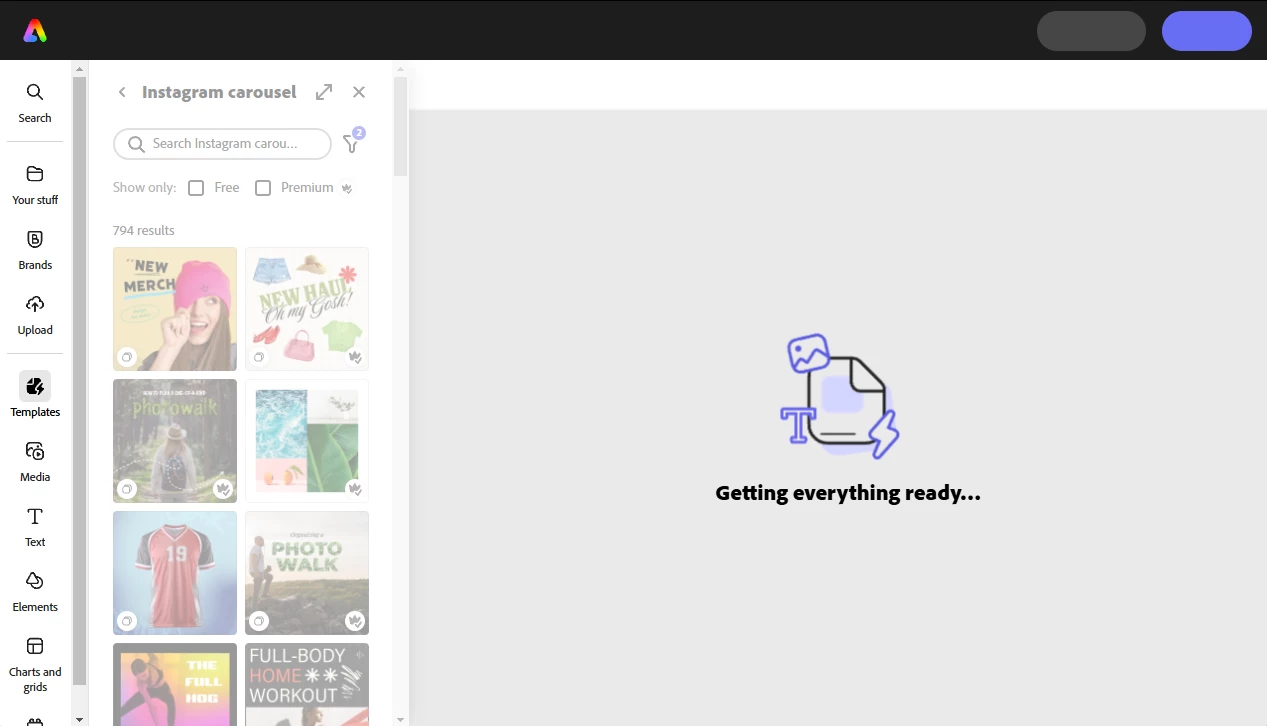
Adobe express "Getting everything ready..." 2025

  • January 2, 2025
  • 2 replies
  • 744 views

Adobe express always stuck on "Getting everything ready."

  • Test in a few different browsers  - Chrome, Edge, Safari, Firefox
  • Try clearing the browser cache  -  https://adobe.ly/3Y2dHlh
  • Test in incognito/private browsing mode -  https://adobe.ly/3XKiI1o
  • If possible, try using a different internet connection
  • If you are using any firewall software, try disabling it temporarily to see if blocking access that Express needs

Tried all of these. Still not working. Been a Good 2 weeks going onto a month with this problem. I'm considering cancellling Adobe software. Too expensive and the cheaper alternatives are doing well to compete with graphic designs and editing. Ill give this issue a week before making a move.

Hoping someone can help me out with this, but I'm not stressed to be leaving paying $90 for software I need to relearn when they update to newer buggy versions.
2 replies

PatapoonAuthor
Participant
January 2, 2025

Appreciate your response Dave!

I'm going to get in touch with Adobe Support directly. I've tried your suggestion and is still in the same problem. All my apps work. Different browsers and internet connection, even a different device doesnt work.

Hoping to get an answer to this, seems like others have the issue as well!

David__B
Adobe Employee
Adobe Employee
January 2, 2025

Sounds good, hope you're able to get it sorted...


David__B
Adobe Employee
Adobe Employee
January 2, 2025

Hi @Patapoon

Thank you for testing these. I checked around but didn't see very many other useful suggestions for this issue. It could be related to something blocking access to certain domains that the service users, like firewall or VPN software. This article lists all the required access sites https://adobe.ly/4h2P8wp (see the Adobe Express section).

Does the issue happen with all files?

If that doesn't help I'd recommend reaching out to and working with our support directly as a next step. They can be reached here: https://adobe.ly/3BI6lw7


Best,
Dave