
Participant
September 13, 2023

Adobe Express homepage UI layout broken

  • September 13, 2023
  • 3 replies
  • 744 views

Not loving the update, seems full of bugs and things I used to be able to access aren't where they should be; whole folders of work have been divided up into their constituent files. The user interface also looks full of bugs, text over the top of buttons, buttons not working on the firts few clicks to name just a few things. I'm a teacher and this has landed over the summer break, the kids work is really difficult top find and they're all confused by the new app. Please sort this out. I've attached a screenshot on paint as the + new button won't work. 
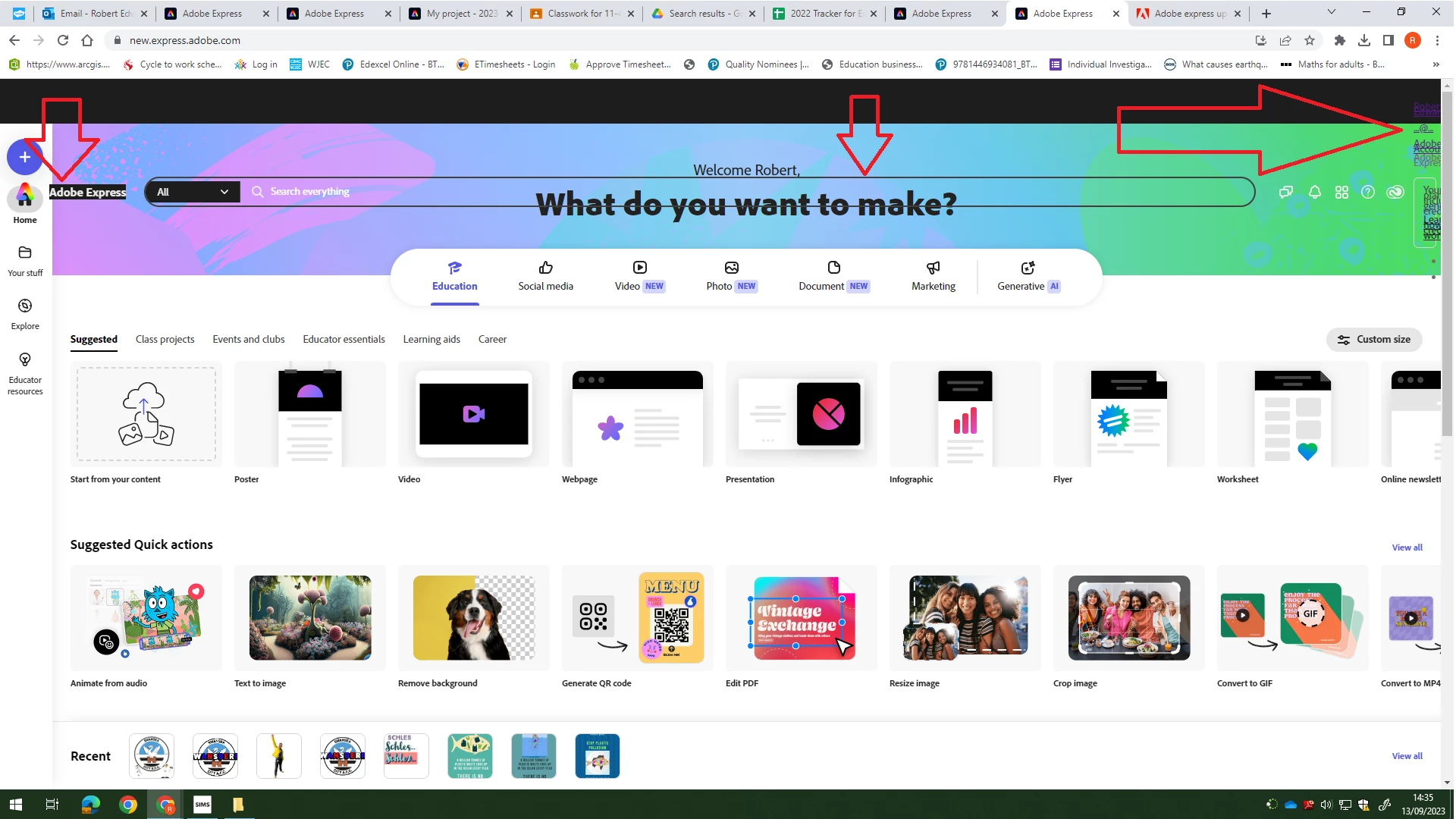
This topic has been closed for replies.

3 replies

Amitej S
Community Manager
Community Manager
September 15, 2023

Hi @default0d55l0wzqf1h, We worked on the issue causing misplaced headers in  Adobe Express, and a fix was deployed. Can you try again and check if it works fine for you?


Do let us know about your observations.


Thanks,

Amitej

Participant
September 15, 2023

Thanks for the update, seems to be working a lot better. I’ll let you know if there is anything that doesn’t work.

Rob

Sent from Outlook for iOS<>

<External links removed by Moderator>

Participant
September 13, 2023
The search area has dropped down out of the top of the page. It is preventing me from accessing "your stuff" as it is in the way.
Adobe Employee
September 13, 2023

Hi


Thanks for reporting this issue. We're actively investigating.


Abhi G

Amitej S
Community Manager
Community Manager
September 14, 2023

Hi @default0d55l0wzqf1h,

Apologies for the inconvenience. We worked on the issue, and a fix was deployed. Can you try again and check if it works fine for you?


Do let us know about your observations.


Thanks,

Amitej