Participant
October 10, 2024

Adobe Express PDF Download is rotating images

  • October 10, 2024
  • 1 reply
  • 221 views

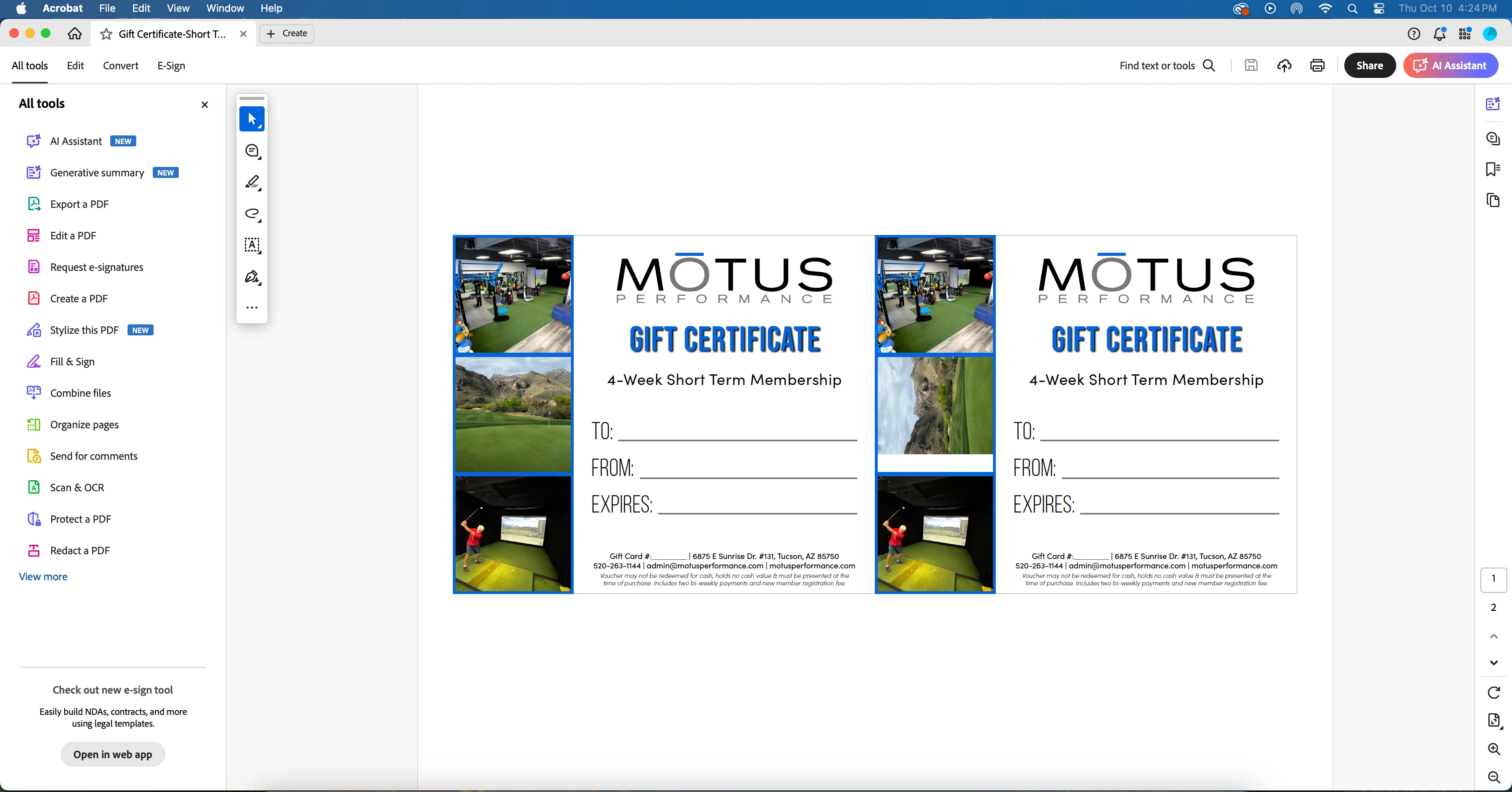
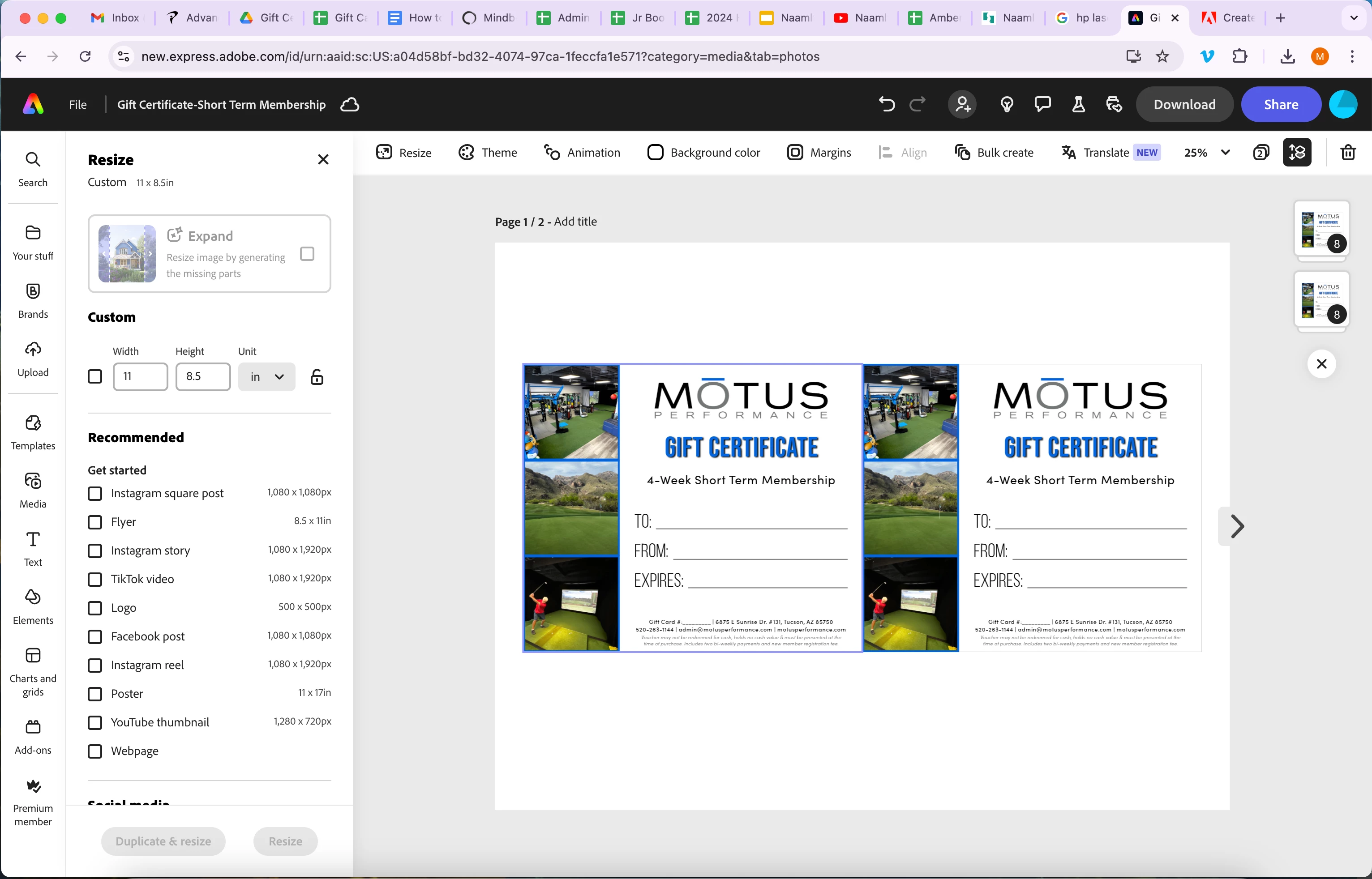
I've created a design file in Adobe Express. When I download it as a PDF, which I need to do because I need to have 4 on a page, it rotates the middle image sideways. I've tried the following and it did not work: 

  • Started with 4 on a page and changed it to 2 in case it was too big of a file. 
  • Tried replacing the image
  • Tried to take into Illustrator to manipulate, but it got too pixelated and poor quality.
  • Tried downloading as PDF Print and PDF Standard and received the same results. 

Images below show the design in Google Chrome as designed in Express and the other image is the PDF download in Acrobat.  Please advise.
1 reply

Tarun Saini
Community Manager
Community Manager
October 14, 2024

Hi 

@chip_0350

,


Hi there! I’m sorry to hear that you’re experiencing issues with your images rotating when downloading a PDF from Adobe Express. Please try the steps below and let us know if that helps-

  1. Check Image Orientation: Ensure that the images are correctly oriented in the original file before uploading them to Adobe Express. Sometimes, embedded metadata can cause images to rotate unexpectedly.
  2. Use a Different Browser: Try downloading the PDF using a different browser or in incognito mode. This can sometimes bypass any browser-specific issues.
  3. Clear Cache and Cookies: Clearing your browser’s cache and cookies can help resolve unexpected behavior.


Regards,

Tarun

chip_0350Author
Participant
October 17, 2024

These troubleshooting steps did not help unfortunately. But what DID solve
the problem was adding the photo that was having issues into my brand
assets and then pulling in the photo from that source VS from my computer.
YAY. Sharing for others who may have this issue in the future.

--

*Amber*
{Mode note- Personal information has been removed by the moderator}