
Participant
March 5, 2024

Adobe Express PDF saving issue - turning background to black

  • March 5, 2024
  • 4 replies
  • 1398 views

I am not entirely sure what is happening, but whenever I save a PDF version of a post I made, the background comes out black. 


The rest of my image is present, but the background turns black no matter what color or if I place a transparent background. 
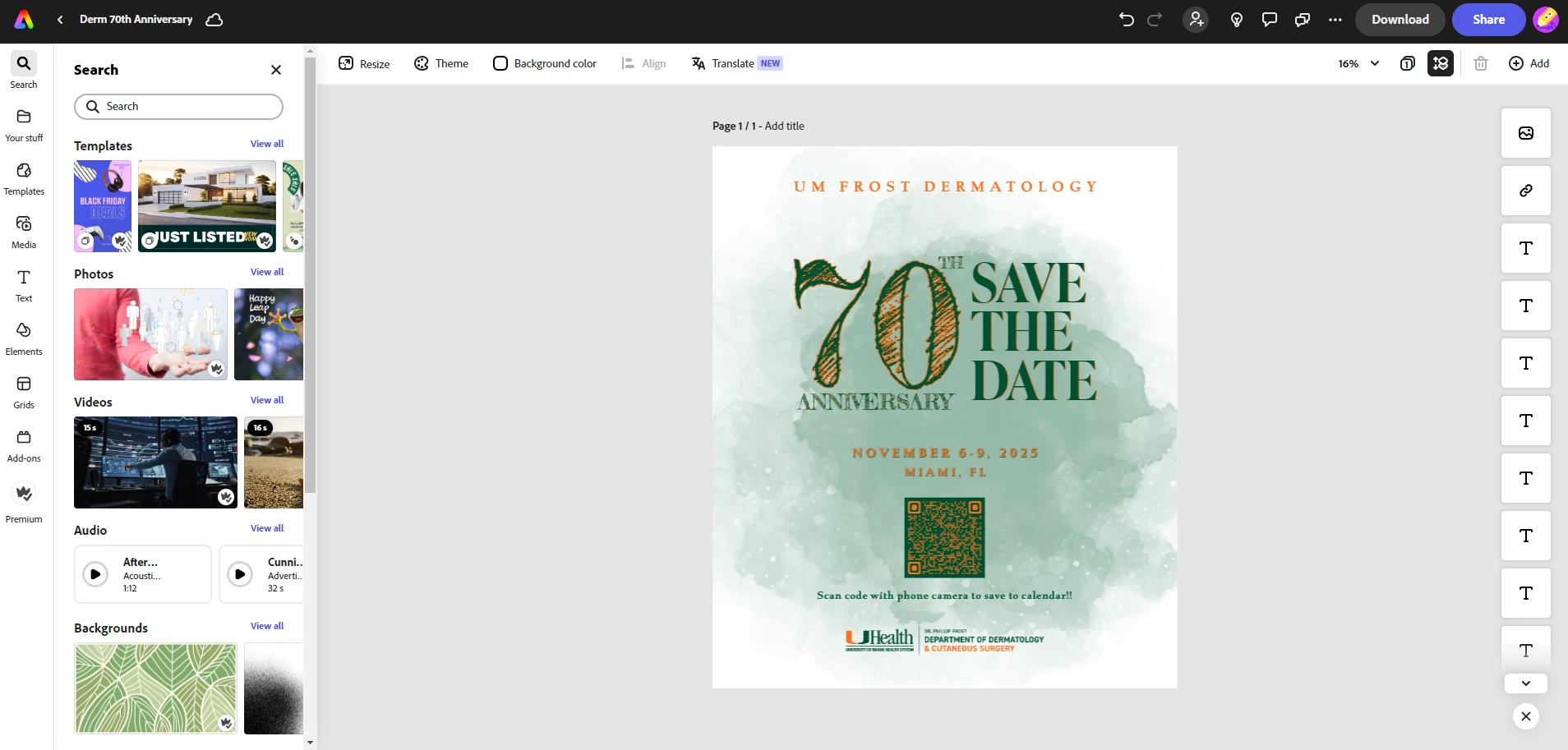
 

This is how I have the image, but when I save this as a JPG or a PNG, it saves normally as it is seen. 

The issue comes up when I save a PDF version, it doesn't matter the background, it always comes up black. 
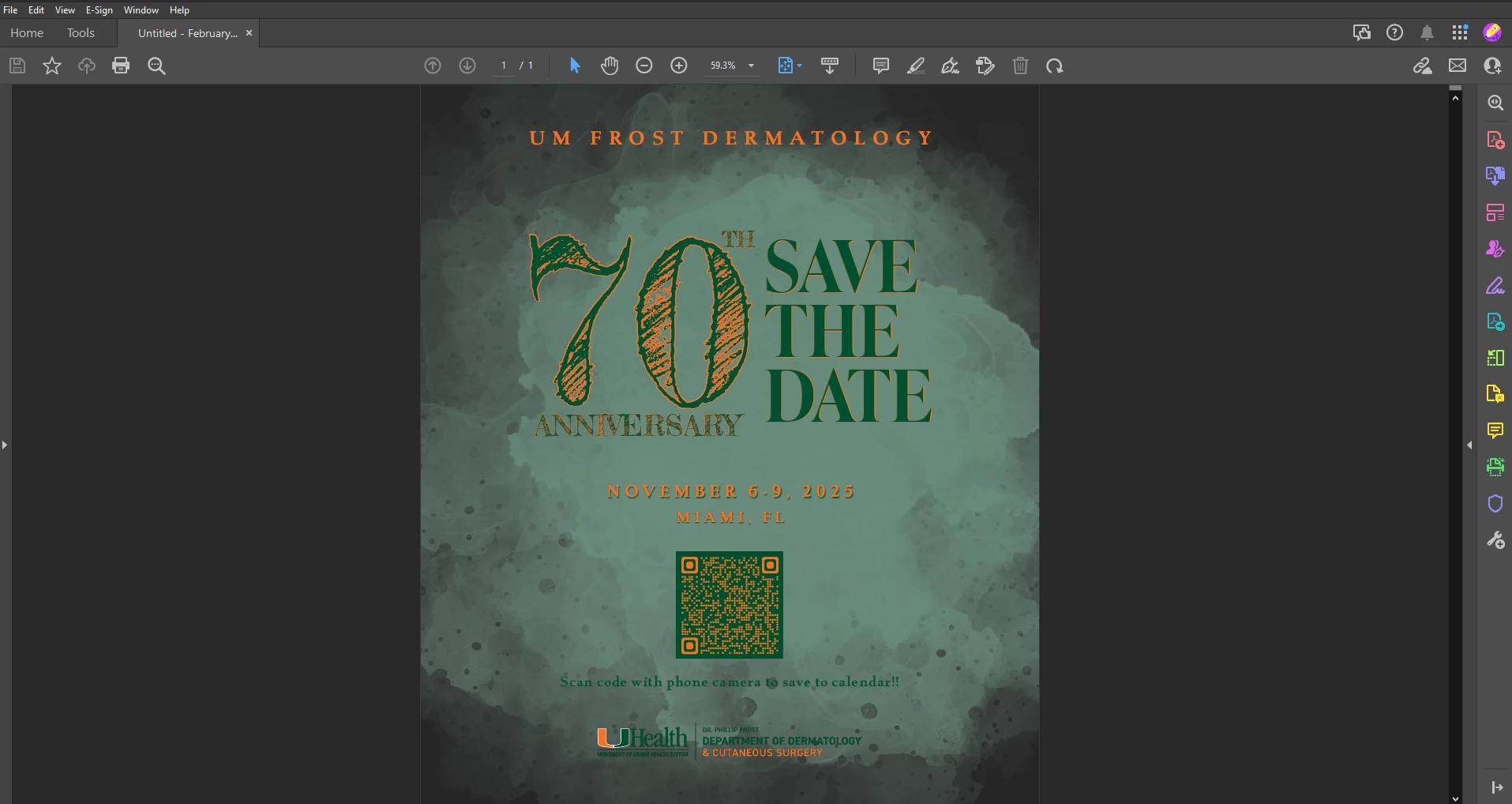
I've looked up other discussions on this and have found similar things but never my exact issue. I've attempted to troubleshoot to no avail, and I'm not sure what else I can do to fix it. 


I need this to be fixed as I send many of the images I work on to be printed for work. I can't have everything be black all the time. 

4 replies

Participant
April 19, 2024

The asset does come from adobe stock via the Design Asset search on express. I belive the issue is the asset itself and not neccesarily Express? Maybe, I'm not entirely sure. 


My workaround was to "remove background" on the supposed already transparent asset. Once I did that it stopped showing as a black background on PDF. 


Winnie_M
Inspiring
April 22, 2024

Hi @EspookyGorl,


Thank you for sharing this.


I found the asset ID 640530657 in Adobe Express (see attached screenshot) and Adobe Stock here. You may need to refresh the page or close the page to open a new one.

It's good to hear you found a workaround to download your project on PDF.


Thanks,
^Winnie

Adobe Employee
April 19, 2024

@Aaron Malsbury, we are still working on a fix for this. But I put a workaround in https://community.adobe.com/t5/adobe-express-discussions/pdf-download-formatting-wrong/m-p/14561290#M15575 that may help in the mean time.

Participant
April 18, 2024

OH MY GOODNESS FINALLY I found someone having the same problem!!!!!  Did you ever find a solution.

Adobe Employee
March 6, 2024

I've been trying to repro your problem, but haven't able to yet. For that background image (the green watercolor spots), do you have any filters applied that would change the image's color or blend mode? If that is an asset from Adobe Stock, can you tell me the id (click on the "(i)" icon at the top of the image properties panel)?


If you are willing to share the document with me, I can help debug the issue further with the Express team. Send me a private message and I'll send you an email to share it with.