

Participant
August 20, 2026

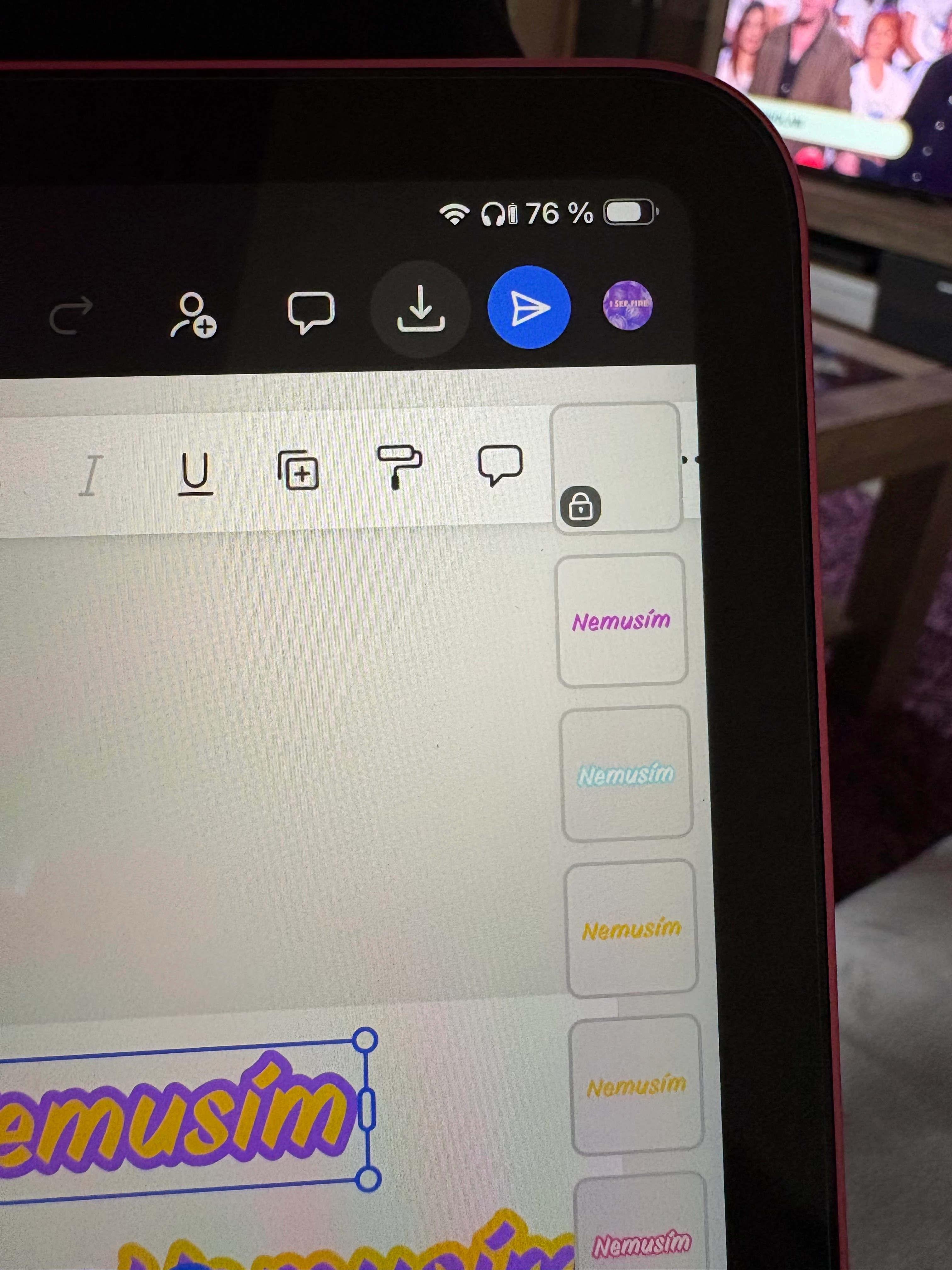
Adobe Express repeatedly becomes unresponsive when editing a design. Layout panels visually overlap the canvas, and I cannot select individual objects or layers, so I cannot move, edit, or delete them.

  • August 20, 2026
  • 1 reply
  • 6 views


    1 reply

    Rose DV
    Community Manager
    Community Manager
    August 20, 2026

    Hi there! Thanks for the photo, that really helps show what's happening.

    When the panels overlap the canvas like that and you can't select anything underneath, it's usually the interface not laying out correctly on the device rather than a problem with your actual design.

    A few quick things to try first:

    → Fully close and reopen the app (swipe it closed from your recent apps, don't just background it), then reopen your project — a fresh start often reseats the panels correctly.
    → If you're on the mobile app, check the App Store for a pending Adobe Express update and install it if there is one.
    → If you can, try the same project at new.express.adobe.com in a browser — if it lays out fine there, that tells us it's specific to the app on this device.

    And to help me pin it down:

    → What device and OS are you on (e.g. iPad / iOS version), and are you in the Adobe Express app or a browser?
    → Does it happen on every project, or just this one?

    Let me know how those go and we'll take it from there.

    Rose