


Adobe Fonts Displaying Incorrectly In webpages
Someone has asked a question that details this bug but I thought I should make an actual report as it seems to be a bug affecting many users.
When creating a web page any and all adobe fonts I select display as different variations of the same default font - in my case this is helvetica. This began just over a week ago and is occurring across multiple webpage projects including older ones that used to function correctly but upon opening the file the font will change.
I have tried this using both safari and chrome on my laptop and the express app using an ipad pro.
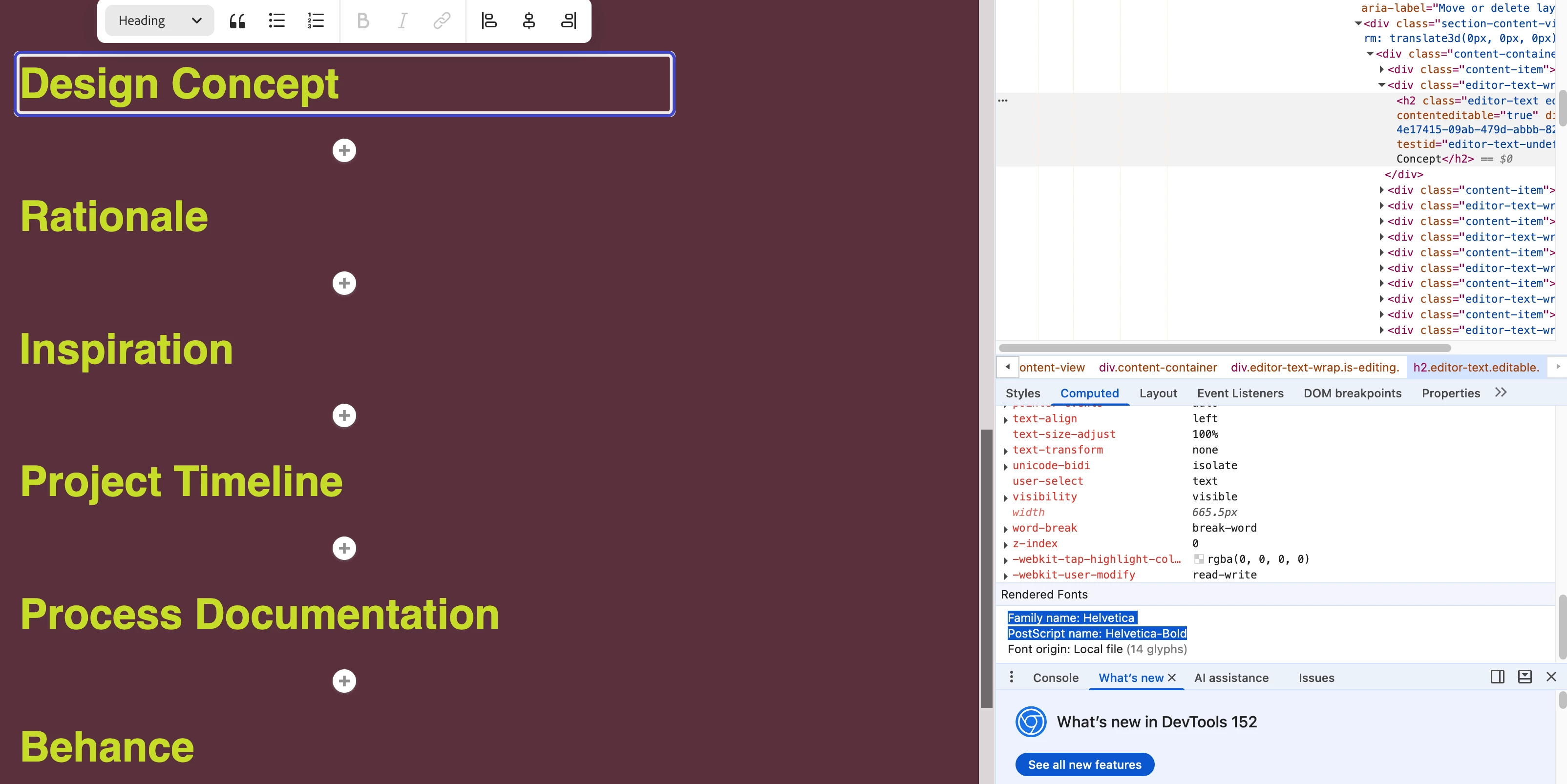
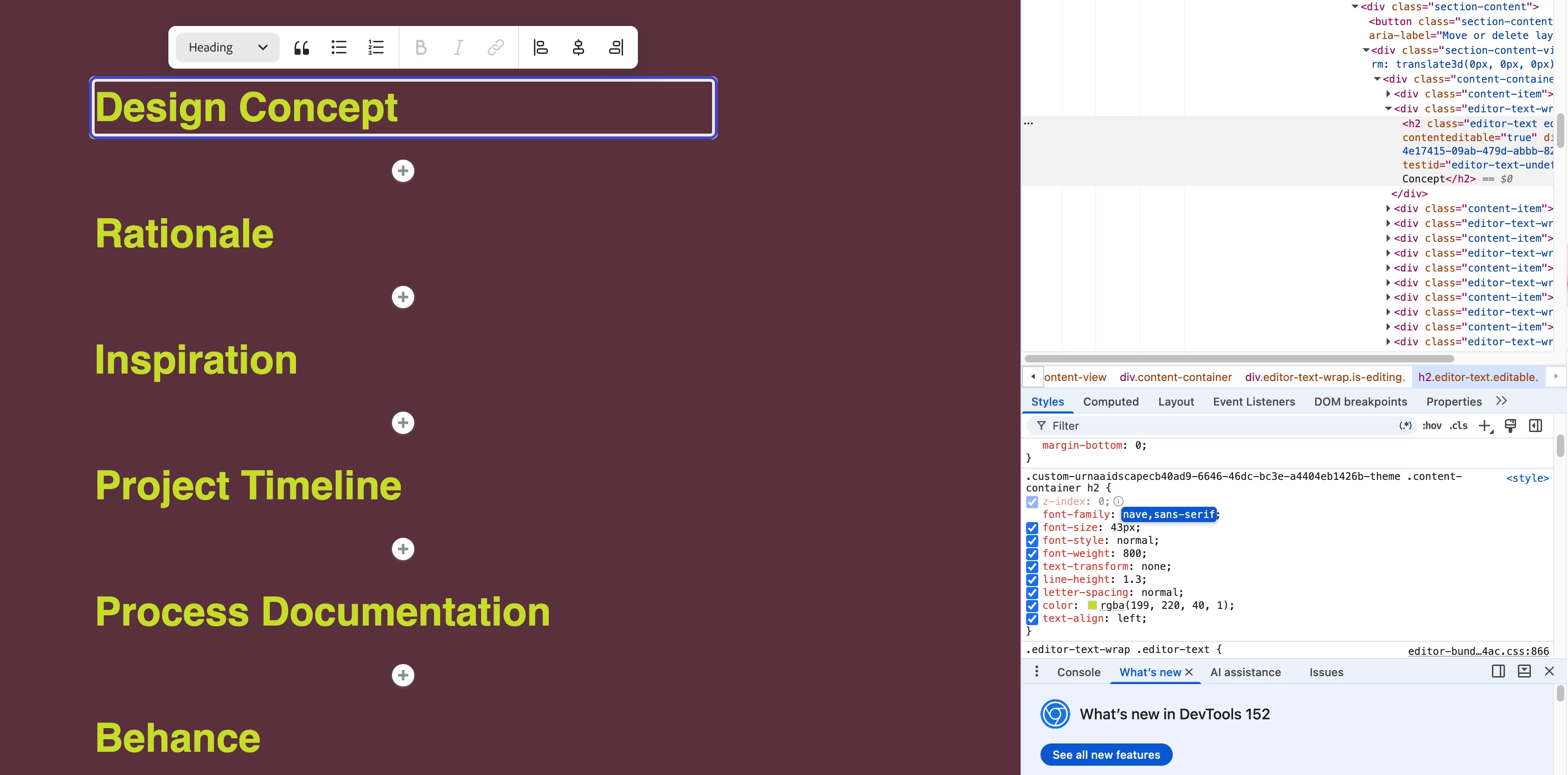
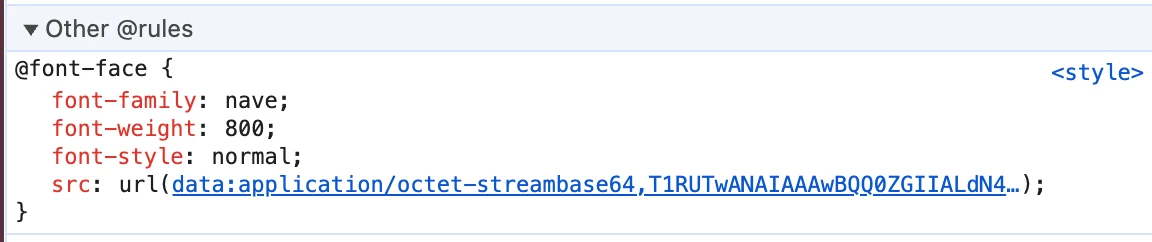
When I inspect the webpage on chrome the style sheet says the font should be nave (my intended font) but it is rendering as helvetica (see screenshots).
If I export the webpages to pdf they will display the correct font but while editing the theme, editing the webpage, and while in presentation mode and preview mode the font displays as various weights of helvetica (not nave).
The issue seems to only occur with adobe fonts as uploaded fonts work correctly.
Please let me know if you need any more information.
Devices: macbook M5 pro 64GB ram (Tahoe 26.6.2) and ipad pro 4th gen (version 26.5)
Browsers: Safari Version 26.6.2, Chrome Version 152.0.7977.76 (Incognito and standard) and the adobe express ipad app version 30.8.0
 AdChoices