



chromax
Known Participant
April 22, 2025

Bug in Sidebar pinning?

  • April 22, 2025
  • 2 replies
  • 235 views

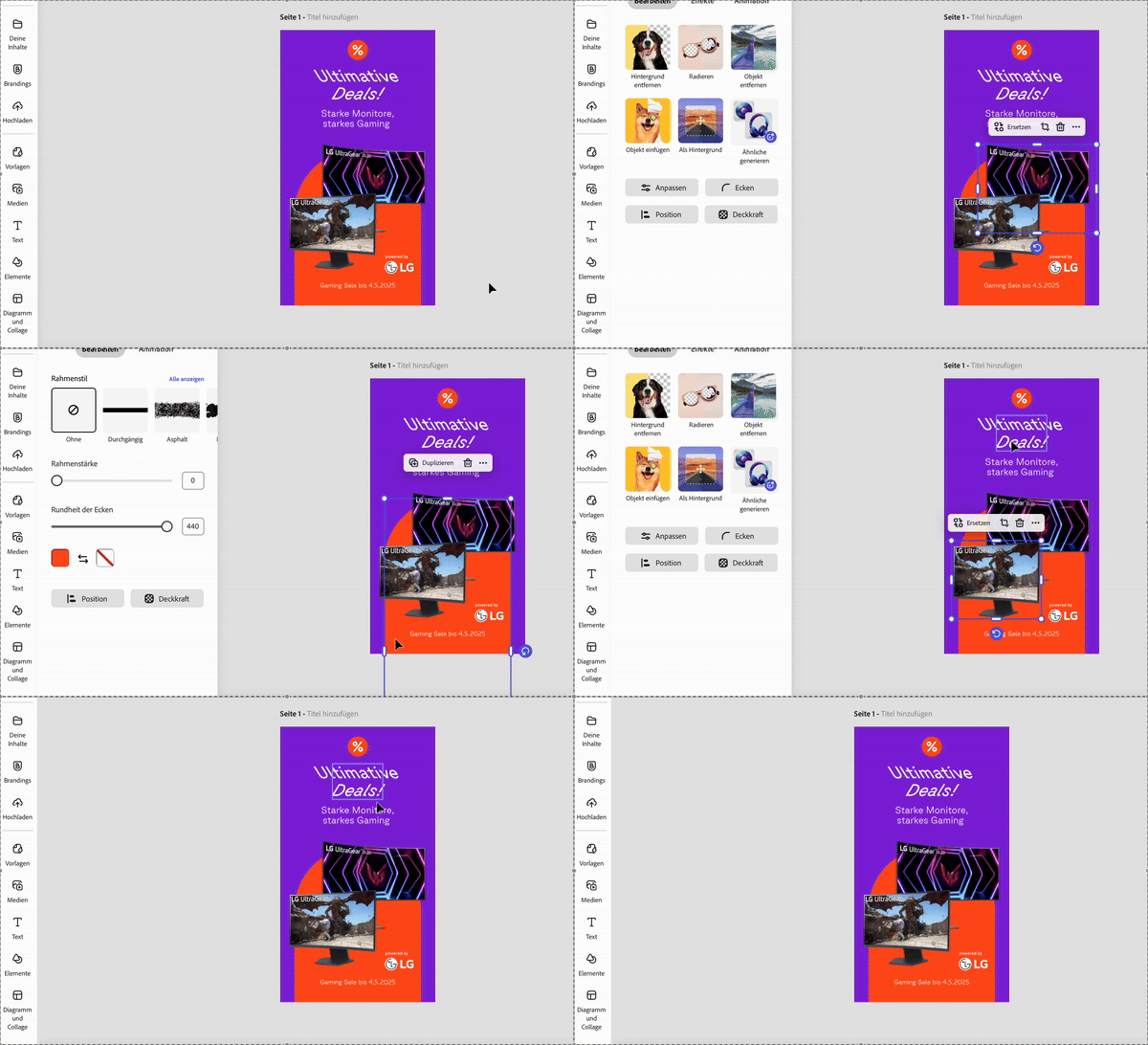
It is quite annoying when the sidebar is popping out constantly when you click something. If the "Your content" is clicked, the sidebar stays. Even in new scenes. But I figured out, that when an image is replaced, the sidebar pinning is lost and the sidebar is popping on/off again. It seems like a bug.

How to test:

  1. click the "You content" in the left sidebar. The sidebar should be fixed in every scene when clicking an object.
  2. Replace one image.
  3. The sidebar is unpinned again and popping.
2 replies

chromax
chromaxAuthor
Known Participant
April 24, 2025

@Amitej SYes, I wrote that. The sidebar pinning is gone if you replace an image. Thats the bug.
I don`t see any change with vertical scrolling.

Amitej S
Community Manager
Community Manager
April 22, 2025

Hey @chromax, Thanks for posting on our Adobe Express Community! 


Currently, Adobe Express doesn't offer a direct way to pin or unpin the sidebar, but there are a few workarounds you can try that might help achieve a similar result.


  1. If you have enough space on your screen, you can keep the left sidebar always visible by first making sure nothing is selected on your canvas. Then, click on any tab in the left sidebar, like Media. Once you do this, the sidebar will stay open and won't disappear on its own. It will only close if you click the X button or reload the page.
  2. You can also try toggling on the 'Vertical Scroll' option under the zoom menu in the top right corner, as it works for me (refer to the screenshot attached)


Let us know if/any worked for you, it might help other community users too, facing the same issue. 


Best,

Amitej