


Participant
November 15, 2024

Can't access my own document

  • November 15, 2024
  • 1 reply
  • 160 views

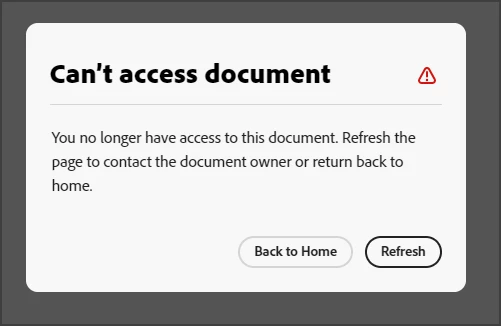
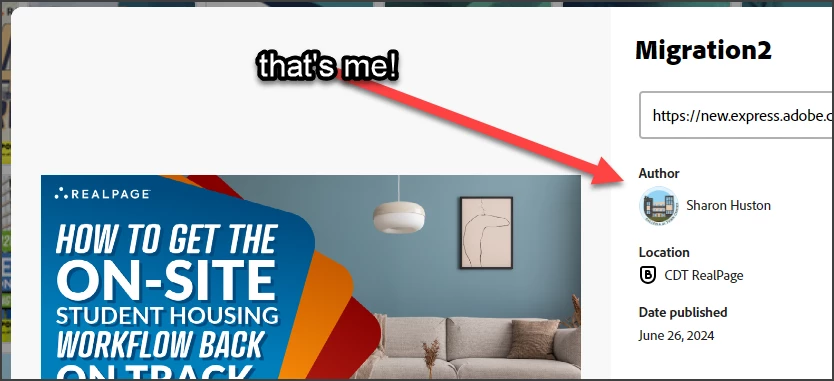
I'm trying to start a new document from a template that I created, but I'm getting the error "can't access document."  I am the document owner!!  (See second screenshot.) Also, refreshing does not help me contact the document owner (me). I am logged into my enterprise account, the same account that created the original template.


1 reply

chaimaa.7
Community Manager
Community Manager
November 18, 2024

Hello @sharon_9889. We are here to help. Here are a few things you can try to resolve this:


  • Even though you're the owner, check if the document permissions have been changed accidentally (sometimes settings can be reset or restricted).
  • Make sure the document is not set to private or restricted in a way that prevents you from accessing it.
  • Try logging out of Adobe Express and logging back in to reset any session conflicts.
  • Double-check that you’re signed in with the correct enterprise account associated with your template. Sometimes, the account you are logged into might not be the one you initially created the template with.
  • If you're able to access the template preview but cannot open it, try creating a duplicate of the template from your account. This can sometimes bypass the access issue with the original document.

Let me know how it goes or if you need more help with any of these steps!

Regards,

Chaimaa