


Participant
August 17, 2023

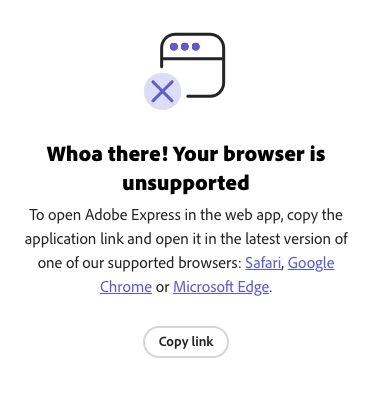
Can use Adobe Express, says my browser is unsupported

  • August 17, 2023
  • 18 replies
  • 9113 views

I was using Adobe Express on Chrome yesterday with no problem but now I'm trying to load the page and it says my browser is unsupported. My Chrome is updated, I even downloaded Microsoft Edge to try there but it shows me the same message. I already cleared cookies and caché and it still doesn't work. I don't know what to do.
18 replies

Adobe Employee
August 21, 2023

Hi, if you've followed all other steps, could you please try the following and share a screenshot of what you see, similar to the example shared? This will allow us to investigate your specific case


  1. Open devtools:  Mac :  Cmd + Option + I       win:  Ctrl + Shift + I or right click and select inspect
  2. Go to console and filter with "Browser"
  3. Reload the website
  4. verify the console logs:


Participant
August 21, 2023

Waiting since Aug 18th. It's 21st already. Issue has not been fixed it appears.

Participant
August 21, 2023

Same! It was working and then it just gave me this error

Participating Frequently
August 21, 2023

Hi. I am having the same error message today and have followed all the steps suggested! This isn't great!

Amitej S
Community Manager
Community Manager
August 18, 2023

"Browser not supported" issue has been investigated and is in the process of getting fixed. 

Amitej S
Community Manager
Community Manager
August 18, 2023

Adding to @Risa Shen response,

@rachel5DD1 & @VR Photography, can you please check if the Javascript is enabled for the browsers you use (Google Chrome, Edge, or Safari)? Also, ensure you're not on any VPN or have an active firewall.


Participating Frequently
August 18, 2023
Yes as mentioned in previous comments this has been checked
Amitej S
Community Manager
Community Manager
August 18, 2023

Thanks for letting us know, We have raised this with the concerned team and it is being worked on. Once the fix is available, we'll let you know. 

Adobe Employee
August 18, 2023

Hi, there are a couple of other of areas you can check to confirm minimum requirements:

- hardware acceleration is enabled. Here's one resource that explains how to check that: https://help.scoot.app/how-do-i-enable-my-browsers-hardware-acceleration
- Navigate to https://webglreport.com/?v=2 and confirm that it shows as green (✓ This browser supports WebGL 2)

Participating Frequently
August 17, 2023

Good luck getting any reply, i have been on support to adobe for 2 days and still cant use it