


Participant
September 2, 2024

Cannot download PDF Print version in Adobe Express

  • September 2, 2024
  • 7 replies
  • 494 views

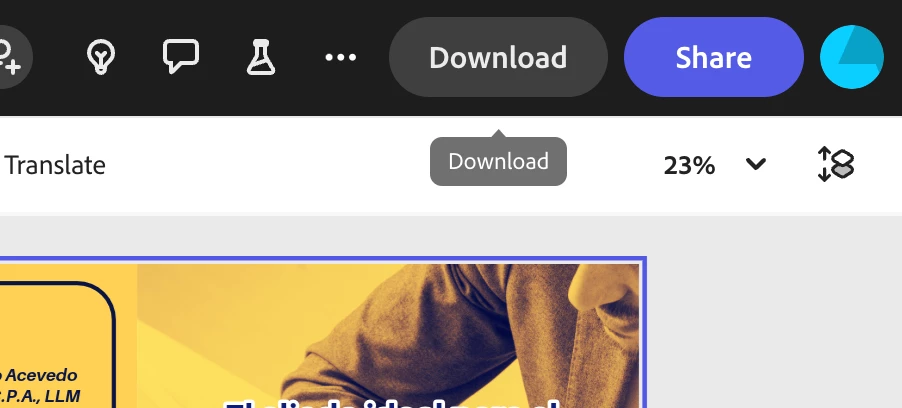
Hi! I'm trying to download a flyer in PDF Print version, but it doesn't work. As I click the download button after selecting the file format, it just pops a small download title under the main download button. I wonder if there is a solution to this probem.
 

7 replies

Participant
September 3, 2024

Also came here for this same issue. I downloaded the PDF with print marks a little while ago and then it stopped working. Can only download image files now. Tried different browser, signing out and back in etc. -_-

Tarun Saini
Community Manager
Community Manager
September 5, 2024

Hi 

@sheri_5845

,


Thanks for your patience. Could you please share the project URL with us with edit access to investigate further? Did you try using another browser to check if that helps? Also, try clearing the cache and cookies of the browser and see how it goes.


Regards,

Tarun

Participant
September 3, 2024

I was able to download the print edition on Friday or Saturday, now I cannot either. I even changed browsers, from Safari to Firefox on macOS 13 Ventura!


It broke in the last couple of days I guess...

I have to send this off to the printer tomorrow... 

... oh well? I guess I'm stuck with the wrong thing?
I subscribed to premium too! Disappointing.

Participant
September 3, 2024

Same here. I can download jpg, png, pdf standard but nothing happens when clicking PDF Print. I tried it last week, then there was no problem. server to busy? I 'll try again later today...

Participant
September 3, 2024

У меня тоже такая же проблема. Вчера еще все работало отлично. Проблема появилась сегодня.

Participant
September 3, 2024

I am having this issue too!

Participant
September 3, 2024

I'm having this issue too. Can download as png and standard doc but not the print option.

Known Participant
September 2, 2024

Also having this very same problem.