


Participant
May 15, 2025

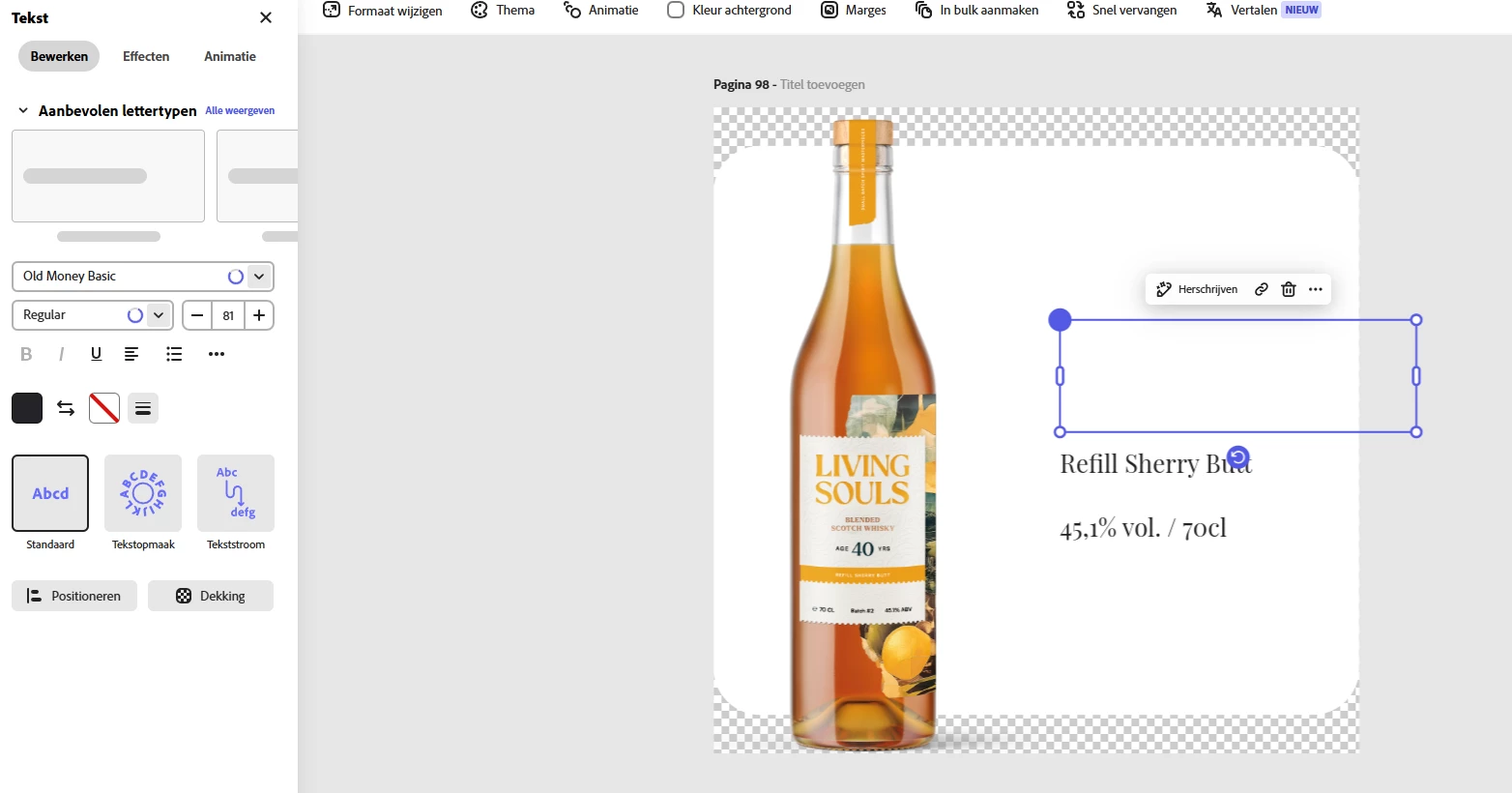
Custom Font's don't load in.

  • May 15, 2025
  • 2 replies
  • 213 views

The font's I've been using for a while now aren't loading in. The text remains a blank box. It also shows as a generic font in the Brand folder. It makes Express highly unusable. Is this a known issue with a fix? 
2 replies

Participant
May 19, 2025

Hi @Tarun Saini ,


Thank you for your respons.

So, the app and opening Express in Edge seem to work. I normally work in Chrome, and then even with clearing the cache it doensn't seem to work at all. 

It was a plugin: Privacy Badger went haywire on it the fonts, which it didn't for a long time, so I didn't check there. Might be something to keep in mind. Thanks again!

Tarun Saini
Community Manager
Community Manager
May 15, 2025

Hi 

@Toon37353695f88y

,

Welcome to the community, and thank you for reaching out. I’m sorry to hear about the font loading issue you’re experiencing. I completely understand how disruptive this can be, especially when fonts are a key part of your brand identity and creative workflow.


To help get things back on track, here are a few things you might try if you haven’t already:

  • Clear your browser/app cache and relaunch Adobe Express. Sometimes, stale data can block fonts from rendering properly.

  • If you're using uploaded custom fonts, please double-check that the font files are still active in your Brand folder.

  • Try accessing your project in a different browser or device to help isolate whether this is environment-specific.

  • Have you tried checking on a mobile device to see if it's working there?


Regards,

Tarun
