


January 19, 2026

Files not appearing correctly in Chrome or the Express App

  • January 19, 2026
  • 3 replies
  • 132 views

Hi, 

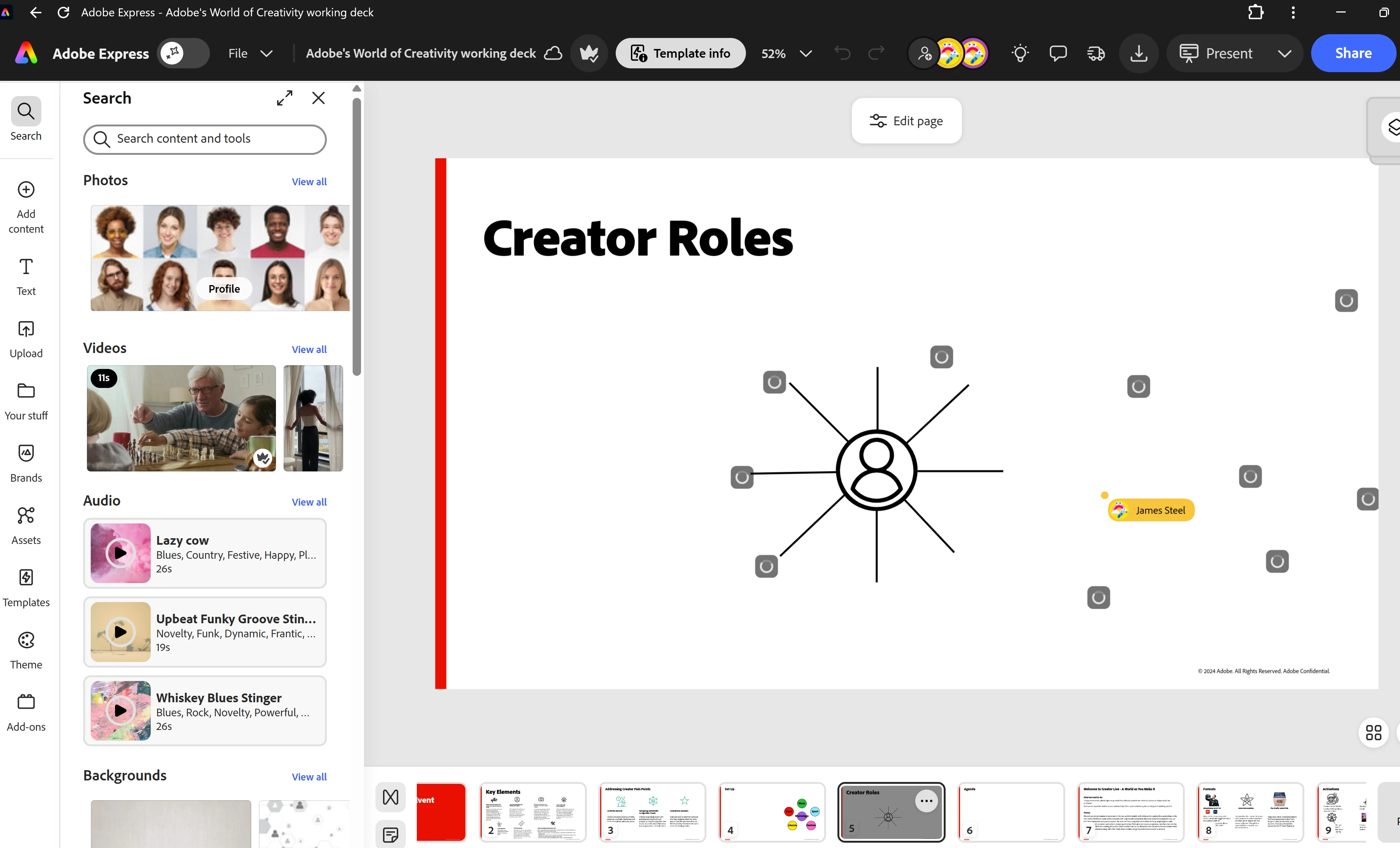
For all the decks I'm creating they won't render properly in Chrome or the Express app, they only seem to appear correctly in the Edge browser (below a screen shot from the Express app, get a similar thing in the Chrome browser.)
 

JustKeepBreathing_0-1768816292782.png


3 replies

January 21, 2026

Hi - just chasing on my previous response

'So cleared the cache, logged out of and back into chrome but the same thing keeps occurring in Chrome. It's also happening with the Express app. Any other suggestions?'

January 19, 2026

Aha! good shout, files appear back to normal in incognito mode. Is there a fix to make it work outside of incognito mode?

Amitej S
Community Manager
Community Manager
January 19, 2026

Great!! You may now need to clear the cache/cookies for the affected browsers where the files aren't appearing. That would resolve the issue. 
Try selecting a larger time frame when clearing. 


Best!

January 19, 2026

So cleared the cache, logged out of and back into chrome but the same thing keeps occurring in Chrome. It's also happening with the Express app. Any other suggestions?

<Contact information removed by Moderator>

Amitej S
Community Manager
Community Manager
January 19, 2026

Hi @James27002165rsjp, can you please confirm whether this happens in Chrome's incognito mode as well?