


Participant
July 8, 2026

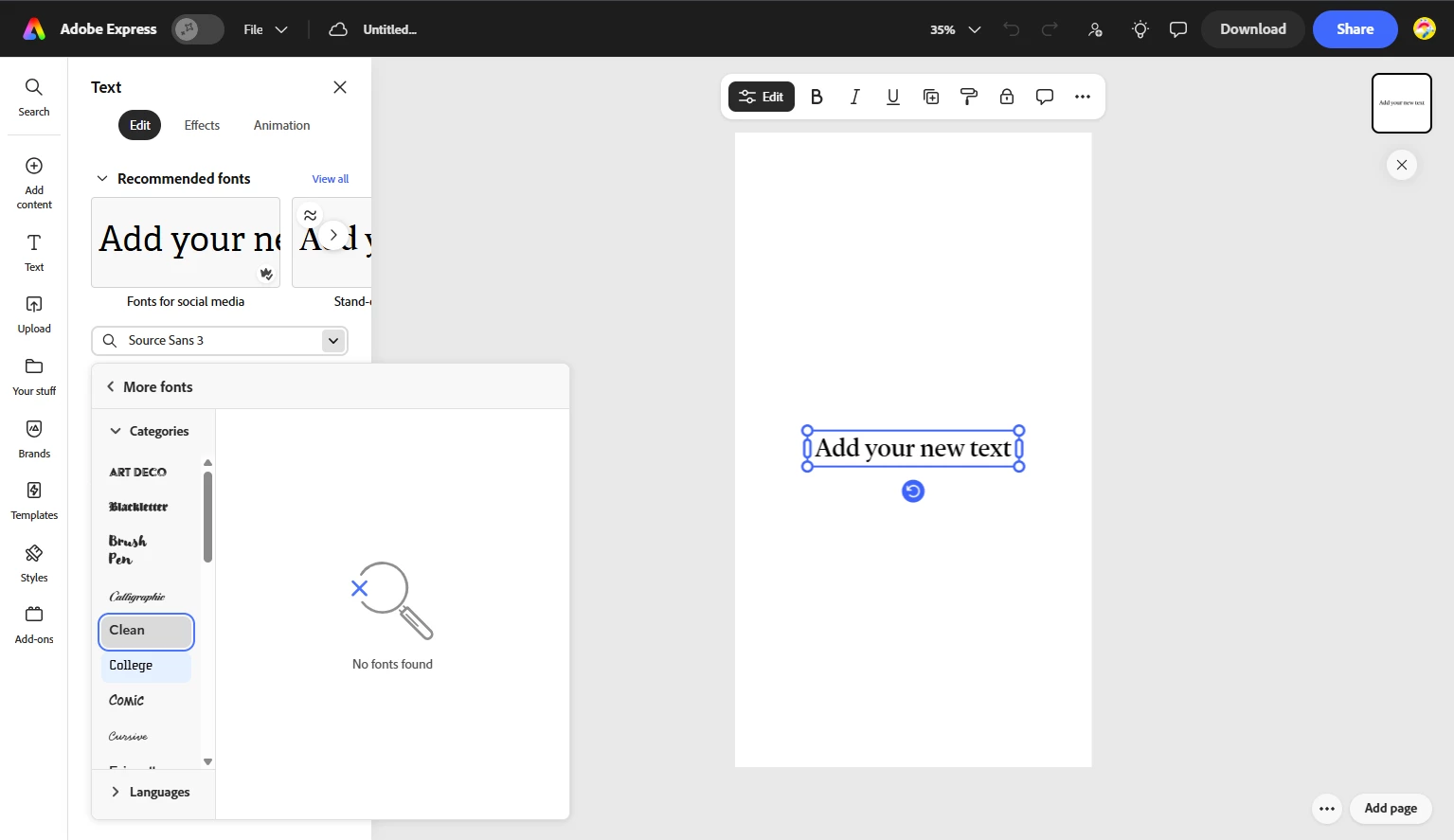
Font category "College" missing

  • July 8, 2026
  • 1 답변
  • 10 조회

When trying to change the font, the “College” font tab shows me the message, “No Fonts Found”. This is the only section of fonts that show this message, and this is the first time that this has happened. I opened a new project and the error stayed. I refreshed the page and nothing changed. I use a school account for my work, so everything should be available. 
 

    1 답변

    Rose DV
    Community Manager
    Community Manager
    July 8, 2026

    Hi ​@AlexTea!

    Thanks for the screenshot - really helpful to see that it's specifically the College category affected.

    A couple of things to check:

    1. Since you're on a school account, it's possible your institution's admin has restricted certain font categories. It might be worth checking with your school's IT team or whoever manages your Adobe account to confirm whether College fonts are enabled for your org. (i.e. none of the fonts enabled for your account fall under the ‘College’ section)

    2. If that's not the case and this worked before, and only just started being blank, could you share what browser and OS you're on? It would also help to know if this happens on a different browser or device.

    Rose