



Exciting_Beekeeper5C11
Participant
June 24, 2026

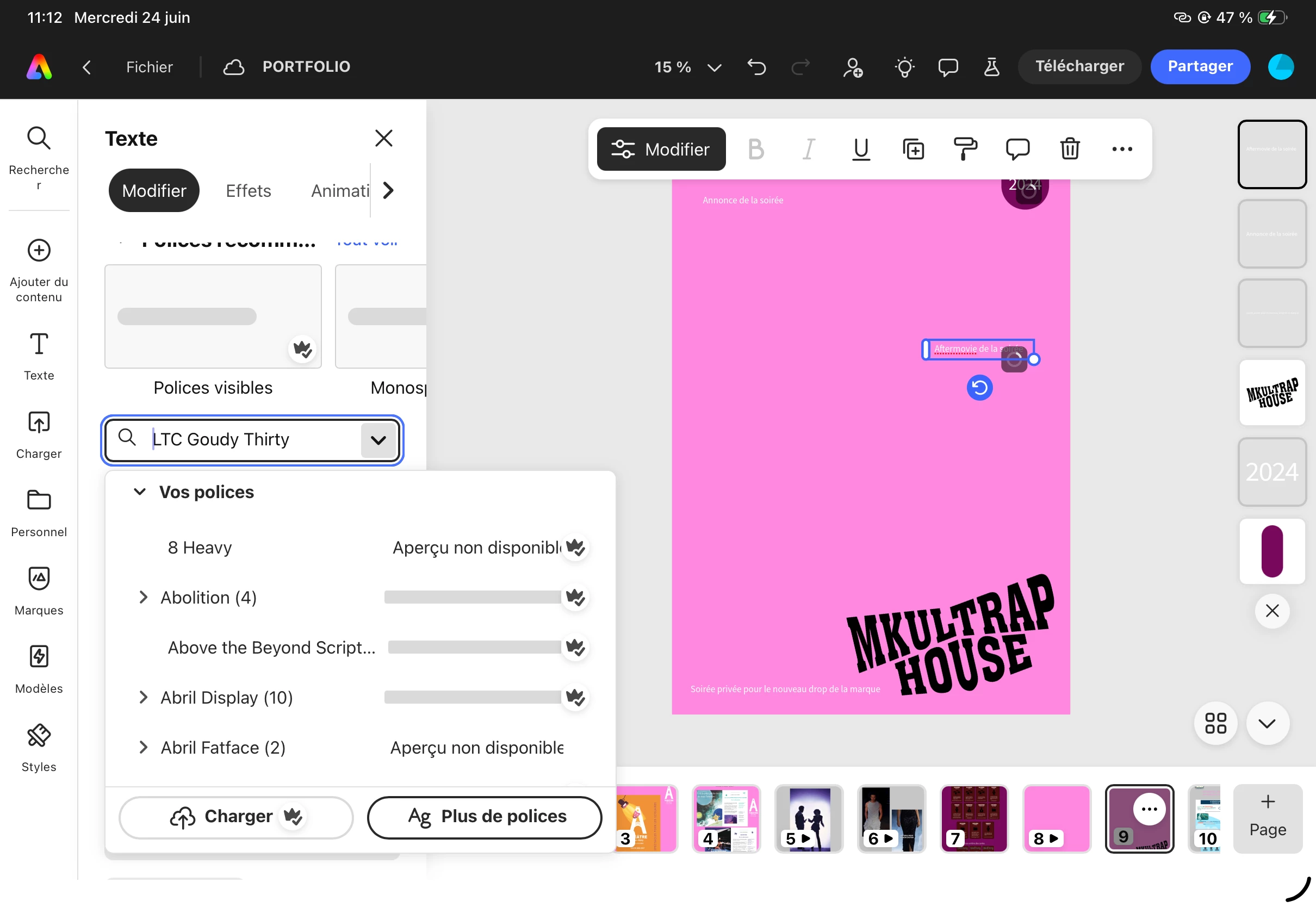
Fonts doesn’t appear and i can’t change them on all my project

  • June 24, 2026
  • 1 reply
  • 7 views

Hello,

At first, some fonts stopped appearing on my iPad. This had happened before, but it eventually affected other projects as well. Now, I can no longer apply fonts properly, even basic ones.

The issue also occurs on the web version of Adobe Express, which makes me think it might be related to a synchronization problem rather than my device.

I’ve already tried restarting the app, change browser,  and using different projects, but the problem persists.

Could you please help me resolve this issue?
 

    1 reply

    Amitej S
    Community Manager
    Community Manager
    June 24, 2026

    Hi ​@Exciting_Beekeeper5C11, thanks for sharing the details.

    Since the issue is occurring on both your iPad and the web version, there are a few quick things worth trying that can help refresh font synchronization.

    • Sign out of Adobe Express on both devices and then sign back in. This can refresh the Adobe Fonts sync.
    • Clear your browser cache and reload Adobe Express.
    • You can also visit Adobe Fonts and try deactivating and reactivating any fonts that aren't working correctly in Express.

    Additionally, create a brand-new blank project and test the fonts there. If they work in a new project but not in older ones, that will help narrow down the cause.


    Let us know how these steps go. If the issue persists, please share a screen recording along with your iPad model, iPadOS version, browser details, and Adobe Express app version, along with font names. so we can investigate further.


    Best!