


Participant
June 4, 2025

Glitch: Contents jumping during export

  • June 4, 2025
  • 1 reply
  • 148 views

As you can see in the first photo, I have my bulleted text box under 'skills' column as I would like (top and bottom align with column at left). However, when exporting to a PDF, the text jumps and reformats ending up totally different than how I have in my file. I do not have any filters or blending modes on. It's just  a simple text box. I've tried restarting web browser. Logging off/in back in and the issues persists. Super annoying glitch 
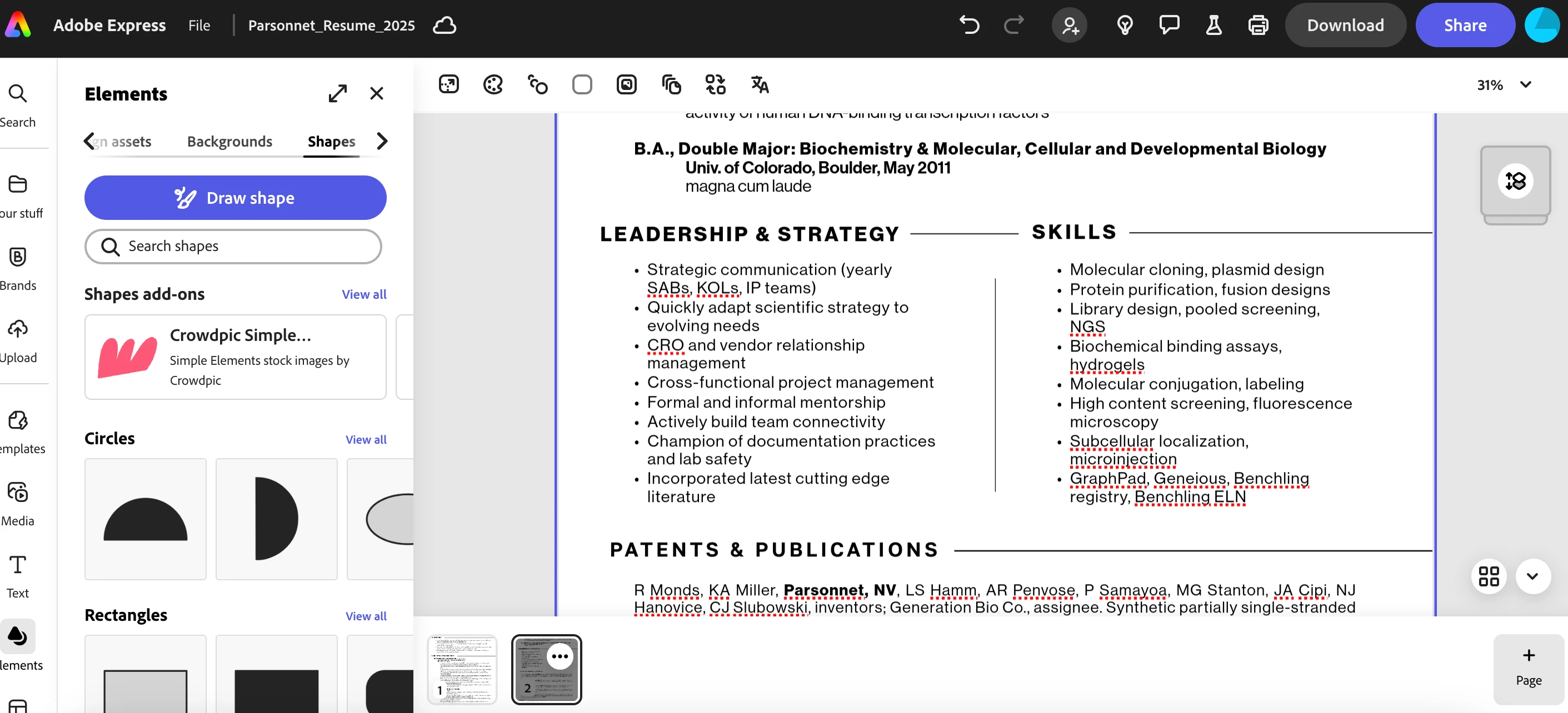
 

^ as its formatted in Adobe Express
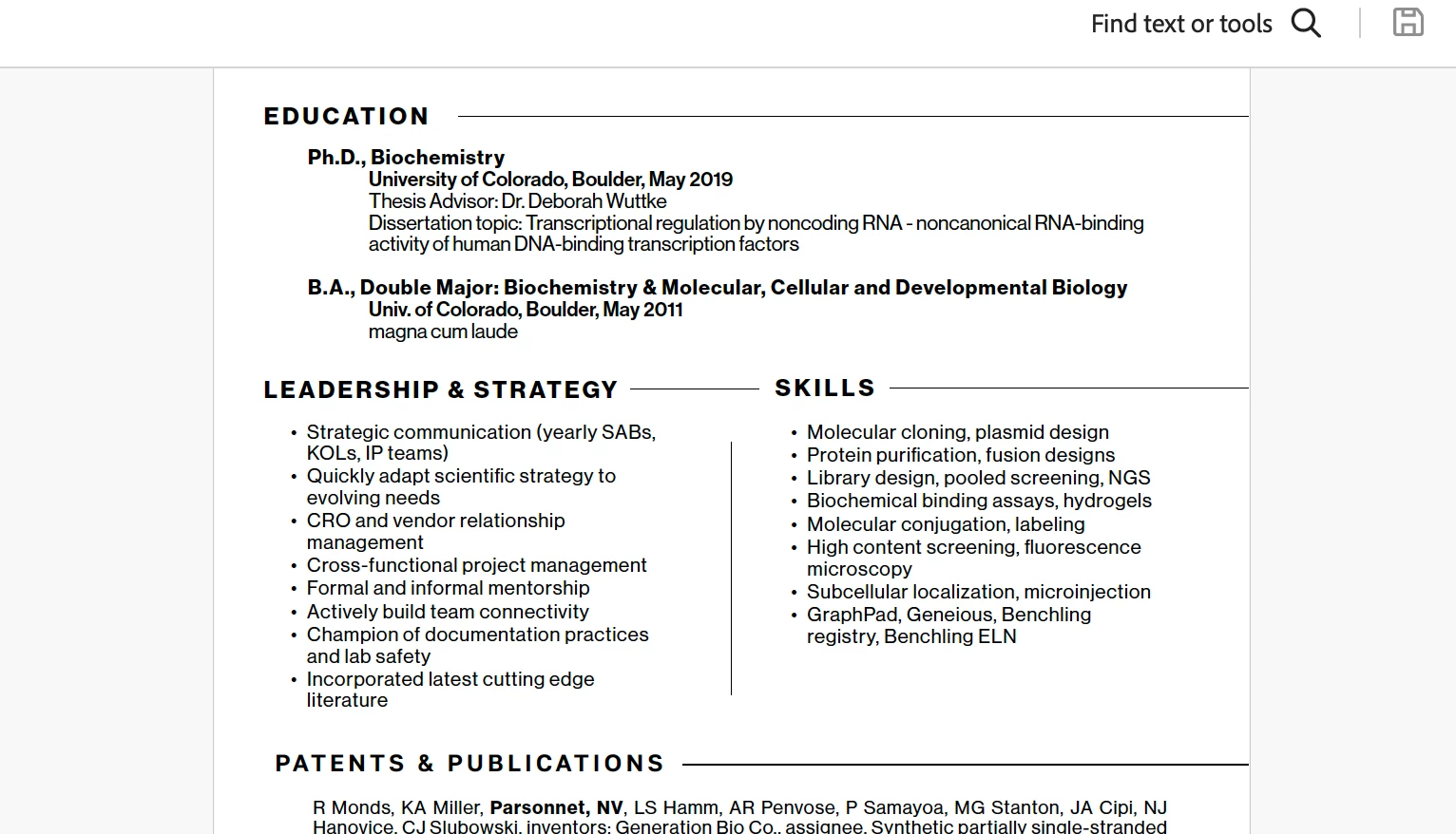
^ as its shown in Adobe Acrobat upon export. Notice the skills column at right jumping up so it no longer aligns 


1 reply

Amitej S
Community Manager
Community Manager
June 4, 2025

Hey @Madelyn_Albright3811, Welcome to our Adobe Express community!


We understand how frustrating it might be when the exports do not match the created designs. 

As of now, for a quick workaround, can you try downloading the projects from Adobe Express as a PNG or a JPG, and check if the formatting is correct? If it is up to your satisfaction, you can then use Adobe Express Quick Action Convert to PDF and get a PDF export of the project. 


Meanwhile, please share the project URL, and we'll request edit access from our test account to investigate this issue. 


Thanks!

Amitej