


Participant
May 10, 2026

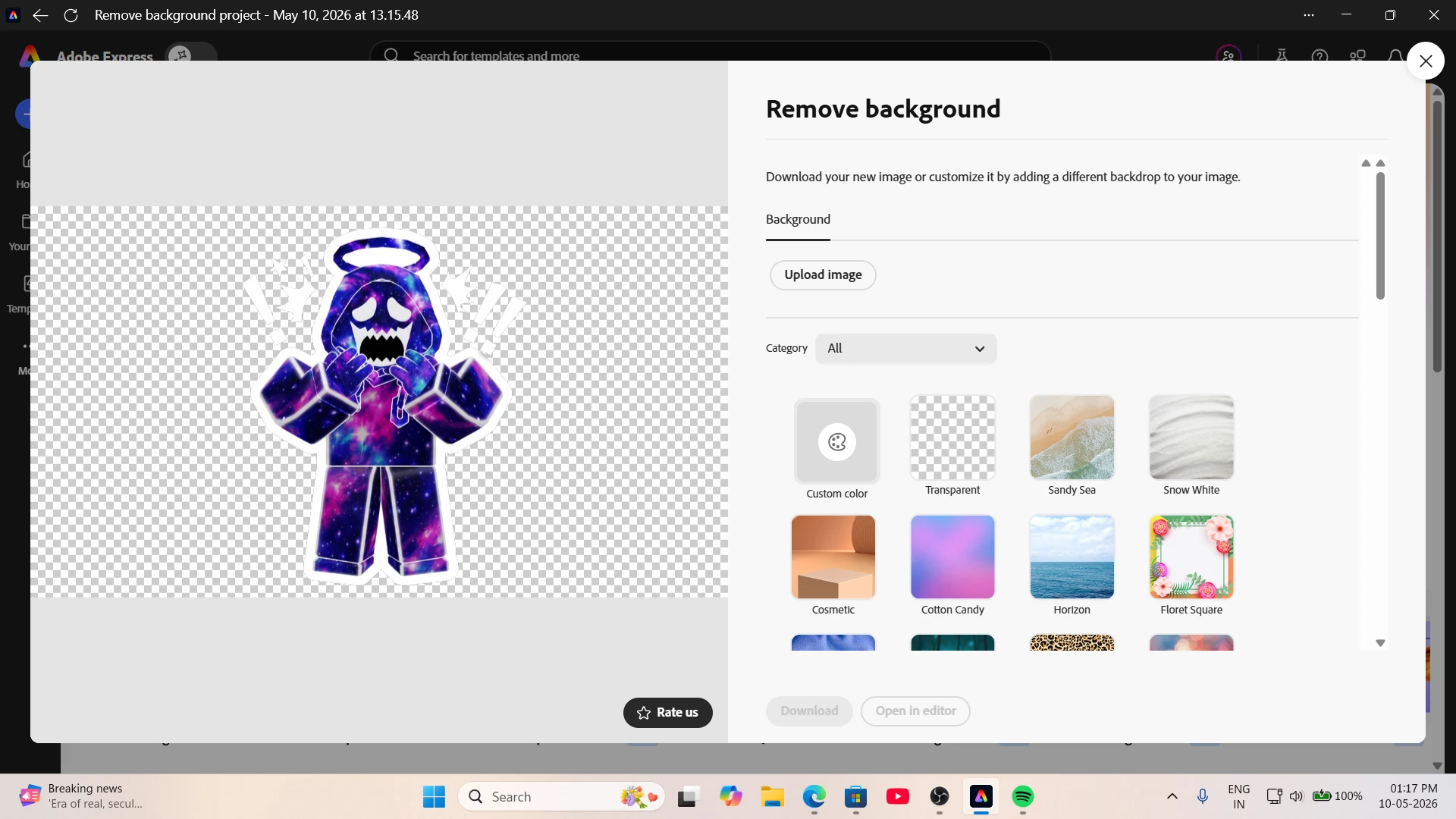
i'm not able to download my works , it, download option is not working , when i remove background from image it won't let me download

  • May 10, 2026
  • 1 reply
  • 6 views

the download button not working , i tried uninstalling and re installing but still same , while it works in mobile with same id.
 

    1 reply

    Radwan Almsora
    Participating Frequently
    May 10, 2026

    Hello!

    ​It's strange that the button is unresponsive on your computer while working fine on mobile. Since you’ve already tried re-installing (which usually clears app-level glitches), the issue is likely rooted in your Browser’s cache or a Security Extension that is blocking the download trigger.

    ​Please try these steps to get your 'Download' button working again:

    1. Incognito/Private Mode: Open Adobe Express in an Incognito (Chrome) or Private (Edge/Safari) window. If the download works there, then one of your browser extensions (like an Ad-blocker or a Pop-up blocker) is interfering with the download script.
    2. Clear Browser Cache & Cookies: Sometimes outdated 'Session Cookies' prevent the final render from triggering the download. Go to your browser settings and clear the cache for 'Adobe.com'.
    3. Check Pop-up Settings: Ensure that your browser isn't blocking pop-ups from Adobe Express. Even though it's a direct download, some browsers misinterpret the action as an unwanted pop-up.
    4. Hardware Acceleration: In your browser settings, try toggling 'Hardware Acceleration' OFF and restart the browser. This can sometimes fix rendering issues in the 'Remove Background' tool.
    5. Try a Different Browser: If you are using Chrome, try Microsoft Edge or Firefox. This will help us determine if the issue is browser-specific.

    A quick tip: Since the 'Download' button is greyed out in your screenshot, ensure the background removal process is 100% complete. Sometimes, a slow connection keeps the file in a 'processing' state, which keeps the button disabled."