


Participating Frequently
May 12, 2026

Impossible de créer un lien de partage

  • May 12, 2026
  • 1 reply
  • 23 views

Bonjour,

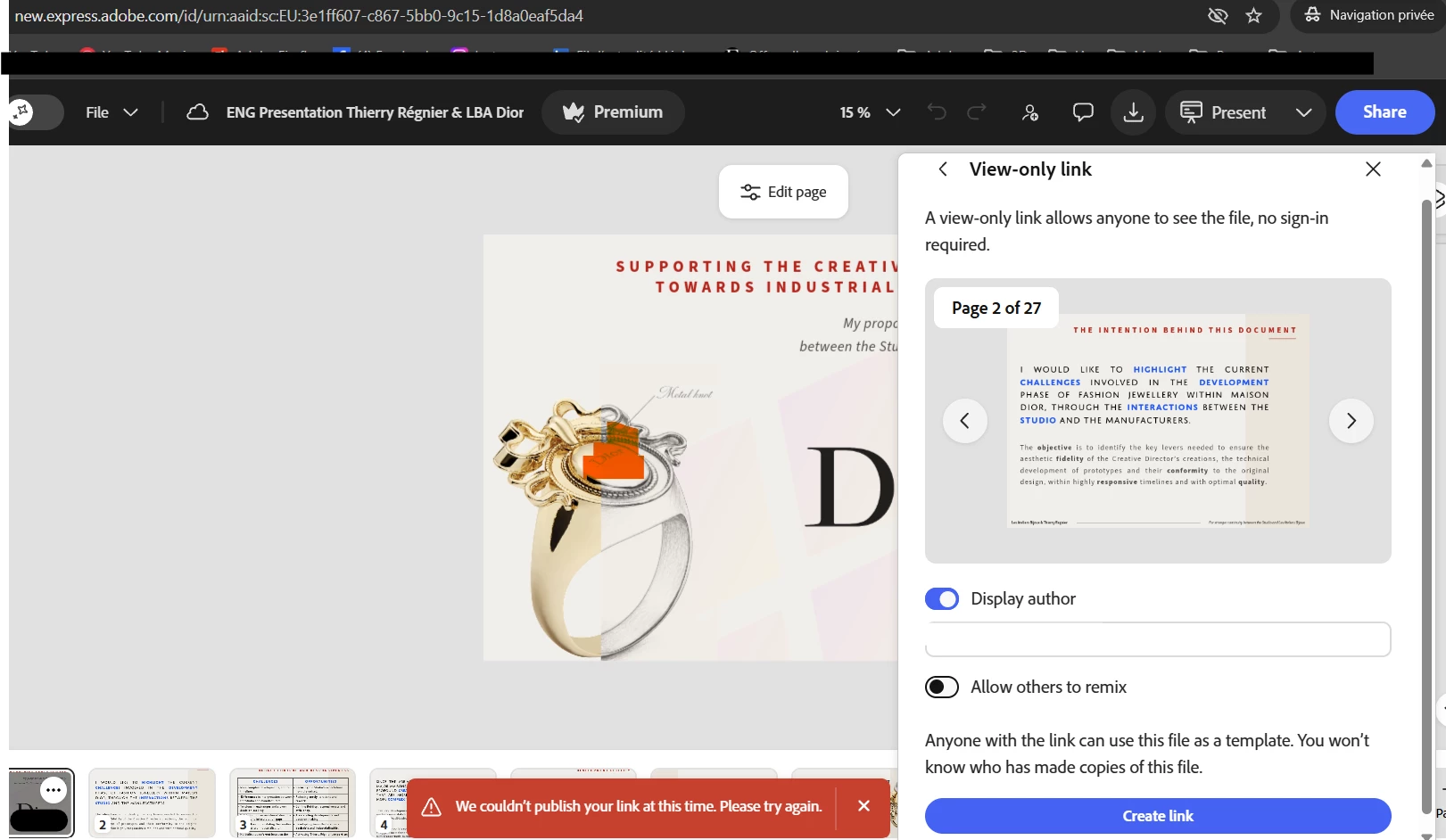
C’est très problématique, ma présentation réalisée avec Adobe Express en ligne est terminée et je dois la partager. Or, il ne m’est pas possible de créer le lien de partage suite à un message d’erreur standard “Nous ne pouvons pas publier votre lien pour le moment. Réessayez plus tard”

Voici la capture d’écran, manipulation réalisée dans 2 navigateurs différents et en Navigation Privée. Merci pour votre rapide intervention.


    1 reply

    Rose DV
    Community Manager
    Community Manager
    May 12, 2026

    Hi ​@THIERRY377277544583 

    Thank you for the thorough testing - trying two different browsers and private browsing is exactly the right thing to do, and the fact that the error persists across all of them tells us this isn't a local browser issue.

    Since you need this link urgently, I'd recommend reaching out to our Chat Support team for real-time assistance - they have access to additional tools that can dig into account-level issues like this much faster than we can through the forum. You can reach them at https://adobe.ly/3P2dPRg by clicking the three dots menu.


    In the meantime, if you'd like us to also investigate on our end, feel free to share:

    - Your Adobe account email

    - The project name

    - Whether this is the first time you've tried to share it, or if it worked before (and have you been able to generate a link for a different project? or is it all projects?)


    Hope we get this sorted for you quickly!


    Rose

    Participating Frequently
    May 13, 2026

    Thank you for your message Rose, by 2 times I had a very bad experience with the support where people leave you when they connect on your computer… Seems like they don’t know what to do or they just don’t want. This just happenned right now.

    I found the solution in between, it seem that yuo can’t share hidden pages in your document, so I needed to duplicate it and delete hidden pages. It works normaly.

    Al the best,
    Thierry

    Rose DV
    Community Manager
    Community Manager
    May 13, 2026

    Hi ​@THIERRY377277544583 

    So glad you found a workaround, and thank you for coming back to share it! This is helpful for anyone else who runs into the same issue.


    Just to summarize for the thread: if you're unable to create a share link, check whether your document contains hidden pages. Duplicating the project and removing the hidden pages before publishing resolved the issue. 


    I also want to let you know that we've identified this as a known bug and it's currently being worked on by our engineering team, so a proper fix is on the way, and you should be able to share (even with hidden pages!) soon.


    I'm also sorry to hear about your support experience - that's not the level of service we aim for and I'll make sure that feedback is noted.


    All the best, and happy presenting!


    Rose