


Participant
August 11, 2025

Major Bug: Cannot change colors, brand color palettes not loading

  • August 11, 2025
  • 2 replies
  • 161 views

I'm unable to change colors of key elements in the design. Both text and shapes give me no options to change the colors other than to black, white, and transparent. My brand color libraries are not loading, and there is no field to manually select a color via Hex/RGB/CMYK/Picker. Screenshots demonstrating the issue below:
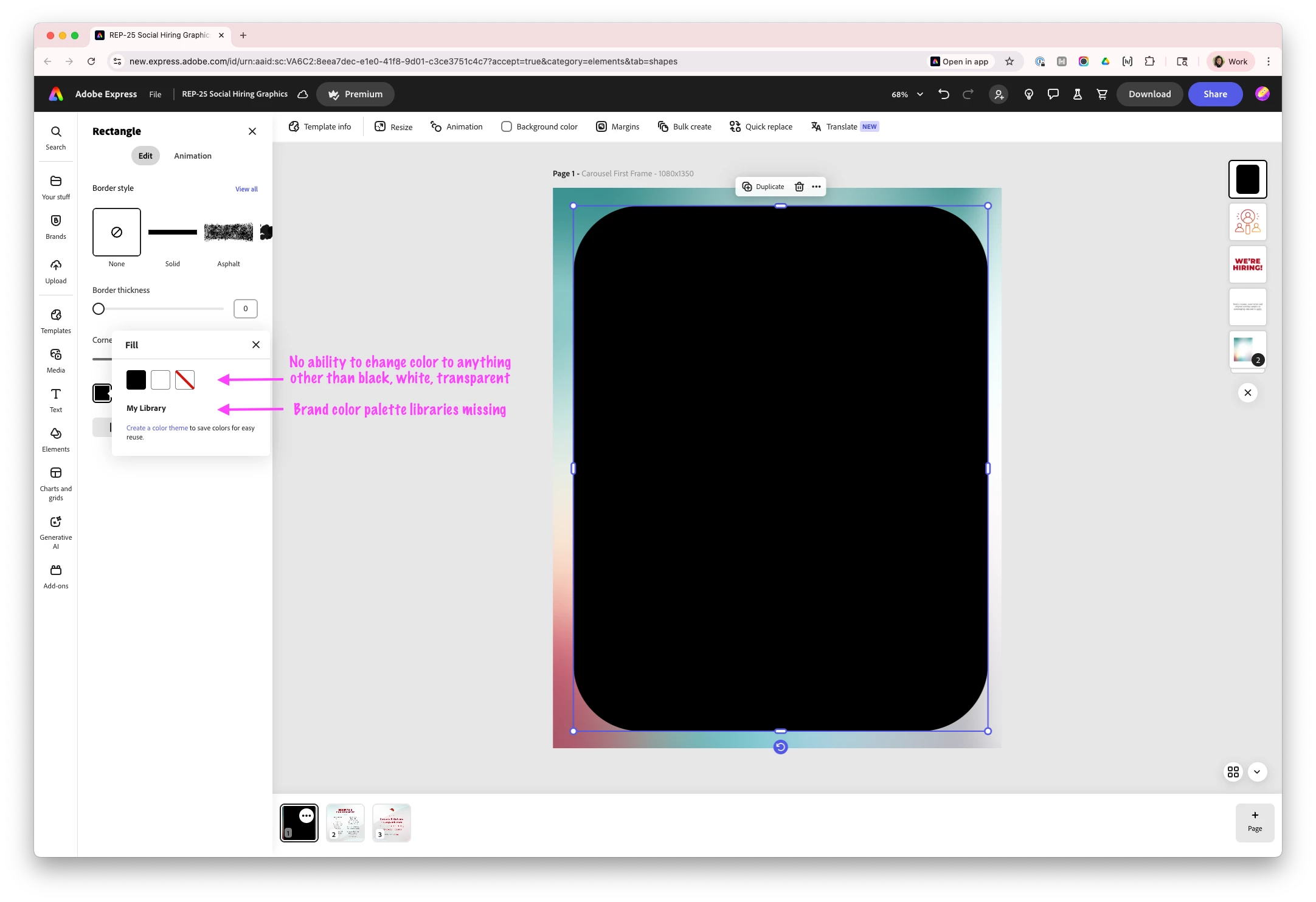
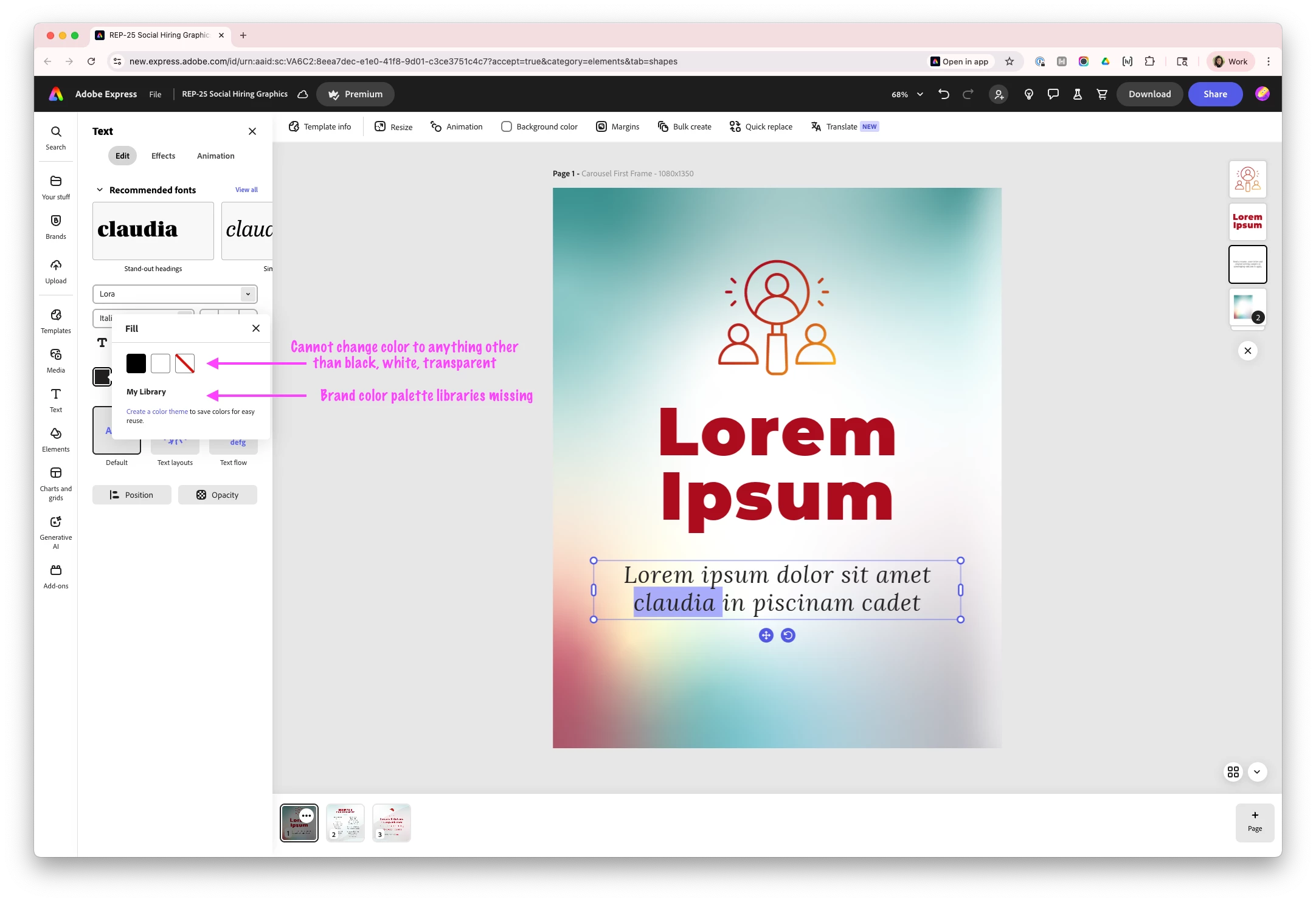
This is a major issue and a blocker to delivering what should be a simple template-based graphic to my client. 


Was there a recent version pushed that has introduced bugs? This is shocking in how badly it's broken existing functionalityI tested the issue in an incognito window to see whether it was a caching problem. The same issue persisted.


I'm working in Chrome Version 139.0.7258.66 (Official Build) (arm64) on a MacBook Pro. 

2 replies

Participant
August 12, 2025

Tarun,


Yes, I have tried different browsers and I have experienced the same issue in Chrome, Chrome incognito mode, and Safari. 


Can you please provide instruction on how to make sure netwrok endpoints are allowed? My background is in design, not tech, so I am not familiar with what you're askign me to do.

Amitej S
Community Manager
Community Manager
August 13, 2025

Hey @jessi_6001, it seems you're working on a shared template that has restricted the color and font based on a brand style (which is not yet set), so you're getting the default colors as black and white. 


You may need to either add a color theme and then select colors/font based on your brand style (if any), or you can go back and start fresh using a design template, which is not a shared template. 


You can identify if a design is a shared template by clicking on the 'Template info' (please refer to the screenshot) 


Here are some additional resources that might help you:

Brand style restrictions overview

Share templates with controlled permissions

Create from shared templates


Let us know if you're able to navigate through this.

Hope this helps!


Best!

Amitej


Tarun Saini
Community Manager
Community Manager
August 11, 2025

Hi @jessi_6001,


Welcome to the community! We're sorry to hear about the difficulties. Did you try using the other suggested browsers (Safari, Microsoft Edge, and Google Chrome) to see if it makes a difference? 


Did you try signing out and signing in again to check if that helps?


If the above-mentioned steps don't work,  please make sure that the network endpoints listed on https://adobe.ly/4a7ZI2M are allowed.


Let us know how it goes.


Regards,

Tarun