



Imaginerie
Community Expert
Community Expert
December 9, 2025

No access to the new .svg crop shapes on desktop

  • December 9, 2025
  • 2 replies
  • 372 views

Desktop > Windows > webapp


An update have been announced that we would have the ability to crop according to .svg files saved in libraries. It was supposed to show the .svg shapes (effectively acting as masks) in the crop menu, but it doesn't happen to me..


It's in regard of the newsletter here:
https://new.express.adobe.com/webpage/26QJvNnFzb0jO/remix
(Custom crop shapes)
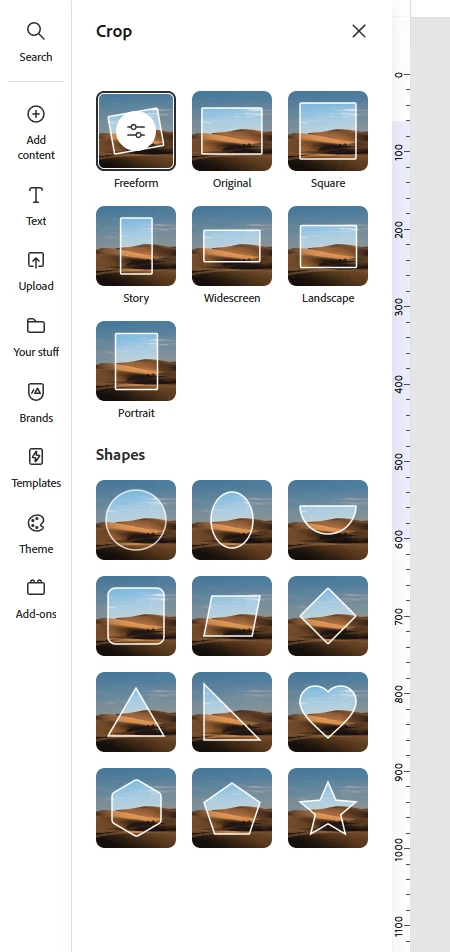
Imaginerie_0-1765275657578.png


2 replies

Imaginerie
Community Expert
Community Expert
December 10, 2025

Thanks!
I had already done that but I'm using the web app, I know it uses Edge but same thing within the Edge browser, with the cache cleared as well.
Same in Firefox with the cache cleared (I seldom use the browser directly, always the Progressive WebApp)
Anyhow, both have their cache cleared.

Logging out and back in doesn't change anything.
I only have one account, the one I use for all my Adobe apps + online presence with Adobe.


Thanks for looking into it!

Community Manager
December 10, 2025

Hi @Imaginerie,


We’re sorry you’re running into this issue 🙏. Can you please try the following:

  • Make sure your browser is up to date and try clearing the cache.

  • Confirm that you are logged into the same Adobe account where the.SVG shapes are saved.

  • Try refreshing the page or logging out and back in.

We’ve also shared your case with our engineering team to investigate further.


^MM