


Open for Voting
Not correct color separation thru print menu with Adobe PostScript / PPD Adobe pdf / AI CC, win 11
Hello to everyone!
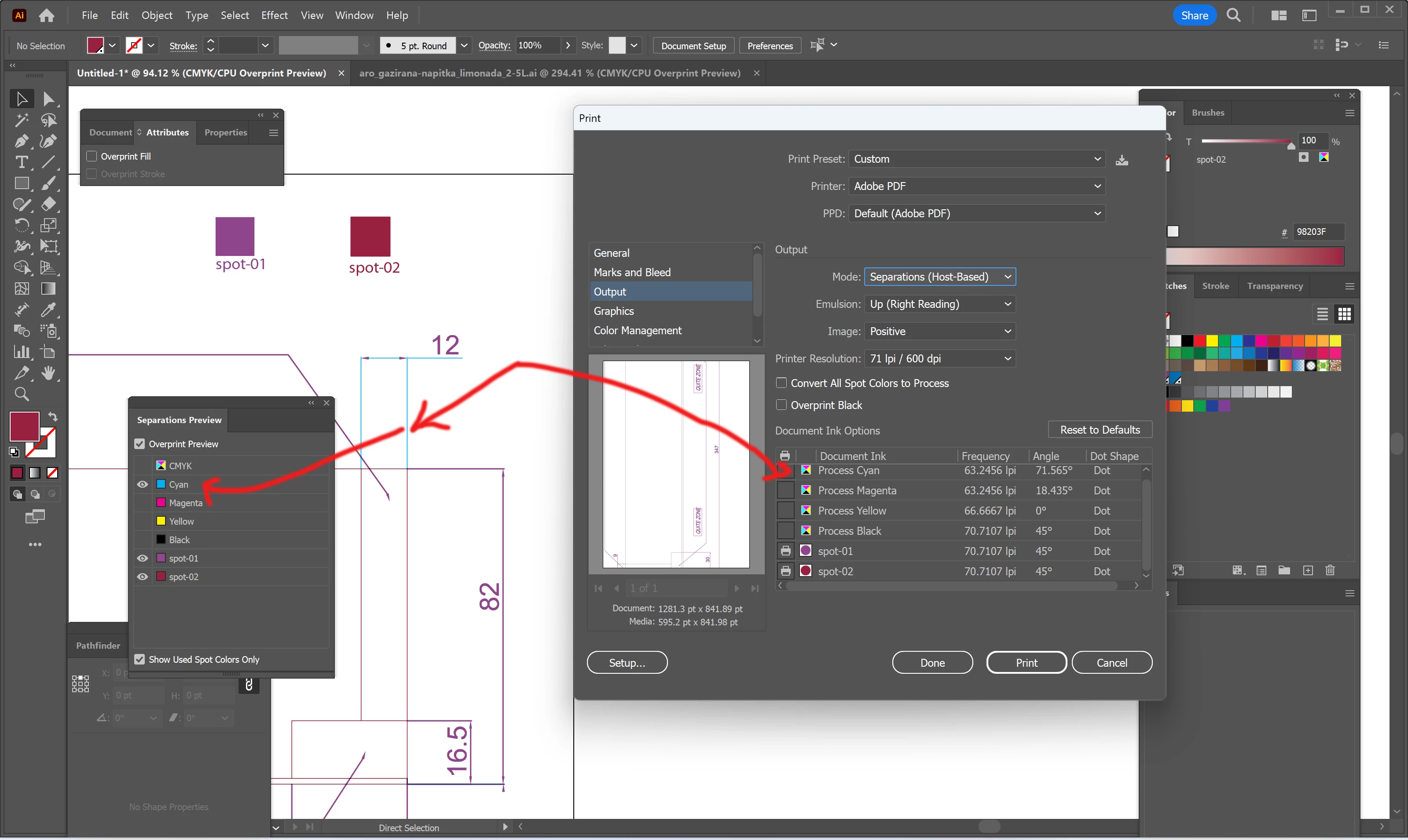
My problem in short - I was checking my "ai" file thru color separations in print menu. My task - converting cmyk objects to only 2 spot colors.
In print mode with printer: adobe PS file, and ppd: adobe pdf - the result is showing that I have only 2 colors spots (which is my target)... but when I check in details by checking objects in layers and in separation preview - there is a surprise - another color (cyan)?
Does any one have same problems and how to fix it?
PS 1: it’s working correctly only if I choose device independent instead adobe pdf as ppd
PS 2: already checked all settings in AI for print and pdf as printer – there is no turned on color conversion in settings.
Thanks in advance and greetings
Petya
 AdChoices