


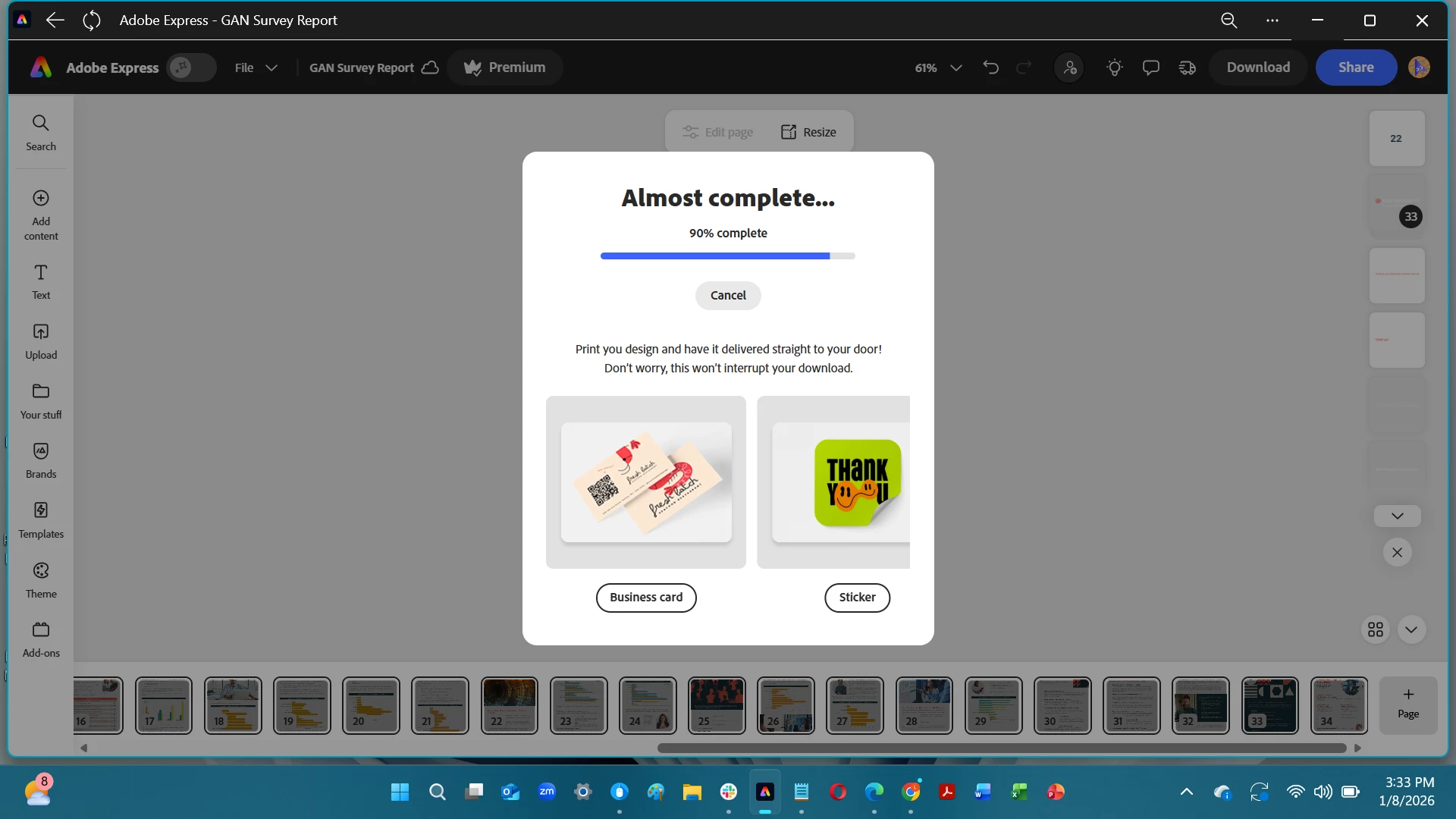
pdf download keeps getting stuck on 90%
I've seen that you all are aware of this issue...for years actually. Very disappointing that it's STILL a problem.
I am using the 2021-2026 Adobe Express app on my Windows 11 work laptop, not in a web browser. I have a "Premium account" through my job. I have created a 34 page PDF with some stock (not AI generated) images throughout. I've tried to download the file multiple times as PDF (best for printing), with no other settings selected. IT gets stuck on 90% every single time. I need to be able to get this to my team by EOD today...but it doesn't look like I will be able to. I've canceled a few times. I have logged out and back in. I have closed the app and reopened it. I have restarted my computer. How can I get my work out of Adobe Express and delivered on time now?
 AdChoices